If you make marketing videos for a living, Pippit AI has almost certainly crossed your path. CapCut's content engine, built by ByteDance, makes the pitch easy: paste a product link and a finished social video comes back minutes later, captions, music, and an AI voiceover already in place. Add avatars, a batch image editor, scheduling, and analytics, and it is no wonder e-commerce sellers keep reaching for it.
Popular and right-for-you are two different things, though. Maybe the render queue crawls on deadline, the credit meter drains too fast, or the goal is crisper avatars, real cinematic footage, or a pipeline that does not sit on ByteDance infrastructure. This guide trims the field to five alternatives worth a serious look, each with a standout strength, a quick-facts table, an honest read on where it beats Pippit, the trade-offs, and a real scenario where it fits. No hype, no invented benchmarks.
How these picks were chosen
A “best alternatives” roundup is only worth the time if the reasoning behind it is clear, so here is the short version:
• Real overlap with Pippit. Every tool here covers at least one core Pippit job: marketing video automation, AI avatars, product visuals, or social scheduling. Tools that only rhyme with Pippit on paper were left out.
• Current, public information. Features and prices were compiled from each vendor's own pricing pages and recent hands-on reviews as of mid-2026.
• Balance over cheerleading. Each tool gets its weaknesses listed right next to its strengths, including Pippit's.
• No paid placement. Nothing here is sponsored, and the ordering reflects how closely a tool maps to Pippit's core use case, not who pays.
One honest caveat: AI video pricing changes constantly. Plans get renamed, credits get re-priced, free tiers shrink. Treat every number here as a ballpark and confirm on the official site before buying. Verification links sit at the end of this guide.
What Pippit AI is genuinely good at
Judging a replacement fairly means knowing the bar Pippit sets. Its strengths cluster tightly around e-commerce and short-form marketing:
• Link-to-video automation. Drop in a product or website URL and it assembles a finished social video. This is the headline feature, and the one most rivals only partly match.
• Avatars and voices at scale. Roughly 80+ stock avatars and 50+ voices across 20+ languages, handy for explainers and global campaigns without a camera.
• A real image studio. Background removal, lighting cleanup, batch editing, and AI product shots, all useful for sellers updating large catalogs.
• Publish and measure in one place. Native scheduling to TikTok, Instagram, and Facebook, plus shoppable links and analytics, with direct Shopify, Amazon, and TikTok Shop hooks.
• Commercial-ready output. Assets are cleared for commercial use, which matters for ads and storefronts.
Where it tends to frustrate people
• Slow rendering. Complex exports, talking photos especially, can sit in the queue for 30 minutes or more under load, which hurts on tight deadlines.
• Opaque credit burn. Avatar and “smart” features eat credits quickly, and the running total is not easy to track, so the annual allowance can vanish faster than planned.
• Limited fine control. It is built for speed, not frame-level editing. Anyone who likes adjusting every element will find it restrictive.
• An avatar realism ceiling. Fine for quick social content, less convincing in slow, close-up shots.
• ByteDance ownership. For some teams the parent company is a procurement or data-governance question worth raising before standardizing on it.
How to pick the right alternative
Before scanning the lineup, settle which of these matters most. It collapses five options into a shortlist of two almost instantly:
• The format actually needed. A talking spokesperson, a faceless montage, a cinematic generated shot, and a templated marketing clip are four different tools. Start here.
• How the meter works. Credit systems are flexible but unpredictable; per-minute or flat plans are easier to budget. Match the model to the way the work happens.
• Speed vs. control. Some tools render in seconds with little to tweak; others give deep control at the cost of a steeper learning curve.
• Commercial rights. If output is for ads or clients, confirm commercial use is included on the chosen plan, not just the top tier.
• Stack fit. Native scheduling, Shopify or TikTok Shop hooks, brand kits, and API access can save more time than the generator itself.
• Data and ownership. If parent company or server location matters for the org, weigh it now rather than after migration.
The five alternatives at a glance
Skim this first, then jump to whichever rows earn a closer look. Prices are approximate entry points as of mid-2026.
| Tool | Best for | Standout strength | From /mo | Free tier |
|---|---|---|---|---|
| InVideo AI | Prompt-to-video marketing & ads | Full pipeline + bundled Sora 2 / Veo 3.1 | ~$28 | Yes |
| Canva (Magic Studio) | All-in-one design + light video | Everything in one canvas; easiest start | ~$13 | Yes |
| HeyGen | Talking-head & spokesperson video | Best-in-class avatar realism + translation | ~$24 | Yes |
| Akool | Avatars, face swap & product ads | Face swap + live avatars + e-com ads | ~$30 | Yes |
| Runway | Cinematic / generative b-roll | Top-tier generated footage & editing | ~$12 | Yes |
| Pippit AI (baseline) | E-commerce video automation | Link-to-video + scheduling + analytics | ~$24 | Yes |
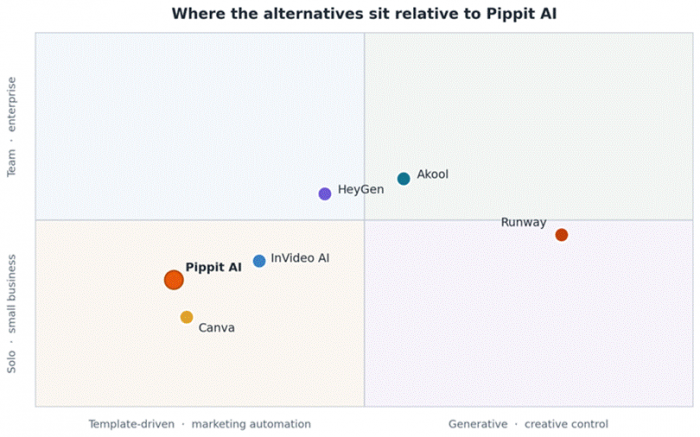
How each tool sits relative to Pippit. Left to right is templated automation versus generative control; bottom to top is solo versus enterprise.
InVideo AI: the closest match for “describe it, get a video”
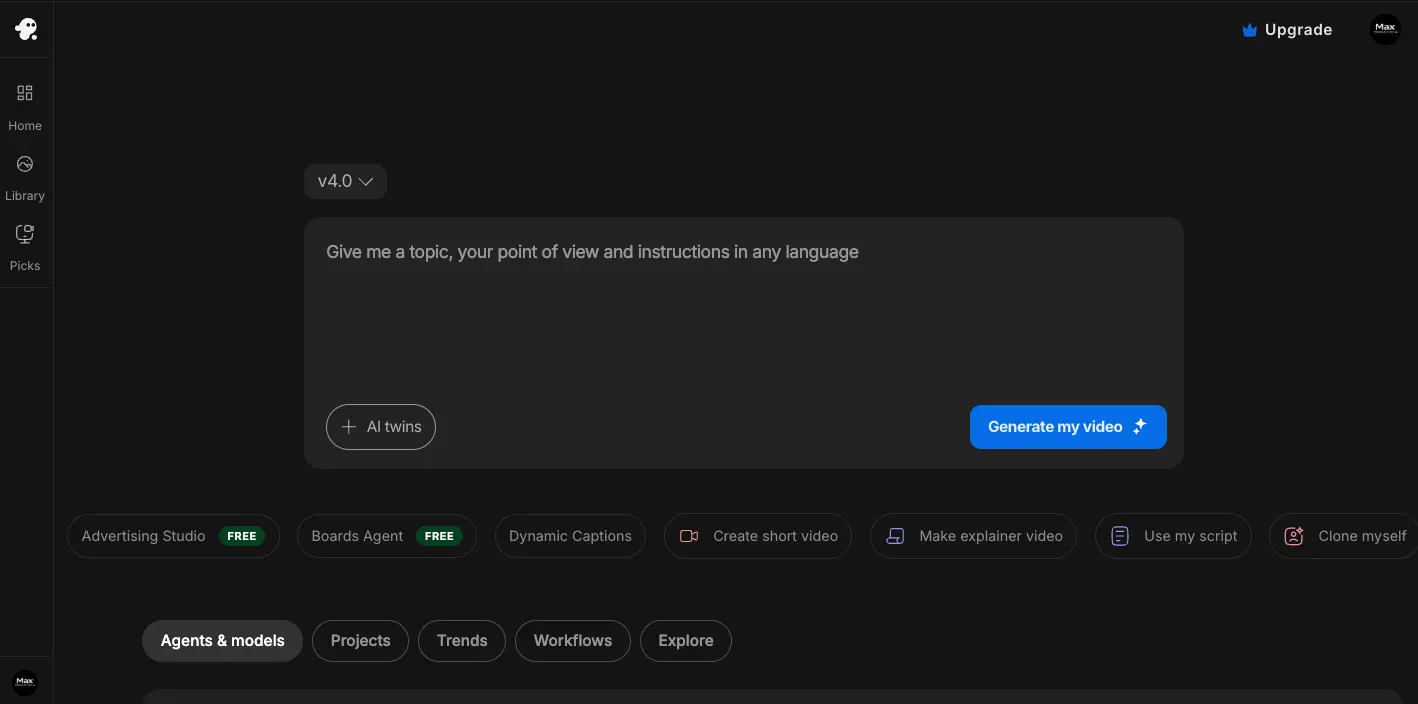
For anyone who likes Pippit's link-to-video idea but wants more range, InVideo AI is the most natural step across. Type a brief like “30-second ad for a cold-brew brand, upbeat, vertical,” and it writes the script, pulls stock footage, adds an AI voiceover, music, captions, and transitions, then hands back something fully editable.
The 2026 hook is model access. InVideo bundles OpenAI's Sora 2 and Google's Veo 3.1 inside the pipeline, so generated cinematic clips sit alongside stock footage. Buying those models separately would cost several times more, which is the main reason it stands out at this price.
Key features
• Prompt-to-video pipeline that makes hundreds of small editing decisions for you.
• 6,000+ templates plus a conversational AI agent for quick iteration.
• Bundled Sora 2 and Veo 3.1 generative clips inside one subscription.
• Voice cloning from a short sample; voiceovers in 50+ languages.
• A separate drag-and-drop Studio editor for manual control.
Quick facts
| Best for | Social, ad, and faceless-YouTube teams that want a full prompt-to-publish workflow |
| Pricing | Free (10 min/week, watermark); Plus around $28/mo; Max ~$60/mo; higher tiers for teams |
| Free tier | Yes, watermarked, with weekly generation and export caps |
| Standout | Frontier generative models bundled cheaply, inside a real marketing pipeline |
| Watch-outs | Longer videos can be slow to render; AI voices, not avatars; output often needs a polish pass |
Where it beats Pippit
• Far broader template library and a more flexible prompt-first workflow.
• Access to true generative video clips, not just stock and motion graphics.
• Editing flexibility after generation, so the first draft is never the final word.
Trade-offs to know
• Generation time on longer pieces can stretch toward an hour.
• No realistic AI presenter, so for a talking spokesperson, HeyGen is the better stop.
• Results can feel generic until the brief is refined and re-rolled.
Real-world fit. A DTC brand running weekly TikTok and Reels ads can brief InVideo each Monday, generate three variations per concept, swap in a Veo clip for the hero shot, and ship without a video editor on payroll.
Pro tip: Write the brief like a creative director. Name the platform, length, tone, and call-to-action. A specific prompt cuts re-rolls in half and saves both time and credits.
Canva (Magic Studio): the all-in-one pick for marketers
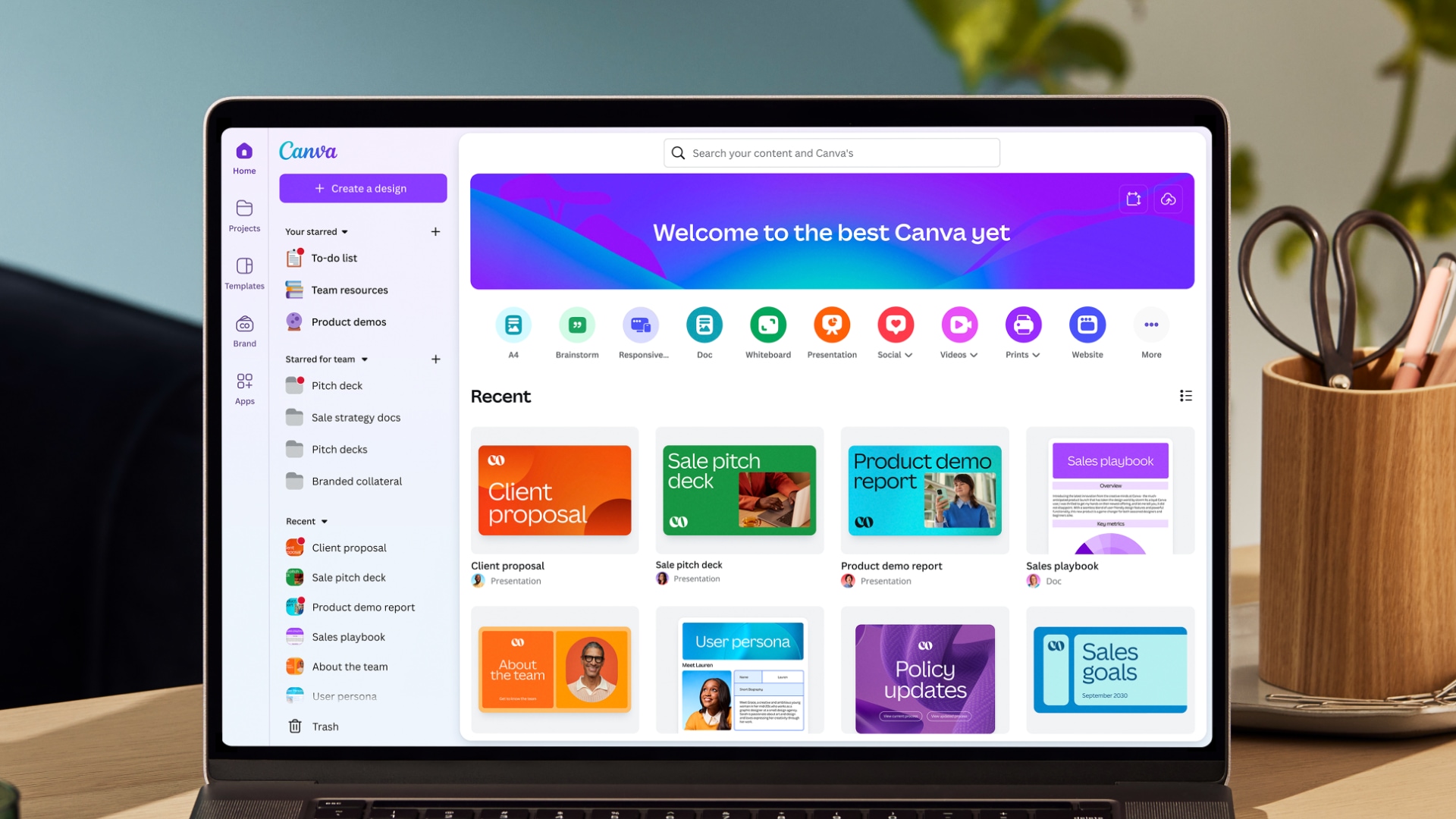
Pippit is partly a design tool, and that is exactly where Canva is strongest. Most teams already have an account, and Magic Studio layers AI across the whole suite. Magic Design builds layouts from a prompt, Magic Media generates images and video (its video is powered by Google's Veo 3), Magic Write drafts copy, and Bulk Create spins out dozens of on-brand variations at once.
What makes it a real Pippit alternative is the surrounding ecosystem: brand kits, a background remover, one-click resizing for every platform, and a built-in content planner for scheduling, all inside a canvas that is famously easy to learn.
Key features
• Magic Media for AI image and Veo-3-powered video generation.
• Thousands of templates with Brand Kit controls for consistency.
• Magic Switch to instantly resize a design for every social format.
• Background remover, Bulk Create, and a Content Planner for scheduling.
• The gentlest learning curve of anything on this list.
Quick facts
| Best for | Marketers, small businesses, and creators who want design, light video, and scheduling together |
| Pricing | Generous free tier; Canva Pro around $13 to $15/mo (cheaper billed annually); Teams pricing above |
| Free tier | Yes, one of the most capable free tiers in the category |
| Standout | One tool for graphics, social posts, light video, and brand consistency |
| Watch-outs | AI video generation is capped on lower tiers; not built for fine-grained generative or avatar control |
Where it beats Pippit
• Far stronger for static graphics, carousels, and on-brand templated design.
• A much easier on-ramp for non-designers and broad teams.
• Generous free tier that covers a lot of day-to-day marketing work.
Trade-offs to know
• Its AI video is lighter than dedicated generators and metered on cheaper plans.
• No link-to-video product automation or e-commerce catalog hooks like Pippit's.
• Avatar capabilities are minimal compared with HeyGen.
Real-world fit. A small marketing team that needs Instagram carousels, a pitch deck, a few short promo videos, and a posting schedule can do all of it in Canva without juggling five subscriptions.
Pro tip: Lock fonts, colors, and the logo into a Brand Kit before generating anything. Magic Studio then keeps every asset on-brand automatically, which is where the real time savings show up.
HeyGen: when a believable on-screen presenter is the point
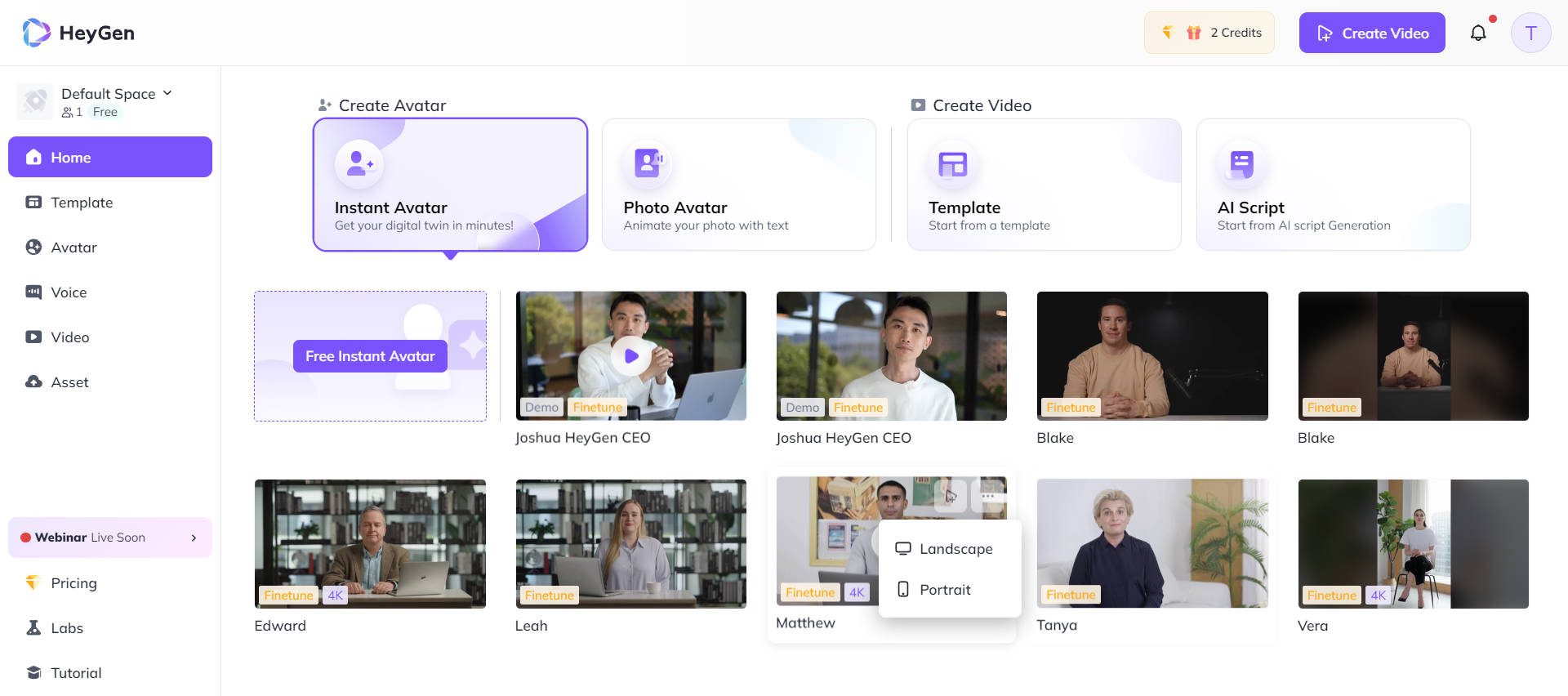
Pippit's avatars are fine for quick clips. HeyGen's are the reason people switch. Its Avatar IV/V engines are widely regarded as the most realistic in the category, with natural lip-sync, micro-expressions, and subtle body movement. When content depends on a presenter who does not look like a robot, this is the upgrade.
It is more than avatars, though. HeyGen's video translation re-voices a clip into 175+ languages with matching lip movement, and its Video Agent turns a single prompt into a scripted, scene-built video. Digital twins make it possible to clone a real person from a short recording for personalized outreach at scale.
Key features
• Top-rated realistic avatars (Avatar IV/V) with lifelike delivery.
• Video translation with lip-sync across 175+ languages.
• Video Agent: one prompt to a full scripted, edited video.
• Custom digital twins from a short sample recording.
• Voice cloning, brand kits, and a deep stock-avatar library.
Quick facts
| Best for | Spokesperson videos, B2B outreach, explainers, and multilingual localization |
| Pricing | Free (3 videos/mo, watermark); Creator around $24/mo annual; Pro from ~$49/mo; Business tiers above |
| Free tier | Yes, 3 short videos per month for evaluation |
| Standout | The most convincing AI presenter and best-in-class translation |
| Watch-outs | Premium avatar features draw a separate credit pool fast; real cost can exceed the headline price |
Where it beats Pippit
• Noticeably more realistic, expressive avatars.
• Best-in-class multilingual translation with synced lips.
• Personalized digital twins for one-to-one video at scale.
Trade-offs to know
• Top-tier avatar video burns credits quickly; budget beyond the base plan.
• No native product-link automation or e-commerce scheduling.
• API usage is billed separately from the web subscription.
Real-world fit. A SaaS company can record one explainer with a digital twin of its founder, then translate it into a dozen languages with synced lip movement, replacing a week of studio sessions with an afternoon.
Pro tip: Map the monthly minutes of premium avatar video before choosing a tier. Credits do not always roll over, so a high plan left under-used is wasted budget, and a low plan that gets outgrown stalls production.
Akool: a broad suite with face swap, live avatars, and product ads
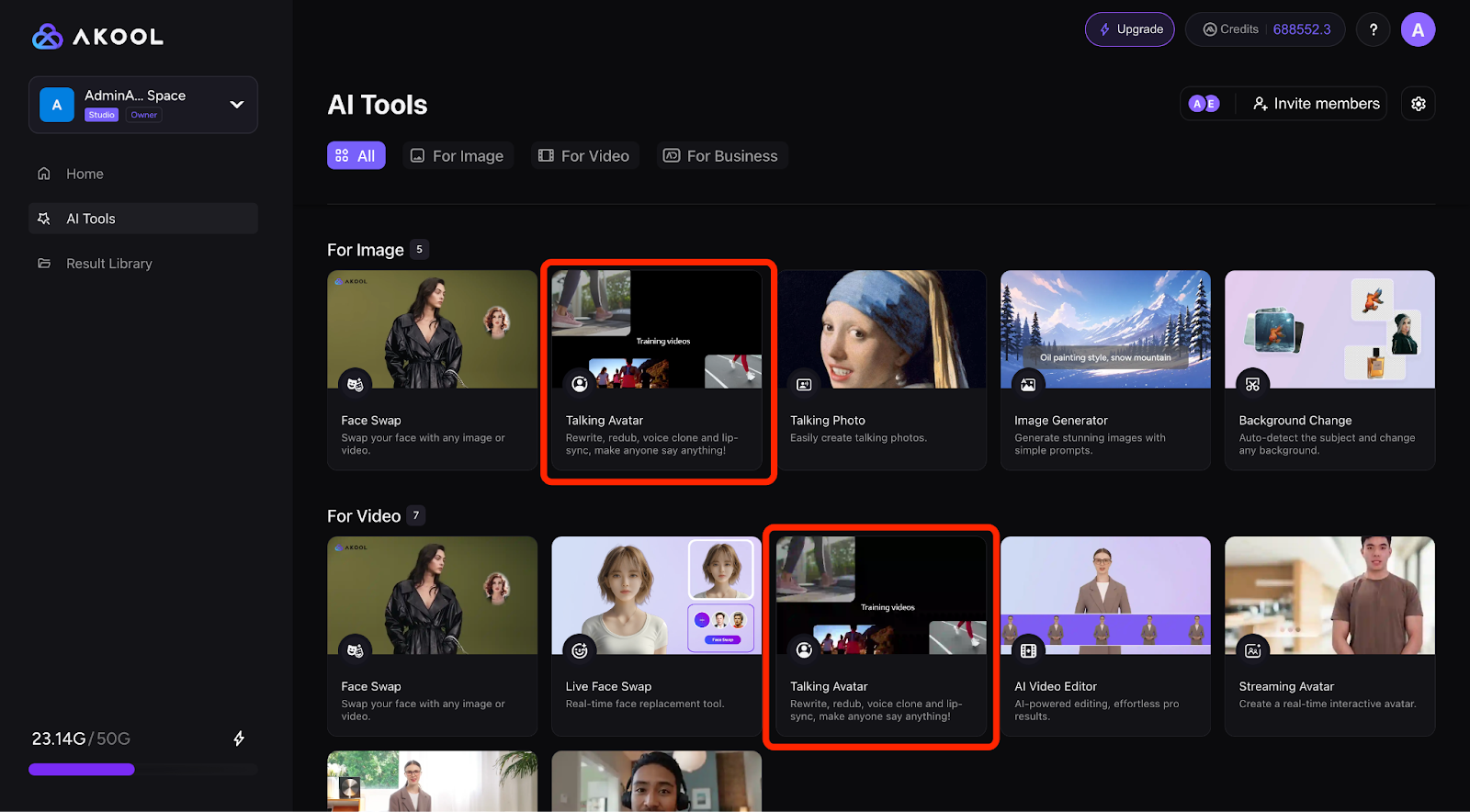
Akool is the closest thing here to a Swiss-army knife. Alongside scripted avatar video it offers high-resolution face swap, real-time “live camera” avatars for calls and streams, video translation, and, useful for anyone leaving Pippit, a dedicated e-commerce product ads tool. It is aimed squarely at brands, agencies, and product teams rather than hobbyists.
That breadth is both the appeal and the catch. The range of capabilities under one roof is unusual, but the credit-based pricing is hard to predict, and reviewers consistently flag that as the main friction point.
Key features
• Scripted avatar video plus talking-photo animation.
• High-resolution face swap for photo and video.
• Real-time live avatars for video calls and streams.
• Video translation with synced lip movement.
• A dedicated e-commerce product ads workflow and image generation.
Quick facts
| Best for | Brands and agencies wanting avatars, face swap, live video, and product ads in one suite |
| Pricing | Free Basic (watermark, 720p, length caps); Pro around $30/mo (30% off annually); Pro Max and Business above |
| Free tier | Yes, watermarked, with resolution and length limits |
| Standout | Face swap resolution and real-time live avatars few rivals match |
| Watch-outs | Opaque credit usage; per-seat pricing gets pricey for teams; slower renders on lower tiers |
Where it beats Pippit
• A wider toolkit, including face swap and live-streaming avatars.
• Real-time avatar presence for calls and broadcasts.
• A purpose-built product-ads workflow for e-commerce.
Trade-offs to know
• Credit consumption is genuinely hard to forecast month to month.
• Each seat pays full plan price, so teams scale expensively.
• No URL-to-script automation as seamless as Pippit's link-to-video.
Real-world fit. An agency producing a multilingual brand campaign can swap a spokesperson's face across localized cuts, generate product ads, and run a live avatar at a launch event, all without leaving one platform.
Pro tip: Run a small paid month and log credits per task type before scaling. Akool's value is real, but the only reliable way to avoid bill surprises is to learn the consumption pattern first.
Runway: for cinematic, generated footage Pippit cannot touch
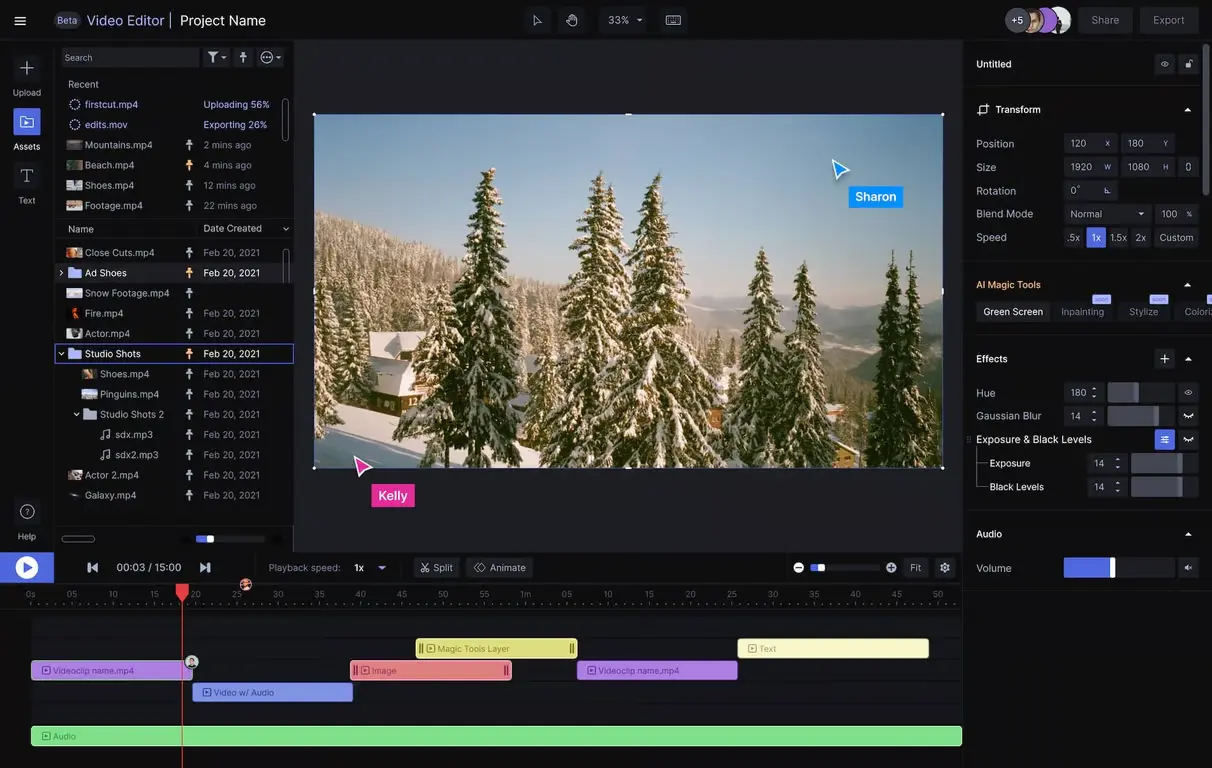
Runway plays a different game. It is not a marketing-automation tool: there is no scheduling, no product feed, no link-to-video. What it offers is the strongest generative video on this list. Describe a scene and its Gen-4.5 model produces a short cinematic clip, animate a still image, or restyle existing footage with text prompts.
It sits at the professional end of the spectrum, used by filmmakers and agencies, with image-to-video for character consistency, performance capture, an AI video editor, and access to outside models like Veo 3.1 and Kling. Think of it as the tool to reach for when a campaign needs an original hero shot, not a templated promo.
Key features
• Gen-4.5 text-to-video for high-quality cinematic clips.
• Image-to-video that locks in character and style from a reference.
• Video-to-video editing: relight scenes, swap objects, restyle footage.
• Performance capture plus a built-in editor and workflow tools.
• Access to multiple third-party models from one dashboard.
Quick facts
| Best for | Creators, agencies, and filmmakers who need original, cinematic generated footage |
| Pricing | Free (125 one-time credits, no flagship text-to-video); Standard ~$12/mo annual; Pro ~$28/mo; Max ~$76/mo |
| Free tier | Yes, a small one-time credit pool to evaluate quality |
| Standout | Benchmark-leading generated footage and deep creative control |
| Watch-outs | Credits vanish fast at top quality (seconds per month on lower tiers); steeper learning curve; no scheduling |
Where it beats Pippit
• Generates original, cinematic footage rather than assembling stock.
• Real creative control over motion, style, and editing.
• Image-to-video consistency for bespoke brand visuals.
Trade-offs to know
• High-quality generation burns credits in seconds, not minutes.
• No marketing automation, scheduling, or e-commerce features at all.
• The learning curve is real; expect time before output is production-ready.
Real-world fit. A creative team that needs a striking five-second hero shot for a campaign, something that simply does not exist in any stock library, can generate and refine it in Runway, then drop it into an InVideo or Canva edit.
Pro tip: Draft with the fast Turbo model and reserve Gen-4.5 for final shots. Top-quality generations are credit-expensive, so iterate cheaply and spend credits only on keepers.
Editorial scorecard: how the five compare
Numbers cannot capture everything, but a side-by-side score helps when the choice is close. The ratings below are this guide's own assessment out of 5, weighing how easy each tool is to use, the quality of what it produces, and the value for the price at mid-2026. They reflect hands-on impressions and current features, not third-party aggregate scores.
| Tool | Ease | Quality | Value | Overall | One-line verdict |
|---|---|---|---|---|---|
| InVideo AI | 4.5 | 4.0 | 4.5 | 4.3 | The most complete prompt-to-publish workflow, and the bundled generative models punch above the price. |
| Canva (Magic Studio) | 5.0 | 4.0 | 4.7 | 4.5 | The easiest all-rounder; tough to beat when design and light video share a to-do list. |
| HeyGen | 4.5 | 4.8 | 4.0 | 4.4 | The avatar to beat. Budget for credits once premium avatar use ramps up. |
| Akool | 3.8 | 4.2 | 3.6 | 3.9 | The widest toolkit here, though reviews are mixed; watch credits and per-seat costs. |
| Runway | 3.5 | 4.8 | 4.0 | 4.2 | Best generated footage on the list. Not a marketing tool, and credits vanish fast. |
Read the scores as a starting point rather than a verdict; the right pick still depends on the job in front of you.
What will it actually cost?
Headline prices only tell part of the story in this category, because most of these tools meter usage with credits or minutes on top of the base fee. Still, the entry points are a useful orientation:
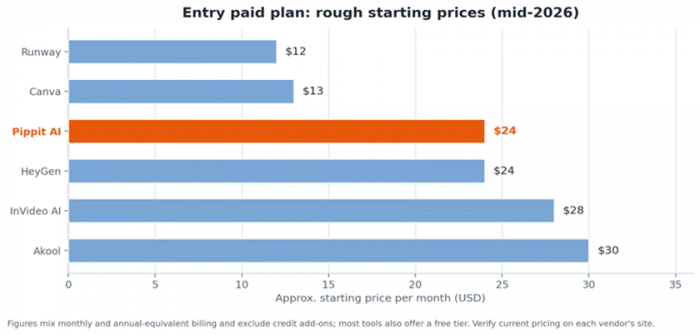
Approximate starting prices, mid-2026. Figures mix monthly and annual-equivalent billing and exclude credit add-ons; several tools also have free tiers.
The pattern worth internalizing: a low sticker price plus an aggressive credit meter can cost more than a higher flat plan. HeyGen's premium avatars, Runway's top-quality clips, and Akool's varied tasks all draw credits quickly. Before committing, estimate real monthly volume and check how fast the chosen plan's allowance would drain. That single calculation prevents most billing regret.
Which one should you choose?
Rather than crown a single winner, match the tool to the job. Here is the shortest path from “what is needed” to “what to try first”:
• Product videos from a link, fast → Pippit is still the most direct fit; reach for InVideo AI when more range is the goal.
• A realistic on-screen presenter → HeyGen, hands down.
• One tool for everything, design included → Canva (Magic Studio), especially with a non-technical team.
• Original, cinematic footage → Runway, paired with a lighter editor for assembly.
• The widest toolkit, with face swap and live avatars → Akool, as long as credit use stays on the radar.
Honest limitations across this whole category
Whichever tool wins, a few realities apply to AI video in 2026. Knowing them upfront saves frustration:
• Credit math is confusing by design. Allowances rarely map cleanly to minutes, and premium features cost far more than basic ones. Track the burn rate.
• Render queues exist. Under load, even fast tools slow down. Build a buffer into deadlines, especially for avatar and high-resolution exports.
• Avatars still have an uncanny edge. They are good and getting better, but subtle expressions and slow close-ups can still read as artificial.
• Commercial rights vary by plan. Do not assume the free or lowest tier grants commercial use; read the terms before publishing ads or client work.
• Data and ownership matter to some teams. Parent company and server location can be real procurement questions; raise them before standardizing.
• Prices move. Plans are renamed and re-priced often. The figures here are a snapshot, so always confirm on the official page.
The bottom line
Pippit AI earns its following. For turning product links into ready-to-post marketing videos quickly and affordably, it is a sharp, well-aimed tool. The reasons to look elsewhere are just as real: slow renders, unpredictable credits, limited control, or simply a different job to do.
Want the closest all-round replacement? Start with InVideo AI or Canva. If avatars are the whole point, HeyGen is the one to beat. For the widest toolkit, Akool covers more ground than anything else here. And when a campaign calls for original, cinematic footage, Runway stands in a class of its own. The smartest next step is not reading another comparison. It is opening two free trials this week and letting real footage settle the argument.
Post Comment
Be the first to post comment!





