Running an accounting firm in 2026 takes more than accounting knowledge. Firms now manage client communication, document requests, deadlines, recurring tasks, billing, staff workload, and reporting across multiple systems.
The challenge is not that firms lack software. The real problem is choosing tools that actually reduce admin work instead of creating more tabs, more logins, and more disconnected processes.
This guide breaks down the best tools for managing an accounting firm by category. Each section focuses on a different job inside the firm, so you can build a cleaner software stack without repeating the same tools everywhere.
Why the Right Tools Matter More Than Ever in 2026
Accounting firms are under pressure to move faster without lowering accuracy. Clients expect quick updates, secure portals, digital signatures, easy file sharing, and clear communication. At the same time, many firms are working with leaner teams and heavier workloads.
That makes manual tracking harder to maintain. A spreadsheet may work for a few clients, but it becomes risky when multiple team members are handling deadlines, follow-ups, document requests, and billing at the same time.
The right tools help firms keep work visible. They show who owns each task, what is overdue, which client still needs to respond, and where time is being spent. More importantly, they reduce the number of small manual jobs that quietly consume hours every week.
The goal is not to buy every tool available. The goal is to build a practical system where each tool has a clear role.
Best All in One Practice Management Software
All in one practice management software should act as the operational center of an accounting firm. It helps manage workflows, client work, deadlines, documents, time, billing, and internal visibility from one place.
1. Financial Cents
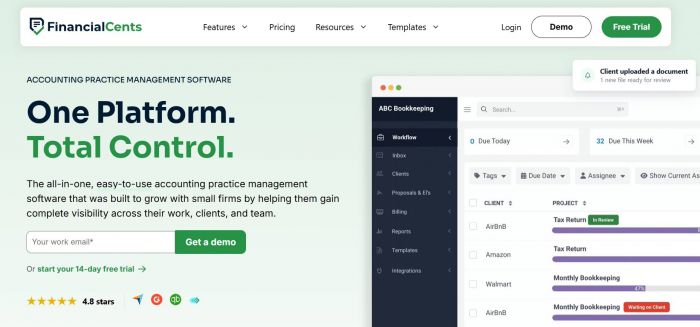
Financial Cents is a cloud based accounting practice management software designed for small and growing firms that want a simple way to organize client work without a complicated setup.
It brings workflow management, client tracking, task assignments, document requests, time tracking, billing, and team visibility into one dashboard. For firms still relying on spreadsheets, email threads, and scattered to-do lists, Financial Cents is one of the more approachable practice management platforms because it does not feel overly complex.
The tool is especially useful for firms that want to see what every team member is working on, which jobs are overdue, and which clients still need to send information. It gives owners and managers a clearer view of daily operations without forcing the whole team through a heavy learning curve.
Best for: Small to mid-sized firms that want a simple, organized practice management system.
2. TaxDome
TaxDome is a broader practice management platform built for tax, bookkeeping, and accounting firms. It combines workflow management, client portals, e-signatures, invoicing, payments, proposals, and automation.
It works well for firms that want a more complete client-facing setup. Clients can upload files, sign forms, pay invoices, and receive updates through the platform. For growing firms, that can reduce the need for several separate tools.
TaxDome may feel more detailed than lighter platforms, but that depth is useful for firms that want more automation and a stronger portal experience.
Best for: Growing firms that want a feature-rich platform with strong client portal features.
3. Karbon
Karbon is a strong choice for firms where collaboration is the main priority. It is built around tasks, client communication, email visibility, and team coordination.
One of its biggest strengths is how it connects email with workflow. Teams can turn client emails into tasks, assign work, leave internal comments, and track responsibility without losing the context of the conversation.
Karbon is usually a better fit for firms that are ready to spend more time setting up structured processes. It may not be the simplest option, but for collaborative teams, it can become the main system for managing firm-wide work.
Best for: Firms that need strong team collaboration and email-connected workflow management.
4. Canopy
Canopy gives firms a modular way to build their practice management stack. Instead of buying one fixed package, firms can choose the features they need, such as workflow, client management, document management, time and billing, or tax resolution.
This approach is useful for firms that do not want to pay for every feature from day one. However, firms should check pricing carefully because costs can increase as more modules are added. Canopy is a good fit for firms that want flexibility and a professional client management experience.
Best for: Firms that want to choose specific modules instead of using one fixed bundle.
5. Uku
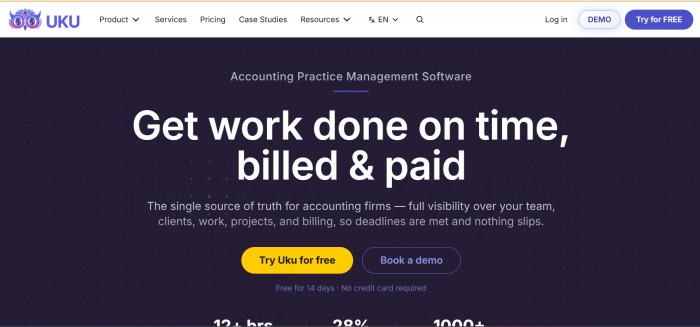
Uku focuses on workflow clarity, team workload, time tracking, and billing visibility. It helps firms understand what work is active, who is responsible, and how time is being used across clients and jobs.
It can work for solo practitioners, small firms, and larger teams that want a clearer view of deadlines and staff activity. Uku is especially helpful for firms that want to connect daily tasks with time and billing data without making the system too complicated.
Best for: Firms that want clear workflow tracking and workload visibility.
Best Cloud Accounting Software
Cloud accounting software manages your clients’ books and financial data. This is different from practice management software, which manages your firm’s internal operations.
1. QuickBooks Online
QuickBooks Online remains one of the most widely used accounting platforms for small businesses, especially in the United States.
For accounting firms, this matters because many clients already use it. Staying inside the QuickBooks ecosystem can make bank reconciliation, invoicing, reporting, payroll connections, and third-party integrations easier to manage. QuickBooks Online is a practical choice for firms serving small businesses that want familiar accounting software with broad app support.
Best for: Firms serving small business clients that already use QuickBooks.
2. Xero
Xero is another strong cloud accounting platform, especially for firms working with clients in markets where Xero is widely used.
It offers bank feeds, invoicing, reporting, app integrations, and multi-currency support. Firms with international clients may find Xero useful because of its cleaner global accounting setup and strong support for businesses operating across different currencies. Xero is also known for its simple interface, which can make it easier for clients to understand compared with more traditional accounting systems.
Best for: Firms with international clients or clients in Xero-heavy markets.
Best Time Tracking and Billing Tools
Time tracking and billing tools help firms understand where hours are going and how much work is actually being billed. This is important because untracked time often turns into lost revenue.
If your main practice management platform already includes time and billing, you may not need a separate tool. But if your firm wants a dedicated option, these tools are worth considering.
1. Harvest
Harvest is a simple time tracking tool that helps teams record billable and non-billable hours, review reports, and connect time entries with invoices.
It is not built only for accounting firms, but its clean interface makes it easy for teams to adopt. Firms can use it to understand how much time is spent on client work, admin tasks, internal meetings, and recurring services. Harvest is a good option for firms that want time tracking without adding a complex system.
Best for: Firms that want straightforward time tracking and reporting.
2. Toggl Track
Toggl Track is useful for firms that want flexible time tracking across projects, clients, and team members.
Its biggest strength is simplicity. Team members can start and stop timers quickly, assign time to the right project, and review where their workday is going. This can help firm owners spot time leaks and understand which services take longer than expected. Toggl Track is especially helpful for firms that want visibility into productivity without building a heavy billing workflow.
Best for: Firms that want flexible team time tracking.
3. FreshBooks
FreshBooks combines time tracking, invoicing, expenses, and basic billing tools in one clean system. It is often used by freelancers and small service businesses, but it can also work for very small accounting practices that want a simple way to track work and send invoices.
FreshBooks is not a full accounting firm management platform, but it can be useful when the firm only needs basic time and invoice management.
Best for: Solo accountants or very small firms that want simple invoicing and time tracking.
Best Document Management and E-Signature Tools
Accounting firms handle sensitive documents all year, from tax records and financial statements to engagement letters and client forms. A proper document system should make file collection, storage, sharing, and signing easier to manage.
1. SmartVault
SmartVault is a document management platform built with accounting and financial professionals in mind.
It helps firms store files securely, organize documents by client, manage permissions, and create a cleaner document workflow. For firms dealing with large volumes of client files, SmartVault can reduce the risk of misplaced attachments and scattered folders. It is especially useful for firms that want a stronger file management system rather than relying only on email or general cloud storage.
Best for: Firms that need secure accounting-focused document management.
2. DocuSign
DocuSign is one of the most recognized tools for electronic signatures.
Accounting firms can use it for engagement letters, authorization forms, agreements, and other documents that need client approval. Its main value is reliability and familiarity. Many clients already know how to use it, which can reduce friction during signing. DocuSign is a good option when a firm needs a dedicated e-signature tool rather than a broader practice management platform.
Best for: Firms that need a trusted standalone e-signature tool.
3. Dropbox Sign
Dropbox Sign is another simple option for electronic signatures. It works well for firms that want a clean signing process without adding too much complexity. Documents can be sent for signature, tracked, and completed digitally, which helps reduce printing, scanning, and manual follow-ups.
Dropbox Sign may be a better fit for smaller firms that need occasional signatures but do not need a heavier contract management system.
Best for: Small firms that want simple digital signature workflows.
Best Client Communication and Portal Tools
Client communication is one of the easiest areas for firms to lose time. When updates, files, questions, and reminders are spread across inboxes, work becomes harder to track.
A good client communication tool should give clients a clearer place to respond while helping the firm reduce repeated emails.
1. Liscio
Liscio is a client communication and secure messaging platform designed for accounting firms. It gives firms a more organized way to message clients, request documents, send reminders, and keep communication secure. Instead of relying only on email, firms can use a dedicated system that keeps client conversations and requests easier to manage.
Liscio is useful for firms that want a communication-first tool rather than a full practice management system.
Best for: Firms that want secure client messaging and document requests.
2. Client Hub
Client Hub is built for accounting and bookkeeping firms that want to improve client communication and task management. It helps firms assign client-facing tasks, send requests, track responses, and keep work moving without endless follow-up emails. This can be useful for recurring bookkeeping work where clients need to send information on time.
Client Hub is a good fit for firms that want clients to have a simple place to see what they need to do.
Best for: Bookkeeping and accounting firms that need better client task communication.
3. Help Scout
Help Scout is not accounting-specific, but it can work well for firms that receive a high volume of client support emails.
It turns shared inboxes into a more organized support system, allowing firms to assign messages, track conversations, and avoid duplicate replies. For larger firms or firms with dedicated admin staff, Help Scout can make client communication easier to manage. It is best suited for firms that need better inbox control rather than a full accounting portal.
Best for: Firms that want a cleaner shared inbox for client support.
Best CRM Tools for Accounting Firms
A CRM helps firms manage leads, referrals, prospects, and client relationships before they become active work. Not every accounting firm needs a dedicated CRM, but firms focused on growth can benefit from one.
1. HubSpot
HubSpot is a flexible CRM that helps firms manage leads, follow-ups, forms, emails, pipelines, and marketing activity.
Accounting firms can use it to track where leads come from, which prospects need follow-up, and how close each opportunity is to becoming a client. It is especially useful for firms that are investing in content, referrals, paid campaigns, or outbound sales. HubSpot may be more than a small firm needs, but for firms with active growth plans, it gives a structured way to manage business development.
Best for: Firms that want a strong CRM for marketing and lead tracking.
2. Pipedrive
Pipedrive is a sales-focused CRM built around a visual pipeline. It helps firms track consultations, proposals, follow-ups, and new client opportunities. The interface is simple, which makes it easier for teams to see where each prospect stands.
Pipedrive is a strong fit for firms that want to improve follow-up discipline without using a complex marketing system.
Best for: Firms that want a simple sales pipeline for new business.
3. Zoho CRM
Zoho CRM is a flexible option for firms that want lead tracking, email history, workflow automation, and reporting at a reasonable cost.
It can be customized for different client stages, referral sources, and follow-up processes. For accounting firms that want more control over CRM setup without paying for a higher-end platform, Zoho CRM is worth considering. It works best when someone in the firm is willing to spend time setting it up properly.
Best for: Firms that want a customizable CRM at a lower cost.
How to Choose the Right Tools for Your Firm
The best software stack depends on your firm’s size, workflow, clients, and biggest operational problem.
Start with the area causing the most friction. If your team is losing time chasing files, document management should come first. If tasks are slipping through the cracks, practice management matters more. If leads are being forgotten, a CRM may be the better first step.
Do not choose tools only because they have more features. More features can also mean more setup, more training, and more confusion. A smaller firm may get better results from a simple tool the whole team uses properly than from a larger platform that nobody fully adopts.
Before choosing, check these points:
● Does the tool solve a real daily problem?
● Will your team use it without constant reminders?
● Does it reduce manual work instead of adding steps?
● Does it fit your current firm size?
● Will the pricing still make sense as your team grows?
● Does it connect with the tools you already use?
The right stack should feel lighter over time. If a tool needs constant maintenance, repeated workarounds, or too much manual cleanup, it may not be the right fit.
Frequently Asked Questions
1. Do accounting firms need one platform or multiple tools?
Most small firms should start with one strong practice management platform and add separate tools only when there is a clear gap. Larger firms may need a more specialized stack for CRM, documents, billing, and client communication.
2. What is the difference between accounting software and practice management software?
Accounting software manages your clients’ books and financial records. Practice management software manages your firm’s own work, including tasks, deadlines, documents, communication, workload, and billing.
3. Should a solo accountant use practice management software?
Yes, if client work is becoming hard to track manually. A solo accountant may not need a heavy system, but a simple practice management tool can help organize deadlines, client requests, recurring tasks, and billing.
4. What should an accounting firm prioritize first?
Most firms should first fix the area where time is being lost. For some, that is document collection. For others, it is workflow visibility, client communication, time tracking, or lead management.
5. Is it smart to switch tools during tax season?
Usually, no. A busy season is not the best time to train staff, move client data, and rebuild workflows. It is better to evaluate and implement new tools during a slower period.
Final Thoughts
The best tools for managing an accounting firm are not always the biggest or most expensive platforms. The right choice depends on what your firm actually needs to fix.
If your firm needs one central system for workflows, clients, tasks, documents, time, and billing, start with practice management software. If your client books are the issue, focus on cloud accounting software. If your firm is growing, a CRM or better client communication system may become more important.
Financial Cents deserves the first look for small and growing firms that want an easier way to organize operations without a difficult setup. From there, the rest of your stack should be built carefully, with each tool serving a clear purpose. The aim is not to use more software. The aim is to run a cleaner, calmer, and more organized firm.
Post Comment
Be the first to post comment!