If you’ve typed a sentence into an AI app builder and watched a working login page, a dashboard and a database appear a minute later, you already know why these tools are everywhere right now. It genuinely feels like magic the first time. Emergent is one of the platforms that made that feeling mainstream, and it’s good. But “good” and “right for your project” aren’t the same thing.
I’ve spent the past few weeks building the same handful of small apps (a CRUD internal tool, a landing page with a waitlist, and a simple SaaS dashboard with auth) across the leading alternatives, and cross-checking my impressions against independent reviews and community threads on G2, Product Hunt and Reddit. This guide is the result: what each tool is genuinely great at, where it quietly falls apart, what it costs, and who should actually use it. I’ve kept the hype out and the trade-offs in.
Quick note on prices: almost every tool here bills by credits or tokens, which means your real monthly cost depends far more on how much you build than on the plan’s sticker price. Treat every dollar figure below as “approximate, mid-2026” and confirm on the vendor’s own page before you commit.
First: what is Emergent, and why look elsewhere?
Emergent (emergent.sh) is a Y Combinator-backed, autonomous “vibe-coding” platform founded in 2024. You describe a product in plain English and a team of AI agents plans, builds, tests and deploys it end-to-end, covering the frontend, backend, database and even native mobile, without you leaving the platform. It’s grown fast (the company has reported roughly $50M ARR within months of launch and millions of users), which tells you the core experience lands for a lot of people.
| What it is | Autonomous, multi-agent app builder (prompt → full-stack web + mobile app) |
| Under the hood | React frontend · Node.js / FastAPI backend · MongoDB · Expo (React Native) for mobile |
| Code ownership | Yes. Syncs to your GitHub, VS Code access, fully exportable |
| Security | SOC 2 (Type I) and ISO 27001 certified; SSO/SAML on enterprise |
| Pricing (approx.) | Free tier is tight (~10 credits/mo) · Standard ~$20/mo (100 credits) · Pro ~$200/mo (750 credits, custom agents) |
• The free tier runs dry fast. ~10 credits a month rarely survives a single serious prototype session.
• The jump to Pro is steep. Standard is reasonable, but heavy builders often need the ~$200/mo Pro tier sooner than they’d like.
• You hit a customization or design ceiling. Autonomous, one-shot builds are fast, but they can be hard to steer on complex or highly bespoke apps.
• You want a specific backend or tighter code control. Some builders prefer Supabase, Postgres, or working directly in their own editor.
• You’re shopping on price or free-tier generosity. Several rivals simply give you more room to experiment before paying.
💬 What builders say In fairness to Emergent: None of this makes Emergent a bad tool. It’s one of the strongest places to start if you specifically want autonomous, agent-driven builds that span web and mobile in one platform. The point of this guide isn’t “Emergent is beaten,” it’s “the field has split into lanes, and one of them probably fits you better.” |
The shortlist at a glance
Six alternatives made the cut. Five are direct prompt-to-app builders; the last (Cursor / Windsurf) is a different shape (AI inside a real code editor) for developers who want to keep their hands on the wheel. Here’s the 30-second version before we go deep.
| Tool | Best for | Full stack? | Export code? | Native mobile? | From /mo |
|---|---|---|---|---|---|
| Emergent (baseline) | Autonomous web + mobile builds | Yes | Yes (GitHub) | Yes (Expo) | ~$20 |
| Lovable | Polished full-stack web, by chat | Yes* | Yes (GitHub) | No | ~$25 |
| Base44 | All-in-one MVPs & internal tools | Yes | Beta | No | ~$16 |
| Bolt.new | In-browser, code-forward builds | Yes | Yes (OSS) | Via Expo | ~$25 |
| v0 by Vercel | Best-looking React/Next.js UI | Frontend-led | Yes (GitHub) | No | ~$20 |
| Replit | Full cloud IDE + build agent | Yes | Yes | No | ~$20 |
| Cursor / Windsurf | AI inside your own codebase | Your repo | Yes | n/a | ~$20 |
* Lovable is full-stack, but its backend is powered by Supabase (a separate service you connect). “OSS” = open-source, so Bolt can be self-hosted. “n/a” means the tool works on your existing project, so mobile depends on your own stack. Prices are entry paid tiers, approximate, mid-2026.
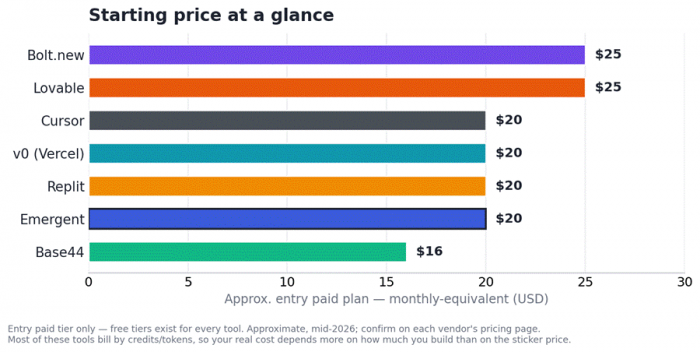
Entry paid-plan prices at a glance. Free tiers exist for all of them; real cost is driven by usage, not the sticker.
Capabilities compared, side by side
The overview above is the quick read. This second table goes a layer deeper into what each platform actually hands you out of the box, which is usually where the real differences show up once you start building for real.
| Tool | Backend & DB | Auth built in | One-click deploy | Frameworks | Own / export code |
|---|---|---|---|---|---|
| Emergent (baseline) | Yes (MongoDB) | Yes | Yes | Fixed (React/Node) | Yes, via GitHub |
| Lovable | Via Supabase | Yes (Supabase) | Yes | React / TypeScript | Yes, via GitHub |
| Base44 | Yes (managed) | Yes | Yes | Fixed stack | Frontend only / beta |
| Bolt.new | Bolt Cloud | Yes | Yes (Netlify/Vercel) | Many (React, Vue…) | Full / open-source |
| v0 by Vercel | Bring your own | Bring your own | Yes (Vercel) | React / Next.js | Full export |
| Replit | Yes (built-in) | Yes | Yes (built-in) | 50+ languages | Full export |
| Cursor / Windsurf | Your choice | Your choice | Your pipeline | Any (your repo) | It is your repo |
“Bring your own” means you connect the service yourself (v0 leaves the database and auth to you). “Frontend only / beta” reflects Base44’s managed backend and its newer code-export path. Capabilities move quickly, so confirm the current state on each vendor’s site.
The six alternatives, in depth
Each tool below follows the same format: a quick-facts table, an honest strengths-vs-watch-outs split, a paraphrased summary of what real reviewers and communities are saying, and a plain “pick it / skip it” call.
Lovable: best for polished full-stack web apps, by chat
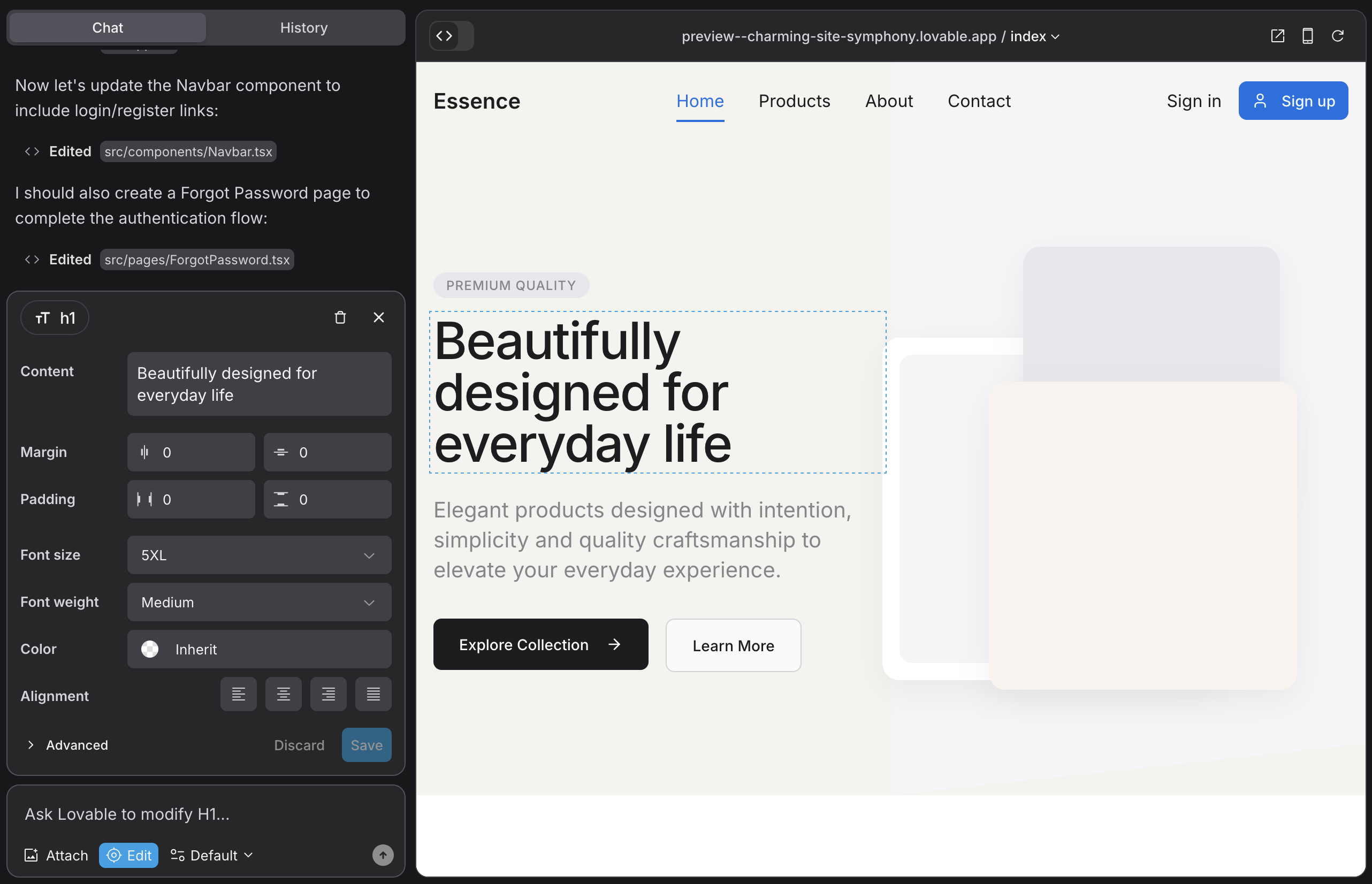
Lovable (formerly GPT Engineer) is the crowd favourite for turning a conversation into a real, deployable web app. It reportedly raced past $200M ARR in its first year, and it shows up as the default recommendation on nearly every “best AI app builder” list, for good reason.
| What it is | Chat-driven full-stack web app builder |
| Output & stack | Clean React + TypeScript + Tailwind; Supabase backend; GitHub sync; Figma import |
| Best for | Founders and small teams who want a maintainable web MVP fast |
| Free tier | Yes. ~5 build credits/day (public projects only) |
| Entry paid | Pro ~$25/mo · Business ~$50/mo · Enterprise custom |
| Code ownership | Yes. You own and can export the code (no self-hosting, though) |
| Native mobile | No. Web apps only |
| Strengths | Watch-outs |
|
|
💬 What builders say ★★★★☆ Community sentiment ≈ 4.2/5 (G2 / Product Hunt / Reddit); reviewers land around 8.1-8.5/10. Reviewers at No Code MBA and others consistently rank it the best full-stack web builder in 2026, praising speed and code quality; the near-universal gripe is the credit system. Flowstep’s honest take: it’s “worth it if speed matters more than polish.” That matches what I saw: superb for validation, less so for pixel-perfect brand work. |
| Pick it if | Skip it if |
| You want the cleanest React you’ll actually keep, and you’re happy pairing it with Supabase. | You need native mobile, a fully self-contained backend, or totally predictable monthly costs. |
Base44: best all-in-one for non-technical builders
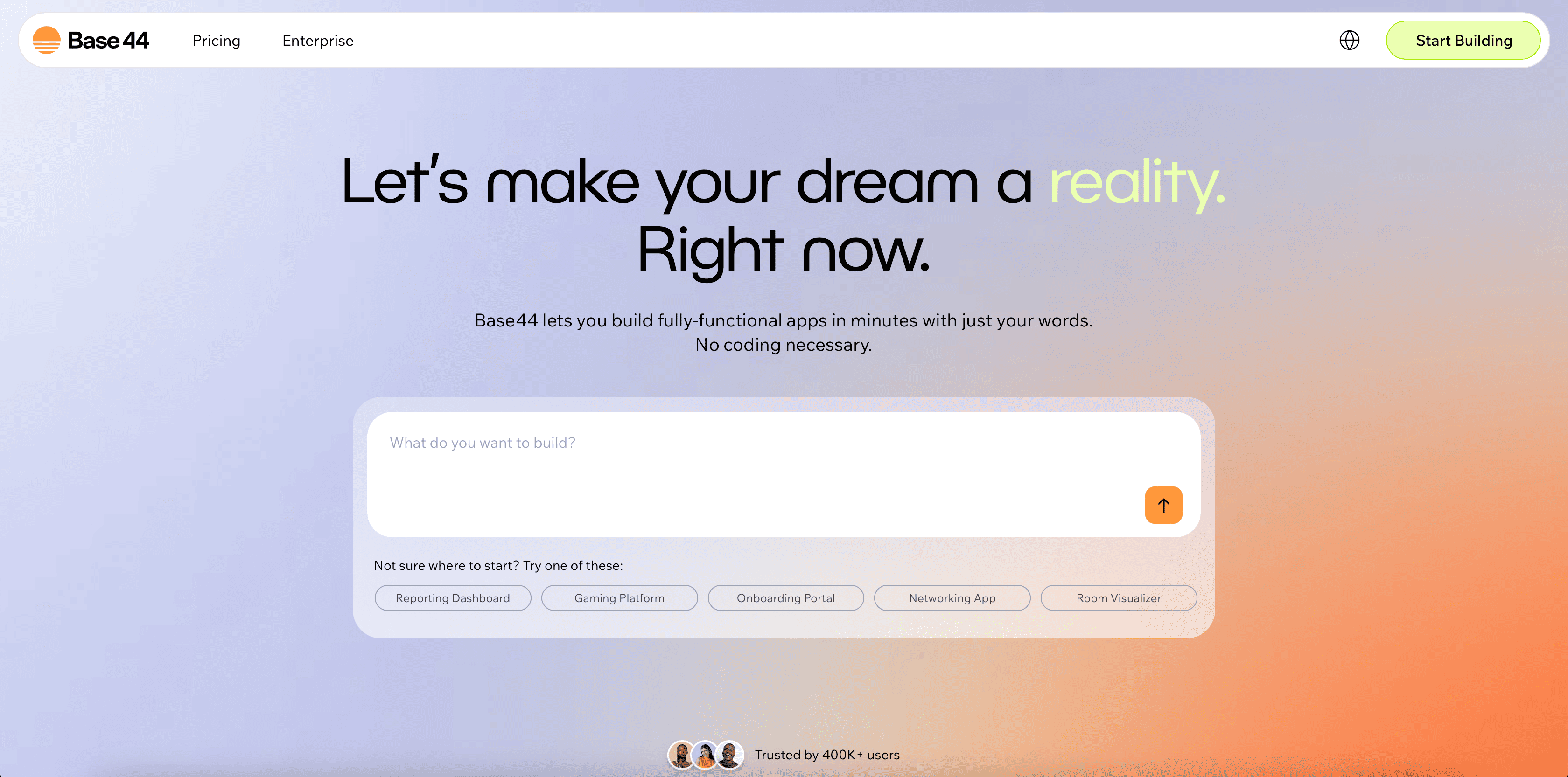
Base44 is the “batteries-included” option. A solo, bootstrapped project by Maor Shlomo, it was acquired by Wix in mid-2025 for a reported ~$80M and has since blown past 2M users and $100M ARR. Its whole pitch: describe an app and get the frontend, backend, database, auth and hosting all wired together, nothing external to set up.
| What it is | All-in-one AI app builder (frontend + backend + DB + auth + hosting included) |
| Output & stack | Modern web app on Base44’s managed infrastructure; multi-model (routes to Claude, GPT, Gemini) |
| Best for | Non-technical founders, internal tools, CRMs, customer portals, hackathon demos |
| Free tier | “Forever Free”: 25 message credits, unlimited apps (burns out quickly) |
| Entry paid | Starter ~$16-$20/mo · Builder ~$40-$50/mo · Pro ~$80-$100/mo |
| Code ownership | Partial. You can pull frontend code / GitHub export is newer; backend + DB stay in Base44’s cloud |
| Native mobile | No. Responsive web only |
| Strengths | Watch-outs |
|
|
💬 What builders say ★★★★☆ Reviewer scores ≈ 8.4/10; sentiment on Product Hunt, Reddit and Trustpilot aligns closely. No Code MBA calls it “the Squarespace of AI app builders,” and it’s incredibly accessible, with the trade-offs that framing implies. A fractional CTO who has done rescue work on Base44 apps sums it up well: it ships a full-stack MVP in a day, but breaks on complex business logic, advanced design and data portability. Used by teams like SimilarWeb and eToro for internal tooling. |
| Pick it if | Skip it if |
| You’re non-technical, want a working app today, and value “everything included” over control. | You’ll need to migrate off later, want deep design control, or must own your backend/DB. |
Bolt.new: best for code-forward builders who want to own everything
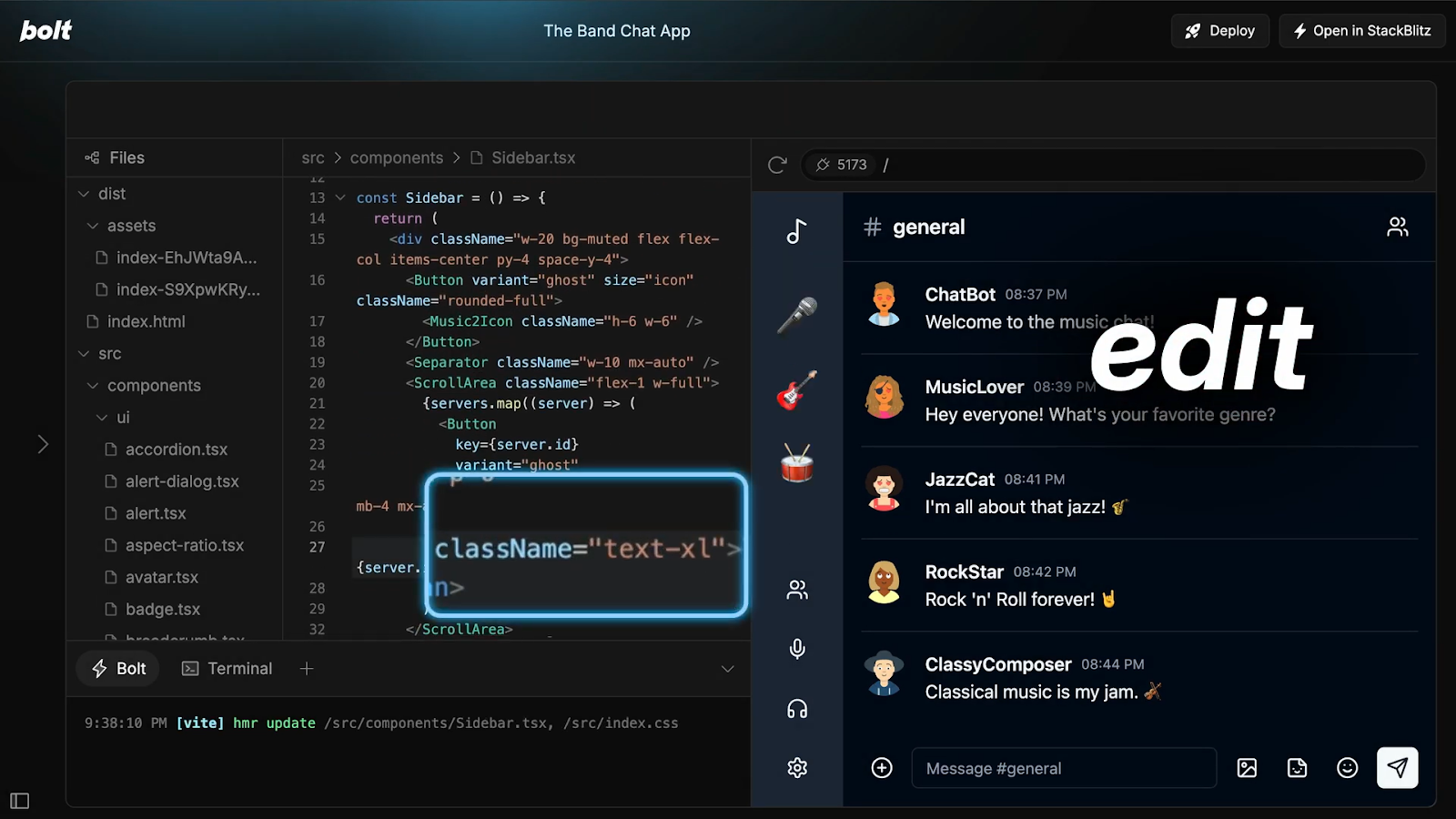
Bolt.new is StackBlitz’s AI builder, and its party trick is WebContainers: a real Node.js environment running inside your browser tab, with live preview in seconds and no local setup. It went from ~$0 to ~$40M ARR in five months. The 2025 “v2” update added Bolt Cloud (databases, hosting, auth, analytics), autonomous debugging and Expo for mobile.
| What it is | In-browser, full-stack AI builder with a live code + preview split |
| Output & stack | Framework-agnostic (React, Vue, Svelte, Next.js, Astro); powered by Claude; open-source (bolt.diy) |
| Best for | Developers and technical founders who want fast prototypes and exportable code |
| Free tier | Yes, but the weakest here, with limited tokens and a watermark |
| Entry paid | Pro ~$25/mo (10-13M tokens, rollover) · Teams ~$30/member · Enterprise custom |
| Code ownership | Full. Standard code you can export and self-host; the platform is open-source |
| Native mobile | Via Expo integration (web-first at heart, though) |
| Strengths | Watch-outs |
|
|
💬 What builders say ★★★★☆ Reviewer scores ≈ 8-8.6/10; strong on Product Hunt among technical builders. Agent Finder and WeavAI praise the speed and code quality; the Vibe Coder review lands the central criticism cleanly: its pricing “punishes the exploratory iteration that building software actually requires.” The recurring community advice: developers who want control tend to prefer Bolt over Lovable, and heavy users often switch to the open-source bolt.diy for cost and model flexibility. |
| Pick it if | Skip it if |
| You can read code, want to watch it build in the browser, and insist on owning/exporting everything. | You’re fully non-technical, or you iterate constantly and need predictable token spend. |
v0 by Vercel: best for beautiful, production-grade UI

v0 started as Vercel’s prompt-to-UI tool and has grown fuller-stack over time (a Feb 2026 update added Git integration and a VS Code-style editor). If your priority is the best-looking, most production-ready React the market can generate, v0 is hard to beat, especially if you already live in the Next.js / Vercel ecosystem.
| What it is | Prompt-to-UI generator, now with full-stack and Git support |
| Output & stack | React + Next.js + Tailwind + shadcn/ui; Design Mode; native Vercel deploy |
| Best for | Front-end developers and teams shipping polished UI in the Vercel world |
| Free tier | Yes |
| Entry paid | Premium ~$20/mo · Team ~$30/user · Business ~$100/user · Enterprise custom |
| Code ownership | Yes. Clean components you paste into a real codebase; GitHub sync |
| Native mobile | No |
| Strengths | Watch-outs |
|
|
💬 What builders say ★★★★☆ Consistently rated the top pick for developer-grade UI work. AISO Tools calls it the strongest AI tool for production-quality UI in 2026, with the honest caveat that its narrower scope suits developers more than non-technical founders. In a four-tool bake-off, Technically.dev summed it up neatly: it’s “the best vibe coding tool if you’re someone who can actually code.” |
| Pick it if | Skip it if |
| You’re a front-end dev who wants gorgeous, shippable React and one-click Vercel deploys. | You want a no-code path to a full app with backend and auth handled for you. |
Replit: best for a full cloud IDE with a build agent

Replit is less “app builder” and more “entire development environment in your browser,” now with a capable Agent bolted on. You get an editor, terminal, package manager, 50+ languages, hosting and multiplayer collaboration, plus an agent that can scaffold and iterate on a whole project, and App Monitoring that feeds production errors back to it.
| What it is | Cloud IDE + autonomous build Agent + hosting, all in one place |
| Output & stack | 50+ languages (Python, Node, Go, Rust…); build, run, deploy and host without leaving the tab |
| Best for | Beginners learning by doing, and developers who want one place to build + ship |
| Free tier | Yes (Starter). Genuinely useful for evaluation |
| Entry paid | Core ~$20/mo (reduced from $25) · Pro ~$100/mo (stronger agent modes) |
| Code ownership | Yes; effort-based pricing means cost scales with task complexity |
| Native mobile | No (web-focused) |
| Strengths | Watch-outs |
|
|
💬 What builders say ★★★★☆ A solid recommendation for beginners and rapid prototypers; “most feature-rich” in head-to-heads. In Technically.dev’s bake-off, Replit came out as the most feature-rich and powerful of the four tools tested; the reviewer likened its Agent to a chaotic engineer friend who somehow ships something great. Softr’s comparison echoes the pattern seen across these tools: people love the first draft, then get frustrated when iterating with the agent, and pricing/predictability is the sticking point. |
| Pick it if | Skip it if |
| You want one browser tab to build, run, host and monitor, or you’re learning to code. | You want tightly predictable costs, or a simple prompt-to-app flow without a full IDE. |
Cursor & Windsurf: best when you already write code
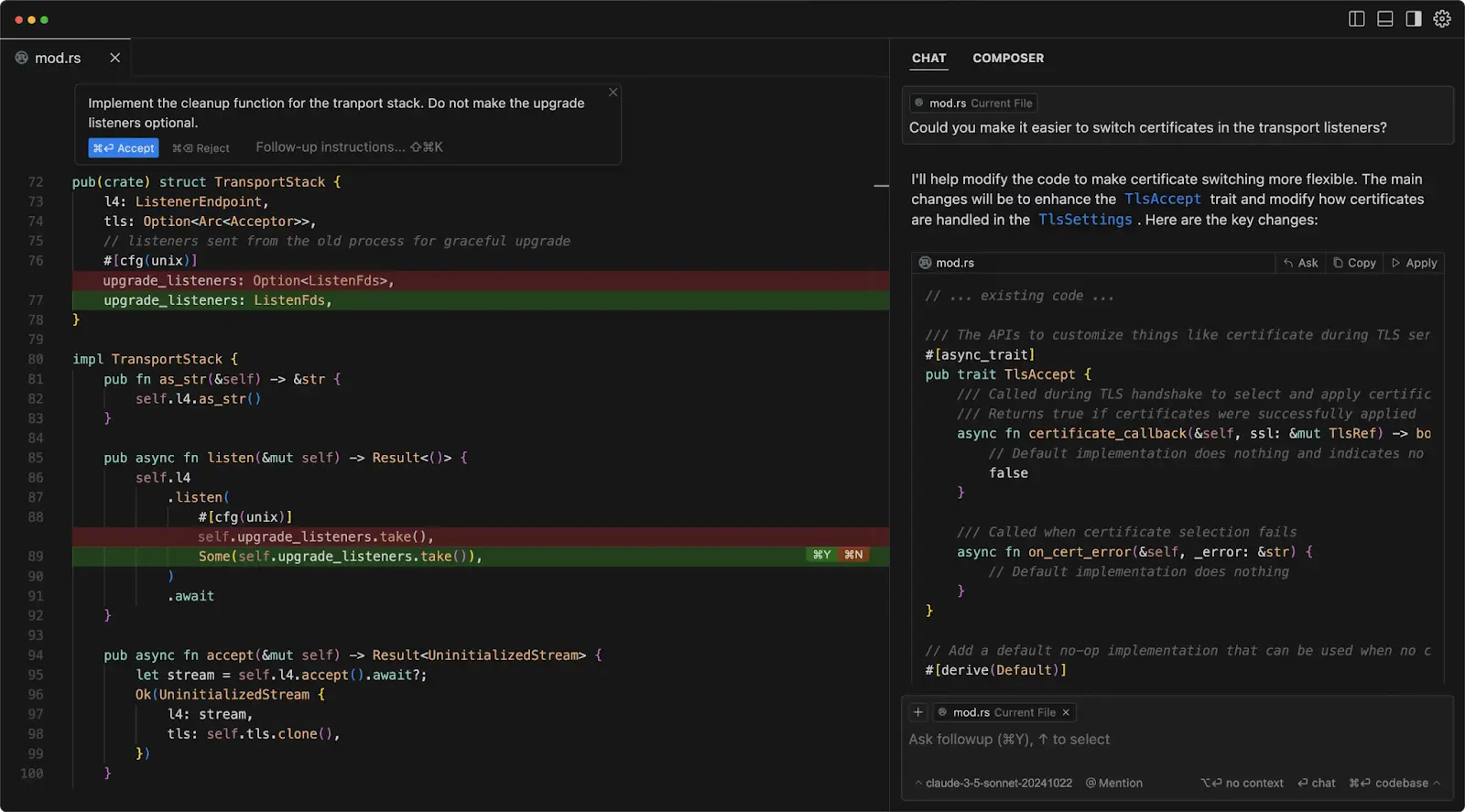
These two belong in a slightly different box. They’re not prompt-to-app builders; they’re AI woven directly into a real code editor (Cursor is a VS Code fork; Windsurf is similar). Emergent itself draws this exact contrast: tools like Cursor assist developers who already code, whereas Emergent aims at anyone. If you have a codebase and want AI to accelerate it without taking the wheel, this is your lane.
| What they are | AI-native code editors / IDEs with agentic capabilities |
| Output & stack | Works inside your existing repo, any stack; the AI edits real files, you review |
| Best for | Professional developers extending or maintaining an existing codebase |
| Free tier | Yes (limited) |
| Entry paid | ~$20/mo (both) |
| Code ownership | Total. It’s your repository the whole time; SOC 2 (Cursor) |
| Native mobile | Depends entirely on your own project |
| Strengths | Watch-outs |
|
|
💬 What builders say ★★★★☆ Perennial developer favourites; commonly recommended as the “you already code” answer. Across roundups (No Code MBA, Blink, Lindy), the guidance is consistent: if you’re a professional developer working on an existing codebase, reach for Cursor or Windsurf rather than a prompt-to-app builder, with similar agentic power at a fraction of a premium builder’s top tier. |
| Pick it if | Skip it if |
| You already write code and want an AI pair-programmer that keeps you fully in control. | You’re non-technical and want a finished, deployed app from a description. |
Ratings across review platforms, side by side
I pulled the per-tool sentiment from the profiles above into a single scorecard so you can scan it in a few seconds. One caution worth repeating: these numbers come from different sites using different scales (some rate out of 10, some out of 5, some just describe the mood), so read them as directional signals rather than precise, apples-to-apples scores.
| Tool | Reviewer score | Community sentiment | Most praised for | Most-cited gripe |
|---|---|---|---|---|
| Emergent (baseline) | New / limited | Positive; YC-backed | Autonomous web + mobile builds | Credits run out; steep Pro tier |
| Lovable | 8.1-8.5 / 10 | ≈ 4.2/5 (G2 / PH / Reddit) | Clean React, speed, Supabase | Unpredictable credit costs |
| Base44 | 8.4 / 10 | Aligned on PH / Reddit / Trustpilot | Fastest all-in-one full-stack MVP | Vendor lock-in; sample data |
| Bolt.new | 8-8.6 / 10 | Strong among technical builders | In-browser speed, code ownership | Token burn on larger apps |
| v0 by Vercel | Top pick for UI | Loved by front-end devs | Best production-grade React UI | Frontend-led; per-user cost |
| Replit | “Most feature-rich” | Praised for speed; cost gripes | Full IDE + agent + hosting | Cost predictability |
| Cursor / Windsurf | Developer favourite | Widely recommended for coders | Full control in your codebase | Not for non-coders |
Synthesized from independent reviews and community sentiment (No Code MBA, WeavAI, Agent Finder, Technically.dev, Softr, plus Trustpilot, G2, Product Hunt and Reddit), checked around mid-2026. Emergent’s independent review base is still thin because it is newer, so its row leans on positioning and community signal rather than a settled score.
How the tools line up
One picture that helped me keep these straight: plot them by how much you code (left = no-code/chat, right = code-first) against how much backend comes bundled (bottom = bring-your-own, top = all-in-one). It’s a rough map, not a scoreboard, but it shows the lanes clearly.
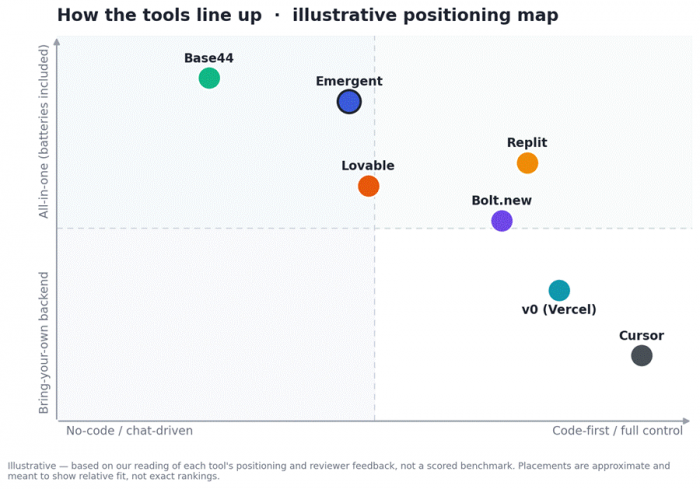
Illustrative positioning, based on our reading of each tool and reviewer feedback, not a scored benchmark.
Read it this way: Base44 and Emergent sit high (everything included), with Base44 the most no-code and Emergent adding autonomous agents and mobile. Lovable is the friendly middle. Replit and Bolt lean right (more code control) while still bundling a backend. v0 and Cursor sit lower-right: more control, less “handed-to-you” backend. Match your own position on that map and the shortlist gets short fast.
How to choose: pick by who you are
Skip the “which is best?” framing. The better question is “which stage and skillset am I in?” Here’s where I’d point each type of builder first.
| If you are… | Best starting point | Why |
|---|---|---|
| Non-technical founder validating an idea tonight | Base44 or Lovable | Working full-stack app with the least wiring-up; Base44 if you want zero external services. |
| Building an internal tool, CRM or dashboard | Base44 (or Replit) | Auth, roles and a database wired correctly from the first prompt. |
| Front-end dev who lives in React / Next.js | v0 by Vercel | Best UI quality and effortless Vercel deploys. |
| Dev who wants one place to build + host | Replit | Full cloud IDE, agent, hosting and monitoring together. |
| Dev with an existing codebase | Cursor / Windsurf | Keep full control; AI accelerates without taking over. |
| You need a native iOS / Android app | Emergent or Bolt (Expo) | Few builders do real native mobile; these are your realistic picks. |
| Tightest budget / most room to experiment | Bolt or Base44 free tiers | The most generous free experimentation before you pay. |
| You want to watch code build in-browser and own it | Bolt.new | Real dev environment in the tab; open-source and exportable. |
Honest limitations to keep in mind (all of them)
These platforms are genuinely impressive, but they share a family of caveats. Knowing them up front will save you money and heartache.
• Credit / token cost creep. You pay for the AI’s mistakes too. Iterating on a stubborn bug can quietly burn a chunk of your monthly allowance. Watch the meter.
• Vendor lock-in is real. It varies: Bolt and Cursor give you standard, portable code; Base44 keeps your backend and database in its cloud; Lovable has no self-host. Confirm you can leave before you commit.
• Prototype ≠ production. For anything touching payments, customer PII, healthcare, or compliance, treat the first build as a draft that still needs developer review, testing and security hardening.
• Design ceilings. Custom typography, intricate animations and unusual layouts are where the AI templates start to fight you.
• Sample-data leakage. Reviewers repeatedly find “Sample Item 1” or placeholder emails in generated apps, so check before you demo.
• Support and stability vary. Response times and reliability differ a lot between vendors; well-funded platforms (Emergent, Base44/Wix, Vercel) tend to be safer bets on longevity.
• Everything changes monthly. Prices, credit maths, models and features on all of these move constantly. Always verify current details on the vendor’s own page.
My verdict
There isn’t a single winner here, and anyone who tells you otherwise is selling something. What I found after living with these for a few weeks is that the “best” one flips entirely based on who’s holding the keyboard. So instead of one crown, here’s the pick I’d make in each situation:
• Non-technical and want a working app tonight, nothing to wire up → Base44.
• Want the cleanest React you’ll actually maintain (and Supabase is fine) → Lovable.
• A developer who wants to see and own the code as it’s built → Bolt.new.
• You care most about beautiful UI in the Vercel world → v0.
• You want one place to build, run and host with an agent → Replit.
• You already have a codebase → Cursor or Windsurf.
And Emergent itself? It stays firmly on the shortlist. If your specific need is autonomous, multi-agent builds that span both web and mobile without leaving one platform (and you’re okay budgeting for credits), it’s still one of the strongest starting points in the category. The reason to look elsewhere isn’t that Emergent is weak; it’s that your lane might be served better by a tool that’s narrower, cheaper, more open, or more design-forward.
My honest parting advice: don’t agonise. Pick the one that matches your row in the table above, build a small slice of your real idea on its free tier this week, and let the results (not the marketing) decide. These tools are close enough that fit and pricing matter more than any leaderboard, and switching later is cheaper than you think.
Post Comment
Be the first to post comment!