I spent the better part of a month using Dreamina AI as my daily creative tool, generating a few hundred images and a stack of short video clips for social posts, product mockups, and a couple of concept boards. My goal was not to write a takedown or a love letter. It was to answer one practical question: when Dreamina is not the right fit for a job, what should I reach for instead?
Dreamina, built by ByteDance and tied into the CapCut ecosystem, is genuinely good at what it does. It bundles text-to-image, image-to-video, avatars and canvas editing into one free-to-start tool, and the path from prompt to a TikTok-ready clip is smoother than almost anything else. But no single tool wins every use case. Photorealistic faces gave it trouble, video credits vanished faster than I expected, and the content filter flagged things it should not have. So I went looking.
Below are the five alternatives I keep coming back to, split into image-first and video-first tools. For each one I have pulled together what it is best at, where it falls short, and what real users say across G2, Trustpilot, Capterra and the app stores. Two summary tables near the end line everything up side by side: one for reviews, one for common use cases. No hype, no invented benchmarks, and I have flagged the trade-offs even on the tools I like.
What Dreamina gets right, and where it frustrates
Before jumping ship, it is worth being fair about the tool you are leaving. Knowing Dreamina's real strengths tells you what a good alternative actually needs to replace.
The strengths
• Image and video generation live in one place.
• Genuinely usable free daily credits to get started.
• Fast output, with images in roughly 5 to 15 seconds.
• Strong at stylized, anime and fantasy looks.
• A seamless CapCut-to-TikTok publishing flow.
The frustrations
• It struggles with photorealistic humans and hands.
• Video generation burns through credits quickly.
• The content filter can flag harmless prompts, faces especially.
• Free credit allotments were trimmed for many users in 2026.
• There are few integrations outside the ByteDance ecosystem.
How I compared them
To keep this honest, I judged every tool on the same five things rather than cherry-picking whatever made each one look good:
• Output quality, meaning how good the images or clips look with reasonable, not expert-level, prompting.
• Ease of use, meaning how quickly a non-technical creator can get a usable result.
• Pricing and value, meaning what the free tier really allows and how fast paid credits run out.
• Image versus video strength, because Dreamina does both and most rivals lean one way.
• Reputation across platforms, drawn from G2, Trustpilot, Capterra, app-store ratings and community threads, not just marketing pages.
One honest caveat up front: pricing and credit systems in this space change constantly. The numbers below were accurate in mid-2026, but always confirm on the vendor's own site before you pay.
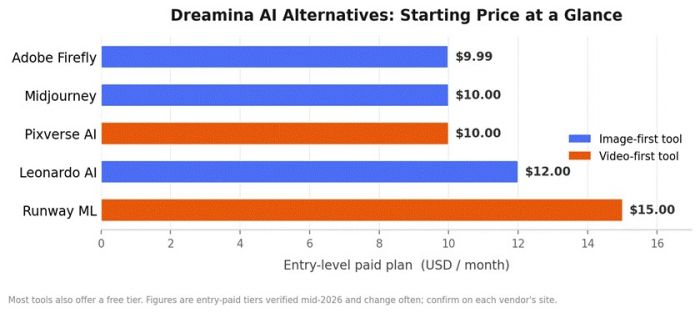
Entry prices cluster tightly, so cost alone rarely decides the winner. What you are really choosing is a strength, and the sections below break down each tool.
Best for AI image generation
Leonardo AI, the closest all-round replacement
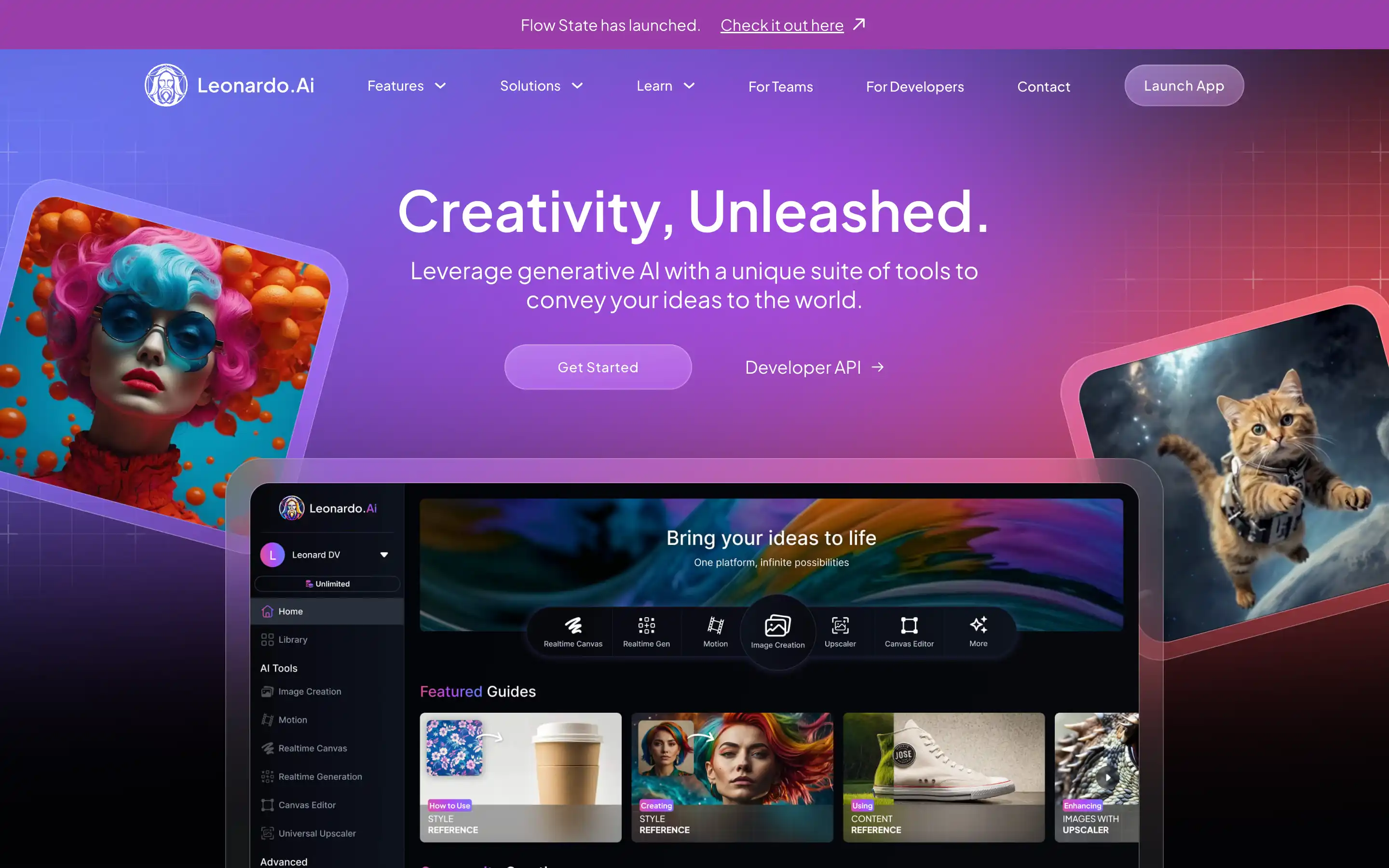
If Dreamina's image side is what you will miss most, Leonardo AI is the most natural landing spot. It is a creator-first platform used by well over a million artists, and it strikes a similar balance: approachable for beginners, but with far deeper control when you want it. You get a stack of fine-tuned models (Phoenix and Lucid Origin among them), image-to-image, inpainting and outpainting, an upscaler, and a Realtime Canvas that enhances your rough sketch live as you draw.
Where it shines
• A genuinely generous free tier of 150 tokens a day.
• Commercial rights included even on the free plan.
• Consistent style across a series of images.
• A clean interface that does not overwhelm newcomers.
Keep in mind
• The token system is opaque, since cost scales with GPU load, so premium and third-party models drain your balance quickly.
• Results can be inconsistent and may need a few retries.
What reviewers say: On G2, users repeatedly praise its ease of use, image quality and variety of styles, while the two most common complaints are, bluntly, that it is expensive and that credits feel limited. It holds a 4.6 on the App Store and a 4.2 on Google Play across tens of thousands of ratings, which is strong for a tool this technical.
Pricing: Free (150 tokens per day), then roughly $12, $30 and $60 a month for the paid tiers, with about 20 percent off on annual billing.
Best for: Creators who loved Dreamina's ease but want more control over image output, with a free tier that is actually usable day to day.
Midjourney, when image quality is the whole point
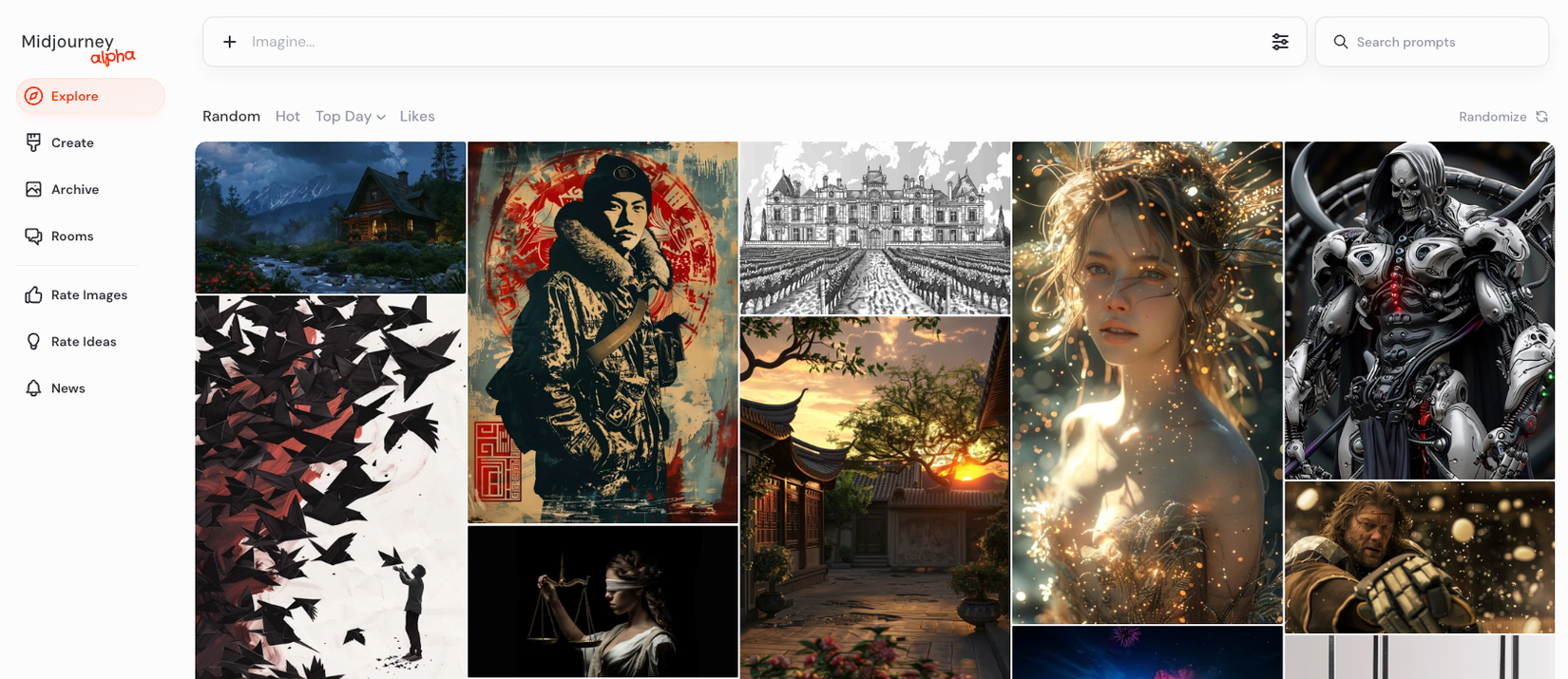
Midjourney is the tool other image generators get measured against. Nothing I tested matched its aesthetic polish. Its photorealism, lighting and sense of composition are consistently a cut above, which is exactly where Dreamina wobbles. If a single hero image needs to look genuinely professional, this is the safe bet.
Where it shines
• Best-in-class artistic quality and remarkably consistent output.
• Unlimited generations in Relax mode on the Standard plan and up, which makes the effective cost per image tiny at volume.
• A large, active community that is great for prompt inspiration.
Keep in mind
• There is no free tier or trial anymore.
• Generation still leans on Discord, though a web app now exists.
• Midjourney offers no IP indemnification, so the legal responsibility for commercial use sits with you.
What reviewers say: Across communities like r/AIArt and r/StableDiffusion, Midjourney dominates blind quality comparisons and is the tool people grudgingly pay for once free options hit a ceiling. Sellers frequently note that the $30 Standard plan pays for itself almost immediately once they are producing images commercially. The main gripe is simply that it costs money to even try.
Pricing: $10 Basic, $30 Standard (the value sweet spot, with unlimited Relax mode), $60 Pro, and $120 Mega, with about 20 percent off annually.
Best for: Anyone whose priority is standout image quality and who will publish or sell the results. Note that companies earning over $1 million a year must use the Pro plan or higher.
Adobe Firefly, the commercially safe choice

Firefly solves a problem most AI generators quietly ignore, which is legal risk. Because it is trained on licensed Adobe Stock and public-domain content rather than scraped web images, its output is designed to be commercially safe, and Adobe backs enterprise customers with IP indemnification. For brand and client work, that peace of mind is often worth more than a slightly prettier render.
Where it shines
• Commercial safety plus Content Credentials that document how an image was made.
• Deep integration with Photoshop and Illustrator, where Generative Fill and Expand are genuinely excellent.
• Text-to-vector and text-to-video in the same family of tools.
• If you already pay for Creative Cloud, Firefly credits are effectively free.
Keep in mind
• Its pure artistic edge trails Midjourney.
• The credit system does not roll over month to month, and fast mode costs double.
• As a standalone purchase it is mediocre value if you do not live inside Adobe apps.
What reviewers say: The recurring theme from professional reviewers is telling. Enterprise and legal teams have approved Firefly assets that they rejected from Midjourney during review. It is widely described as the safest option for brand-facing or client work at scale, and recent updates have closed much of the old photorealism gap.
Pricing: Free (25 credits a month), Standard at $9.99, Pro at $19.99, and Premium at $199.99, plus credits bundled into every Creative Cloud plan.
Best for: Marketers, agencies and businesses where IP safety, brand consistency and Adobe workflow integration matter more than raw artistic flourish.
Best for AI video generation
Runway ML, the professional's video studio

When Dreamina's clips are not cutting it, Runway is the step up. It is a full browser-based studio, not just a generator, and its Gen-4 and Gen-4.5 models sit at the top of independent video quality rankings. The standout feature is consistency: upload a reference image and your character, setting and objects hold together across separate shots, which is the thing that usually breaks AI video. It is serious enough that studios such as Lionsgate use it for pre-visualisation.
Where it shines
• Market-leading cinematic quality and shot-to-shot consistency.
• Act-Two performance capture, which drives a character from an ordinary phone video.
• The Aleph in-video editor that edits clips through text prompts.
• 4K export and a proper API.
Keep in mind
• The credit system is confusing and credits vanish quickly on long or high-resolution clips.
• The free tier is really just a 125-credit demo.
• On-screen text still renders unreliably.
• The Unlimited plan's relaxed mode throttles during busy hours.
What reviewers say: The verdict is remarkably consistent. Reviewers call it the gold standard for AI video quality, and independent leaderboards ranked its latest model first at launch. The universal complaint is cost and credit confusion, and more than one reviewer bluntly tells casual creators to look elsewhere for value while conceding that nothing else matches it for professional output.
Pricing: Free (125 one-time credits), then $15 Standard (625 credits per month), $28 Pro (2,250 credits, 4K), and roughly $76 to $95 for the Unlimited plan.
Best for: Filmmakers, agencies and serious creators who need production-grade, consistent video and will invest the time and budget to master it.
Pixverse AI, the fastest path to social clips
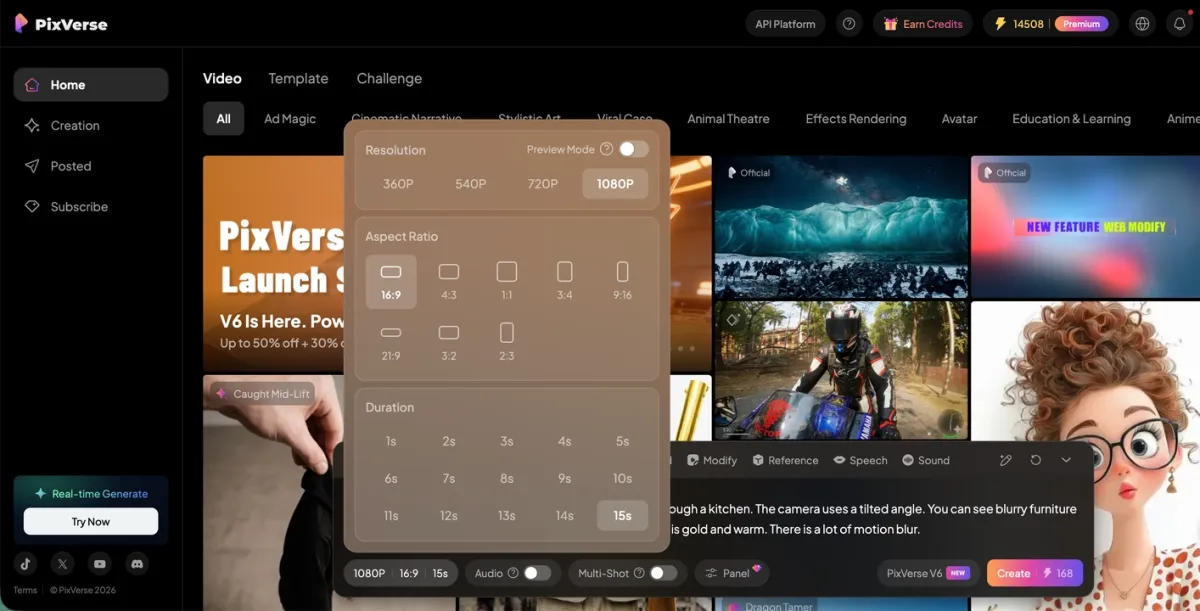
Pixverse is the closest in spirit to Dreamina: quick, playful and built for social. Think of it as Midjourney for video. You type a short prompt or drop in a photo and get a clip in under a minute, often with a trending effect baked in. It is the one I would hand a non-technical creator who just wants to feed a busy TikTok or Reels calendar without a learning curve.
Where it shines
• Genuinely fast generation, usually 30 to 60 seconds.
• A deep library of trending effect templates.
• Image-to-video and character-to-video with lip sync and camera movement.
• Extend and transition tools, 4K upscaling, and support for up to seven reference images.
Keep in mind
• Complex scenes such as hands, faces and busy motion can still glitch.
• Some users report burning several credits to land one clean clip.
• Free and lower tiers may add a watermark.
• There is little fine-grained timeline control for longer edits.
What reviewers say: Pixverse holds a solid rating of about 4.6 on review sites like Tekpon, with creators praising how cinematic and anime-style clips look for the speed and price. On the app stores the criticism gets sharper, with complaints about paying per download and uneven results when animating personal photos, so treat the free credits as a proper test before you commit money.
Pricing: Free (90 initial plus 60 daily credits), then $10 Standard (1,200 credits, HD), $30 Pro (6,000 credits, 1080p), and $60 Premium (15,000 credits).
Best for: High-volume social creators who want quick, on-trend clips with zero learning curve and do not need frame-level editing control.
What real users say, side by side
Here is how the five stack up across the review sites and communities I checked, boiled down to a rating snapshot, the thing users praise most, and the complaint that comes up again and again.
| Tool | Rating snapshot | What reviewers praise | Most common gripe |
| Leonardo AI | 4.6 App Store, 4.2 Google Play, strong on G2 | Ease of use, image quality, style variety | Called expensive, with limited credits |
| Midjourney | Community blind-test favorite, the quality benchmark | Best-in-class artistic polish and realism | No free trial and no IP indemnity |
| Adobe Firefly | Trusted by enterprise and legal reviewers | Commercial safety and Photoshop integration | Weaker artistic edge, credits do not roll over |
| Runway ML | Ranked top of independent video-quality tests | Cinematic quality and shot consistency | Confusing, fast-draining credits |
| Pixverse AI | About 4.6 on Tekpon | Fast, cinematic and anime-style clips | Pay-per-download and glitches on complex scenes |
Which tool for which job
And here is the quick answer to the only question that really matters: which tool should you use for which job?
| Your goal | Best pick | Why it fits |
| Everyday image creation with a real free tier | Leonardo AI | Generous daily tokens and deep control with no paywall |
| A standout hero image or concept art | Midjourney | The most polished, professional-looking output available |
| Brand, client or commercial assets | Adobe Firefly | Licensed training data and IP indemnity keep it legally safe |
| Professional or cinematic video | Runway ML | Top-rated quality with consistent characters across shots |
| Fast, on-trend social clips (TikTok, Reels) | Pixverse AI | Clips in under a minute with trending effect templates |
| Animating a still photo into a video | Pixverse AI | Simple image-to-video with lip sync and motion presets |
| Starting out with zero technical skill | Leonardo AI or Pixverse AI | Both are approachable, with free credits to learn on |
How to pick the right one for you
There is no single best Dreamina alternative. There is a best one for your job. After living with all five, here is the shortcut I would give a friend:
• Want Dreamina's ease with more image control? Start with Leonardo AI, since the free tier alone will carry a lot of casual work.
• Need the most beautiful images and will pay for them? Midjourney, no contest.
• Doing brand, client or commercial work? Adobe Firefly, for the legal safety and Photoshop integration.
• Making serious, consistent video? Runway ML is the professional standard.
• Just feeding a social calendar fast? Pixverse AI gets you there in under a minute.
A pattern worth noticing is that the strongest workflows often use two tools, not one. Plenty of creators generate images in Midjourney or Leonardo, then animate them in Runway or Pixverse, which is the same split-tool approach that Dreamina tries to fold into a single product.
Final thoughts
Dreamina is a strong, convenient all-rounder, and for a lot of quick social work it is still the fastest way from idea to post. But its weaknesses, namely photoreal faces, credit-hungry video and an over-eager content filter, are exactly the gaps these five tools fill. If you want higher image quality, reach for Midjourney or Leonardo. If commercial safety keeps you up at night, choose Firefly. And if video is the real job, Runway and Pixverse each own a different corner of the market.
My honest advice is not to over-commit. Every tool here except Midjourney has a free tier or trial, so spend an afternoon running the same three prompts through your shortlist. The right choice usually makes itself obvious within a dozen generations, and it will almost certainly be cheaper and better suited than forcing one tool to do everything.
Post Comment
Be the first to post comment!