If you are weighing up Unlucid AI against AutoDraft AI, you probably want one clear answer: which one should you sign up for? Here is the honest starting point that will save you the most time. These two tools are not really the same kind of product, so the better question is not “which is best” but “which one matches what you are trying to make.”
You are likely in one of two camps. Either you want a character you can talk to, or you want a character you can draw and animate. That single distinction decides everything, because only one of these tools chats and only one of them builds visual stories. I will show you exactly which is which, what each costs, where each one frustrated me, and who should pick which.
I will also be upfront about one thing early, because it affects whether a tool is even appropriate for you. Unlucid AI is an adult and uncensored platform. AutoDraft AI is a work safe animation tool. If brand safety matters for your project, that alone may make the decision for you.
Quick verdict at a glance
Short on time? This table gives you the bottom line before the detail.
| Your question | My short answer |
|---|---|
| Are these the same type of tool? | No. They serve different goals. |
| Which is closer to character chat? | Unlucid AI, through its companion chat. |
| Which makes comics and animation? | AutoDraft AI. |
| Which is safe for work? | AutoDraft AI. Unlucid AI is adult focused. |
| Best for hobby creators on a budget? | Both have free tiers. AutoDraft AI is more work friendly. |
| Best for YouTube and visual storytelling? | AutoDraft AI. |
| My overall pick for most readers | It depends on your goal. See the final verdict. |
What Unlucid AI actually is
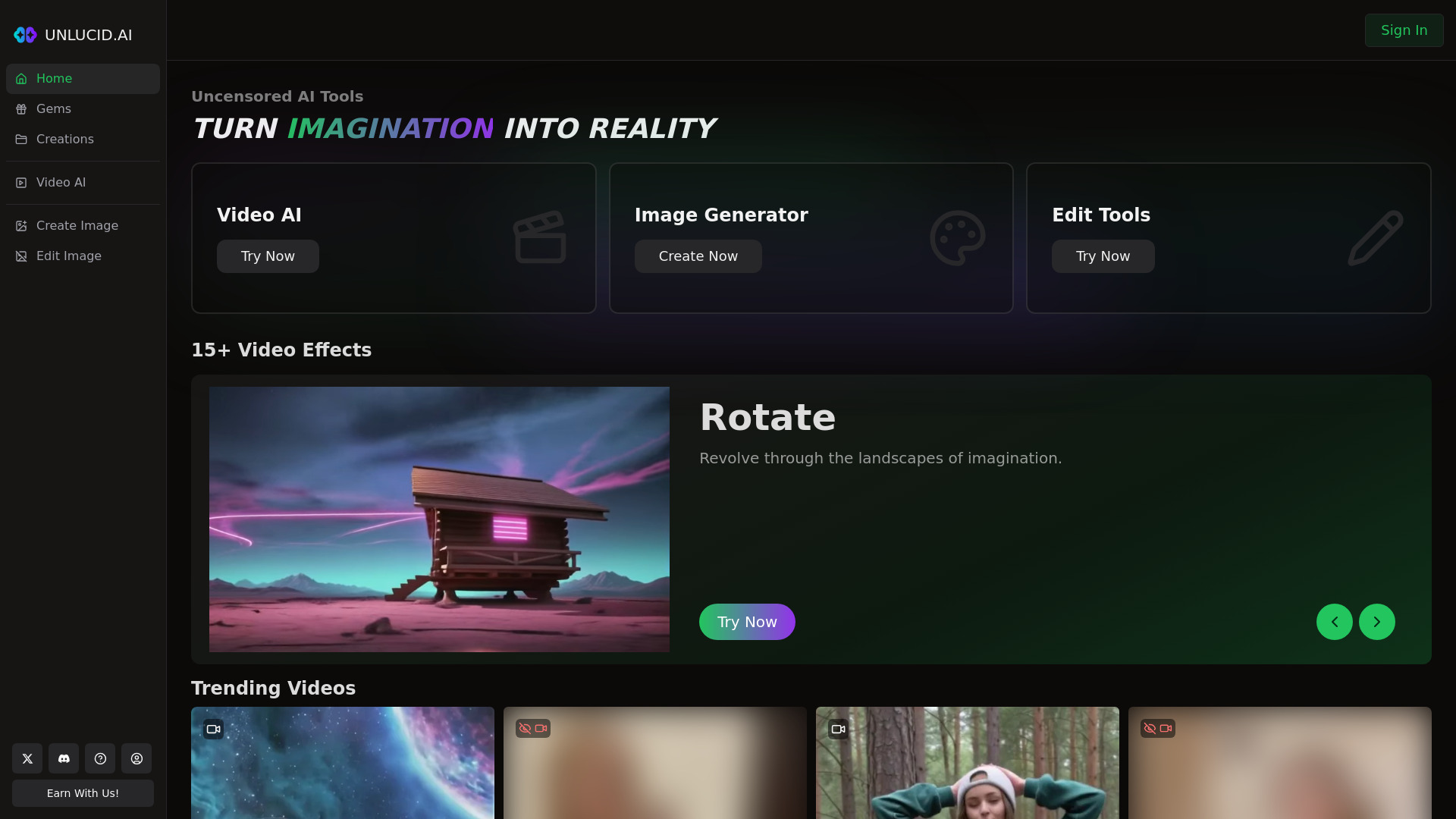
Unlucid AI sits in the uncensored AI space. It offers a suite of tools for generating, editing, and animating images and videos, and it specializes in unrestricted adult content. Alongside the media tools, it is listed across directories as a platform for companion style character chat.
On the media side, the animation is preset driven. The platform offers more than 15 preset effects such as Fly, Dance, Rotate, Squish, Crush, Transform, and Reveal, which are applied to a static image you upload to produce a short 3 to 5 second clip. There is no frame level control and no custom motion path.
A few practical points held up across sources. Unlucid AI exports in MP4, works with TikTok, Instagram, and YouTube, supports resolutions up to 4K depending on cost, and does not stamp a watermark on output. It runs in the browser with nothing to install.
| Worth knowing: independent reviewers have flagged trust score and company transparency concerns. That is a reason to be careful about what you upload and how much you spend. |
 |
What AutoDraft AI actually is
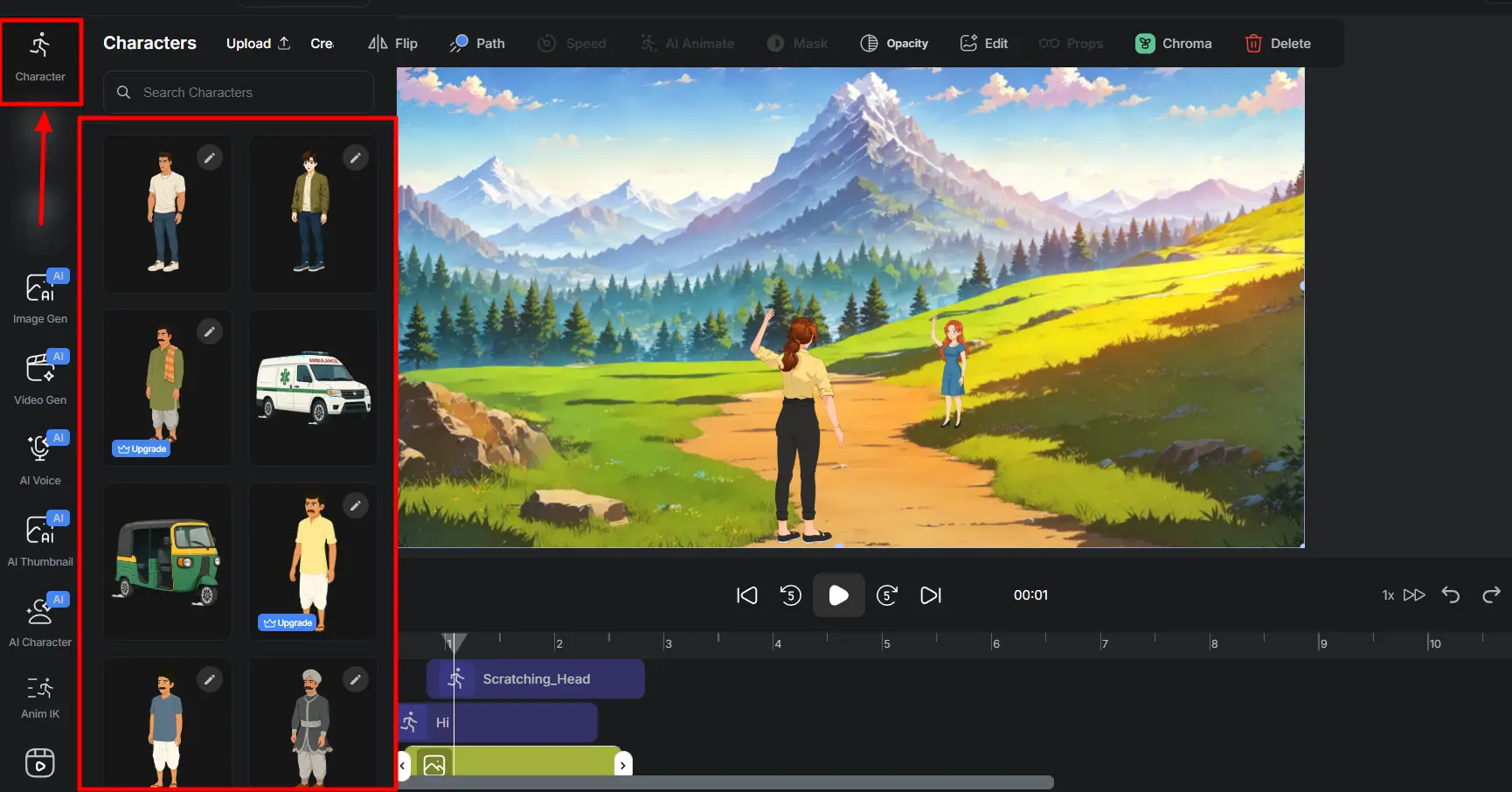
AutoDraft AI is a production tool for animated visual content. It is built for generating comics, webtoons, and animations, and it lets you train custom character models so a character keeps the same face, outfit, and art style across scenes.
The toolset is broad. It includes text to image, image to image, sketch to image, AI paint for inpainting, a pose maker, an object remover, a background remover, and a creative upscaler. It also offers image to animation and voiceover, so you can line up spoken dialogue with the character on screen.
The character feature, explained plainly
This is the part people misread. You create a character once and the system saves that visual seed, which lets you drop the same character into a coffee shop, a spaceship, or a forest without it morphing into a different design. That is a visual consistency feature. It is not a chatbot that talks back.
The audience is clear too. AutoDraft AI suits indie animators, comic and webtoon artists, YouTubers, marketers, educators, and small studios that need fast, consistent, character driven visuals.
 |
My hands-on experience
I want to be clear about how much weight to give my notes. I worked through the public free access of each platform and checked what I saw against independent reviews. Where I have not personally run a feature hard over time, I flag it rather than inventing a result.
Getting started with Unlucid AI
Access was quick and browser based, with no install. New users get roughly 10 free Gems a day, and since a single video animation costs about 10 Gems while an image edit costs about 1 Gem, one short clip can use up a full day of free credits in a single click.
On quality, my research matched a consistent pattern. Across user testing and independent reviews, Unlucid AI tends to produce usable results roughly 60 to 70 percent of the time, and when a result lands well it can look appealing for social media. That tracks with how preset based animation tools usually behave.
Getting started with AutoDraft AI
The onboarding leans toward people who want to build something episodic. There are more than 100 style consistent templates, and you can start without a credit card. The character model step was the part I found most useful in concept, because consistency is the hard problem in comics and animation.
One honest limitation from real reports. Like most AI image tools, AutoDraft sometimes struggles with small details, and some images need fixing, especially hands and facial expressions. That is normal for this category, but budget some cleanup time.
OUTPUT EXAMPLE A side by side example, one clip from Unlucid AI and one panel from AutoDraft AI, each clearly labeled. Format: JPEG, embedded. |
Features compared
| Feature | Unlucid AI | AutoDraft AI |
|---|---|---|
| Primary purpose | Uncensored media and companion chat | Comics, webtoons, 2D animation |
| Character chat | Yes | No |
| Image generation | Yes | Yes |
| Video / animation | Preset effects, short clips | Image to animation, templates |
| Character consistency | Limited | Yes, via custom models |
| Voiceover | Not a core focus | Yes |
| Editing tools | Basic | Fuller toolset |
| Watermark on output | None | Free downloads supported |
| Content stance | Adult / uncensored | Work safe |
| Access | Browser | Browser / web |
CHART PLACEHOLDER Horizontal bar chart titled “Feature coverage by use case,” comparing both tools across Chat, Image, Animation, Character consistency, and Voiceover. Format: JPEG, embedded. |
Pricing and cost
Pricing was the messiest part of my research. Third party listings disagree, and currencies differ by source, so treat the figures below as a starting point and confirm the live price on each official site before you pay.
Unlucid AI uses a credit model rather than a flat subscription. Gems are bought as one time bundles that do not expire, and the official pricing page describes flexible gem packages with no monthly fees. One third party review lists a paid entry point starting around 8.99 US dollars, though that number varies by source.
AutoDraft AI uses a more familiar tiered model with a free option. It offers a Base plan around 10 US dollars a month with 1,000 credits and a Pro plan around 39 US dollars a month with 4,000 credits. Annual billing is cheaper, all paid plans include the character generator, voiceover, image tools, and unlimited 4K downloads, and content can be used commercially.
| Plan tier | Unlucid AI | AutoDraft AI |
|---|---|---|
| Free | Yes, daily free Gems | Yes, limited credits |
| Entry paid | Gem bundles, reported from about 8.99 USD | Base, about 10 USD per month, 1,000 credits |
| Higher tier | Larger gem bundles | Pro, about 39 USD per month, 4,000 credits |
| Billing style | One time, no expiry | Monthly or annual |
| Commercial use | Check current terms | Allowed |
| Heads up: currency and exact figures vary across listings, and at least one source quoted AutoDraft pricing in pounds. Always check the official site for the current price. |
Pros and cons
| Tool | Pros | Cons |
|---|---|---|
| Unlucid AI | No install, no watermark, pay once gems that do not expire, real creative freedom | Adult focused, trust and transparency concerns, inconsistent output, credits burn fast |
| AutoDraft AI | Strong character consistency, broad editing tools, voiceover, commercial use, work safe | Detail errors on hands and faces, English only, a learning curve, not a chat tool |
Side-by-side comparison
| Category | Winner | Why |
|---|---|---|
| Character chat | Unlucid AI | It is the only one with companion chat. |
| Comics and webtoons | AutoDraft AI | Built for exactly this. |
| 2D animation | AutoDraft AI | More control and templates. |
| Creative freedom | Unlucid AI | Uncensored by design. |
| Work and brand safety | AutoDraft AI | Suitable for clients and YouTube. |
| Beginner friendliness | Tie | Both offer free tiers and simple setup. |
| Long term cost clarity | AutoDraft AI | Clearer tiered pricing. |
CHART PLACEHOLDER Radar chart titled “Tool fit by goal,” with axes for Chat, Visual storytelling, Safety, Cost clarity, and Creative freedom. Format: JPEG, embedded. |
Who should choose which
Choose Unlucid AI if You specifically want uncensored generation or companion style chat, and you understand it is an adult platform. Go in aware of the transparency concerns and keep an eye on spending. | Choose AutoDraft AI if You are making comics, webtoons, explainer videos, or YouTube cartoons and you need the same character to stay consistent across every scene. |
| One more case: if you actually wanted a true character chatbot in the Character.AI or Replika sense, neither of these is the ideal fit, and you would be better off looking at dedicated character chat apps. |
My final verdict
THE BOTTOM LINE It is a fork in the road, not a contest After researching both, my view is that these tools do not really compete, so which is better depends entirely on what you are trying to make. For me, AutoDraft AI is the more broadly useful product for everyday creators. Visual storytelling, comics, and animation are mainstream needs, the pricing is clearer, and the output is brand safe. Unlucid AI has a narrower audience tied to uncensored content and companion chat, and the trust concerns mean I would treat it with caution. So my recommendation is simple. Match the tool to the job. Use AutoDraft AI to draw and animate characters. Use Unlucid AI only if uncensored chat or generation is truly what you need, and verify its current terms and pricing first. |
Post Comment
Be the first to post comment!





