What is AutoDraft AI?
AutoDraft AI launched in 2025 and quickly caught the attention of indie creators, YouTubers, educators, and digital marketers with a bold promise: professional 2D animation with zero drawing skills required. You type a prompt, upload a sketch, or paste a storyboard — and AutoDraft's AI generates polished animated scenes, complete with characters, backgrounds, and voiceovers.
The platform has reportedly been trusted by 150,000+ creators and accumulated 350,000+ minutes of animation downloads. It boasts 90% of features available on a free plan, a character consistency engine that keeps your characters visually identical across scenes (something most AI tools fail at), and over 1,000 action controls plus 100+ expression controls.
The Base plan starts at $10/month (annual billing), Pro at $35/month ($28/mo annual). The free tier includes 100 credits and watermarked exports — enough to thoroughly test the platform.
AutoDraft AI Quick Stats
| Metric | Value |
| Founded | 2025 |
| Users | 150,000+ creators |
| Free Plan | 100 credits, watermarked exports |
| Paid Plans | $10/mo (Base) | $28/mo (Pro, annual) |
| Best For | Indie animators, YouTubers, educators, storytellers |
| Limitations | Learning curve, credit limits, robotic voice quality |
| Platform | Web-based + iOS + Android |
| Animation Type | 2D animation, character stories, webtoons, comics |
So — why look for alternatives? A few legitimate reasons: the credit system can feel restrictive for heavy users, AI voice quality still has a mechanical edge, advanced animation controls have a real learning curve, and the tool is still quite new (launched 2025) with limited third-party reviews. Let's explore 8 competitors that address these gaps — honestly.
At a Glance: All 8 Competitors vs. AutoDraft AI
| Tool | Rating | Pricing From | Best For | Free Plan? |
| AutoDraft AI | ⭐ 4.2/5 | $10/mo | 2D Animation/Stories | ✅ 100 credits |
| Animaker | ⭐ 4.3/5 | $12.5/mo | Explainer/Education | ✅ 3 videos/mo |
| Vyond | ⭐ 4.8/5 | $58/mo | Enterprise Training | 14-day trial only |
| Renderforest | ⭐ 4.7/5 | $9.99/mo | All-in-One Branding | ✅ 720p videos |
| Powtoon | ⭐ 4.4/5 | $15/mo | Presentations | ✅ Basic |
| Synthesia | ⭐ 4.7/5 | $22/mo | Avatar/Training | Demo only |
| Krikey AI | ⭐ 4.2/5 | $15/mo | 3D Animation | ✅ Free Forever |
| DeepMotion | ⭐ 4.5/5 | $12/mo | Motion Capture | ✅ Limited |
| Adobe Animate | ⭐ 4.3/5 | $20.99/mo | Professional 2D | 7-day trial |
Animaker
The Drag-and-Drop Workhorse for Marketers & Educators
| BEST FOR BEGINNERS | Rating: 4.3/5 (700+ reviews) | Users: 10M+ users, 220 countries | Founded: 2014 |
Overview
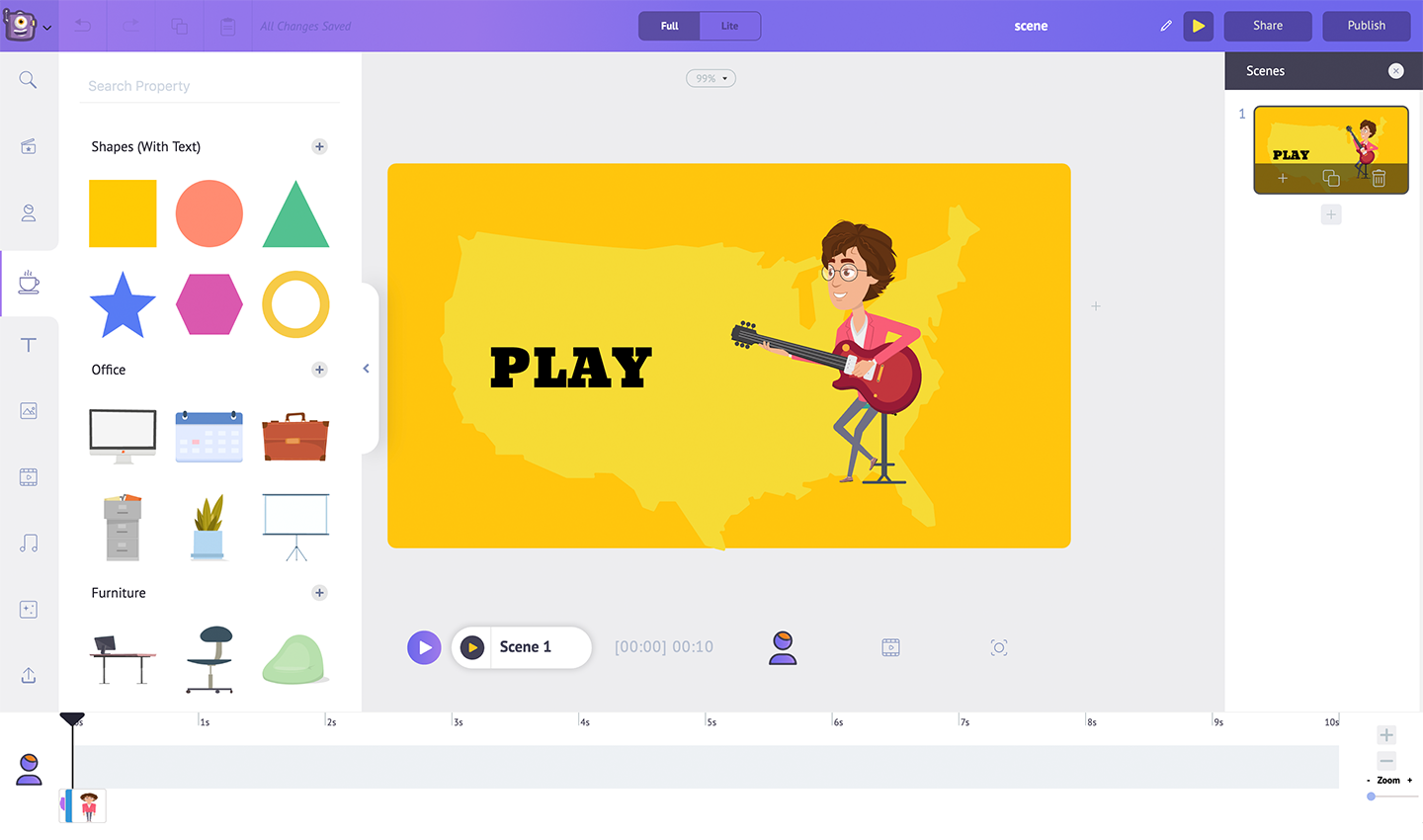
Animaker has been the go-to DIY animation tool for a decade, and honestly it shows — in both good and frustrating ways. It recently launched Animaker 2.0 with AI text-to-video, avatar creation, and auto-subtitle generation. If you're a teacher who needs animated explainers, a marketer churning out product demos, or someone who finds Adobe too intimidating, Animaker sits in that sweet spot of powerful-enough-without-being-overwhelming. The character library is genuinely massive — billions of unique character combinations — and the auto-resize feature that adapts videos for Instagram, YouTube, and TikTok simultaneously is a real time saver.
Key Features
•AI text-to-video: Write a script, get an animated video — Animaker's AI assigns characters, backgrounds, and pacing automatically
•Billions of character combinations via a deep customization builder (body type, expressions, outfits, accessories)
•Auto-resize engine: One click adapts any video to 16+ social formats simultaneously
•AI voiceover with 200+ voices, 50 languages, and emotional tone controls
•Brand Kit (Starter+): Save brand fonts, colors, and logos — all videos auto-match your identity
•PowerPoint import: Drop your slides in, Animaker animates them into a video
•Screen recorder + AI editor for hybrid live/animated content
•SCORM-ready exports for LMS platforms (Enterprise)
Why It Beats AutoDraft AI (For Certain Users)
AutoDraft AI focuses on 2D animation and character consistency for storytelling — great for YouTubers. Animaker is a broader marketing and education machine. Its avatar video capability, PowerPoint import, and brand kit make it much stronger for corporate teams and educators. If your primary goal is explainer videos, training content, or presentations — not animation storytelling — Animaker is the more practical choice. Plus, with 10M+ users and proven enterprise adoption (used by companies including a manufacturing giant that saved $1M+ in production costs), the platform is significantly more battle-tested.
Pricing Breakdown
| Plan | Price | What You Get |
| Free | $0 | 3 downloads/mo, watermark, SD |
| Basic | ~$12.5/mo (annual) | 5 downloads, HD, commercial rights |
| Starter | ~$25/mo (annual) | 10 downloads, Full HD, 200 AI credits |
| Pro | ~$49/mo (annual) | 20 downloads, 2K, 300 AI credits, brand kit |
| Enterprise | Custom | Unlimited + white label + SSO |
Pros vs. Cons
| ✅ PROS | ❌ CONS |
| Massive library: 100+ character types, 1000+ backgrounds | Scenes disappearing bug reported by multiple users |
| Auto-resize saves hours for multi-platform creators | Watermark even on paid tiers below Pro |
| Solid free plan — 3 videos/month actually usable | MP4-only export — no GIF or WebM on lower plans |
| PowerPoint import is a unique and genuinely useful feature | AI voices still sound slightly mechanical at free tier |
| Strong enterprise support with SSO and SCORM | Pro plan ($49/mo) feels steep for individual creators |
Performance Scores
Ease of Use █████████████████░░░ 8.5/10
Feature Depth ████████████████░░░░ 8/10
Value for Money ███████████████░░░░░ 7.5/10
Output Quality ████████████████░░░░ 8/10
Real User Reviews
★★★★★ Reshma K. | DEI Ally, G2 Review "It's quite updated and interesting to work with. Helping create effective information to our audience." |
★★★★☆ Capterra User | Elementary School Teacher "My kiddos love the simplicity of the videos. Three 2-minute videos each month is enough for my class. Perfect for busy teachers." |
★★★☆☆ Capterra User | Marketing Manager "Super glitchy and I kept having to pay to upgrade. Chat support is responsive but the tool has a long way to go." |
⚡ VERDICT: Is it Worth Switching?Worth switching if you're a marketer, educator, or corporate trainer who needs explainer videos and brand consistency. Skip if you're building animated stories with recurring characters — AutoDraft AI handles character consistency better. |
Vyond
The Enterprise Animation Powerhouse with Photorealistic Avatars
| BEST FOR ENTERPRISE | Rating: 4.8/5 (462 reviews on G2) | Users: 12M+ users worldwide | Founded: 2007 (as GoAnimate) |
Overview
Vyond is what happens when you take GoAnimate — remember that old tool everyone used for parody videos? — and evolve it into a proper enterprise content creation platform over 17 years. Today it's used by Whole Foods, Cargill, Indeed, and countless L&D teams globally. Vyond Go, its AI text-to-video tool, takes a text prompt or uploaded document and generates a complete polished video in seconds. The photorealistic talking-head avatars are genuinely uncanny — users regularly question whether they're looking at a real person. With translation into 70+ languages and SCORM exports, it's the training video tool of choice for global organizations.
Key Features
•Vyond Go: Type a prompt, upload a doc, paste a script — get a complete video with script, visuals, characters, and voiceover in seconds
•Photorealistic AI avatars (40+ diverse options) with text-to-speech in 70+ languages
•Photo-to-Character: Turn any headshot into an animated avatar
•Vyond Studio: Deep-dive editor with thousands of templates, props, scenes, and custom character builder
•Instant translation: One click, 70+ languages — huge for global teams
•Independent audio track editing: Separate audio from video for advanced timing control
•Brand controls: Custom colors, logos, fonts locked to your identity
•SCORM-ready export for Moodle, LMS, and corporate learning systems
Why It Beats AutoDraft AI (For Certain Users)
AutoDraft AI is built for indie creators and storytellers. Vyond is built for enterprises and professional L&D teams. The difference is tangible: Vyond has photorealistic avatars that AutoDraft simply can't match, SCORM support for compliance training, team collaboration tools, and a 17-year track record. If you're a company producing onboarding videos, sales enablement content, or compliance training at scale — Vyond is in a completely different league. The $699/yr price tag is steep for individuals but represents real ROI when replacing a video production agency.
Pricing Breakdown
| Plan | Price | What You Get |
| Starter | $699/yr (~$58/mo) | Core features, 2,000 AI credits, 1 user |
| Professional | $1,199/yr (~$100/mo) | Brand kit, advanced avatars, multi-user (1–5) |
| Enterprise | $1,649+/yr custom | Team seats, SSO, SCORM, custom branding |
Pros vs. Cons
| ✅ PROS | ❌ CONS |
| Photorealistic avatars are genuinely impressive and unique in this space | Expensive: $699/yr minimum is high for freelancers or small teams |
| Vyond Go makes video creation from documents nearly instant | Single-user only on Starter plan — teams need Pro or Enterprise |
| 70+ language translation is unmatched for global teams | Only a few core animation styles — outputs can look 'Vyond-ish' |
| 17 years of development = extreme reliability and polish | Complex videos render slowly on some machines |
| Excellent customer support (Whole Foods, Indeed users praised it) | AI avatar credits cost extra on top of subscription |
Performance Scores
Ease of Use ████████████████░░░░ 8/10
Feature Depth ███████████████████░ 9.5/10
Value for Money █████████████░░░░░░░ 6.5/10
Output Quality ██████████████████░░ 9/10
Real User Reviews
★★★★★ Brian M. | Sr. Team Lead, Whole Foods "Vyond has been a game changer for us. The full power of a video studio at a fraction of the cost." |
★★★★★ Virginia H. | Sr. L&D Specialist, Indeed "Nothing's like Vyond. I'm a loyal customer. The photorealistic avatars took our training videos to another level." |
★★★☆☆ G2 Reviewer | Instructional Designer "Zero ways to interact with the simulations. I need branching and questions. I'm frustrated we're charged extra for AI avatars on top of a big subscription." |
⚡ VERDICT: Is it Worth Switching?Absolutely worth it for enterprise L&D, HR, and marketing teams. Hard to justify for indie creators or solo freelancers — the $699/yr starting price is significant. If your team produces 10+ training videos per year, it pays for itself vs. an agency. |
Renderforest
The All-in-One Branding Swiss Army Knife
| BEST OVERALL VALUE | Rating: 4.7/5 (G2 & Capterra) | Users: 30M+ users, 100,000+ companies | Founded: 2013, Yerevan, Armenia |

Overview
Renderforest is the platform that quietly became the default choice for 30 million creators and businesses who need professional content without a design budget. It's not just an animation tool — it's an all-in-one creative suite covering videos, logos, mockups, websites, and social graphics. The AI-powered video generator takes a script or prompt and produces a slick branded video in minutes. Users consistently rave about the template quality: 1,200+ templates that actually look professional rather than cheap. One longtime user called it 'the king of logo intro tools.' The pricing is genuinely competitive — $9.99/mo unlocks 1080p exports across all products.
Key Features
•AI text-to-video: Turn a script into a polished branded video with matching visuals and pacing
•1,200+ professional templates across video, presentations, logo reveals, slideshows, music visualizations
•Logo Maker with infinite customization — constantly updated by in-house designers
•Mockup Editor: 100s of product mockup scenes (t-shirts, business cards, app screens, etc.)
•Website Builder with multilingual support and mobile-responsive templates
•Graphic Maker for social media, posters, flyers, presentations, and book covers
•Cloud rendering — no heavy local processing required
•AI voiceover with multi-language support built into video templates
Why It Beats AutoDraft AI (For Certain Users)
AutoDraft AI is narrow — it does 2D animation well, but that's it. Renderforest does animation, logo design, mockup creation, website building, and social graphics. If you're a small business or freelancer who needs a complete brand toolkit, Renderforest delivers 5x the value at a lower price. The template quality is consistently higher than AutoDraft's for non-animation outputs, and with 30M+ users vs AutoDraft's 150K, the platform maturity is obvious. For YouTube creators who need intros, channel art, and thumbnails alongside animated videos — Renderforest wins on breadth.
Pricing Breakdown
| Plan | Price | What You Get |
| Free | $0 | 500MB storage, 720p, watermark, limited templates |
| Lite | ~$9.99/mo (annual) | 1080p, no watermark, limited video exports |
| Pro | ~$19.99/mo (annual) | 4K available, more storage, priority support |
| Business | ~$29.99/mo (annual) | Unlimited storage, 4K, brand kit, team collaboration |
Pros vs. Cons
| ✅ PROS | ❌ CONS |
| Genuinely all-in-one: video, logo, mockups, website, graphics in one subscription | Pricing structure is confusing — some users reported surprise charges |
| 1,200+ professional templates — consistently high quality | Free plan limits to 3-minute videos at 360p — quite restrictive |
| One of the best free plans in this space (720p, no credit card) | Template customization has limits — not every element is editable |
| Cloud rendering is fast and reliable | Some occasional API bugs reported during editing (2025 reviews) |
| Trusted by 30M+ users — rock-solid reliability | Not ideal for character-driven animation stories — AutoDraft wins there |
Performance Scores
Ease of Use ██████████████████░░ 9/10
Feature Depth █████████████████░░░ 8.5/10
Value for Money ███████████████████░ 9.5/10
Output Quality █████████████████░░░ 8.5/10
Real User Reviews
★★★★★ Daniel R.S. | IT Founder, 2+ year user "I LOVE Renderforest. The motion graphics look like Netflix. Unbeatable on price. With the AI tools I can create a professional commercial just by typing a script." |
★★★★★ Olga B. | Edutainment Coach, 2+ years "The best tool for creating short cartoon videos I've ever used. Renderforest is born to inspire. It's really precious." |
★★½☆☆ Verified Manager | Real Estate, Free Trial "It took a lot of time to get one 30-second video ready due to bugs in the editing functions. Regular API error boxes every 15 minutes." |
⚡ VERDICT: Is it Worth Switching?Absolutely worth it for small businesses, freelancers, and creators who need a complete brand toolkit. The $9.99/mo Lite plan is one of the best-value subscriptions in the creative tools space. Switch from AutoDraft AI if you need more than just animation. |
Powtoon
Powtoon — The Presentation-First Animation Tool for Teams
| BEST FOR PRESENTATIONS | Rating: 4.4/5 (232 reviews on G2) | Users: 30M+ users claimed, widely used in education | Founded: 2012 |
Overview
Powtoon carved out its niche by sitting between presentation software (PowerPoint) and full animation tools (Vyond). It's particularly dominant in education — teachers love the cartoon-style character animations that keep students engaged. The recently introduced AI video generator turns scripts into animated videos using a mix of AI-driven layout and manual editing. For internal communications, company newsletters turned into videos, and classroom explainers, Powtoon delivers a fast, reliable workflow that doesn't require any animation skill. The cartoon aesthetic is charming, if a little recognizable after a while.
Key Features
•AI video assistant: Turn a written script into a video with auto-matched animations and characters
•Animated presentation mode: Create slides that animate frame-by-frame — native PowerPoint feel
•Smart character animations: Pre-built character poses and interactions synced to audio timeline
•WellSaid Labs AI voices (Professional+): One of the most realistic AI voice libraries available
•Shutterstock integration: Direct access to millions of stock photos and videos
•Brand kit (Professional+): Lock brand colors, fonts, and logos across all content
•Instant video translation: Convert videos to other languages with one click
•Team collaboration with approval workflows — great for agencies and marketing teams
Why It Beats AutoDraft AI (For Certain Users)
AutoDraft AI is a deeper animation tool — but Powtoon wins for structured presentations and team collaboration. If you're building content that starts as a presentation or deck and needs to be turned into a video, Powtoon's workflow is significantly smoother. The WellSaid Labs AI voice integration produces noticeably more realistic narration than AutoDraft's voices. And the team approval workflow makes it appropriate for agencies or marketing departments where content goes through review cycles before publishing.
Pricing Breakdown
| Plan | Price | What You Get |
| Free | $0 | 720p, watermark, basic styles, 3 exports/mo |
| Lite | ~$15/mo (annual) | HD exports, more styles, remove watermark |
| Professional | ~$40–70/mo (annual) | Full HD, AI avatar, brand kit, advanced styles |
| Teams/Enterprise | Custom | Multi-seat, SSO, admin controls, analytics |
Pros vs. Cons
| ✅ PROS | ❌ CONS |
| Best presentation-to-animation workflow in this category | AI avatars only available on Professional plan ($40–70/mo) |
| WellSaid Labs voices are among the most realistic AI voices available | Animation style is very recognizable — can look 'samey' |
| Shutterstock integration adds massive stock content library | Less depth for pure character animation vs. AutoDraft or Vyond |
| Team collaboration with approval workflows is enterprise-ready | Pricing jumps sharply between Lite and Professional |
| Very popular in education — strong community and templates | Limited export formats — primarily MP4 |
Performance Scores
Ease of Use █████████████████░░░ 8.5/10
Feature Depth ███████████████░░░░░ 7.5/10
Value for Money ██████████████░░░░░░ 7/10
Output Quality ████████████████░░░░ 8/10
Real User Reviews
★★★★½ Marketing Director | Mid-size Tech Company "We use Powtoon for every internal comms video now. The team collaboration and approval workflow saved us hours. Polished output that our CEO actually enjoys watching." |
★★★★★ High School Teacher | Education, G2 "Students pay attention to Powtoon videos in ways they never did with PowerPoint. The animated characters make abstract concepts click." |
★★★☆☆ Freelancer | Video Creator, Capterra "The style is too recognizable. Clients are starting to notice when something is 'Powtoon-made.' Needs more style variety urgently." |
⚡ VERDICT: Is it Worth Switching?Worth switching from AutoDraft AI if your workflow is presentation-heavy or if you need team collaboration and approval workflows. The WellSaid Labs voice quality alone might justify the upgrade for professional video creators. |
Synthesia
The Avatar Video Platform That's Changing Corporate Training Forever
| BEST FOR AVATAR VIDEOS | Rating: 4.7/5 (1,200+ reviews) | Users: 55,000+ companies (including 60% of Fortune 500) | Founded: 2017, London |
Overview
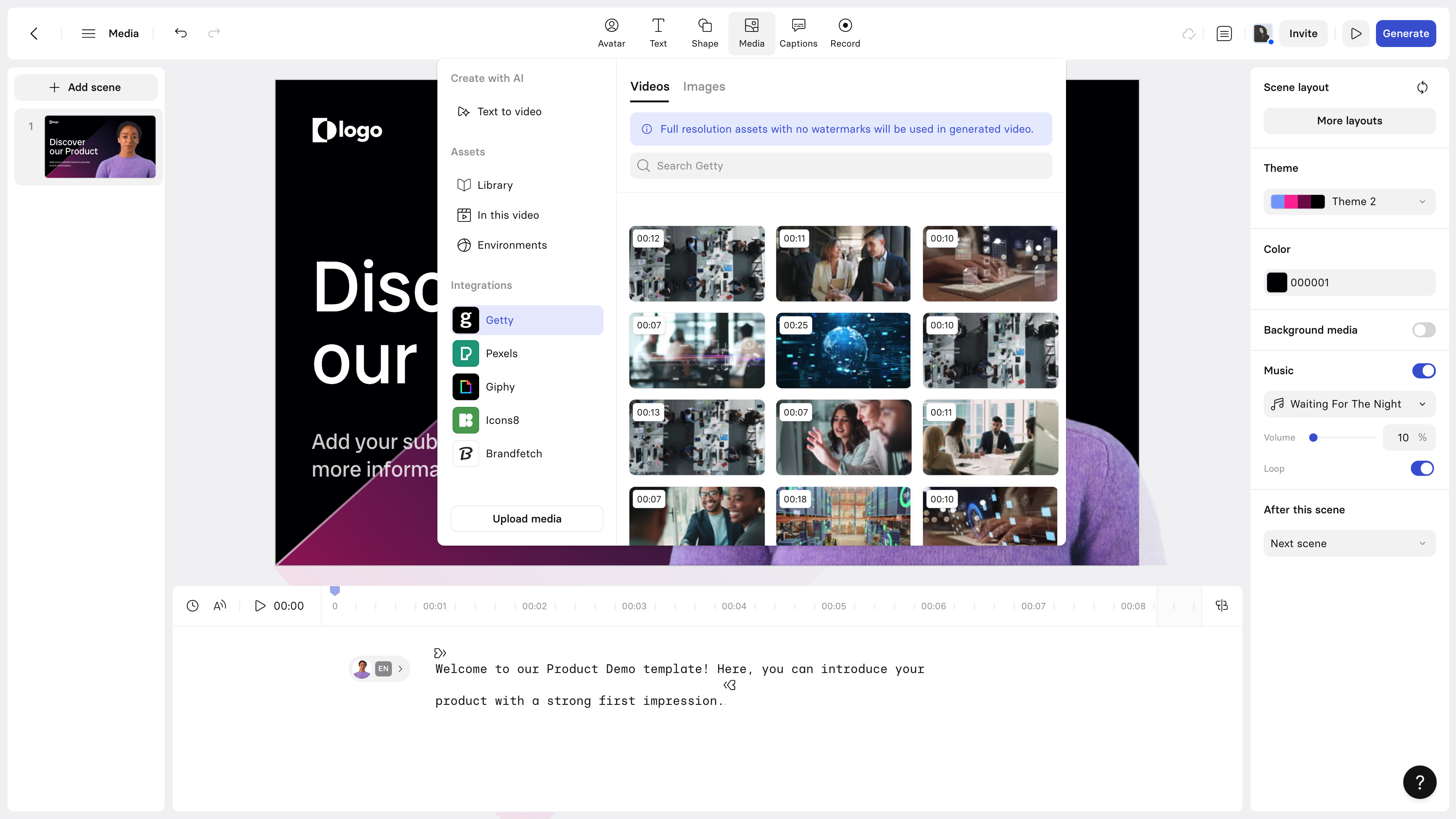
Synthesia is a different beast altogether. While AutoDraft AI builds 2D animated scenes, Synthesia creates videos where a photorealistic AI avatar — indistinguishable from a real human presenter — delivers your script in 120+ languages. Used by 60% of Fortune 500 companies for training and communications, it's the go-to platform when you need presenter-style video without a camera crew, studio, or teleprompter. The quality of the avatars is genuinely impressive: lip sync is near-perfect, expressions are natural, and the range of diverse avatar options covers almost any demographic need. For HR onboarding, compliance training, product demos, and internal comms — Synthesia is probably the most impactful tool in this entire list.
Key Features
•160+ photorealistic AI avatars with natural expressions, gestures, and perfect lip sync
•120+ languages with native-quality AI voices — best multilingual support in class
•Personal avatar: Record yourself once, create an AI clone for future videos
•AI video assistant: Turn a text prompt into a complete video in seconds
•Screen recorder with AI editing for software tutorials and product demos
•Closed captions with auto-translation — accessibility built-in
•Extensive template library for training, onboarding, marketing, and explainers
•Enterprise: Custom avatar creation, SOC 2 certified, LMS integration
Why It Beats AutoDraft AI (For Certain Users)
This isn't a fair comparison — they're different tools for different jobs. AutoDraft AI makes cartoon/2D animated stories. Synthesia makes photorealistic presenter videos. If you need to communicate information (training, onboarding, product demos), Synthesia's photorealistic avatars create more trust and engagement than cartoon animations. The 120-language support and Fortune 500 adoption rate represent a reliability and scale that AutoDraft hasn't reached yet. For any business communication use case, Synthesia is the clear choice.
Pricing Breakdown
| Plan | Price | What You Get |
| Free Demo | $0 | 1 free video, limited features |
| Starter | $22/mo (annual) | 9 AI avatars, 60+ templates, 10 videos/mo |
| Creator | $67/mo (annual) | Unlimited videos, 150+ avatars, screen recorder |
| Enterprise | Custom | Custom avatars, SSO, analytics, SLA, priority support |
Pros vs. Cons
| ✅ PROS | ❌ CONS |
| Photorealistic avatars are genuinely indistinguishable from real presenters | No free plan — just a free demo video |
| 120+ language support is best-in-class — unmatched for global teams | Not suitable for character-driven animated storytelling |
| Personal avatar feature is unique — your AI clone for unlimited future videos | Creator plan ($67/mo) is expensive for individual creators |
| 60% Fortune 500 adoption rate = enterprise-grade reliability and security | Limited creative animation — it's a presenter platform, not an animation studio |
| Screen recorder makes it a complete demo/tutorial tool | Custom avatars and enterprise features require premium pricing |
Performance Scores
Ease of Use ███████████████████░ 9.5/10
Feature Depth ████████████████░░░░ 8/10
Value for Money ████████████████░░░░ 8/10
Output Quality ███████████████████░ 9.5/10
Real User Reviews
★★★★★ L&D Manager | Global Manufacturing Company "We replaced our entire external video production budget with Synthesia. $22/mo vs. $5,000 per video. The quality is genuinely comparable. Our teams across 14 countries all get content in their language now." |
★★★★★ Product Marketing Lead | SaaS Company, 200 employees "The personal avatar feature is mind-blowing. I recorded 30 minutes of myself speaking. Now I have infinite on-demand video content without ever going on camera again." |
★★★½☆ Freelancer | Video Creator "Great for corporate content but not for creative projects. The avatars feel a bit rigid when you want real emotion or storytelling. Better as a communication tool than a creative tool." |
⚡ VERDICT: Is it Worth Switching?One of the most transformative tools on this list for business use. If you're creating training, onboarding, or internal communications — switch immediately. Not worth it if you're an indie creator focused on animation storytelling. |
Krikey AI
The 3D Avatar Animation Tool for Game Devs and Content Creators
| BEST FOR 3D ANIMATION | Rating: 4.2/5 (SaaSworthy rating) | Users: Rapidly growing, gaming/dev community focus | Founded: 2018, Silicon Valley |
Overview
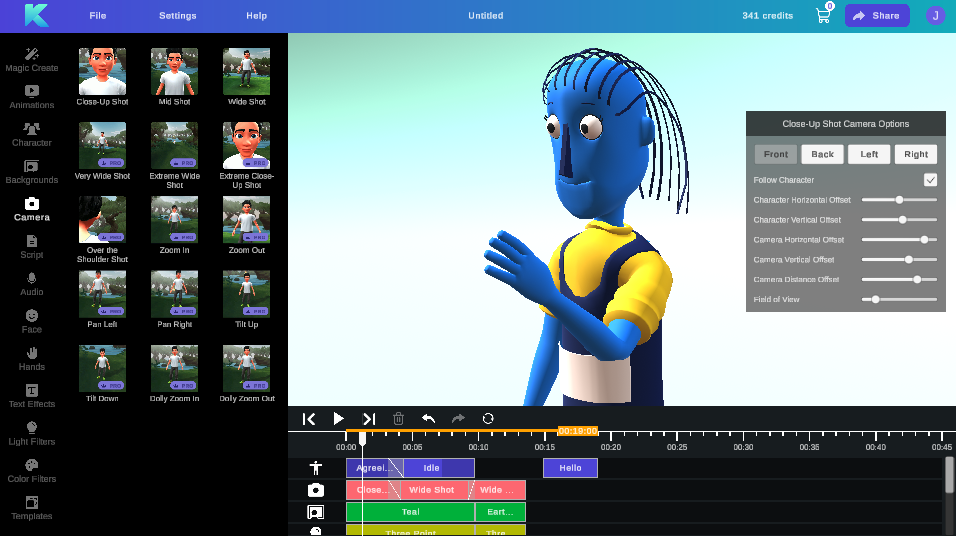
Krikey AI is the newcomer with a very specific and powerful niche: AI-powered 3D animation. While AutoDraft AI works in 2D, Krikey lets you create 3D animated avatars and scenes using text prompts, video input, or their AI animation editor. The three core tools — AI Text to Animation, AI Video to Animation, and AI Animation Editor — let you go from script or recorded video to a 3D animated character in minutes, not days. It's particularly powerful for game developers who need quick character animations, filmmakers doing previs work, and content creators who want 3D-style videos that stand out from the 2D animation crowd. The free-forever plan with no credit card required is genuinely generous.
Key Features
•AI Text to Animation: Type a description and get a 3D character animation instantly
•AI Video to Animation: Upload a video of any person moving — Krikey converts it to 3D motion data
•AI Animation Editor: Fine-tune character movements, expressions, and timing with AI assistance
•3D avatar library with diverse human characters across demographics
•Custom AI model training for enterprise clients — proprietary character styles
•Export formats include FBX and GLB for direct game engine integration (Unity, Unreal)
•4K export on Pro plan — professional-grade output quality
•API access on Enterprise plan for automated pipeline integration
Why It Beats AutoDraft AI (For Certain Users)
AutoDraft AI is 2D-only. Krikey AI opens the entire 3D animation space. For game developers, the FBX/GLB export to Unity and Unreal is a workflow game-changer — something AutoDraft simply cannot do. The AI Video to Animation feature is unique in this price range: upload yourself performing a dance or action, and get a 3D animated character replicating that exact motion. At $15/mo for the Pro plan, Krikey is significantly more affordable than comparable 3D tools like iClone ($199+) or Cascadeur ($99/mo).
Pricing Breakdown
| Plan | Price | What You Get |
| Free Forever | $0 | Basic 3D avatars, watermarked, limited credits |
| Pro | ~$15/mo (annual = $13.33/mo) | Unlimited credits, no watermark, 4K exports |
| Enterprise | Custom | Custom AI models, API access, white label |
Pros vs. Cons
| ✅ PROS | ❌ CONS |
| Only tool on this list offering real AI-powered 3D animation at this price | Primarily 3D-focused — not suitable for 2D cartoon-style animation |
| FBX/GLB export for Unity and Unreal — direct game development integration | Smaller asset library vs. established players like Animaker or Vyond |
| AI Video to Animation is a genuinely unique feature | Less polish on non-animation features (no built-in voiceover or complex scenes) |
| Free Forever plan requires no credit card — lowest barrier to entry | Community and support resources not as mature as older platforms |
| $15/mo Pro plan is extremely competitive for 3D animation capabilities | Complex cinematic projects still require additional software (Blender, etc.) |
Performance Scores
Ease of Use ███████████████░░░░░ 7.5/10
Feature Depth █████████████████░░░ 8.5/10
Value for Money ██████████████████░░ 9/10
Output Quality ████████████████░░░░ 8/10
Real User Reviews
★★★★★ Indie Game Developer | Solo dev, Unity projects "This changes everything for solo devs. I used to spend 8 hours rigging a character animation manually. Krikey does the same thing in 8 minutes, and the FBX exports straight into Unity." |
★★★★☆ YouTube Creator | Gaming Content, 50K subs "The 3D avatars look more premium than anything I could do in AutoDraft. My viewers actually noticed and commented. The $15/mo is well worth it for the production value." |
★★★½☆ Filmmaker | Short Film Director "Great for previs and storyboarding 3D action sequences. Falls short when you need very detailed facial expressions or complex cinematic lighting." |
⚡ VERDICT: Is it Worth Switching?Absolutely worth switching for game developers and 3D-focused creators. The $15/mo Pro plan is a steal compared to industry alternatives. If you're committed to 2D animation aesthetics, stay with AutoDraft AI — but 3D is where Krikey shines. |
DeepMotion
AI Motion Capture That Eliminates the $20,000 Mo-Cap Suit
| BEST FOR MOTION CAPTURE | Rating: 4.5/5 (industry specialists) | Users: Used by entertainment, sports science, and robotics companies | Founded: 2017 |

Overview
DeepMotion solves a very specific and expensive problem: motion capture has traditionally required $20,000+ equipment, a dedicated studio, and a team of technicians. DeepMotion does it from a regular smartphone video. Upload a video of a person performing any movement — walking, dancing, fighting, running — and DeepMotion's AI converts it into professional-grade 3D motion data (BVH/FBX format) that you can plug directly into any 3D software or game engine. The physics simulation engine ensures the resulting animations respect real-world body mechanics, preventing the 'floaty' look common in cheaper motion capture alternatives. It's used by filmmakers, game developers, athletes, and sports scientists alike.
Key Features
•Video-to-motion: Upload any 2D video and convert it to high-fidelity 3D motion data
•Real-time body tracking for interactive applications and live events
•Physics simulation engine: AI applies real-world biomechanics to prevent unnatural motion
•BVH and FBX export formats — compatible with Blender, Maya, Unity, Unreal, and iClone
•Multi-person tracking: Capture and separate motion data from multiple people in one video
•Hand and finger tracking for detailed gesture animations
•Facial expression tracking from video input
•API access (Professional+) for automated production pipelines
Why It Beats AutoDraft AI (For Certain Users)
AutoDraft AI doesn't have motion capture at all — it's a different category entirely. DeepMotion is the tool you add to your pipeline when AutoDraft's preset character animations aren't unique enough. If you want a character to perform a specific movement — your own choreography, a sports clip, a dance routine — DeepMotion extracts that motion and lets you apply it to any 3D character. For indie filmmakers and game developers, it replaces a production expense that used to be in the tens of thousands of dollars.
Pricing Breakdown
| Plan | Price | What You Get |
| Basic | ~$12/mo (annual) | 30 mins motion capture/mo, FBX/BVH export |
| Standard | ~$30/mo (annual) | 120 mins/mo, physics simulation, priority |
| Professional | ~$65/mo (annual) | 500 mins/mo, advanced features, API access |
| Enterprise | Custom | Unlimited + custom model training + dedicated support |
Pros vs. Cons
| ✅ PROS | ❌ CONS |
| Converts any video to professional 3D motion data — no special equipment needed | Not a standalone animation tool — requires integration with 3D software (Blender, etc.) |
| Physics simulation produces noticeably more natural animations than competitors | Output quality depends heavily on input video quality and lighting |
| Multi-person and hand/finger tracking are industry-leading | Steeper learning curve — assumes familiarity with 3D animation pipelines |
| Compatible with every major 3D software and game engine | Credit/minute limits can restrict heavy users on lower plans |
| Solves a $20K+ problem for $12/mo | Not suitable for 2D animation, presentations, or marketing content |
Performance Scores
Ease of Use █████████████░░░░░░░ 6.5/10
Feature Depth ██████████████████░░ 9/10
Value for Money █████████████████░░░ 8.5/10
Output Quality ██████████████████░░ 9/10
Real User Reviews
★★★★★ Indie Filmmaker | Short Film Director, Vimeo Staff Pick "I filmed my friend doing fight choreography in my backyard with a $200 camera. DeepMotion turned it into the most realistic combat animation I've ever put in a film. This used to cost $15,000." |
★★★★½ Game Developer | RPG Studio, 5-person team "The BVH exports drop straight into Blender without cleanup. The physics simulation catches things I'd never catch manually. Our NPCs finally look like real humans." |
★★★½☆ 3D Artist | Freelance, Upwork "Amazing technology but the minute limits on Standard plan run out faster than you'd think. For heavy users, the Professional plan price jumps significantly." |
⚡ VERDICT: Is it Worth Switching?If you work with 3D animation and currently handle motion capture manually or outsource it, DeepMotion pays for itself on the first project. Not worth it if you're purely in the 2D animation or marketing video space. |
Adobe Animate
The Industry Standard That Built the Web's Animation DNA
| BEST FOR PROFESSIONALS | Rating: 4.3/5 (G2, 500+ reviews) | Users: Millions globally — used by Disney, Cartoon Network, Nickelodeon | Founded: 1996 (as Macromedia Flash), Adobe since 2005 |
Overview
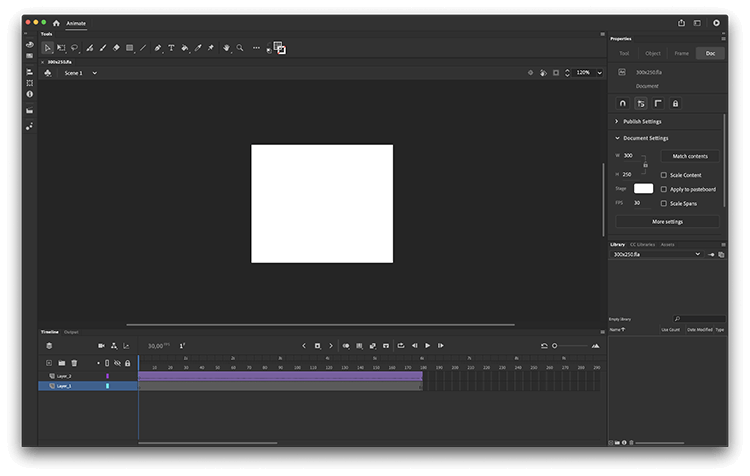
Adobe Animate is the only tool on this list with a legitimate claim to being the bedrock of internet animation history. Born as Macromedia Flash in 1996, it animated the entire web era and eventually evolved into the professional 2D animation powerhouse that still runs Disney TV productions and major studio pipeline. Today it supports HTML5, WebGL, SVG, and ActionScript — making it the choice for interactive animations, web banners, mobile game assets, and broadcast-quality cartoons. If AutoDraft AI is the DSLR beginner's camera, Adobe Animate is the professional cinema camera — far more powerful, far steeper to learn, and built for people who animation is a career, not a feature.
Key Features
•Frame-by-frame animation with industry-standard timeline — full creative control
•Vector and raster drawing tools on the same canvas — no tool switching
•Character rigging with armatures: Create reusable character skeletons for consistent animation
•HTML5 Canvas, WebGL, and SVG output — animate for any web or interactive platform
•ActionScript and JavaScript support for interactive animated content
•Motion tween and shape tween — smooth, professional interpolation
•Audio sync with frame-level precision — perfect lip sync and sound effects timing
•Full Adobe CC integration: Share assets between Photoshop, Illustrator, After Effects, Premiere
Why It Beats AutoDraft AI (For Certain Users)
AutoDraft AI generates animation using prompts — Adobe Animate creates animation frame by frame with professional tools. These aren't competing on the same field. AutoDraft AI will never produce the level of artistic control, nuance, or professional polish that Adobe Animate enables. The tradeoff is obvious: Adobe Animate requires significant skill investment (months to years) and produces cartoon-quality output. AutoDraft AI requires zero skill and produces decent AI-generated output quickly. If you're a professional animator, creative director, or studio — Animate wins decisively. If you're a solo content creator with no animation background — AutoDraft's AI does more for you faster.
Pricing Breakdown
| Plan | Price | What You Get |
| Animate Single App | $20.99/mo (annual) | Full Animate, 100GB cloud storage |
| Creative Cloud All Apps | $54.99/mo (annual) | All 20+ Adobe apps including Animate |
| Students & Teachers | $19.99/mo (annual) | All Apps plan at student pricing |
| Enterprise | Custom per seat | Team management, advanced security, SSO |
Pros vs. Cons
| ✅ PROS | ❌ CONS |
| Absolute industry standard — used by Disney, Cartoon Network, major studios | Steep learning curve — weeks to months to become productive |
| Full HTML5/WebGL support for interactive web animations | No AI generation features — purely manual creation |
| Unmatched creative control — every frame, every curve, completely yours | $20.99/mo for a single app; full CC required for most real workflows |
| Character rigging system enables professional reuse of character assets | Resource-heavy software — requires a capable desktop computer |
| Full Adobe CC ecosystem integration is a massive workflow advantage | Overkill for most content creators — too much power for occasional use |
Performance Scores
Ease of Use ██████████░░░░░░░░░░ 5/10
Feature Depth ████████████████████ 10/10
Value for Money ███████████████░░░░░ 7.5/10
Output Quality ████████████████████ 10/10
Real User Reviews
★★★★★ Senior Animator | Broadcast Studio, 8 years Animate user "There's no substitute. I've tried every AI animation tool and they all produce the same flat, generic output. Adobe Animate gives me a distinct creative voice. Worth every penny and every hour learning it." |
★★★★☆ Web Designer | Digital Agency, Capterra "The HTML5 Canvas output is exceptional for interactive web banners. The Adobe CC integration means my Illustrator characters animate perfectly in Animate. The ecosystem is the killer feature." |
★★★☆☆ YouTuber | Education Content Creator "I tried Animate for 3 months and honestly AutoDraft AI produced better results faster for my use case. Animate is incredible — just not for someone who doesn't live in animation software full-time." |
⚡ VERDICT: Is it Worth Switching?Worth it if animation is your craft or career. Not worth switching from AutoDraft AI if you're a content creator looking for speed and ease. The two serve fundamentally different audiences. |
Who Should Choose What? — Final Decision Guide
After going through all eight tools, here's the honest bottom line. No tool wins in every category — the right choice depends on what you're actually building.
| If you are... | Choose this |
| An indie creator making animated YouTube stories | AutoDraft AI — the character consistency engine is still unique |
| A marketer/educator making explainer videos | Animaker — template depth and brand kit are unmatched at the price |
| An L&D or HR team at a large company | Vyond — photorealistic avatars + SCORM + 70 languages = no competition |
| A freelancer or small business needing branding tools | Renderforest — 5 tools in 1 at the lowest price per value |
| A teacher creating engaging classroom content | Powtoon — students respond better to its presentation-native format |
| A corporate team producing training at scale | Synthesia — Fortune 500's choice for a reason; 120 languages, AI avatars |
| A game developer needing character animations | Krikey AI — only tool here with FBX/GLB game engine export at $15/mo |
| A filmmaker or 3D animator needing real motion data | DeepMotion — converts any video to professional motion capture data |
| A professional animator or animation studio | Adobe Animate — industry standard for a reason, unmatched creative control |
The animated content creation market is exploding — projected to grow to $35 billion by 2027. AutoDraft AI entered the right market at the right time, but it's one of many strong players. The good news: most tools on this list offer free trials or free plans. Try before you commit. Your workflow, your audience, and your budget should drive the decision — not a comparison article.
Post Comment
Be the first to post comment!





