Why People Are Leaving Muke AI
Let's be upfront about it: Muke AI is convenient. Open a browser, upload a photo, get a face swap or AI avatar in seconds — no friction, no signup hassle. For a lot of people, that's genuinely appealing. But after spending time testing it and reading through hundreds of independent user reviews, a pattern emerges. The platform is fast, yes. But fast and trustworthy are different things.
Trust scores from platforms like ScamAdviser sit in the medium-risk zone. Privacy policies are vague — nobody can clearly tell you where your uploaded photos go or how long they're stored. The "undress AI" feature, while controversial, sits in a legal and ethical gray area that makes many users uncomfortable. Quality is hit-or-miss. And critically: when compared to what Midjourney, DALL-E 3, and Adobe Firefly can produce, Muke AI's output looks rough.
This guide isn't a takedown of Muke AI. It's a practical look at seven tools that do the same things, better — with clearer policies, better output quality, and actual accountability. We've gone deep on pricing, features, real user reviews, and who each tool serves best. No affiliate spin. Just the real picture.
Muke AI — What It Is and Why It Falls Short
Muke AI positions itself as an all-in-one AI image platform covering face swapping, avatar creation, AI image generation, and AI photo manipulation. It's browser-based, requires minimal technical skill, and produces results in seconds. On paper, that sounds great.
Platform Type Browser-based | Primary Use Face swap / Avatar | Trust Score Medium-Risk ⚠️ | Free Tier Limited |
Pricing Unclear / Opaque | Privacy Policy Vague / Gaps | Image Quality Inconsistent | User Rating ~2.8 / 5 |
Where Muke AI Struggles
| Feature | Details |
| Trust & Safety | ScamAdviser rates it medium-risk; WHOIS info hidden; no clear legal entity disclosed |
| Privacy | No transparent data retention policy; users don't know if uploaded photos are stored or deleted |
| Ethical Features | Undress AI tool raises consent and legal concerns; no robust safeguards published |
| Image Quality | Output quality inconsistent; fine-tuning often needed; not suitable for professional use |
| Billing Clarity | Multiple user reports of unclear billing limits and difficult refund processes |
| Customer Support | Support is minimal; no live chat or dedicated account help |
| Commercial Rights | Ownership of AI-generated images unclear in Terms of Service |
| 01 | Midjourney — The Undisputed King of Artistic AI Images |
⬛ ⬛ ⬛ [ Midjourney v7 ] Where prompts become gallery-worthy art |
Prompt: ──────────────────────────────────────────────────────── [ cyberpunk samurai in neon Tokyo rain, cinematic lighting... ] Style: [ Artistic ] Aspect: [ 16:9 ] Stylize: [ 750 ] ─────────────────────────────────────────────────────────────── ▣ Generated 4 images · Upscale · Variation · Re-run [ Generate Now ] |
Overview
Ask any designer, digital artist, or marketing professional which AI image tool produces the best-looking output and you'll hear the same answer: Midjourney. It has held that crown since 2022 and version 7, released in April 2025, pushed the quality bar even further. The difference between what Midjourney generates and what Muke AI produces isn't a gap — it's a chasm.
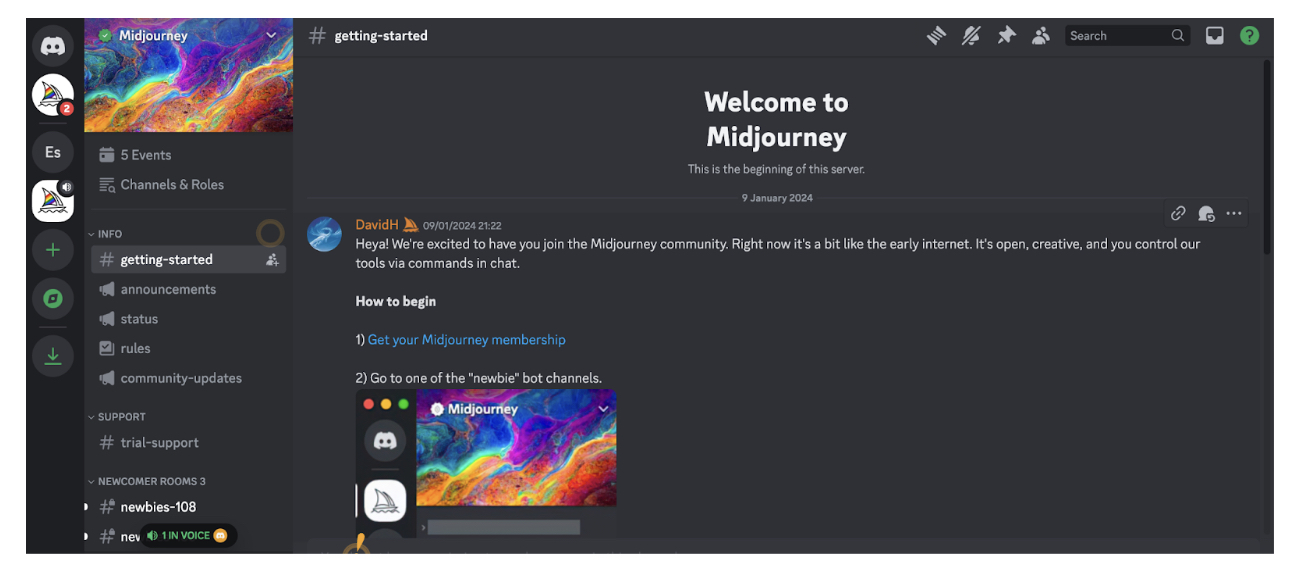
Where Muke AI is built for quick, low-commitment manipulation (face swaps, avatars), Midjourney is built for extraordinary visual output. Think cinematic concept art, fantasy landscapes, editorial portraits, brand imagery. The platform originally ran through Discord only, which was its biggest friction point — but a proper web app is now available and the learning curve is significantly lower.
Key Features
| Feature | Details |
| Model Quality | v7 (April 2025) — best aesthetic output in the industry; cinematic, textured, emotionally resonant images consistently |
| Style Controls | Stylize slider (0–1000), Weirdness slider, Chaos parameter — fine-grained artistic direction without prompt complexity |
| Draft Mode | New in v7: fast low-cost previews before full generation — saves time and credits for experimentation |
| Image Referencing | Upload a reference image to guide style and composition; enables brand consistency across campaigns |
| Vary & Upscale | Generate variations of any image; 2x and 4x upscaling; subtle/strong variations for iteration |
| Aspect Ratios | Any aspect ratio from portrait to ultra-wide; perfect for social, print, or web formats |
| Web App | Full browser interface as of 2024; no longer Discord-only; much more accessible for new users |
| Community Gallery | Explore millions of user-generated images for inspiration; see prompts used by others |
Pricing
| Plan | Price | What You Get |
| Basic | $10 / month | ~200 generations (fast) · Basic web access · Public gallery only |
| Standard | $30 / month | ~900 fast GPU hours + unlimited relaxed · Stealth mode unavailable |
| Pro | $60 / month | 15 fast GPU hours + stealth mode (private generations) · Max concurrency |
| Mega | $120 / month | 60 fast GPU hours + stealth + highest throughput for studios |
Value Note: No free tier — Muke AI wins on price for zero-cost casual use. But at $10/month, Midjourney produces output Muke AI cannot match at any price. If quality matters: Midjourney wins, no contest.
Pros & Cons
| ✅ PROS | ❌ CONS |
| ✔ Best aesthetic image quality, period | ✘ No free tier (trial suspended) |
| ✔ Massive community + inspiration gallery | ✘ Photorealistic faces still have minor quirks |
| ✔ v7 Draft Mode saves time and credits | ✘ No dedicated face swap or avatar tools |
| ✔ Proper web app — no more Discord-only | ✘ Public gallery on Basic (privacy concern) |
| ✔ Image referencing for style consistency | ✘ Some learning curve on parameter syntax |
| ✔ All plans allow commercial use |
Real User Reviews
@designstudio_priya · Graphic Designer, Mumbai ★★★★★ 5/5 "I've been using AI image tools since 2022 and Midjourney v7 is honestly on a different level. The cinematic lighting, the details — it saves me hours on client mood boards." |
@mktg_rahul · Content Marketer ★★★★☆ 4/5 "Paid $30/month for Standard and it's completely replaced my stock photo budget. The quality is consistently impressive. Only wish the free tier still existed." |
@beginner_creator · YouTuber ★★★☆☆ 3/5 "Great output once you learn the prompts. Took me a week to really get comfortable. The web app helped a lot vs the old Discord setup." |
Overall Rating: ★★★★★ 5/5
⚖️ Worth Switching From Muke AI? YES — Strongly, for visual quality If you're using Muke AI for creative image generation and you care about quality, switch immediately. Midjourney at $10/month produces output that would take hours in Photoshop. The only reason to stay on Muke AI is zero budget — but even then, free alternatives (Leonardo AI, Ideogram) beat Muke's quality. |
| 🎯 Best For: Professional designers, concept artists, marketers, content creators, and anyone who needs images that look genuinely impressive. Anyone doing brand work, advertising, or editorial visuals. |
| 02 | DALL-E 3 (via ChatGPT) — Best for Prompt Accuracy & Text in Images |
⬛ ⬛ ⬛ [ DALL-E 3 inside ChatGPT ] Just describe it. The AI understands exactly what you want. |
ChatGPT: [ You ] 'Create a flat-design infographic showing 5 steps of product development with icons, teal color scheme, clean sans-serif' ─────────────────────────────────────────────────────────── ● Image generated · Edit · Variations · Download [ Generate Now ] |
Overview
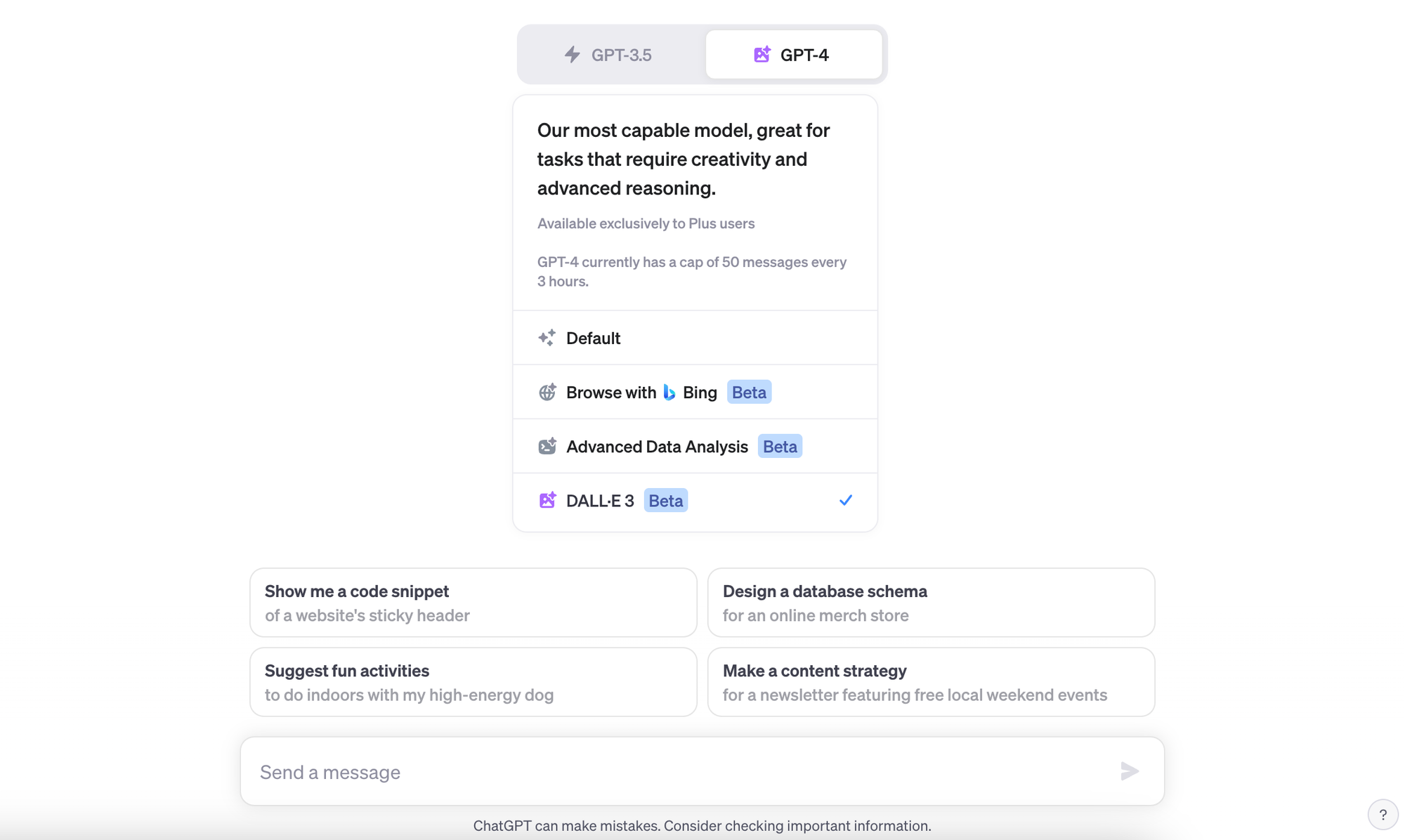
DALL-E 3 is OpenAI's image model, and it's integrated directly into ChatGPT. This changes the game compared to Muke AI in one massive way: you can have a conversation about what you want. Describe a complex scene, get feedback, refine iteratively. No cryptic parameter syntax, no guessing — just natural language and remarkably accurate results.
Where DALL-E 3 absolutely destroys Muke AI is in one critical use case: text rendering inside images. Muke AI, like most tools, can barely produce readable text. DALL-E 3 generates legible logos, posters, banners, and infographic text with stunning accuracy. For any creator who needs readable copy inside their visuals, DALL-E 3 is the answer.
Key Features
| Feature | Details |
| Prompt Accuracy | Best literal interpretation of any model — what you describe is what you get, no reinterpretation |
| Text in Images | Unmatched readable text generation — logos, banners, posters, infographics with clear legible copy |
| ChatGPT Integration | Conversational image refinement — discuss, iterate, and improve images in natural language with GPT-4o |
| Image Editing | Inpainting/outpainting: select regions to edit, extend canvas, change specific elements without touching the rest |
| December 2025 Update | 4x faster generation, improved facial consistency, better instruction-following, more precise edits |
| API Access | Token-based API pricing for developers; build image generation into your own products |
| Safety & Rights | Clear commercial use terms; images cleared for commercial use under ChatGPT Plus subscription |
| Accessibility | Free tier available (limited images/day); Plus tier at $20/month includes generous image allowance |
Pricing
| Plan | Price | What You Get |
| Free (ChatGPT) | Free | Limited image generations per day; access to DALL-E 3 via ChatGPT free tier |
| ChatGPT Plus | $20 / month | Higher image generation limits + GPT-4o + all other ChatGPT capabilities |
| ChatGPT Pro | $200 / month | Unlimited GPT-4o; maximum image quotas; priority compute |
| API | Per token | Programmatic access; pay per image; suitable for developers and businesses |
Value Note: $20/month for ChatGPT Plus gives you DALL-E 3 plus one of the world's best AI assistants. If you're already paying for ChatGPT Plus, DALL-E 3 is essentially free to add. Compared to Muke AI's vague pricing, this transparency alone is a win.
Pros & Cons
| ✅ PROS | ❌ CONS |
| ✔ Best prompt accuracy — gets exactly what you describe | ✘ Artistic range narrower than Midjourney |
| ✔ Readable text in images — no other tool matches this | ✘ Slightly corporate 'clean' aesthetic can feel generic |
| ✔ Conversational interface through ChatGPT | ✘ Less granular style control than Midjourney parameters |
| ✔ Free tier available; excellent value on Plus | ✘ Image quota on free tier is limited daily |
| ✔ Transparent pricing and commercial rights | ✘ No face-swap or avatar-specific tools |
| ✔ December 2025 update massively improved quality |
Real User Reviews
@social_media_manager_arjun · Social Media Manager ★★★★★ 5/5 "I use DALL-E 3 every single day for ad creatives. The text accuracy is something I haven't found anywhere else — banners, promo posts, all readable first try. Muke AI couldn't do this." |
@startup_founder_meera · Founder, EdTech ★★★★★ 5/5 "The ability to have a conversation about the image and iterate is a game-changer. I described what I wanted, ChatGPT refined it with me, and I had a perfect brand illustration in 10 minutes." |
@freelance_writer_k · Content Creator ★★★★☆ 4/5 "Does exactly what I ask. Sometimes the style feels a bit stock-photo-ish but the accuracy and reliability make it my daily driver for blog visuals." |
Overall Rating: ★★★★★ 5/5
⚖️ Worth Switching From Muke AI? YES — Especially if you need text in images or chat-based iteration DALL-E 3 outperforms Muke AI in every meaningful metric except zero-cost access. The free tier alone makes this a no-brainer for anyone doing content creation. If you're paying for Muke AI: stop and switch. |
| 🎯 Best For: Content creators, marketers, bloggers, startup founders, social media managers, and anyone who needs precise visual outputs with readable text. Also ideal for ChatGPT users who want image generation bundled in. |
| 03 | Adobe Firefly — The Only Commercially Safe Choice |
⬛ ⬛ ⬛ [ Adobe Firefly ] Commercially safe. Creatively powerful. Already in your workflow. |
Text to Image: [ A modern office with glass walls... ] Style: [ Photo ] Color: [ Vivid ] Lighting: [ Golden hr ] ─── Generative Fill (Photoshop) ─── Generative Expand ──────── [Select area in photo] → [Type: 'replace with mountain view'] [Generate] · 3 Variations · Apply to PSD · Export [ Generate Now ] |

Overview
Here's the uncomfortable truth about most AI image tools, including Muke AI: nobody can guarantee your outputs are legally safe for commercial use. Training data is murky, rights are unclear, and lawsuits are mounting in the industry. Adobe Firefly is the singular exception. It was trained exclusively on Adobe Stock images, openly licensed content, and public domain material. Adobe indemnifies enterprise customers against copyright claims on Firefly-generated content. That is a truly unique proposition.
Beyond legal safety, Firefly's integration with Photoshop's Generative Fill and Generative Expand is something Muke AI simply cannot replicate. You select a region of a real photo, type what you want there, and Firefly fills it seamlessly — matching lighting, perspective, and texture. For product photography, e-commerce, and brand work, this is transformative.
Key Features
| Feature | Details |
| Licensed Training Data | ONLY major model trained exclusively on licensed content — legally safe for commercial use with enterprise indemnification |
| Generative Fill | Select any region of a real photo in Photoshop, describe replacement — seamless AI fill matching original lighting and texture |
| Generative Expand | Extend any photo's canvas by describing what should appear beyond the edges — perfect for product/ad photography |
| Text Effects | Apply AI-generated styles and textures to text — no other major tool matches this for typography design |
| Style Presets | 80+ style presets (Art, Photo, Graphic, B&W) with lighting, color, and mood controls for consistent brand aesthetics |
| Photoshop Integration | Embedded directly into Photoshop, Illustrator, and Express — fits existing professional design workflows natively |
| Video Generation | Firefly Video (late 2025 expansion): text-to-video and video editing with Runway Gen-4.5 integration |
| Firefly API | Enterprise API for building Firefly-powered tools; partner models (Google, OpenAI, Flux) accessible on some plans |
Pricing
| Plan | Price | What You Get |
| Free | Free | 25 credits/month; watermarked outputs; web app access only |
| Firefly Standard | $9.99 / month | 2,000 credits; no watermarks; full commercial rights; web + Express |
| Firefly Pro | $19.99 / month | All Standard features + access to partner models (Flux, Google) |
| Creative Cloud | $23+ / month | Photoshop + Illustrator + Firefly credits bundled; best value for professionals |
Value Note: If you already pay for Adobe Creative Cloud, Firefly is essentially included. At $9.99/month standalone, it's cheaper than Muke AI's paid plans while offering infinitely better transparency, quality, and legal protection.
Pros & Cons
| ✅ PROS | ❌ CONS |
| ✔ Only legally safe AI image model for commercial use | ✘ Creative range more restrained than Midjourney |
| ✔ Generative Fill in Photoshop is genuinely transformative | ✘ Free tier very limited (25 credits/month) |
| ✔ Enterprise copyright indemnification — unique in the industry | ✘ Standalone image quality lags behind Midjourney and Flux |
| ✔ Text effects rival any design tool available | ✘ Photoshop integration requires CC subscription |
| ✔ Seamless Adobe CC integration | ✘ Some users report confusing credit system changes |
| ✔ Affordable at $9.99/month; CC users get it free-ish | ✘ Video quality still catching up to competitors |
Real User Reviews
@agency_creative_dir · Creative Director, Ad Agency ★★★★★ 5/5 "Our legal team required we use only commercially safe AI images. Firefly is the only option that passes that test. The Photoshop integration is seamless — Generative Fill has saved us hundreds of retouching hours." |
@ecomm_photographer · Product Photographer ★★★★★ 5/5 "Generative Expand on product shots is magic. I extend every product photo to any canvas size needed without re-shooting. Muke AI would never handle this level of professional work." |
@designer_nitesh · Freelance Designer ★★★☆☆ 3/5 "Great for commercial work but I keep going back to Midjourney when I need something genuinely creative and visually striking. Firefly plays it safe, sometimes too safe." |
Overall Rating: ★★★★★ 5/5
⚖️ Worth Switching From Muke AI? YES — Absolutely for any commercial or professional work If you're using Muke AI for anything business-related, Firefly is the responsible upgrade. The legal protection alone justifies the switch. Muke AI's opaque terms leave you exposed — Firefly gives you commercial indemnification. The quality and workflow integration are massive bonuses. |
| 🎯 Best For: Marketing teams, advertising agencies, e-commerce businesses, product photographers, enterprises with legal exposure, and any professional designer already in the Adobe ecosystem. |
| 04 | Leonardo AI — The Best Free Tier in AI Image Generation |
⬛ ⬛ ⬛ [ Leonardo AI ] 150 free tokens daily. No subscription needed to get started. |
[AI Models: Phoenix | FLUX | Anime | 3D Render | ...] Prompt: [ fantasy warrior character, detailed armor... ] Canvas: [Realtime] [Elements] [Motion] [Upscaler] ──────────────────────────────────────────────────────────────── ← Tokens: 143 remaining today (resets in 8h) [Upgrade Plan] [ Generate Now ] |
Overview
Leonardo AI occupies a unique space: it's the most generous free tier in AI image generation, period. 150 tokens refresh daily, equivalent to 20-30 images depending on settings. No credit card, no subscription required. For someone who used Muke AI primarily because it was free or low-commitment, Leonardo AI is the obvious upgrade — better quality, better ethics, better features, and still free.
Acquired by Canva in mid-2024, Leonardo AI has expanded rapidly. Its Phoenix model competes with Midjourney in artistic quality. The Realtime Canvas is a standout feature — draw a rough sketch and watch it transform into finished art live as you draw. For game developers and character designers, the platform's character consistency tools are best-in-class.
Key Features
| Feature | Details |
| Free Tier | 150 tokens refreshed daily — ~20-30 images/day free; by far the most generous in this category |
| Multiple AI Models | Phoenix, FLUX, Anime Pastel, 3D Animation, AlbedoBase, and 30+ community fine-tunes in one platform |
| Realtime Canvas | Sketch → AI art live as you draw; instant creative feedback loop unique to Leonardo |
| Character Consistency | Maintain the same character across multiple generated images — crucial for game dev and serialized content |
| Elements Feature | Upload a reference image to apply its style consistently to new generations — brand and style control |
| Motion Videos | Animate still images into short video clips — character motion, camera pan, atmospheric effects |
| Image Upscaler | 4x upscaling with AI detail enhancement; no additional generation cost |
| Canva Integration | Post-Canva acquisition: direct connection to Canva's design ecosystem for non-designers |
Pricing
| Plan | Price | What You Get |
| Free | Free | 150 tokens/day (~20-30 images); access to most models; public gallery |
| Apprentice | $12 / month* | 8,500 tokens/month; higher priority; private generations (*price raised late 2025) |
| Artisan | $30 / month | 25,000 tokens/month; all features; API access; highest model quality |
| Maestro | $60 / month | 60,000 tokens/month; unlimited relaxed; team features; custom models |
Value Note: The free tier is the headline story. For casual and semi-regular creators, Leonardo AI is completely free with quality that exceeds what Muke AI produces even on paid plans. The Artisan plan at $30/month is competitive with Midjourney Standard and includes more diverse model options.
Pros & Cons
| ✅ PROS | ❌ CONS |
| ✔ Most generous free tier: 150 tokens/day refreshed | ✘ Apprentice pricing quietly raised in late 2025 |
| ✔ 30+ AI models including FLUX — unmatched variety | ✘ Free tier images are public (privacy concern) |
| ✔ Realtime Canvas is a genuinely unique creative tool | ✘ Some models require paid tier to unlock full quality |
| ✔ Character consistency best-in-class for game/comic work | ✘ Interface can feel overwhelming with so many options |
| ✔ Canva integration opens mainstream design workflows | ✘ Less artistic polish than Midjourney on complex scenes |
| ✔ Image-to-video animation adds creative dimension |
Real User Reviews
@indie_game_dev_sam · Indie Game Developer ★★★★★ 5/5 "Character consistency was the feature that made me switch everything to Leonardo. I can generate 50 images of the same character in different poses and they all match. Nothing else does this for free." |
@comic_artist_ru · Comic Artist ★★★★★ 5/5 "The Realtime Canvas changed how I sketch. I rough out a pose and watch it turn into finished art while I draw. My workflow is 3x faster." |
@social_content · Content Creator ★★★★☆ 4/5 "150 free images a day is genuinely more than I need. Switched from Muke AI completely. Better quality, clear privacy policy, no weird trust-score warnings." |
Overall Rating: ★★★★☆ 4/5
⚖️ Worth Switching From Muke AI? YES — The clearest upgrade for anyone using Muke AI for free Muke AI's free tier is limited and trust-scored as risky. Leonardo AI offers more images, better quality, and clearer policies — entirely free. There is no legitimate reason to choose Muke AI over Leonardo for casual or free use. |
| 🎯 Best For: Casual creators, students, indie game developers, comic artists, and anyone who wants high-quality AI images without paying. Also excellent for character-consistent content series. |
| 05 | Stable Diffusion / FLUX — Total Control, Zero Cost, Maximum Privacy |
⬛ ⬛ ⬛ [ Stable Diffusion (ComfyUI) ] Your computer. Your model. Your data. Never leaves your machine. |
Model: [FLUX.1 Dev] [SD 3.5 Large] [Custom fine-tune...] Prompt: [+] Positive [-] Negative CFG: [7.0] Steps: [28] ControlNet: [ Pose ] [ Depth ] [ Canny ] Img2Img: [Upload] ──────────────────────────────────────────────────────────────── Batch: [4] Seed: [fixed] Resolution: [1024x1024] [ Generate Now ] |

Overview
If privacy is your primary concern with Muke AI, Stable Diffusion is the nuclear option — and it's free. Run it locally on your own computer. Your images never leave your machine. No upload to a company's server, no privacy policy to worry about, no trust score ambiguity. For users who were uncomfortable with Muke AI's vague data handling, this is the ultimate solution.
FLUX 1.1 by Black Forest Labs, released in 2025, represents the cutting edge of open-source image generation — photorealism that rivals paid platforms, with the flexibility to fine-tune on your own dataset. The trade-off is technical setup. You need a GPU (12GB VRAM recommended), familiarity with Python environments, and patience. For technical users, the reward is a completely unrestricted, infinitely customizable image pipeline that costs nothing per generation.
Key Features
| Feature | Details |
| 100% Local Processing | Images generated on your own hardware — zero data sent to external servers; complete privacy |
| FLUX 1.1 Model | Black Forest Labs' 2025 breakthrough: photorealism rival to commercial tools; open-source and free |
| No Content Restrictions | No platform-level filtering; generate what you want within legal bounds without platform interference |
| ControlNet | Precise pose, depth, edge, and composition control — guide AI generation with reference images |
| Fine-tuning / LoRA | Train on your own photos/style references; create consistent characters or branded visual styles |
| ComfyUI / Automatic1111 | Two major interfaces: ComfyUI (node-based, powerful) and A1111 (simpler, web-based) |
| Img2Img / Inpainting | Transform any photo; edit specific regions with AI; remove objects; change styles |
| Cost | Model weights are free; only cost is your electricity and hardware (one-time GPU purchase) |
Pricing
| Plan | Price | What You Get |
| Local (self-hosted) | FREE | Runs on your PC/Mac; NVIDIA GPU with 8-12GB VRAM recommended for best models |
| Cloud (RunPod) | ~$0.20/hr | Run on cloud GPU if you lack local hardware; pay-per-use, no subscription |
| StabilityAI API | Per image | Cloud API option if you want no-setup access to latest Stability AI models |
| ComfyUI Cloud | Freemium | Browser-based ComfyUI access; some free, paid for speed and storage |
Value Note: For technical users, this is effectively unlimited free image generation after the hardware cost. Compared to Muke AI's subscription model with vague terms, local Stable Diffusion is both free and far more private.
Pros & Cons
| ✅ PROS | ❌ CONS |
| ✔ Complete privacy — data never leaves your computer | ✘ Steep technical learning curve |
| ✔ Completely free after hardware setup | ✘ Requires decent GPU (8-12GB VRAM) for best models |
| ✔ No platform restrictions on content generation | ✘ Setup time: expect several hours first time |
| ✔ FLUX 1.1 produces photorealism rivaling commercial tools | ✘ No mobile or lightweight browser option |
| ✔ ControlNet gives unmatched compositional precision | ✘ No dedicated face-swap/avatar UI (need plugins) |
| ✔ Fine-tune on your own images for consistent characters | ✘ Troubleshooting requires community knowledge |
| ✔ Massive open-source community + model ecosystem |
Real User Reviews
@ai_developer_v · AI Developer ★★★★★ 5/5 "Once I set up ComfyUI, I never looked back. Complete control, complete privacy. The FLUX model blows away anything I was getting from paid services. And my images stay on my machine." |
@privacy_conscious_user · Freelance Photographer ★★★★★ 5/5 "I was genuinely alarmed when I read about Muke AI's trust scores. Switched to local Stable Diffusion. Yes, setup took a weekend. Worth every hour for the privacy alone." |
@non_technical_user · Social Media Creator ★★☆☆☆ 2/5 "Honestly tried to set it up and gave up. If you're not technical, this isn't the tool. I use Leonardo AI now as the free alternative instead." |
Overall Rating: ★★★★☆ 4/5
⚖️ Worth Switching From Muke AI? YES — For technical users and privacy-first creators If you have the technical skills and care about privacy, this is the clear winner over Muke AI at every level. Free, private, unrestricted, and produces better output. For non-technical users: use Leonardo AI instead. |
| 🎯 Best For: Developers, researchers, privacy-conscious creators, power users who want maximum control, and anyone willing to invest setup time for zero ongoing cost and complete data sovereignty. |
| 06 | Ideogram 2.0 — The Only Tool That Nails Text in Images Consistently |
⬛ ⬛ ⬛ [ Ideogram 2.0 ] Finally — AI images with readable text. Every. Single. Time. |
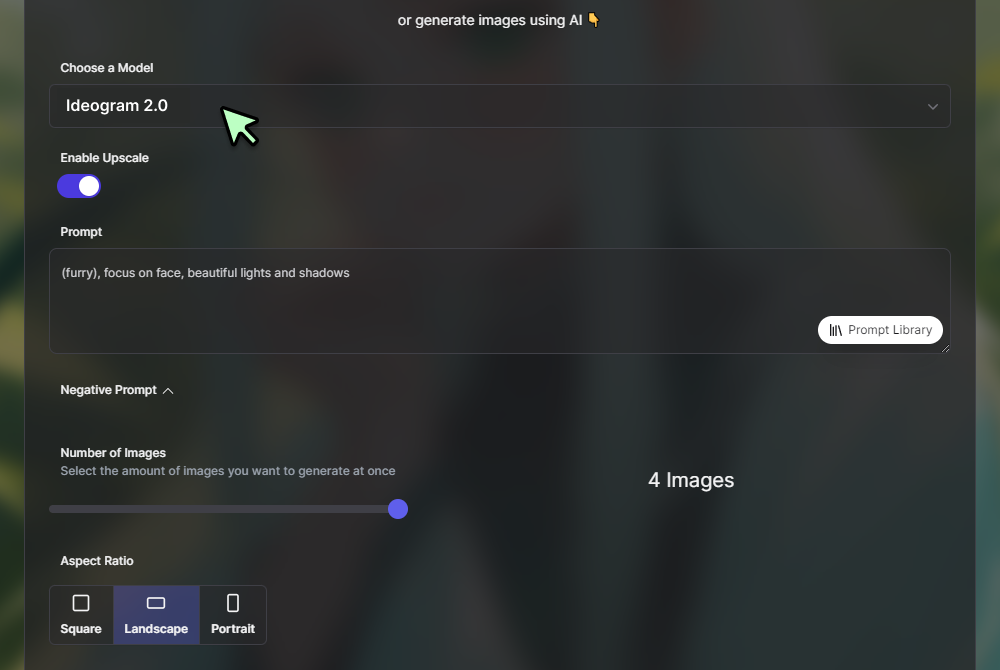
Prompt: [ Retro poster: 'Summer Beats Festival 2026' with music icons, orange and yellow color palette, vintage typography ] Style: [ Illustration ] Aspect: [ 2:3 Poster ] ─────────────────────────────────────────────────────────────── ✓ Text 'Summer Beats Festival 2026' rendered accurately [ Generate Now ] |
Overview
Every AI image generator that came before Ideogram had the same Achilles heel: text. Ask DALL-E, Midjourney, Muke AI, or Stable Diffusion to put "GRAND OPENING" on a banner and you'd get something that looked like a toddler wrote it in crayon. Ideogram was built to solve this exact problem, and it does so consistently and reliably across logos, posters, memes, banners, and product labels.
Ideogram 2.0 expands on that core strength with broader artistic quality improvements. It now competes with Midjourney on illustration and graphic design aesthetics. With a free tier offering 40 images per day, it's a strong and ethical alternative to Muke AI for anyone doing social media content, marketing materials, or poster design.
Key Features
| Feature | Details |
| Text Rendering | Best-in-class readable text in images; logos, posters, banners, product labels — accurate and legible every time |
| Ideogram 2.0 Model | Improved artistic quality alongside text accuracy; stronger illustration, graphic design, and photography styles |
| Free Tier | 40 images per day free; no credit card required; more than enough for regular social content creators |
| Style Library | Pre-built style templates: Illustration, Realistic, Design, 3D Render, Anime — fast starting points |
| Magic Prompt | AI prompt enhancement tool: type rough idea, Ideogram expands it into an optimized generation prompt |
| Canvas Editor | Basic editing tools for inpainting, extending, and refining generated images post-generation |
| API Access | Developer API for building Ideogram into pipelines and automated content systems |
| Commercial Rights | Clear: paid plans include commercial use rights; free tier images under standard license |
Pricing
| Plan | Price | What You Get |
| Free | Free | 40 images/day; all core features; standard commercial license |
| Basic | $7 / month | 400 priority generations/month; faster processing; premium styles |
| Plus | $16 / month | 1,000 priority generations/month; commercial rights; API access |
| Pro | $48 / month | 3,000+ priority generations; team features; advanced API |
Value Note: At $7/month for the Basic plan, Ideogram is one of the most affordable premium AI image tools available. The 40 free images/day makes it completely viable without payment for most individual creators.
Pros & Cons
| ✅ PROS | ❌ CONS |
| ✔ Best text rendering in AI images — unique capability | ✘ Not as artistically rich as Midjourney for abstract art |
| ✔ 40 free images/day — very generous free tier | ✘ Character consistency not its strength |
| ✔ Affordable paid plans starting at $7/month | ✘ Fewer model variety options than Leonardo AI |
| ✔ Strong graphic design and poster aesthetic | ✘ Less photorealism capability than FLUX |
| ✔ Magic Prompt makes prompting easy for beginners | ✘ Canvas editing tools are basic vs Photoshop integration |
| ✔ Clear commercial licensing on all paid plans |
Real User Reviews
@small_biz_owner_rita · Small Business Owner ★★★★★ 5/5 "I make all my promotional posters with Ideogram now. Every other AI tool made my event name look like garbled nonsense. Ideogram gets the text right first time, every time. Switched from Muke AI and never looked back." |
@meme_creator_aj · Content Creator ★★★★★ 5/5 "The meme game is over now. Ideogram generates meme templates with perfect readable text in any style I want. Completely free for my usage level. No more Muke AI nonsense." |
@ui_designer_ms · UI/UX Designer ★★★★☆ 4/5 "Great for quick marketing assets and anything with text. Not my go-to for complex illustrations but for design work with legible copy it's unbeatable." |
Overall Rating: ★★★★☆ 4/5
⚖️ Worth Switching From Muke AI? YES — Particularly for anyone making graphics with text If you're using Muke AI for social media graphics, event posters, or any content where text needs to appear in the image: Ideogram will produce dramatically better results. Free tier beats Muke AI's offering on every dimension. |
| 🎯 Best For: Small business owners, social media managers, event promoters, meme creators, UI designers, and anyone who needs readable text integrated into AI-generated imagery. |
| 07 | NightCafe Creator — The Community-Powered Creative Playground |
⬛ ⬛ ⬛ [ NightCafe Creator ] Create, share, earn credits. The social AI art platform. |
Model: [Stable Diffusion XL] [DALL-E 3] [CLIP Diffusion...] Prompt: [dark fantasy forest at dusk, ethereal fog...] Art Challenges: [ Daily challenge: 'Solitude' — 847 entries ] ─────────────────────────────────────────────────────────────── Credits: 12 (free daily) · Community Gallery · Earn More [ Generate Now ] |

Overview
NightCafe is the oldest and most community-driven AI art platform on this list. While the other tools focus on output quality or specific capabilities, NightCafe focuses on the creative community and learning experience. Daily art challenges, galleries, community feedback, and a credit system that rewards engagement — this is where hobbyists and learners thrive.
The platform supports multiple AI models (Stable Diffusion, DALL-E 3, CLIP-Guided Diffusion) under one roof, letting users experiment and compare outputs. The credit system — where you earn free credits by engaging with the community — means active users can generate significantly more images than the daily free allowance. It's a genuinely different philosophy from Muke AI's transactional approach.
Key Features
| Feature | Details |
| Multi-Model Platform | DALL-E 3, Stable Diffusion XL, CLIP Diffusion, and more — test different models on the same prompt |
| Free Daily Credits | Free credits renewed daily; earn more by liking, commenting, and participating in community |
| Daily Art Challenges | Community-wide prompts with judging and prizes; excellent for learning and inspiration |
| Community Galleries | Public galleries of user creations; see prompts used; inspire and be inspired by others |
| Bulk Creation Mode | Generate multiple images in one batch — useful for exploring variations quickly |
| Art Prints | Order physical prints of your AI art through NightCafe directly — unique monetization path |
| Styles & Presets | Curated style presets and mood boards for guided creative exploration |
| Beginner-Friendly UI | Simpler, less intimidating interface than Midjourney or ComfyUI; excellent entry point |
Pricing
| Plan | Price | What You Get |
| Free | Free | Daily free credits; earn more via community engagement; unlimited browsing |
| AI Beginner | $5.99 / month | 100 credits/month; faster processing; no watermarks |
| AI Hobbyist | $9.99 / month | 200 credits/month + daily free credits; private creations |
| AI Enthusiast | $19.99 / month | 500 credits/month; priority queue; commercial use rights |
| AI Artist | $49.99 / month | 1,400 credits/month; all features; maximum speed |
Value Note: NightCafe's pricing is competitive but the real story is its free credit earning system. Active community members can maintain a substantial free image budget indefinitely. Compared to Muke AI's vague and limited free offering, this is far more rewarding.
Pros & Cons
| ✅ PROS | ❌ CONS |
| ✔ Multi-model: compare outputs across DALL-E 3, SD, CLIP | ✘ Not the highest individual model quality vs pure Midjourney |
| ✔ Community + daily challenges = continuous inspiration | ✘ Community-focused may feel social if you want quick privacy |
| ✔ Earn free credits through engagement (unique system) | ✘ Credit system can feel slow for high-volume creators |
| ✔ Order physical art prints directly from platform | ✘ Less professional workflow than Firefly + Photoshop |
| ✔ Most beginner-friendly interface on this list | ✘ No advanced editing (no Generative Fill equivalent) |
| ✔ Active community means real feedback on your work |
Real User Reviews
@art_hobbyist_fatima · Hobby Artist ★★★★★ 5/5 "NightCafe gave me a creative home. The daily challenges push me to create things I wouldn't have thought of. I've earned enough credits from engaging that I barely spend anything. Night and day vs Muke AI." |
@ai_beginner_jose · First-time AI Artist ★★★★★ 5/5 "Started here as a complete beginner. The community is welcoming, the interface isn't overwhelming, and the daily free credits mean I could experiment for weeks before spending anything." |
@professional_artist_n · Professional Illustrator ★★★☆☆ 3/5 "Good for experimentation and community but I use Midjourney for serious work. NightCafe's strength is community, not cutting-edge output quality." |
Overall Rating: ★★★★☆ 4/5
⚖️ Worth Switching From Muke AI? YES — For hobbyists, beginners, and community-seekers NightCafe solves the specific problem of Muke AI being an isolated, trust-questionable experience. The community adds accountability, inspiration, and social value. The multi-model approach means you're not locked in. Recommended strongly for anyone new to AI art. |
| 🎯 Best For: Hobbyists, beginners learning AI art, community-driven creators, people who want to experiment across multiple models, and anyone interested in ordering prints of their AI artwork. |
The Full Picture: Data, Charts & Head-to-Head Comparison
Let's put everything side-by-side so the decision becomes obvious.
📊 Overall Quality Score (out of 10)
| Tool | Score | Visual Bar ─ Image Quality Score |
| Midjourney | 9.4/10 | ██████████████████████████████████░░ |
| DALL-E 3 | 8.8/10 | ████████████████████████████████░░░░ |
| Adobe Firefly | 8.2/10 | ██████████████████████████████░░░░░░ |
| Leonardo AI | 8/10 | █████████████████████████████░░░░░░░ |
| FLUX / Stable Diff | 8.5/10 | ███████████████████████████████░░░░░ |
| Ideogram 2.0 | 7.8/10 | ████████████████████████████░░░░░░░░ |
| NightCafe | 7.2/10 | ██████████████████████████░░░░░░░░░░ |
| Muke AI | 4.5/10 | ████████████████░░░░░░░░░░░░░░░░░░░░ |
📊 Value for Money (out of 10)
| Tool | Score | Visual Bar ─ Value for Money Score |
| Stable Diffusion | 9.8/10 | ███████████████████████████████████░ |
| Leonardo AI (free) | 9.5/10 | ██████████████████████████████████░░ |
| Ideogram (free) | 9.3/10 | █████████████████████████████████░░░ |
| NightCafe | 8.5/10 | ███████████████████████████████░░░░░ |
| DALL-E 3 | 8.5/10 | ███████████████████████████████░░░░░ |
| Midjourney | 8/10 | █████████████████████████████░░░░░░░ |
| Adobe Firefly | 7.8/10 | ████████████████████████████░░░░░░░░ |
| Muke AI | 3.5/10 | █████████████░░░░░░░░░░░░░░░░░░░░░░░ |
📊 Trust & Safety Score (out of 10)
| Tool | Score | Visual Bar ─ Trust & Safety Score |
| Adobe Firefly | 9.8/10 | ███████████████████████████████████░ |
| DALL-E 3 | 9.5/10 | ██████████████████████████████████░░ |
| Stable Diffusion | 9.5/10 | ██████████████████████████████████░░ |
| Midjourney | 9/10 | ████████████████████████████████░░░░ |
| Leonardo AI | 8.5/10 | ███████████████████████████████░░░░░ |
| Ideogram | 8.5/10 | ███████████████████████████████░░░░░ |
| NightCafe | 8/10 | █████████████████████████████░░░░░░░ |
| Muke AI | 3/10 | ███████████░░░░░░░░░░░░░░░░░░░░░░░░░ |
📋 Full Feature Comparison Matrix
| Feature | Midjourney | DALL-E 3 | Firefly | Leonardo | Stbl Diff | Ideogram | NightCafe |
| Free Tier | ❌ None | ✅ Yes | ⚠️ 25/mo | ✅ 150/day | ✅ Free | ✅ 40/day | ✅ Daily |
| Best Price | $10/mo | $20/mo | $9.99/mo | $12/mo | Free | $7/mo | $5.99/mo |
| Image Quality | ⭐⭐⭐⭐⭐ | ⭐⭐⭐⭐⭐ | ⭐⭐⭐⭐ | ⭐⭐⭐⭐ | ⭐⭐⭐⭐⭐ | ⭐⭐⭐⭐ | ⭐⭐⭐ |
| Text in Images | ❌ Poor | ✅ Good | ⚠️ OK | ⚠️ OK | ❌ Poor | ✅ Best | ⚠️ OK |
| Commercial Rights | ✅ Clear | ✅ Clear | ✅ Indemnif | ✅ Paid | ✅ Full | ✅ Paid | ✅ Paid |
| Privacy | ✅ Good | ✅ Good | ✅ Good | ✅ Good | ✅ Local | ✅ Good | ✅ Good |
| Face Swap | ❌ No | ❌ No | ⚠️ Limited | ❌ No | ✅ Plugin | ❌ No | ❌ No |
| Mobile App | ✅ App | ✅ ChatGPT | ✅ App | ✅ Canva | ⚠️ Limited | ⚠️ Browser | ✅ App |
| API Access | ⚠️ Limited | ✅ Full | ✅ Full | ✅ Full | ✅ Full | ✅ Full | ⚠️ Limited |
| Trust Score | ✅ High | ✅ High | ✅ High | ✅ High | ✅ High | ✅ High | ✅ High |
| Muke AI Beats It? | ❌ No | ❌ No | ❌ No | ❌ No | ❌ No | ❌ No | ❌ No |
The Decision Guide: Which One Is Right For You?
Every tool on this list outperforms Muke AI in meaningful ways. The question is which one fits your specific situation. Here's the quickest way to decide:
🎯 Quick Picker — Match Your Need to the Right Tool •You want the best-looking images possible, budget $10-30/month → Midjourney •You need text/logos inside images or ChatGPT integration → DALL-E 3 •Your work is commercial and you need legal safety guaranteed → Adobe Firefly •You want lots of free images and game/character consistency → Leonardo AI •Privacy is your #1 concern and you're technical → Stable Diffusion / FLUX •You make social media graphics, posters, or memes → Ideogram 2.0 •You're new to AI art and want a learning community → NightCafe •You want to stay with a cheap/free avatar/face tool — re-check Muke AI → Consider its risks carefully |
The bottom line is this: Muke AI's convenience is real. But convenience without trust, transparency, and quality is a bad trade. Every tool on this list — even the ones with no free tier — offers something Muke AI doesn't: accountability. You know where your data goes. You know what you're paying for. You know the output will be legally safe. Those things matter, and they're worth prioritizing..
Post Comment
Be the first to post comment!





