THE 30-SECOND VERDICT 7.1 / 10 Capable for its niche, unproven for serious commitments In one line: A fast, cheap browser tool that animates a still photo into a four to six second clip. The engine works; the credit economics and missing review trail are the catch. Best for: Social, e-commerce, and marketing teams making short animated clips at moderate volume. Skip if: Output needs to be long-form, reliably high-volume, or backed by a verified track record. Bottom line: Test on the free tier first. Only annual Basic billing at an effective $4.99 per month makes the economics comfortable. |
BEST FOR ✓Social media managers: animated stills beat static posts on short-form feeds. ✓E-commerce sellers turning product photos into ads without a videographer. ✓Educators animating diagrams and slides into looping assets. ✓Ad teams cycling creative variants for quick A/B tests. | SKIP IF ×The project needs narrative or longer-form video. ×Text-to-video generation is required. ×The workflow depends on editing existing footage. ×A verified, high-volume reliability record is essential. |
At a Glance: The Scorecard
The Frame-to-Motion Test scores image-to-video tools against their common failure modes rather than a marketing feature list. Six factors carry the assessment, each rated out of ten, with credit economy and output consistency weighted heavily because both determine real cost per usable clip.
| Factor | What It Measures | Score |
|---|---|---|
| Ease of Use | Time from signup to first finished clip, clarity of interface | 9.0 |
| Speed | Render time per clip and queue behavior under load | 8.5 |
| Prompt Obedience | How closely custom text prompts become the intended motion | 7.5 |
| Motion Fidelity | Whether movement looks natural rather than warped | 6.5 |
| Output Consistency | Reliability across repeat generations from similar inputs | 6.0 |
| Credit Economy | Transparency and value of the credit model, failed clips included | 5.0 |
| Overall Frame-to-Motion Score | 7.1 | |
Scores reflect editorial assessment under the Frame-to-Motion Test. A 7.1 sits in capable-for-its-niche territory, held back chiefly by credit economics and inconsistent output rather than by the core animation engine.
What MotionMuse AI Actually Does
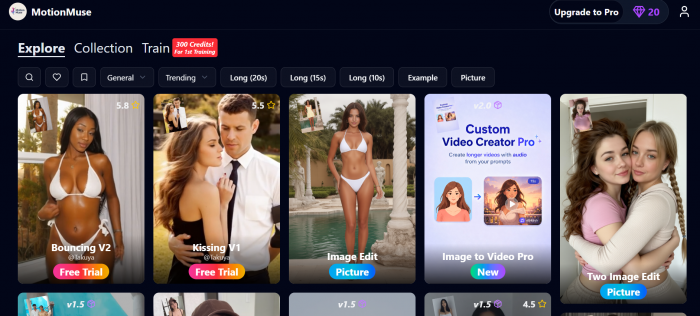
MotionMuse AI converts a single still photograph into a four to six second animated clip, entirely in the browser, with no installation and no editing background required. The full workflow runs in four steps.
The Four-Step Workflow
| STEP 1 | STEP 2 | STEP 3 | STEP 4 |
Upload JPG, PNG, or WebP file. Higher resolution gives the engine more to work with. | Choose Pick a preset or write a free-text motion prompt. | Generate Credits drawn from balance. Use Expert Mode preview to avoid wasted renders. | Download MP4 clip, 4 to 6 seconds, ready to publish. |
The platform reads the uploaded image for depth and compositional structure before applying motion. The Expert Mode preview window fires before the full render, which is the single most effective way to avoid spending credits on a generation that will not land.
The Two Input Paths
| PRESET LIBRARY | FREE-TEXT PROMPT |
| Refreshes daily with new styles | Write any motion description in plain language |
| Categories: cinematic, abstract, portrait, trending | Examples: “gentle breeze, slow and calming” or “dynamic push-in with particles” |
| Single click to generate | Specificity directly determines output quality |
| Best for: quick starts and creative exploration | Best for: controlled, repeatable, on-brand motion |
| Risk: generic output on vague presets | Risk: vague prompts produce the same generic drift as presets |
Animation Types at a Glance
| Animation Type | What It Creates | Best Used For |
|---|---|---|
| Parallax Sweep | Splits foreground and background into separate layers moving at different speeds to manufacture depth | Landscapes, travel photos, architectural stills |
| Product Rotation | Cycles an object smoothly around its center axis in a full or partial arc | E-commerce listings, product ads, hero images |
| Portrait Animation | Adds subtle facial, hair, and shoulder movement to a headshot without full reanimation | Social profiles, speaker cards, editorial portraits |
| Cinematic Push | Slow, atmospheric camera advance into the scene with ambient light variation | Film-style stills, event photography, editorial |
| Custom Template | Trained on short user-uploaded reference footage to produce a private, reusable motion style | Brand consistency, campaign series, Pro and Premium tiers only |
Simple Mode vs Expert Mode
| Feature | Simple Mode | Expert Mode |
| Interface steps | Upload, select, generate | Upload, configure, preview, generate |
| Live preview before render | Not available | Available, shows expected motion before credits are spent |
| Speed / Intensity sliders | Not available | Full slider controls for both |
| Credit risk | Higher, no preview to catch bad renders | Lower, preview filters out most misfires before commit |
| Best for | First-time users and quick exploratory runs | Anyone conserving credits or chasing consistent output |
Hard Limits Across Every Tier
× Maximum clip length is four to six seconds. No workaround exists within the platform. × Text-to-video is not supported. A source image is always required. × Existing video footage cannot be edited or extended. The input must be a still. × Clips cannot be extended or stitched inside MotionMuse AI itself. × Credits do not carry over between billing cycles. Unused balance expires at month end. |
Hands-On Findings
Testing started where any new user starts: a cold signup with no card, twenty starter credits, and a stopwatch on the on-ramp. The first finished clip landed inside ten minutes.

The interface earns its beginner reputation, because Simple Mode hides everything except upload, pick a style, and generate, while Expert Mode opens slider controls for speed and intensity alongside a live preview that shows the motion before the full render commits credits. That preview is the single most credit-saving feature on the platform and the first habit worth building.
The engine is strongest on restraint. A landscape with drifting cloud and a slow camera push came back convincing and reusable on the first attempt. A portrait held up when the brief stayed subtle, gentle hair and facial movement rather than full reanimation. A product shot rotated cleanly around its center axis, exactly the effect e-commerce sellers reach for. Across every category, specific prompts beat vague ones by a wide margin: spelling out direction, speed, and atmosphere produced the intended motion, while one-word styles produced generic drift that rarely justified the credit.
Ambition is where the ceiling shows. Aggressive camera moves and busy scenes introduced warping, with faces and hard edges smearing as the model tried to invent motion it could not infer from a single still. A share of generations returned soft or low in detail and needed a rerun, and the same image submitted twice did not reliably return the same caliber of output. Output consistency, not raw capability, is the real constraint here, and every rerun spends more credits.

That is where hands-on use diverges from the marketing arithmetic. The headline credit counts assume every generation lands. In practice, misfires and reruns push the count of usable clips below the nominal balance, and with no carryover, an uneven week leaves paid-for credits stranded at cycle end. The verdict from the bench is consistent: genuinely cheap for the motion it handles well, and quietly expensive the moment output gets pushed past its comfort zone.
Pricing and the Credit Economy
MotionMuse AI runs a freemium credit model. Credits draw down per generation from a monthly balance, unused credits expire at the close of each cycle, and top-up purchases supplement the balance mid-cycle. Annual billing roughly halves the effective monthly rate across every paid tier.
| Plan | Monthly | Annual (per month) | Monthly Credits |
|---|---|---|---|
| Free | $0 | $0 | 20 one-time |
| Basic | $9.99 | $4.99 | 300 |
| Pro | $29.99 | $14.99 | 1,500 |
| Premium | $49.99 | $24.99 | 3,000 |
Figures reflect MotionMuse AI official pricing as listed in 2026. Higher tiers also unlock priority queue slots and custom template training, with top-up rates improving from 300 credits per $10 on lower plans to 500 credits per $10 on Premium.
The value case favors moderate, steady output. Against a freelance motion designer whose single-project rates climb into the hundreds of dollars, the annual Basic plan is genuinely cheap for short social assets. The case weakens for high-volume creators, where credit burn plus the absence of carryover means paid-for capacity routinely evaporates at month end while heavy weeks run dry early.
How far credits actually stretch
| Credits purchased | 100% |
| Usable after misfires | ~72% |
| Kept after expiry | ~55% |
Illustrative model of how nominal credits translate to usable, paid-for output. Actual ratios vary by prompt complexity and usage, but the directional squeeze, failed generations plus expiring balances, is consistent across user reports.
What the Market Says Across Different Sources
Because MotionMuse AI carries no verified profile on the major software review platforms, market sentiment has to be read across the venues that do cover it: independent review blogs, community forums, AI tool directories, and automated trust scanners. Read together, they are strikingly consistent in their split, enthusiastic on speed and ease, wary on output reliability and cost.
| Source | What Reviewers Praise | What They Flag |
|---|---|---|
| Independent review sites | Hands-on writeups rate it fast and genuinely beginner-friendly, with sub-three-minute renders and a ten-minute on-ramp. | Every one lands on the same wall: the four to six second cap and shaky output on ambitious prompts. |
| Community forums | Reddit, Quora, and Facebook threads praise the speed and near-zero learning curve above all else. | The dominant gripe is credit clarity: credits drain faster than expected and a failed clip still costs. |
| AI tool directories | Listed widely as a quick, accessible image-to-video pick for non-editors. | Scattered reports of output drifting from the uploaded image on more complex requests. |
| Trust and safety scanners | Most lean toward a legitimate, functioning site rather than a scam. | Scores diverge sharply, and the domain is newly registered behind privacy shielding. |
| G2, Capterra, Trustpilot | No verified product profile exists on any of the three. | That absence is itself the signal; listings under “Motion” belong to unrelated products. |
Sentiment synthesized across independent reviews, community discussion, AI directories, and trust scanners current to early 2026. No verified review base exists on G2, Capterra, or Trustpilot, so no aggregate star rating can be cited honestly.
The pattern is its own conclusion. Praise clusters tightly around the same two qualities, speed and approachability, while criticism clusters just as tightly around credits and consistency. That agreement across unrelated sources is more telling than any single rating would be, and it matches what the bench testing found rather than contradicting it.
The Verification Gap That Defines This Tool
For most established software, review-platform mentions are a footnote. For MotionMuse AI, the source gap is the story. The platform built enormous traffic, 16.61 million visits in January 2026 with an average session near eleven and a half minutes and traffic skewing toward India, Thailand, and the United States. Those are engagement figures, not quality verdicts, and the distinction matters because the usual quality signals are largely absent.
There is no verified product profile on G2, Capterra, or Trustpilot. Listings under similar names belong to unrelated products, chiefly a scheduling and ad-analytics platform that shares the word “Motion.” Community sentiment on Reddit, Quora, and Facebook groups reads as mixed but constructive: praise for speed and beginner-friendliness, frustration over credit clarity. Useful signal, but not the structured, verified review base a buyer expects from a tool at this scale.
Automated trust scores compound the ambiguity by disagreeing with one another. The domain registers as recently created through a privacy-shielded registrar, and independent scanners place it across a wide band rather than converging.
| Gridinsoft | 79 |
| Scamadviser | 76 |
| ScamDoc | 60 |
| Scam Detector | 31 |
Independent automated trust scores out of 100. These are algorithmic safety estimates, not human reviews, and the spread from 31 to 79 shows the absence of consensus rather than a settled verdict.
None of this signals fraud, and the platform behaves like a functioning product with real output. What it signals is risk a buyer carries personally: limited recourse history, no carryover safety net, and no large body of verified reviews to set expectations. The free tier exists precisely so that risk can be tested before any payment.
Pros and Cons
STRENGTHS
- The fastest viable on-ramp in the category: usable clips inside ten minutes of signup, no card required to start.
- Atmospheric and subtle motion looks genuinely convincing, covering the bulk of real social and marketing demand.
- Custom prompts reward specificity, giving non-technical creators fine control without a learning curve.
- Effective cost on annual Basic billing undercuts freelance animation by a wide margin for moderate output.
LIMITATIONS
- The credit model charges for failed and low-detail generations, so real cost per usable clip exceeds the sticker price.
- Unused credits expire monthly with no carryover, penalizing uneven workloads.
- Output consistency wavers, and ambitious motion prompts invite warping that simpler tools avoid by doing less.
- The four to six second cap and the absence of any verified review base leave both capability and credibility unproven for serious commitments.
Verdict
For social media managers, e-commerce sellers, and marketers producing short animated clips at moderate volume, MotionMuse AI earns a recommendation, with the strong caveat that evaluation should start on the free tier and that annual Basic billing is the only pricing that makes the economics comfortable. The blend of speed, low entry cost, and adequate quality for subtle motion suits that audience well.
For studios, agencies, or anyone needing reliable high-volume output, longer clips, or the assurance of a verified track record, the tool falls short of a confident endorsement. The credit economics and the missing review base make it a calculated bet rather than a safe default, and a heavier workflow is better served by a fuller, proven suite.
Post Comment
Be the first to post comment!