Let's get something out of the way early: WeVideo is not trying to compete with Adobe Premiere Pro or DaVinci Resolve. It never has been. Understanding this distinction is genuinely important, because whether WeVideo is the right tool for you depends almost entirely on which camp you fall into.
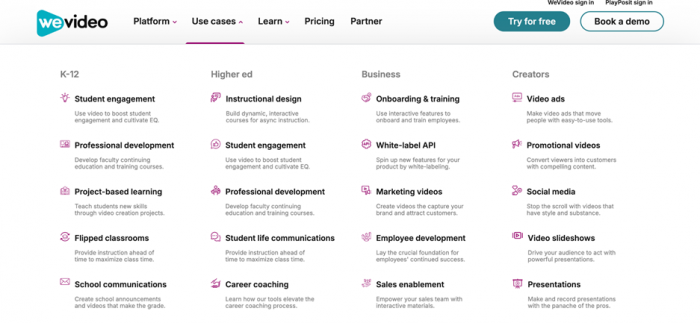
If you're a student working on a class project, a teacher guiding a classroom of young creators, a small business owner who needs clean promo videos without a steep learning curve, or someone editing on a Chromebook — WeVideo might be exactly what you need. If you're a working video professional who needs multi-camera editing, advanced color grading, and granular audio control, you'll hit its ceiling quickly.
Here's the honest version of what WeVideo offers, what it doesn't, and who should actually be using it.
What Makes WeVideo Different
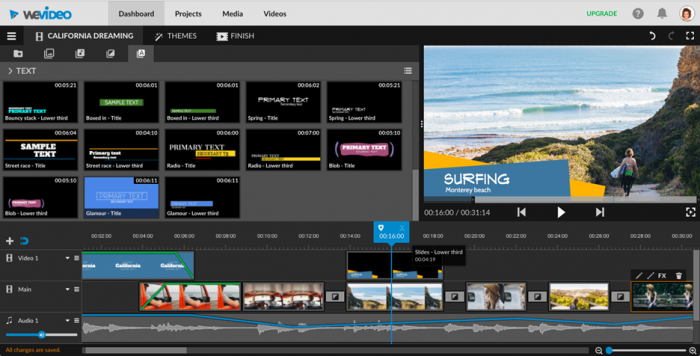
WeVideo runs entirely in the browser. There's nothing to install, no hardware requirements beyond a decent internet connection, and no compatibility issues between Mac, Windows, and Chromebook. You can start a project on your laptop at home, pick it up on a school computer, and finish it on your tablet — all through the same cloud-based workspace.
This is the central value proposition, and it's a genuinely practical one. For anyone who has spent time troubleshooting video editing software installations, managing project files across devices, or dealing with the "school computer doesn't have the right software" problem, the appeal of a fully browser-based workflow is immediate.
The platform also prioritizes collaboration in a way that desktop software typically doesn't. Multiple users can work on the same project, which is useful for classroom environments, small media teams, and organizations that need review-and-approval workflows without complex setups.
The Feature Set
Core Editing
WeVideo's editing environment includes multi-track video and audio editing, which means you're not limited to a single-layer timeline. You can stack clips, add B-roll, layer music with a voiceover, and build out sequences with reasonable flexibility.
The platform handles the basics well: trimming, splitting, transitions, text overlays, and basic color adjustments. Recent interface updates have improved the editing toolbar and snapping tools, making timeline alignment more precise than it was in earlier versions.
Green Screen
WeVideo supports green screen (chroma key) editing, which lets you replace backgrounds during recording. This has become increasingly popular for educational videos, explainers, and content creator setups.
Stock Media Library
Paid plans include access to a stock media library with video clips, images, and music tracks. For users who don't have the budget for separate stock subscriptions, having these assets bundled into the editing platform saves both money and effort.
Motion Titles and Templates
The template library covers common video formats — intros, lower thirds, YouTube thumbnails, and social media cuts. For creators who want polished output without building graphics from scratch, the templates are a practical starting point.
AI Features
WeVideo has been integrating AI-assisted tools into the platform. This includes an AI interaction generator and ClassFeed, a tool designed for video-based classroom discussions. These features reflect the platform's continued focus on the education market.
Pricing
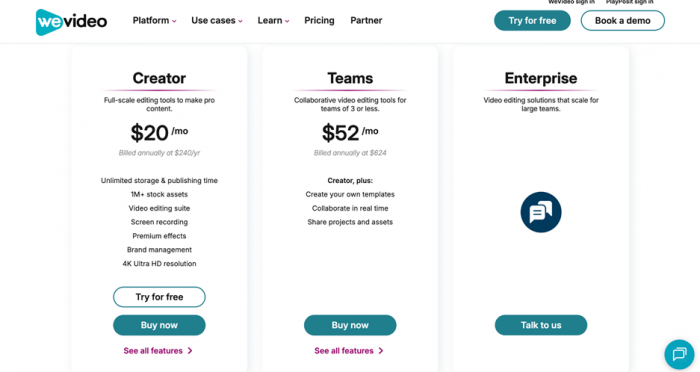
WeVideo's pricing structure covers individual and team use cases, with a stronger focus on annual plans for better value.
| Plan | Price | Billing | Key Features |
| Creator | $20/month | Billed annually at $240/year | Unlimited storage & publishing time, 1M+ stock assets, video editing suite, screen recording, premium effects, brand management, 4K Ultra HD resolution |
| Teams | $52/month | Billed annually at $624 | Everything in Creator, plus template creation, real-time collaboration, project and asset sharing |
| Enterprise | Custom pricing | Contact sales | Scalable solutions for large teams with advanced collaboration and support |
The Creator plan is positioned as the entry point for individuals and small businesses who want full-featured editing without restrictions. It removes many of the limitations seen in the older free-tier model and introduces 4K support and premium assets, making it suitable for serious content creation.
The Teams plan builds on this by introducing collaboration-focused tools, including shared assets and real-time editing workflows. This makes it particularly relevant for small teams, agencies, and collaborative environments.
The Enterprise tier is designed for organizations that require custom workflows, scalability, and dedicated support, though pricing is not publicly listed and requires direct consultation.
Overall, the pricing structure reflects a shift toward value-based tiers rather than restrictive entry plans, with the strongest benefits unlocked at the annual billing level.
User Reviews and Sentiment Analysis
User feedback around WeVideo presents a mixed but consistent picture. While many users appreciate its ease of use and accessibility, others raise concerns around pricing, performance, and billing practices.
To better understand this, the feedback can be structured into a detailed breakdown.
Structured User Feedback Overview
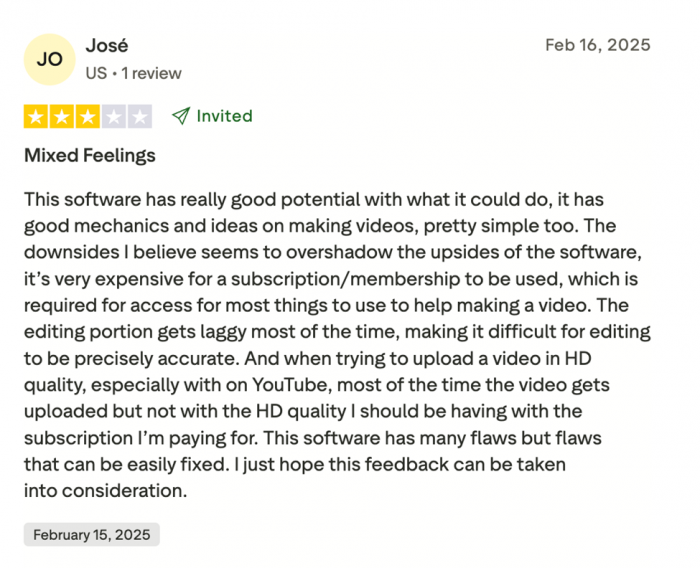
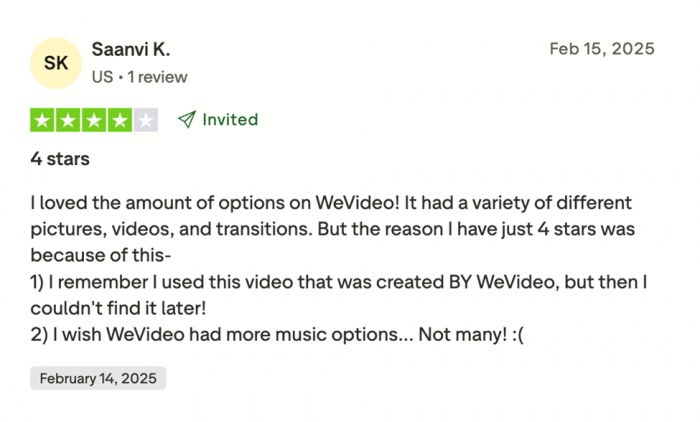
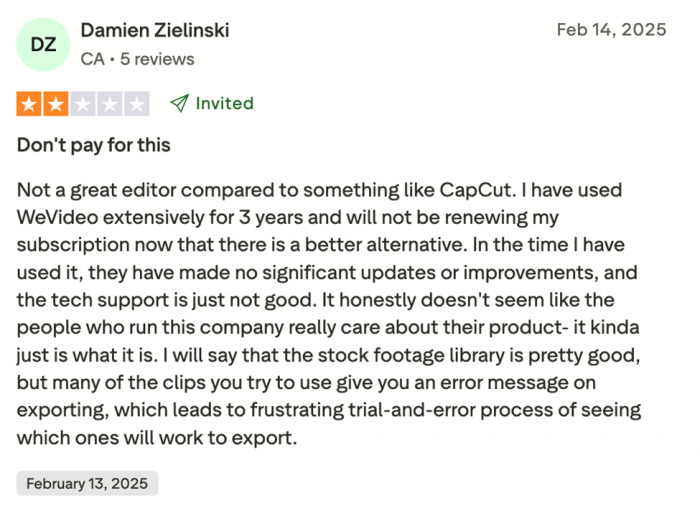
| Category | Positive Sentiment | Negative Sentiment |
| Ease of Use | Widely described as intuitive, beginner-friendly, and easy to learn quickly | Some users still report confusion with newer interface changes |
| Performance | Works well for basic projects and short videos | Reports of lag, slow rendering, and long upload times, especially for larger files |
| Features & Output | Good for simple editing, slideshows, and educational content | Limited advanced features and inconsistent HD export quality |
| Stock Assets | Users appreciate built-in media library and ready-to-use assets | Some assets fail during export or feel limited in variety |
| Pricing Value | Seen as reasonable for schools and structured use cases | Frequent complaints about paywalls, limited free plan, and expensive upgrades |
| Billing & Support | Some users report smooth experience | Multiple reports of unauthorized charges, cancellation issues, and slow support |
| Collaboration & Access | Strong advantage for cloud-based editing and cross-device access | Performance depends heavily on internet quality and browser limitations |
| Overall Satisfaction | Many beginners and educators rate it 4–5 stars for simplicity | A noticeable portion rate it 1–2 stars due to frustration with cost and limitations |
Review Distribution Snapshot
| Rating Level | Percentage of Users |
| 5-Star | 58% |
| 4-Star | 16% |
| 3-Star | 7% |
| 2-Star | 4% |
| 1-Star | 15% |
The platform holds an overall TrustScore of approximately 3.3 to 3.5 out of 5, reflecting a balanced but divided user experience.
What This Feedback Actually Means
The user sentiment reveals a clear pattern. WeVideo performs extremely well within its intended audience, particularly among beginners, educators, and users who prioritize simplicity over technical depth. Many users highlight how quickly they can create videos without prior editing experience.
However, frustration increases when expectations shift toward professional-grade performance or flexible pricing. Complaints about restricted free features, subscription issues, and inconsistent performance suggest that the platform struggles when pushed beyond its core use case.
This creates a split perception. For some users, WeVideo feels like a simple and effective tool that just works. For others, it feels like a limited platform with friction around cost and reliability.
Overall Sentiment Summary
WeVideo’s reviews are best understood as context-dependent rather than universally positive or negative.
For users who align with its strengths, it delivers a smooth, accessible, and practical editing experience. For users who expect more control, flexibility, or professional output, the limitations become more noticeable.
In simple terms, user satisfaction is highest when expectations match the platform’s design philosophy.
What people get frustrated by:
Two themes dominate the critical feedback.
First, pricing. The free version is often seen as too limited, while the jump to a paid tier can feel steep for casual users. Some users feel features are intentionally restricted to push upgrades.
Second, billing and subscription issues. Reports include difficulty canceling subscriptions, unexpected charges, and slow customer support. While not universal, these complaints appear consistently enough to be noted.
Performance is another factor. Because the platform runs in the browser, internet speed and stability directly affect editing responsiveness and export times.
How WeVideo Stacks Up
| Platform | Best For | Key Difference vs. WeVideo |
| WeVideo | Beginners, students, educators, Chromebook users | The reference point |
| Adobe Premiere Pro | Professional video editors | Far more powerful; steep learning curve |
| DaVinci Resolve | Free professional-grade editing | Desktop-only; highly capable but complex |
| Clipchamp | Windows users | Similar simplicity; integrated with Microsoft |
| CapCut | Social media creators | Mobile-first; optimized for short-form |
WeVideo occupies a clear niche. It is not trying to compete with professional tools but instead focuses on accessibility and ease of use.
Should You Pay for WeVideo
That depends entirely on your use case.
If you're a teacher, student, or small team, and you value simplicity and collaboration, WeVideo is a practical choice. The interface is approachable, and the workflow is easy to manage.
If you are producing high-quality content professionally, or need advanced editing tools, investing in a more powerful platform will deliver better long-term value.
Before committing, run a real project through the free plan. This will give you a clearer understanding of whether it fits your workflow.
[Insert image: WeVideo completed video export and share workflow]
Final Take
WeVideo succeeds because it understands exactly what it is and, more importantly, what it is not. It is not built for professionals chasing cinematic precision or complex production workflows. It is built for people who need to create videos quickly, collaboratively, and without friction.
That clarity is its biggest strength.
For classrooms, small teams, and everyday creators, the platform removes many of the traditional barriers associated with video editing. The browser-based workflow, cross-device access, and simple interface make it one of the most accessible tools in its category. In the right context, it does exactly what it promises and does it well.
At the same time, the limitations are real. The pricing structure, performance dependency on internet speed, and lack of advanced controls mean it will not scale with users who outgrow basic editing needs. This is not a long-term solution for high-end production, and it does not try to be.
The decision ultimately comes down to alignment.
If your priority is speed, simplicity, and collaboration, WeVideo is a practical and reliable choice. If your priority is precision, control, and professional output, you will likely need something more powerful.
Used with the right expectations, WeVideo is not just “good enough.” It is exactly right for the audience it was built for.
Post Comment
Be the first to post comment!