AI tools today feel like buffet menus. Everything is available, everything looks impressive, and somehow you still leave wondering what was actually worth it.
Remaker AI falls into that category. It offers a mix of content tools, image generation, and experimental filters. On paper, it looks like a complete creative suite. But once you start using it with real prompts and real images, the experience becomes more layered.
This review focuses on actual usage, not feature claims. The goal is simple: understand how Remaker AI behaves when used in real workflows, how credits are consumed, and where it delivers or falls short.
Overview: What Remaker AI Offers
| Field | Details |
| Tool Type | AI content + image generation platform |
| Access | Google-only login (no manual signup) |
| Free Credits | 30 credits on signup |
| Pricing Model | Credit-based usage |
| Core Areas | Rewriting, image generation, image transformation |
| Features Tested | Text-to-Image, Photo-to-AI, AI Baby Filter |
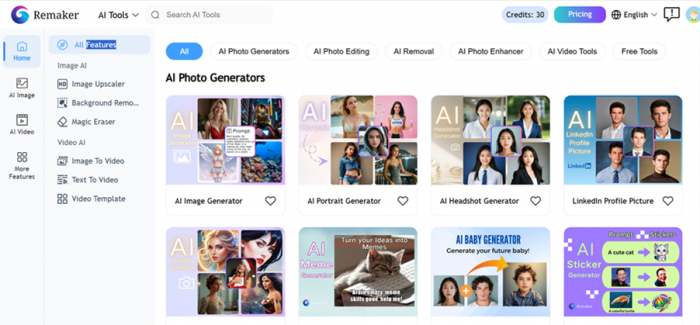
Remaker AI positions itself as a multi-purpose AI tool, combining writing and visual generation features into one interface. The platform includes more tools than what was tested here, but the focus is on the ones that directly reflect real output quality.
Login and Onboarding Experience
The login system is simple but limited.
There is no traditional registration option.
New users must sign up using Google.
Existing users can log in only if their email already exists in the system.
This removes friction, but also removes flexibility. There is no option for manual account creation, which feels restrictive for a tool targeting broader use cases.

Once inside, the interface presents multiple tools at once. It feels feature-heavy rather than workflow-driven, which can be overwhelming initially but becomes manageable after a few minutes of navigation.
Features Tested: Real Usage and Output Breakdown
1. Text-to-Image (Surrealism Style Test)
Prompt Used
“A massive cinematic battle scene featuring Hulk standing alone against the Avengers and a full-scale military force. Hulk is in the foreground, towering, enraged, muscles bulging, glowing green skin with visible veins, roaring with fury. His stance is aggressive, one foot crushing a destroyed tank, fists clenched, debris flying around him.
On the opposite side: the Avengers assembled in a defensive formation — Iron Man hovering mid-air with glowing repulsors, Captain America holding his shield forward, Thor summoning lightning from stormy skies, Black Widow in a combat stance, Hawkeye aiming a drawn bow, and other heroes positioned strategically behind them.
Behind the Avengers: a massive military presence — tanks, helicopters, fighter jets, soldiers in tactical gear, missile launchers, all aimed at Hulk. Explosions erupt in the background, smoke clouds rising, sparks and fire illuminating the battlefield.
The environment is a destroyed city — crumbling skyscrapers, shattered roads, burning vehicles, dust-filled air, dramatic lighting with a mix of orange fire glow and cold blue storm light. Lightning cracks through dark clouds above, adding intensity and scale.
Ultra-realistic, hyper-detailed textures, cinematic lighting, dynamic composition, wide-angle perspective, depth of field, motion blur, 8K resolution, epic scale, dramatic shadows, high contrast, volumetric smoke, particles, sparks, and debris flying through the air.”
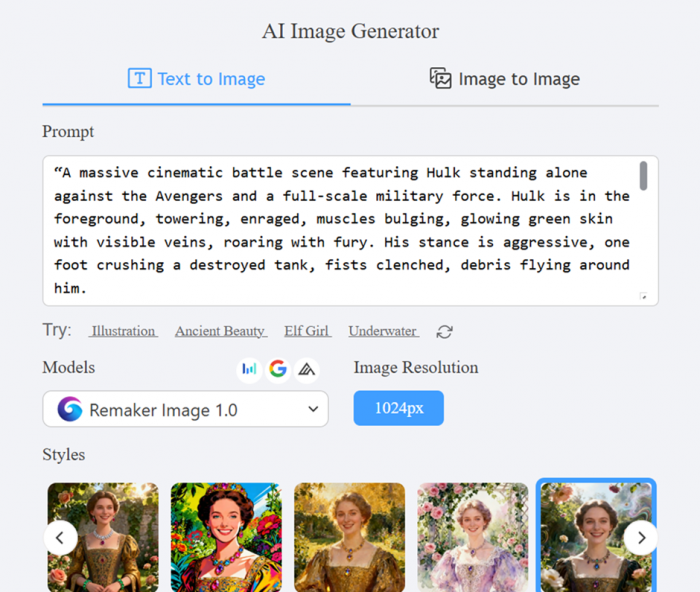
This was a high-complexity prompt, designed to test:
- multi-character understanding
- scene composition
- subject relationships
Output Result
- Credits used: 2
- Generation speed: fast
- Visual quality: high
But the output failed at a critical level.
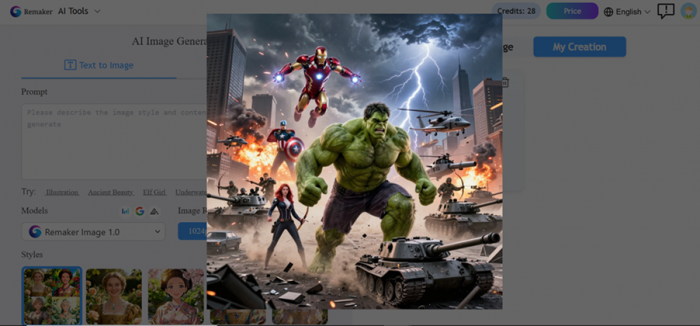
The prompt clearly stated Hulk standing against the Avengers.
The generated image showed Hulk standing with them.
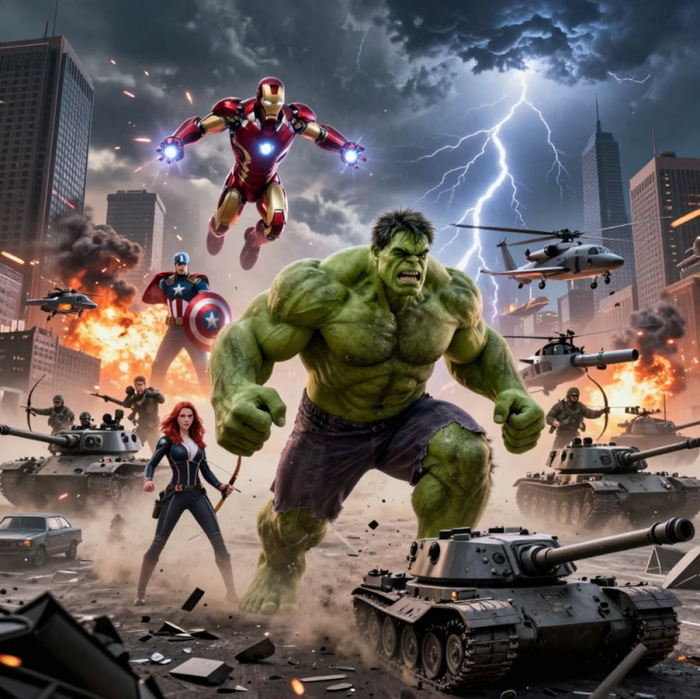
Thor and Hawkeye were also missing entirely.
Analysis
| Factor | Result |
| Visual detailing | Strong |
| Lighting and effects | Cinematic |
| Prompt accuracy | Weak |
| Character positioning | Incorrect |
| Scene logic | Broken |
The image looked impressive, but it did not follow the intent.
2. Photo-to-AI (Image Transformation Test)
Input Used
Charlie Kirk image
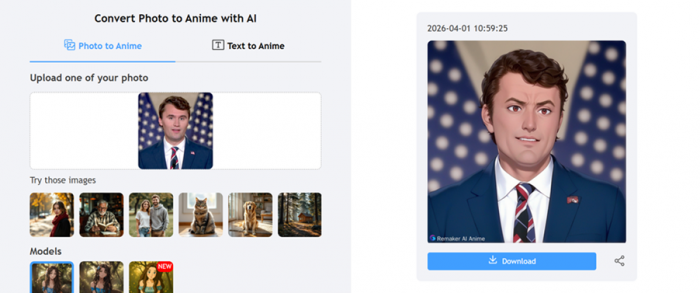
Output Result
- Credits used: 2
- Output quality: good
- Transformation: clean
The result was noticeably more stable than text-to-image.

Facial features were slightly softened, but overall the image looked polished and usable.
Analysis
| Factor | Result |
| Image clarity | Good |
| Facial accuracy | Moderate |
| Style consistency | Strong |
| Realism | Decent |
This feature works reliably for basic transformations.
3. AI Baby Filter
Input Used
ASAP Rocky image
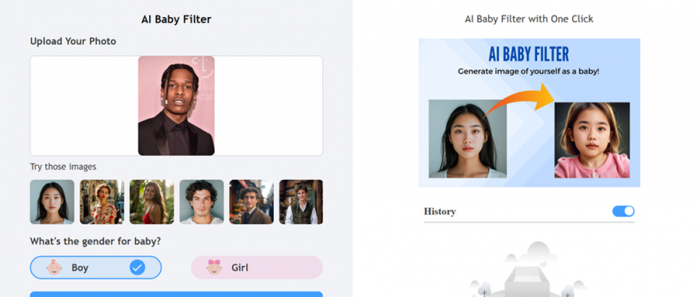
Output Result
- Credits used: 4
- Output quality: decent
The transformation worked structurally, but the skin tone looked unnatural. The image felt more like a stylized output than a realistic one.
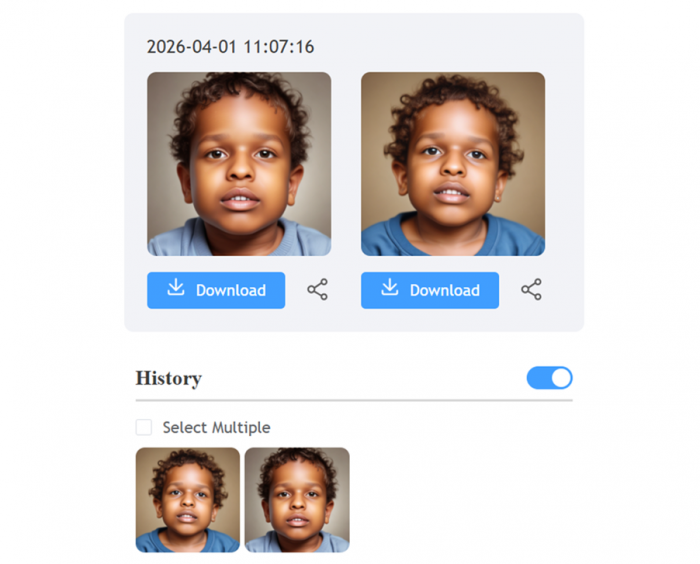
Analysis
| Factor | Result |
| Concept execution | Good |
| Facial adaptation | Decent |
| Skin tone realism | Weak |
| Overall finish | Medium |
This feature feels more experimental than production-ready.
Credit Usage and Value Reality
Remaker AI provides 30 free credits on signup, which is enough to test multiple features.
However, credits get consumed quickly.
| Feature | Credits Used | Practical Value |
| Text-to-Image | 2 | Unreliable for complex prompts |
| Photo-to-AI | 2 | Good value |
| AI Baby Filter | 4 | Expensive for output quality |
The biggest issue is not pricing itself. It is inconsistency. When outputs do not match intent, credits start feeling like trial attempts rather than actual usage.
What Actually Works (Based on Testing)
- Photo-to-AI transformation produces stable and usable results
- Visual quality across outputs is strong
- Generation speed is fast enough for workflow use
- Interface is simple once explored
Where It Starts to Break
- Complex prompts are not interpreted correctly
- Character relationships are often misunderstood
- Some features feel unfinished or experimental
- Output consistency varies across tools
Other Features Available (Not Fully Tested)
Remaker AI includes additional tools beyond what was tested:
- AI content rewriting and paraphrasing
- background removal
- image enhancement
- style transfer tools
- face swap and transformation tools
These expand the platform into a broader creative toolkit, but performance likely varies across each module.
What Actually Changes After Using It
| Area | Impact |
| Visual quality | Strong |
| Prompt accuracy | Inconsistent |
| Creative control | Limited |
| Output speed | High |
| Reliability | Medium |
The tool performs well visually but lacks precision in understanding complex instructions.
Who Should Use Remaker AI
Remaker AI works best for:
- casual creators experimenting with AI visuals
- users transforming existing images rather than generating complex ones
- quick content creation where speed matters more than control
It is less suitable for users who need:
- precise prompt execution
- high control over composition
- consistent professional outputs
Final Verdict
Remaker AI delivers a mixed but clear experience when tested across real features.
The strongest takeaway from usage is this.
The tool is visually capable but logically inconsistent.
Text-to-image generation shows where the system struggles the most. Even with a highly detailed prompt, the output failed to follow the core instruction. This is not a minor issue. It directly impacts usability, especially for creators who rely on prompt accuracy.
Photo-to-AI performed significantly better. The outputs were clean, stable, and usable with only minor imperfections. This suggests the platform is more reliable when working with existing images rather than generating complex scenes from scratch.
The AI Baby Filter sits in the middle. It works, but feels more like a novelty feature than something built for serious use. The unnatural skin tone highlights the limitation in realism.
Credit usage adds another layer to the experience. With only 30 free credits, testing feels controlled. Once credits start being spent on inconsistent outputs, the cost-to-value ratio becomes noticeable.
Overall, Remaker AI works best when expectations are aligned with its strengths.
It is a fast, visually strong tool for simple tasks.
It is not yet a precise tool for complex creative control.
The decision comes down to usage.
If the goal is quick outputs and experimentation, it delivers.
If the goal is accuracy and reliability, the limitations become visible very quickly.
Post Comment
Be the first to post comment!





