Founded 2016 | Free Plan Yes | Platforms 6+ | Founded 2014 | Free Plan Yes | Platforms 6+ |
The Scheduling Tool Dilemma
Every social media manager, solopreneur, and brand team eventually faces the same crossroads: which scheduling platform is actually worth paying for? The market is awash in options, but Planoly and Later have carved out loyal audiences for distinct reasons. One leans into the visual, grid-first approach of Instagram-native planning; the other has quietly evolved into a multi-channel powerhouse with analytics that rival standalone tools.
This analysis cuts through the marketing noise. We looked at real-world workflows, compared every tier of pricing, dissected feature sets, and synthesised hundreds of user reviews to give you something the vendor comparison pages never will: an honest account of where each tool shines, where it stumbles, and who should be using which.
Key question answered: Is the pricing justified relative to what you actually get — and does either tool deliver measurably better results for specific business types?
Market Context & By the Numbers
Social media scheduling is no longer just about queuing posts. The tools that lead in 2025 are content operating systems — combining visual planning, AI-assisted copy, link-in-bio pages, analytics dashboards, and team collaboration. The table below frames where Planoly and Later sit in this shifting landscape.
| Metric | Planoly | Later |
| Primary Market | Creators, solopreneurs, small brands | SMBs, agencies, growing teams |
| Estimated Users | ~3 million+ | ~7 million+ |
| Platform Focus | Instagram-first (expanded) | Multi-channel from launch |
| AI Features | Caption suggestions, hashtags | AI caption writer, image suggestions |
| Link-in-Bio Tool | Linkr (integrated) | Later Link (advanced analytics) |
| Mobile App Rating | 4.2 / 5 (App Store) | 4.5 / 5 (App Store) |
| Customer Support | Email + Community | Email + Chat (paid plans) |
| Integrations | Canva, Dropbox, Google Drive | Canva, Unsplash, Google Drive, Zapier |
Later's larger user base reflects its earlier multi-channel expansion and heavier investment in the SMB and agency segment. Planoly's more focused audience tends to be highly loyal — particularly among Instagram-centric creators who prioritise the visual grid experience above all else.
Planoly: The Visual-First Planner
Launched in 2016 as a purpose-built Instagram visual planner, Planoly has grown into a multi-platform scheduler that still keeps visual grid planning at its philosophical core. If your brand's aesthetic is everything — if every post needs to slot perfectly into a curated feed — Planoly was built for you.
Interface & Core Experience
Planoly's interface is immediately recognisable: a drag-and-drop Instagram grid sits front and centre, letting you see exactly how an upcoming post will look before it's ever published. The drag-to-reorder system is among the most fluid in the category, and the ability to preview Stories, Reels, and grid posts in a unified view is a genuine differentiator.

Planoly's visual grid planner — drag-and-drop scheduling with live feed preview
The desktop interface is clean and intentional. There is little clutter. The sidebar stays out of the way. The content calendar is surfaced only when you need it. This isn't accidental — Planoly has consistently resisted the 'feature bloat' trap that plagues many competitors.
Feature Breakdown
•Visual Planning: Grid planner with real-time feed preview (Instagram, TikTok, Pinterest)
•Auto-Publish: Auto-posting with first-comment scheduling for Instagram
•Stories & Reels: Story and Reel scheduling via mobile push notification or auto-post
•Link-in-Bio: Linkit — a customisable link-in-bio landing page builder
•Analytics: Basic analytics: post performance, reach, impressions, follower trends
•Hashtag Manager: Hashtag manager with saved groups and performance tracking
•E-Commerce: Shopify integration and product tagging for e-commerce brands
•Collaboration: Team collaboration with role-based permissions (Duo plan and above)
•AI Features: AI-assisted captions and content suggestions (Beta)
Planoly Pricing
| Plan | Price/mo | Posts/mo | Social Accts | Analytics | Users |
| Free | $0 | 30 per profile | 1 per platform | Basic | 1 user |
| Solo | $13/mo | Unlimited | 1 per platform | Standard | 1 user |
| Duo | $26/mo | Unlimited | 2 per platform | Standard | 2 users |
| Custom | Contact sales | Unlimited | Custom | Advanced | Unlimited |
Value insight: Planoly's Solo plan at $13/month is one of the most affordable paid tiers in the category. For a single creator managing one Instagram and one TikTok account, it represents strong value — particularly given the quality of the visual planner.
Planoly Pros & Cons
| Pros | Cons |
| ✓ Best-in-class Instagram visual grid planner | ✗ Analytics depth is noticeably limited vs competitors |
| ✓ Exceptionally clean, intuitive interface | ✗ Weaker multi-channel scheduling outside Instagram |
| ✓ Strong e-commerce features (Shopify, product tagging) | ✗ No native LinkedIn or YouTube Shorts scheduling |
| ✓ Affordable entry-level pricing at $13/month | ✗ AI features still in beta — inconsistent quality |
| ✓ Hashtag manager with performance tracking is genuinely useful | ✗ Team collaboration is locked to higher-priced plans |
| ✓ First-comment scheduling saves time on Instagram | ✗ Customer support is email-only on all standard plans |
| ✓ Mobile app is polished and works reliably | ✗ Limited third-party integrations compared to Later |
User Reviews — What Real Users Say
| Rating | Review Summary | User Type |
| ★★★★★ 5/5 | The visual grid planner is unmatched. I have tried every tool on the market and nothing else lets me see my feed the way Planoly does. Scheduling feels like art direction, not a chore. | Fashion Blogger |
| ★★★★☆ 4/5 | Solid for Instagram-focused brands. The Linkit feature is a nice touch. I only wish the analytics were deeper — right now I export to a spreadsheet for anything beyond surface-level numbers. | E-commerce Brand |
| ★★★☆☆ 3/5 | Great for Instagram but it fell short when I tried to manage LinkedIn and Twitter for clients. Had to use a second tool. For multi-platform agencies it is just not quite there yet. | Digital Agency |
Planoly Star Ratings
| Criterion | Score |
| Visual Planning & Grid UX | ★★★★½ 4.9/5 |
| Ease of Use | ★★★★½ 4.6/5 |
| Instagram-Specific Features | ★★★★½ 4.7/5 |
| Multi-Platform Support | ★★★☆☆ 3.4/5 |
| Analytics & Reporting | ★★★½☆ 3.6/5 |
| Pricing & Value | ★★★★½ 4.5/5 |
| Customer Support | ★★★½☆ 3.5/5 |
| AI & Automation | ★★★☆☆ 3.3/5 |
| Overall Score | ★★★★☆ 4.1/5 |
Who Should Choose Planoly?
Planoly is the right choice if… •You are a creator, photographer, or lifestyle brand for whom Instagram aesthetic is paramount •You manage one to two social accounts and do not need enterprise-level team features •You run an e-commerce brand and want native Shopify integration and product tagging •You want the cleanest, least distracting scheduling interface available •Your budget is tight and the $13/month Solo plan fits your scope •You rely heavily on Instagram Stories and want reliable first-comment automation |
Later: The Multi-Channel Powerhouse
Later launched in 2014 as Latergramme, a simple Instagram scheduler, but the company made a strategic bet early: go multi-channel or die trying. That gamble paid off. By 2025, Later supports Instagram, TikTok, Facebook, Twitter/X, LinkedIn, and Pinterest under a single dashboard, with analytics that can meaningfully replace standalone reporting tools for many teams.
Interface & Core Experience
Later's interface takes a calendar-first philosophy rather than Planoly's grid-first approach. The weekly and monthly calendar views are the default home, showing all platforms in a colour-coded, scannable layout. For teams managing content across multiple channels, this is a significant practical advantage — you can see a full week of cross-platform content at a glance.
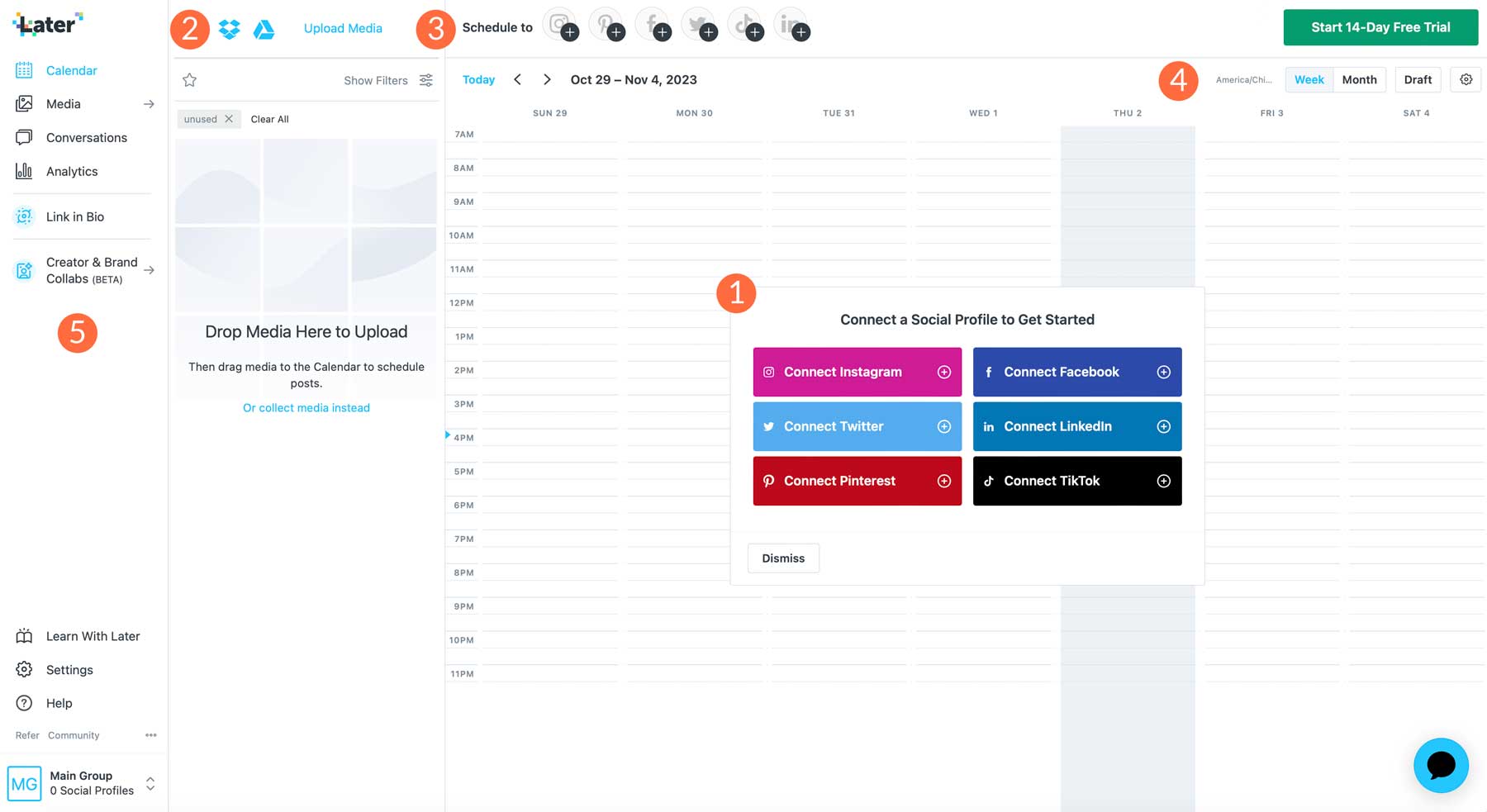
Later's multi-channel calendar view — colour-coded by platform with drag-and-drop scheduling
The visual feed preview is present but secondary to the calendar. Later compensates with genuinely strong media library management — particularly useful for teams with large content backlogs — and a best-time-to-post engine that uses your own engagement data rather than generic industry benchmarks.
Feature Breakdown
•Platforms: Multi-platform scheduling: Instagram, TikTok, Facebook, Twitter/X, LinkedIn, Pinterest
•Calendar View: Colour-coded weekly and monthly calendar with drag-and-drop rescheduling
•Smart Scheduling: Best Time to Post based on your own historical engagement data
•Link-in-Bio: Later Link — link-in-bio with click tracking, UTM parameters, and conversion data
•Media Library: Media library with labels, folders, and bulk upload up to 10GB
•Analytics: Advanced analytics: hashtag performance, story analytics, audience demographics
•AI Features: AI caption writer and image suggestions (Later AI)
•Collaboration: Team collaboration with approval workflows and role management
•Integrations: Zapier integration for automation with 5,000+ other tools
•Auto-Publish: Auto-publishing for Instagram, Facebook, Twitter/X, and Pinterest
Later Pricing
| Plan | Price/mo | Posts/mo | Social Sets | Analytics | Users |
| Free | $0 | 30 per profile | 1 social set | Basic | 1 user |
| Starter | $25/mo | Unlimited | 1 social set | 3 months | 1 user |
| Growth | $45/mo | Unlimited | 3 social sets | 12 months | 3 users |
| Advanced | $80/mo | Unlimited | 6 social sets | Full history | 6 users |
| Agency/Enterprise | Custom | Unlimited | Custom | Full history | Unlimited |
Value insight: Later's Growth plan at $45/month covers 3 social sets (each set = 6 profiles) and 3 users with a year of analytics history — making it highly cost-effective for small agencies. However, its Starter plan at $25/month is notably more expensive than Planoly's comparable Solo tier.
Later Pros & Cons
| Pros | Cons |
| ✓ Genuine multi-channel strength across 6 major platforms | ✗ No dedicated visual grid preview (feed preview is secondary) |
| ✓ Best-time-to-post engine uses your own data, not generic stats | ✗ Starter plan at $25/month is pricier than Planoly's equivalent |
| ✓ Later Link is the most analytics-rich link-in-bio in the market | ✗ AI features, while more mature, still lack consistency on long-form copy |
| ✓ Team collaboration with approval workflows on mid-tier plans | ✗ Interface can feel complex for first-time users |
| ✓ Zapier integration opens automation with 5,000+ other tools | ✗ Auto-publishing for TikTok still has occasional reliability issues |
| ✓ Analytics depth genuinely rivals standalone reporting tools | ✗ No native Shopify product tagging (requires workaround) |
| ✓ Media library is the best-organised in this comparison | ✗ Chat support only available on Growth plan and above |
User Reviews — What Real Users Say
| Rating | Review Summary | User Type |
| ★★★★★ 5/5 | Later has replaced three separate tools for our agency. The analytics are genuinely impressive — I can see what is performing, on which platform, at what time, and why. It is the operational backbone of our social team. | Social Media Agency |
| ★★★★☆ 4/5 | The best-time-to-post feature alone has noticeably improved our engagement rates. It sounds gimmicky but it actually uses your data. I moved from Planoly specifically for this and for the LinkedIn scheduling. | B2B Marketing Manager |
| ★★★★☆ 4/5 | I wish the feed preview was as good as Planoly's — I still miss that sometimes. But everything else about Later is just more capable. For a team of four managing five brand accounts, there was no real contest. | Brand Content Team |
Later Star Ratings
| Criterion | Score |
| Visual Planning & Grid UX | ★★★½☆ 3.7/5 |
| Ease of Use | ★★★★☆ 4.2/5 |
| Multi-Platform Support | ★★★★½ 4.8/5 |
| Analytics & Reporting | ★★★★½ 4.6/5 |
| Collaboration Tools | ★★★★½ 4.5/5 |
| Pricing & Value | ★★★★☆ 4/5 |
| Customer Support | ★★★★☆ 4.3/5 |
| AI & Automation | ★★★★☆ 4.1/5 |
| Overall Score | ★★★★☆ 4.3/5 |
Who Should Choose Later?
Later is the right choice if… •You manage multiple brands or platforms and need a true multi-channel hub •You work in a team and need approval workflows, collaboration, and role-based access •Data-driven posting decisions matter — Later's best-time engine and analytics are best-in-class •You rely on LinkedIn scheduling, which Planoly does not natively support •Your link-in-bio strategy includes conversion tracking and UTM attribution •You are a growing agency and the $45/month Growth plan's 3 social sets justifies the cost |
Head-to-Head: The Full Comparison
Feature Matrix
| Feature | Planoly | Later |
| Instagram Scheduling | Full — grid, Stories, Reels, first comment | Full — all formats with best-time-to-post |
| TikTok Scheduling | Yes — limited compared to Later | Yes — more mature implementation |
| LinkedIn Scheduling | No native support | Yes — full support |
| Pinterest Scheduling | Yes | Yes |
| Twitter/X Scheduling | Limited | Full support |
| Visual Grid Preview | Best-in-class drag-and-drop | Available but not primary feature |
| Best Time to Post | Generic suggestions | Personalised from your data |
| Hashtag Manager | Yes — with performance tracking | Yes — hashtag analytics included |
| Link-in-Bio | Linkr — basic analytics | Later Link — UTM, click tracking, conversion |
| Analytics Depth | Basic — post, reach, impressions | Advanced — audience, hashtags, history |
| Team Collaboration | Duo plan and above ($26/mo) | Growth plan and above ($45/mo) |
| Approval Workflows | No | Yes |
| AI Caption Writer | Beta — inconsistent | Later AI — more reliable |
| Zapier Integration | No | Yes |
| Shopify Integration | Yes — product tagging | No native support |
| Mobile App Quality | 4.2/5 App Store | 4.5/5 App Store |
| Customer Support | Email only | Chat support on Growth+ plans |
Pricing Comparison Chart
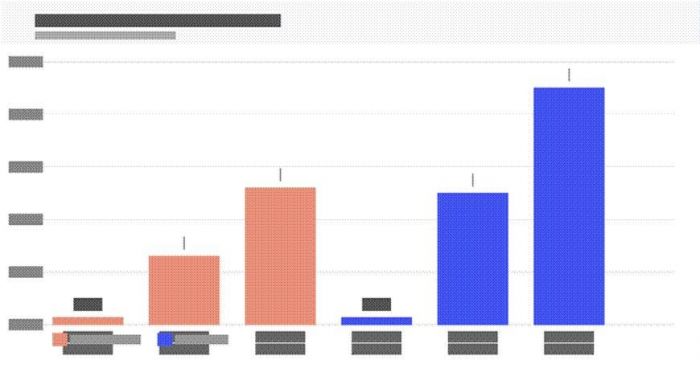
Monthly pricing across all plan tiers — Planoly (coral) vs Later (blue)
Performance Score Comparison
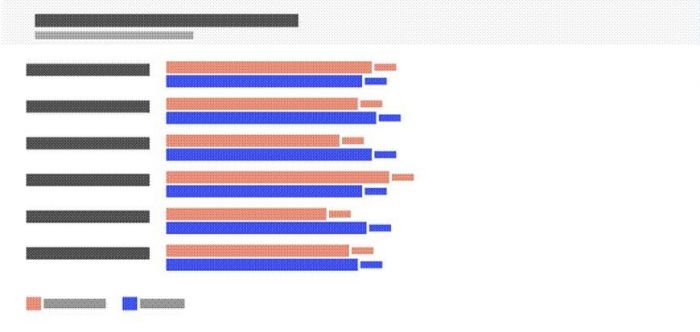
Criteria-by-criteria performance scores — Planoly vs Later (5-point scale)
Side-by-Side Ratings Summary
| Criterion | Planoly | Later |
| Visual Planning | ★★★★½ 4.9/5 | ★★★½☆ 3.7/5 |
| Ease of Use | ★★★★½ 4.6/5 | ★★★★☆ 4.2/5 |
| Multi-Platform | ★★★☆☆ 3.4/5 | ★★★★½ 4.8/5 |
| Analytics | ★★★½☆ 3.6/5 | ★★★★½ 4.6/5 |
| Collaboration | ★★★½☆ 3.5/5 | ★★★★½ 4.5/5 |
| AI Features | ★★★☆☆ 3.3/5 | ★★★★☆ 4.1/5 |
| Pricing Value | ★★★★½ 4.5/5 | ★★★★☆ 4/5 |
| Support Quality | ★★★½☆ 3.5/5 | ★★★★☆ 4.3/5 |
| Overall | ★★★★☆ 4.1/5 | ★★★★☆ 4.3/5 |
Should You Switch? The Real-World Analysis
The switching decision is rarely just about features. It is about workflow disruption, pricing jumps, team retraining, and whether the tool you are moving to genuinely solves a problem the current one does not.
Switching FROM Planoly TO Later — When It Makes Sense
•Your content strategy has expanded beyond Instagram to include LinkedIn, Twitter/X, or multi-brand management
•Your team has grown to three or more people and you need approval workflows
•You need deeper analytics than Planoly provides and you are currently exporting to spreadsheets
•Your link-in-bio strategy requires UTM tracking and conversion measurement
•You use Zapier and need automation across your broader marketing stack
Switching FROM Later TO Planoly — When It Makes Sense
•Your entire strategy is Instagram-centric and the visual feed experience is non-negotiable
•You are a solopreneur or one-person team and Later's entry pricing feels steep
•You run an e-commerce brand that relies on Shopify integration and Instagram Shopping
•You want a simpler, less busy interface that gets out of your creative way
•The $13/month price point at Planoly Solo represents a meaningful saving for your budget
Bottom line on switching: Both tools have mature free plans — trial both for 30 days before committing. The switching cost is low (content libraries can typically be exported/migrated manually) and both onboarding experiences are straightforward.
Final Verdict
After dissecting features, pricing, user sentiment, and real-world usability, neither Planoly nor Later is the universally better tool. They are genuinely optimised for different users.
PLANOLY WINS AT…•Instagram visual grid planning •Simplicity and interface clarity •E-commerce and Shopify integration •Entry-level pricing for solo creators •First-comment automation on Instagram Overall: ★★★★☆ 4.1 / 5 | LATER WINS AT...
•Multi-platform and LinkedIn scheduling •Analytics depth and data-driven insights •Team collaboration and approval workflows •Link-in-bio with conversion tracking •AI features and third-party integrations Overall: ★★★★☆ 4.3 / 5 |
For the creator who lives and breathes Instagram — whose brand identity is inseparable from their feed aesthetic — Planoly remains the gold standard. The visual planning experience is genuinely unmatched, and the $13/month Solo plan is one of the best value propositions in the category.
For the marketer, agency, or growing team that needs multi-channel capability, deep analytics, and meaningful collaboration tools, Later is the clear choice. It has matured into a platform that punches above its price point, particularly at the $45/month Growth tier.
Post Comment
Be the first to post comment!





