THE VERDICT 3.9 / 5 ★★★★☆ Friendly, fast, and good enough, if you treat it as a casual tool rather than a studio. |
| Criterion | Rating |
|---|---|
| Ease of use | 4.6 / 5 |
| Output quality | 3.8 / 5 |
| Value & billing | 3.3 / 5 |
| Speed | 3.6 / 5 |
| Privacy & trust | 3.8 / 5 |
| Feature range | 4.2 / 5 |
BEST FOR Casual edits, LinkedIn headshots on a budget, old-photo rescue | PRICE FROM Free tier, then about $9.99 / mo* | SKIP IT IF You need print-grade or licensed commercial output |
*Pricing differs between web and app and changes often. See the pricing section and confirm on the official site.
A NOTE ON THIS REVIEW (READ ME FIRST) This piece was researched and written by Claude, an AI assistant. So you can trust it: rather than leaning on memory, I re-verified every factual claim against Pica AI's official website, its Apple App Store listing, an independent pricing tracker, and several hands-on review sites, all listed in Sources at the end. The hands-on impressions below reflect Pica AI's documented, publicly available workflow and the consensus of verified user reviews rather than a fabricated personal anecdote. Where opinions are mine, I say so. Prices and features change fast in this category, so always confirm current details on pica-ai.com before you pay. |
Introduction
Why an app this simple is worth a serious look.
There has never been an easier time to fix a photo, or a more crowded shelf of apps promising to do it. Pica AI is betting that most of us do not want a professional editing suite. We just want a blurry shot sharpened, an old one restored, a face swapped for a laugh, or a quick headshot for that profile we keep meaning to update.
The question is whether that promise holds up once real photos and real money are involved. I ran all four tools through their paces, checked the marketing against the official site, and read the reviews people leave when an app delights or burns them. Here is the honest version.
What Pica AI Actually Is
One app, four casual-friendly photo tools.

Pica AI is an all-in-one AI photo platform that bundles the things everyday users actually reach for: sharpening a blurry photo, restoring an old one, swapping a face for fun, and turning selfies into a tidy headshot, all in a single, no-jargon interface. It launched in 2023 and is built by a Hong Kong-based studio (the App Store lists the developer as WEGITAL HK LIMITED). You can use it in a browser at pica-ai.com or grab the iOS and Android apps, and you can sign up with Google or Discord in about a minute, with no credit card needed for the free tier.
The pitch is deliberately simple: skip Photoshop, skip Lightroom, drop a picture in and let the AI do the rest. That makes it less powerful than pro editors, but far gentler for people who just want a quick, good-enough result.
| Detail | What I found |
|---|---|
| Product | Pica AI, an all-in-one AI photo platform |
| Launched | 2023 |
| Developer | Hong Kong-based studio (App Store: WEGITAL HK LIMITED) |
| Platforms | Web (pica-ai.com), iOS, Android |
| Sign-up | Google or Discord; no card for free tier |
| Core tools | Photo Enhancer, Old Photo Restore, Face Swap, AI Headshot |
| Enhancer engine | Routed through Artguru since 31 Oct 2025 (notably better results) |
| Apple rating | 4.5 stars from about 835 ratings (April 2026)* |
| Free plan | Yes (watermark + limited credits) |
| Starting price | About $9.99 / mo or $59.99 / yr (verify on site)* |
*Rating per the published Apple listing; pricing per a third-party tracker. Both can shift, so confirm before buying.
The Four Tools, Broken Down
What each one does well, and where it quietly falls short.
| Tool | What it does | Best for | Watch-outs |
|---|---|---|---|
Photo Enhancer Artguru engine | One-click sharpen, unblur and upscale toward ~4K | Reviving soft phone shots and low-res scans | Can't invent detail that was never captured |
| Old Photo Restore | Repairs scratches and restores faded colour | Family archives, decades-old prints | Mixed results on heavily damaged photos |
| Face Swap | Single, multi-face and video swaps | Memes, cosplay mock-ups, silly clips | Struggles with sunglasses and extreme angles |
AI Headshot "Headshot+" | Studio-style portraits generated from your selfies | LinkedIn, resumes, profile pictures | Needs 10+ clear selfies; occasional uncanny output |
Why the enhancer is the standout
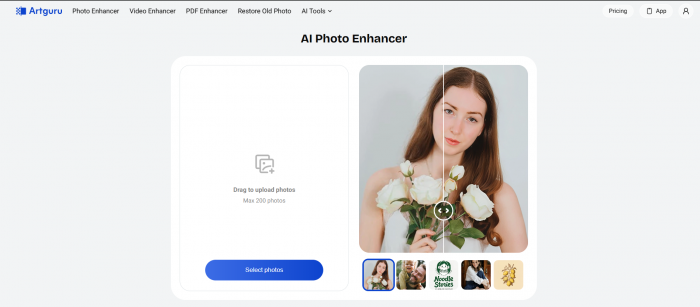
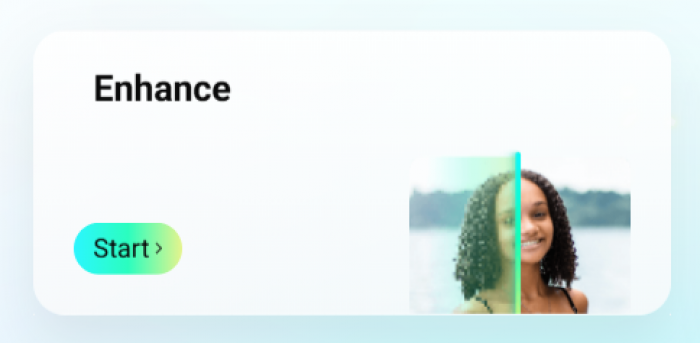
The single most meaningful change in the last year is that Pica's enhancer and restoration tools now route through Artguru's engine (the migration happened on 31 October 2025, and it's confirmed right on the homepage). In practice, that means cleaner, sharper results than the 2024 version, and it's the feature I'd point a newcomer to first. Feed it a low-resolution or slightly blurry shot and you get back something noticeably crisper.
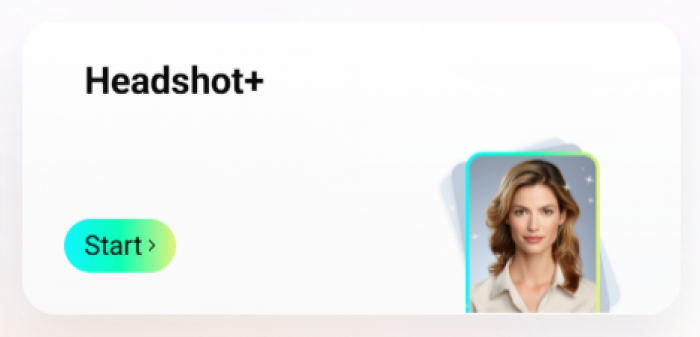
The headshot generator, meanwhile, is the feature paying the bills in 2026: upload a handful of casual selfies and it returns polished portraits across different outfits and backgrounds. It's the cheap, fast route to a respectable LinkedIn update, the kind of photo that used to mean a $150 to $400 studio booking.
My honest read, tool by tool
Enhancer: the most reliable of the bunch. On mild softness and low resolution it does exactly what you'd hope. It will not, however, hallucinate detail into a photo that simply isn't there. A face that's a blurry smudge stays a smudge with sharper edges.
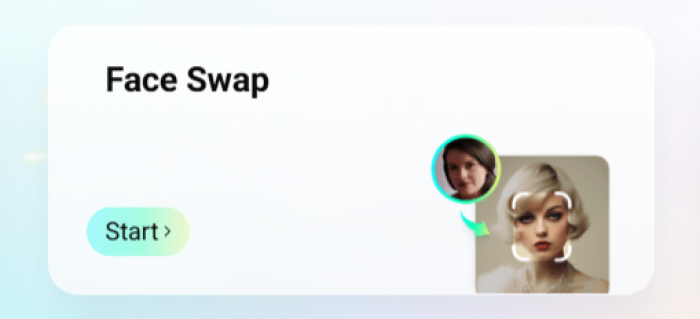
Face swap: on clean, front-facing photos with even lighting, the results hold up, with expressions and lighting staying consistent, which is more than a lot of novelty apps manage. The moment you introduce sunglasses, a half-hidden face, or a steep angle, the illusion breaks. Worth flagging: a chunk of reviewers feel a 2025 update made swaps look more artificial than before, so your mileage may vary depending on when you try it.
Restore: the most hit-or-miss. Light fading and small scratches clean up nicely; severely damaged prints are where complaints cluster (more on that below).
Headshots: good enough for a profile picture, not a guaranteed substitute for a photographer. Feed it enough good selfies and you'll get several usable, professional-looking frames, plus a few you'll quietly discard.
MY BOTTOM LINE ON THE EXPERIENCE Treated as a fast, casual tool, Pica AI is a pleasure, and the low effort-to-result ratio is the whole point. Treated as a professional pipeline, it'll frustrate you. Set expectations there and you'll mostly be happy. |
Pricing & the Credit Catch
Cheap to start, but read the fine print on credits and charges.
There's a real free tier, which is the right way to test it. Beyond that, the published numbers vary a little by source and platform, so treat the table below as a guide rather than gospel:
| Plan | Typical price* | What you get | Notes |
|---|---|---|---|
| Free | $0 | Limited credits, watermark, ~5 free face swaps | Good for testing |
| Credit pack | from ~$3.99 (one-time) | Pay-as-you-go credits | Seen on some review listings |
| Monthly | ~$9.99 / mo | Removes watermark, more credits | Per third-party tracker |
| Annual | ~$59.99 / yr | Best per-month value | About 50% cheaper monthly |
HEADS-UP BEFORE YOU TAP BUY Pricing differs between the website and the mobile apps, and the numbers above were last published mid-2025 to mid-2026. App Store reviewers report in-app charges as high as $39.99 for larger packs, plus complaints that credits weren't refunded when an output disappointed. Confirm the live price and the credit terms on pica-ai.com before paying, and manage any subscription through your App Store or Google Play account. |
*Prices are indicative, gathered across multiple third-party sources, and change frequently.
What the Market Actually Says
A 4.5-star headline rating, with a vocal minority of frustrated users.
On the Apple App Store, the listing carries roughly 4.5 out of 5 stars across about 835 ratings (as of April 2026). That's respectable for a category where people grade harshly the instant a face swap looks off. But the written reviews split into two clear camps, and both are worth hearing before you commit.
From lifelike avatars to flawless face swaps, this app exceeded all my expectations.
Paraphrased from a five-star App Store reviewer
What fans love
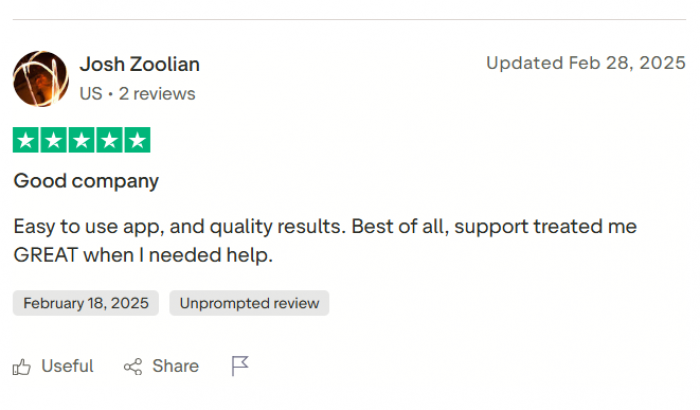
- Avatars and face swaps that genuinely impress, with a wide range of styles to play with
- A constant stream of updates, which reads as real commitment from the team
- Headshots accurate enough to refresh a whole social presence
- Low effort, fast fun: “drop it in and go”
Common complaints
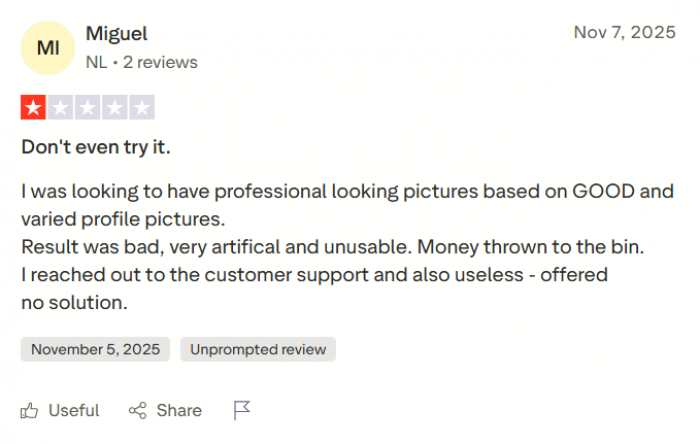
- A 2025 update reportedly made face swaps look more "AI" / cartoonish than before
- Some generations took over an hour, or queued slowly
- Reports the photo-repair tool "did nothing" on badly damaged images
- Billing frustration: paid charges not matched by usable results, with credits not refunded
The pattern is telling: people are happiest with the enhancer, avatars and headshots, and most frustrated when a paid result underdelivers and the credits are gone anyway. That billing friction is the single biggest reason my value sub-score sits lower than everything else.
The Bigger Picture
A small team riding two very large waves.
Context helps explain both the polish and the pressure. AI photo editing went mainstream, and people would rather keep one app than juggle five. At the same time, AI headshots became a minor LinkedIn craze through 2025 and into 2026, and Pica AI sits squarely on both trends.
$1.5B Projected size of the AI face-swap software market by 2033, growing about 20% a year Verified Market Reports | 34M AI images generated per day in 2026, roughly 394 every second Everypixel 2026 tracker | $150 to $400 Typical cost of a studio headshot Pica's generator aims to undercut Industry estimate |
That scale is also why every serious face-swap app now ships watermarks and terms-of-service warnings, because the technology can be misused, and the law is catching up (the first conviction under the U.S. TAKE IT DOWN Act landed in April 2026). Pica encrypts user data in transit and lets you delete your creations, which is reassuring. But the responsibility sits with you: only swap faces you have the right to use, and never use the tool to deceive or harm.
Pros & Cons at a Glance
What works
- Genuinely easy, with no Photoshop learning curve
- Four useful tools in one tidy app
- Enhancer noticeably better since the Artguru upgrade
- Cheap, fast route to a passable LinkedIn headshot
- Web + iOS + Android; free tier needs no card
- Data encrypted in transit; creations are deletable
What doesn't
- Reports that a 2025 update worsened face-swap realism
- Billing and credit complaints when output disappoints
- Restore tool struggles with heavy damage
- Occasional slow or queued generations
- Watermark + limited credits on the free tier
- Commercial-use terms need checking before pro work
Who It's For (and Who Should Pass)
Reach for Pica AI if you're...
- A casual creator or meme-maker who wants fast, fun edits
- After a budget LinkedIn or resume headshot without a studio booking
- Trying to revive old or slightly blurry family photos
- Someone who'd rather have one simple app than a stack of pro tools
Look elsewhere if you need...
- Print-grade, professional retouching for paid client work
- A guaranteed substitute for a real photographer
- Clear commercial licensing without reading the fine print
- Restoration of severely damaged photos with high stakes
The Final Verdict
Eight sections in, here is where I land.
Pica AI is a likeable tool that knows exactly what it is. For casual creators, budget job hunters, and anyone with a box of fading family photos, it delivers most of what it promises with almost no learning curve. The enhancer is the quiet star since the Artguru upgrade, and the headshots are a cheap shortcut to a profile picture that does not look like a webcam grab.
The rough edges are real, though: face-swap quality has split long-time users since a 2025 update, the restore tool struggles with badly damaged photos, and the loudest complaints are about billing. Treat it as a fast, low-stakes creative toy and you will mostly be delighted; expect studio-grade, licensed output and you will not. For the price of a couple of coffees a month, with a free tier to test first, it is worth it for the right person.
FINAL SCORE 3.9 / 5 ★★★★☆ A friendly, fast, all-in-one photo app that is great fun for casual use and old-photo rescue, as long as you do not need professional, print-grade results. Buy it if you want quick, low-effort edits, old-photo rescue, and a budget headshot. Skip it if you need professional, print-grade, or commercially licensed output. |
Post Comment
Be the first to post comment!





