Every AI tool now promises the moon from a single prompt box, and Dreamina, CapCut's free image, video and voice generator from ByteDance, is no exception. It pitches cinematic visuals, talking avatars and studio-quality voiceovers on free daily credits, all in your browser. So rather than trust the marketing, I signed up and tried to make something.
What followed was a reality check. The login was smooth, with a one-time code that felt reassuring, but my credit balance opened at exactly zero. A detailed image prompt and an AI voiceover both returned the same flat message: couldn't generate, try again later. This is my honest first-run account of where Dreamina shines, where it stalled, and how that matches what thousands of users report.
What Dreamina AI actually is
Dreamina is the in-house creative playground of ByteDance, the company behind CapCut and TikTok, and it is built to turn a sentence into a finished visual.
Rather than a single trick, it bundles four engines behind one prompt box: text-to-image, text- and image-to-video, talking AI avatars with lip sync, and an AI voice studio that reads a script aloud in a chosen voice. The international version lives on the web at dreamina.capcut.com and is also wired directly into CapCut on desktop and mobile, so a generated clip can slide straight onto an editing timeline.

Under the hood, Dreamina does not lean on a single model. It routes requests to a rotating cast: Seedream for images, Seedance 2.0 for video, plus guest models like Nano Banana and GPT Image 2. The pitch is squarely aimed at social creators, marketers and small studios who want to get from idea to rough cut fast, with nothing to install.
| Made by | ByteDance (the CapCut and TikTok family) |
| Where it lives | Web app at dreamina.capcut.com, plus inside CapCut on desktop and mobile |
| Core tools | Text-to-image, text/image-to-video, AI avatar with lip sync, AI voice / text-to-speech |
| Models behind it | Seedream (image), Seedance 2.0 (video), Nano Banana, GPT Image 2 |
| Free tier | Daily refreshing credits (when they appear) |
| Watermark | An "AI" mark on free output; disputed on some paid video |
| Strongest at | Stylized art, posters, anime, short social clips |
| Weakest at | Photoreal human faces and longer-form video |
Testing Dreamina AI
Getting in: a login screen that does one job well
The front door is uncomplicated, and that is a compliment. The sign-in panel offers five ways in, so almost nobody is locked out:
You can continue with Google, TikTok, Facebook, email, or CapCut Mobile. No plan picker, no credit card, no upsell before you have even seen the product.
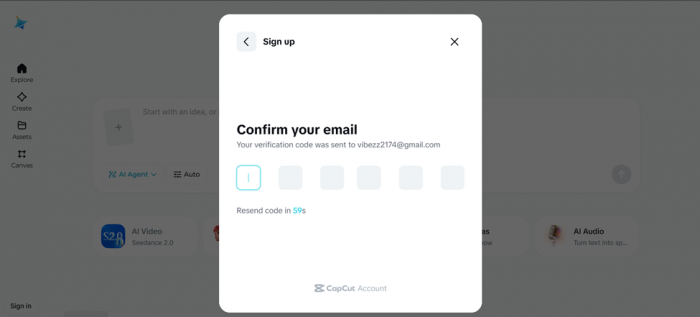
I went in through email. Instead of inventing yet another password, Dreamina mailed a one-time code (OTP) to my inbox. It is a small detail, but it set a reassuring tone: a fresh code per session quietly signals that the account is being handled with a bit of care rather than left behind a reused password. From tapping "Continue with email" to landing inside, the whole thing took under a minute.
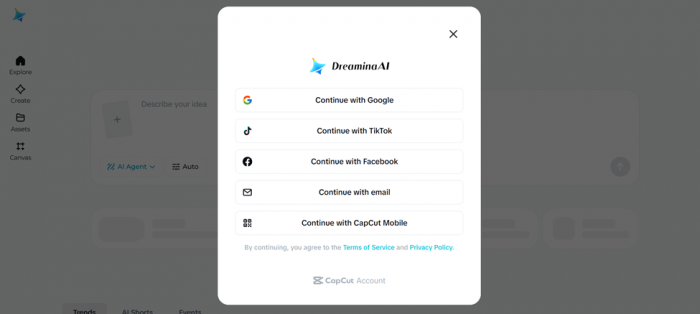
The actual sign-in panel from my session. Five routes in (Google, TikTok, Facebook, email and CapCut Mobile), with a CapCut account quietly powering all of them.
A credit balance of exactly zero
Then came the friction. Dreamina markets itself on "free daily credits." Some pages even quote a specific daily token grant that refreshes every 24 hours. So the expectation is simple: log in, get an allowance, make something.
That is not what greeted me. My dashboard opened with a balance of zero: nothing in the wallet, no explanation of why, no hint of when it might top up. And on Dreamina, every image, video and voice clip is paid for in credits. An empty balance doesn't grey the buttons out; it lets you set up a whole generation and only springs the problem at the finish line. I pushed on anyway, partly to see exactly where the wall would appear.
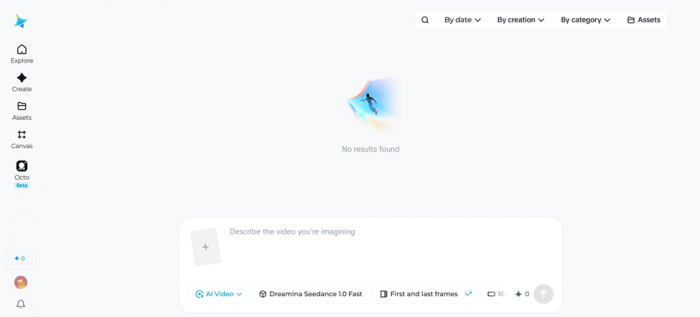
What "free" did and did not mean for me The tool is advertised as free with daily credits, but my account opened at 0 with no guidance on refreshing it. The promise and the dashboard did not line up on day one. |
Text to image: the maximalist stress test
To probe the "photorealistic, movie-quality" claim head-on, I fed the image generator a deliberately demanding prompt: a full superhero suit-up sequence built around a real person's face. This is the kind of request that quickly separates a capable model from a toy, since it demands identity preservation, complex materials, particle effects and dramatic lighting all at once.
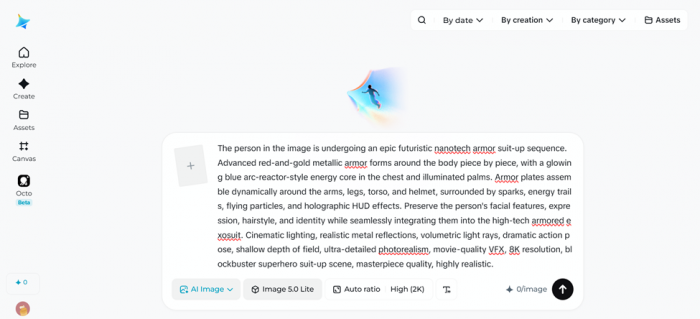
PROMPT ENTERED The person in the image is undergoing an epic futuristic nanotech armor suit-up sequence. Advanced red-and-gold metallic armor forms around the body piece by piece, with a glowing blue arc-reactor-style energy core in the chest and illuminated palms. Armor plates assemble dynamically around the arms, legs, torso, and helmet, surrounded by sparks, energy trails, flying particles, and holographic HUD effects. Preserve the person's facial features, expression, hairstyle, and identity while seamlessly integrating them into the high-tech armored exosuit. Cinematic lighting, realistic metal reflections, volumetric light rays, dramatic action pose, shallow depth of field, ultra-detailed photorealism, movie-quality VFX, 8K resolution, blockbuster superhero suit-up scene, masterpiece quality, highly realistic. Result: Couldn't generate. Try again later. |
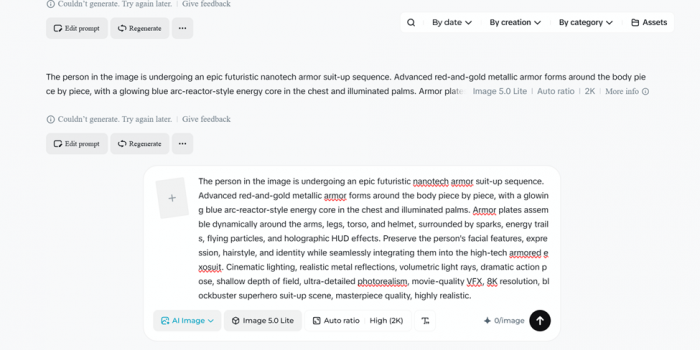
The response was not an image, a queue position or a "you are out of credits" prompt. It was a flat error: couldn't generate, try again later. No partial render, no diagnostic, no retry that behaved any differently. Whether the cause was the empty balance, server load or moderation, the user-facing outcome was the same: a dead end.
The voice studio: a great catalogue, then the same wall
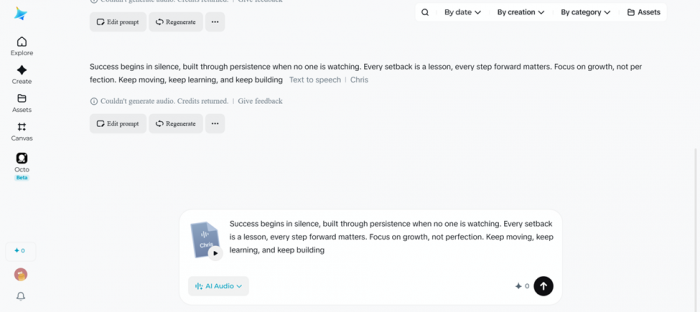
Switching modes, I tried the AI voice generator, Dreamina's text-to-speech feature, which reads a script aloud in a synthetic voice. Here, the setup was genuinely a high point. The voice library is broad, and you can narrow it with real filters: gender, age and language, not just a flat list of names. After filtering, I chose a pack called "Chris" and pasted in a short motivational script.
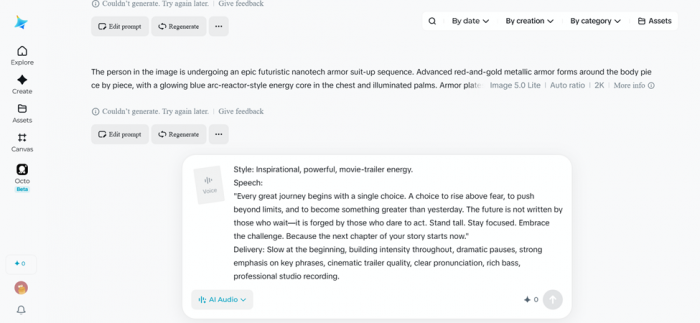
SCRIPT ENTERED Success begins in silence, built through persistence when no one is watching. Every setback is a lesson, every step forward matters. Focus on growth, not perfection. Keep moving, keep learning, and keep building. Filters applied: gender · age · language Voice pack: Chris Result: Couldn't generate. Try again later. |
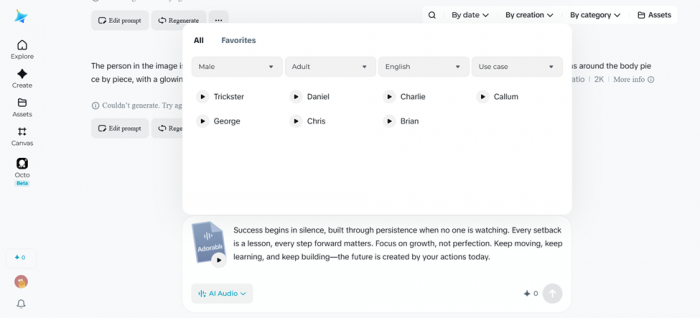
I set the filters, picked the voice, entered the script, and pressed generate. The outcome was identical to the image test: couldn't generate, try again later. So between the two tools I had assembled two complete generations and produced zero finished output. The interface had been pleasant the entire way; it simply never delivered the thing it exists to deliver.
So what could I actually judge?
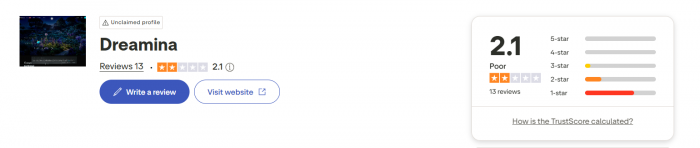
Two prompts, two failures, a wallet that started at zero, so I couldn't assess Dreamina's output quality at all, only its first-run experience. And that experience splits clean down the middle: a fast, card-free, OTP-secured sign-up on one side; an unexplained empty balance and two dead-end generations on the other.
One session is a thin sample, though. So before judging, I widened the lens to what other people report, and the pattern is uncomfortable: the exact problems I hit are among the most common complaints online, while the output I never saw is the thing reviewers praise most. Here is my run, from front door to dead end.

My first-run journey: a smooth login, then a zero balance, then two failed generations.
My scorecard: what I could and couldn't verify
These scores reflect my hands-on session and the balance of public sentiment as of June 2026. The output-quality row is deliberately left unscored: nothing generated, so scoring it would be a guess.
| Dimension | Score | In a line |
| Sign-up and security | 9 / 10 | OTP, no card, under a minute. |
| Onboarding clarity | 5 / 10 | No explanation for the empty balance. |
| Free-tier access (this run) | 3 / 10 | Zero credits, nothing to spend. |
| Reliability (this run) | 2 / 10 | Two prompts, two failures. |
| Output quality | Not verified | Could not generate anything. |
| Voice library breadth | 8 / 10 | Filters for gender, age, language. |
| Value (free, in theory) | 7 / 10 | Generous once credits appear. |
| Support reputation | 3 / 10 | Recurring complaints in public reviews. |
| First-run experience | 4 / 10 | Revisit once credits load to judge output. |
What other users actually say
I didn't want to write Dreamina off on one bad session, so I read widely. The public record is loud and splits sharply by platform: warmest where people talk about the work, harshest where they talk about money.
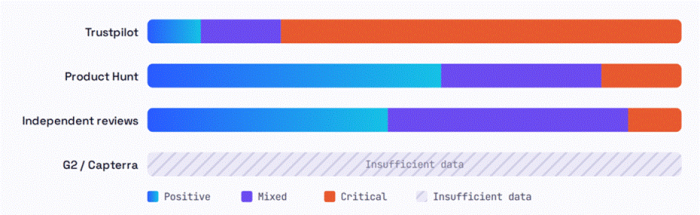
Review tone by platform. A qualitative read of the reviews I examined, not a statistical survey. The split is stark: money-and-trust complaints dominate Trustpilot, while the work itself fares far better elsewhere.
| Platform | Lean | What they praise | What they criticise | The gist |
| Trustpilot | Critical | Visual quality, on the occasions it actually runs | Paid credits that never arrived; an unremovable "AI" watermark; face-detection that locks accounts; refund requests left unanswered | Paid, got nothing, walked away calling it a scam |
| Product Hunt | Mixed, positive | Intuitive interface, smooth Canvas editing, strong prompt handling, multilingual | Slow or failed generations, glitches on harder prompts, short video limits, creeping credit costs | Likes the CapCut tie-in; just wants it steadier |
| Independent reviews | Cautious yes | Fast, beginner-friendly, several variations per prompt, great for stylized art | Weaker on photoreal faces; slower than advertised; better for drafts than masters | Capable, but oversold versus its own marketing |
| One absence worth flagging: Dreamina has little real footing on G2 or Capterra, the classic business-software review sites. It surfaces instead on AI-tool directories like Futurepedia, Slashdot and AIxploria. So the most useful signal today comes from consumer reviews and independent testers, not the B2B platforms. |
What it costs once the free credits run out
Dreamina starts free with daily credits, then climbs through a tiered subscription. Figures vary between listings, so treat these as a guide and confirm the current numbers on the site before paying. One widely cited structure looks like this:
| Plan | Price | Roughly | Watermark |
| Free | $0 | Daily bonus credits, limited use | Yes |
| Basic | $18 / mo | About 1,010 credits (around 505 images or 42 videos) | Claims removal |
| Standard | $42 / mo | About 4,040 credits, higher limits | Claims removal |
| Advanced | $84 / mo | About 13,110 credits, best per-credit value | Claims removal |
Two caveats from the user record are worth weighing. First, some listings quote different mid-tier prices (for example, a Standard tier near $33 and Advanced near $64), so the exact ladder shifts over time. Second, several paying reviewers dispute that the watermark is truly removed on certain video exports. So if clean, unbranded footage is non-negotiable for you, verify it on a paid trial before committing to a year.
Who it is for, and who should wait
Reach for Dreamina if
• You make short-form social content, posters, or quick visual concepts.
• You want a free, browser-based tool with nothing to install.
• You value a deep voice library with gender, age and language filters.
• You already live in CapCut and want a fast hand-off to the timeline.
Hold off if
• You need clean, watermark-free masters for commercial delivery.
• Your work depends on convincing, photoreal human faces.
• You can't absorb the occasional failed generation or slow support.
• You need guaranteed, visible credits the moment you sign up.
The FInal Verdict
4 / 10 first-run experience; output quality not yet verifiable I wanted to like Dreamina, and on the evidence of everyone else, it is genuinely capable once it runs: the login is quick and secure, the voice catalogue is rich, and independent testers consistently praise its stylized, social-friendly output. But my session never reached that promised land. It stalled at a credit balance of zero and two flat "couldn't generate" errors, and reading the reviews, that is a real vein of complaint, not a one-off glitch. So here is my honest take: I'd try it again for low-stakes, social-first work, but only after checking that my daily credits had actually loaded. And I'd keep my expectations measured on watermarks, photoreal faces and support before paying a cent. The talent is plausibly there. On the day I tested, the front desk just never handed me the keys. |
Post Comment
Be the first to post comment!





