Why look for a Supawork alternative?
Supawork started life as a job-seeker toolkit, AI resumes, cover letters, and professional headshots, then grew into a general AI content platform with text-to-video, image editing, and face swap. It runs on a coin-based, pay-as-you-go model and says it has passed 1.5 million users. The headshot generator and the video tools are its best-known features, and the all-in-one pitch is the main reason people sign up.
Having everything under one login is genuinely convenient. The trouble is that an all-in-one tool tends to be average at many things rather than excellent at one, and the reasons people start shopping for an alternative are fairly consistent across reviews:
•Uneven output. Results swing from genuinely good to artifact-ridden, and the "studio quality" headshots do not always land.
•Confusing pricing. The coin system means some tools look free until you need enough credits to finish, and the real cost of a given task is hard to predict up front.
• Thin support. Several reviewers flag slow or limited help when a generation goes wrong or a charge does not make sense.
The fix usually is not one all-in-one replacement. It is picking the tool that is strongest for the thing you actually do, whether that is video, headshots, or everyday design. I chose the five below on current reputation and reviews, grouped by use case, with pricing checked against their 2026 plans. I have not run a controlled head-to-head of all five, so treat this as a researched shortlist rather than a lab test, and confirm current prices before you commit. None of them is a perfect Supawork clone, which is rather the point, each one beats it at something specific instead of matching it everywhere.
The five at a glance
| Best for | Starts at | Free tier | |
|---|---|---|---|
| Canva | All-in-one design and AI | About $15/mo (Pro) | Yes, limited credits |
| Adobe Express | Brand-safe all-in-one | About $10/mo (Premium) | Yes |
| Fotor | Affordable AI photo editing | About $9/mo (Pro) | Yes, watermarked |
| Runway | AI video generation | About $12 to $15/mo | Yes, 125 one-time credits |
| Aragon AI | Professional AI headshots | $35 one-time and up | No |
Canva
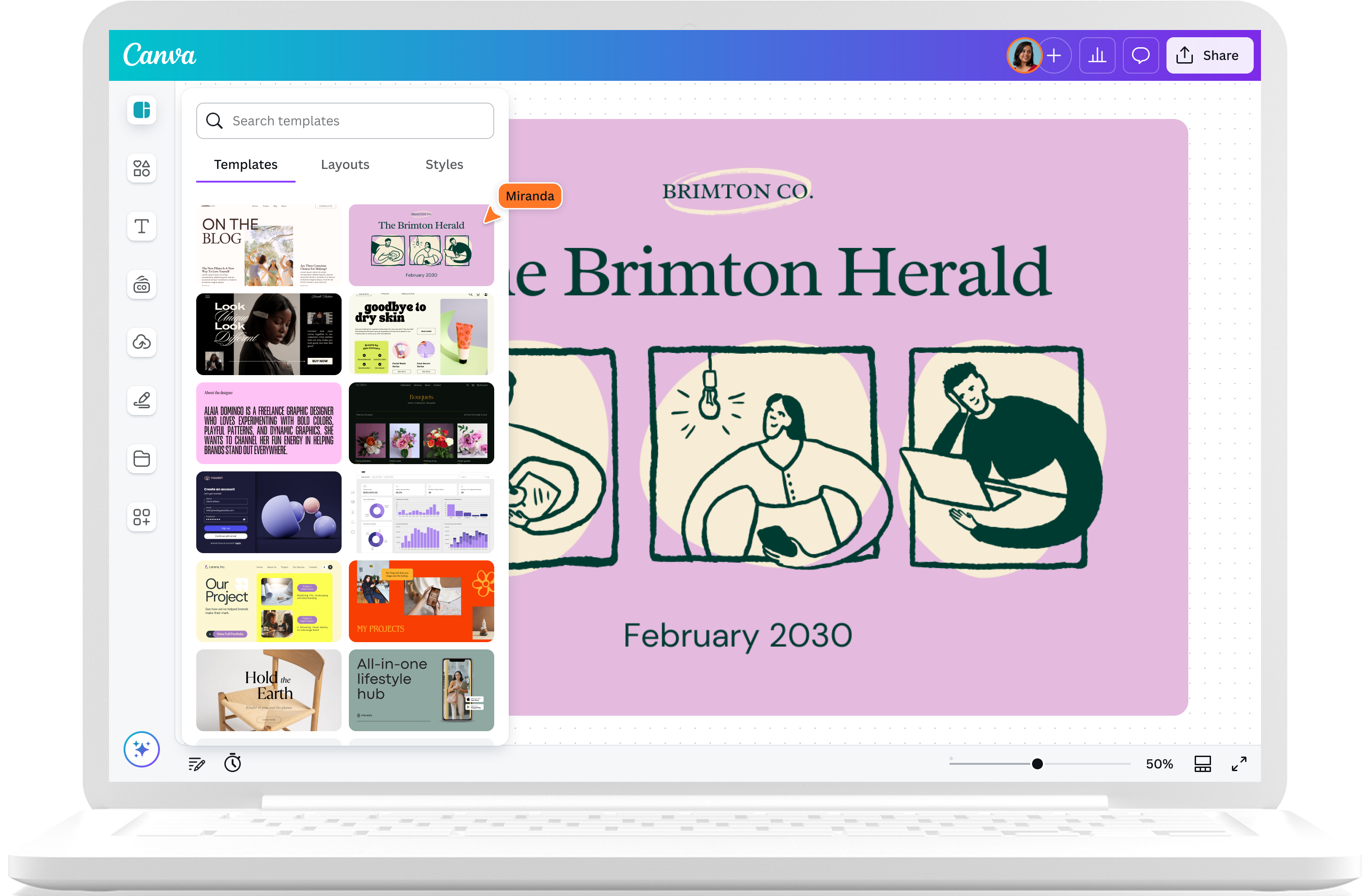
Best for: an all-in-one design and AI workspace
Starts at: about $15/mo (Pro) · Free tier: yes, with limited AI credits · Platform: web and mobile
Canva is the closest match to Supawork's "everything in one place" pitch, but it comes from a far more mature product with a huge head start in templates and ease of use. Its Magic Studio bundles more than 25 AI tools directly into the editor, so you generate, edit, and lay things out in one place instead of bouncing between single-purpose tools.
On the AI side you get Dream Lab for text-to-image, Magic Media for short text-to-video clips, Magic Write for copy, Magic Edit and Magic Eraser for object-level photo work, and a one-click background remover. All of it sits beside Canva's template library, which is the real reason most people stay: you are rarely starting from a blank page, and the brand kit keeps colors and fonts consistent across everything you make.
For social posts, slides, simple marketing graphics, and quick branded content, it is hard to beat. The free plan is genuinely usable for light work, and Pro unlocks the full AI suite, premium assets, and higher credit limits. If Supawork's value to you was breadth and convenience, Canva delivers that same idea with more polish and a far gentler learning curve.
Key features
•More than 25 Magic Studio AI tools built into one editor
•Text-to-image (Dream Lab) and short text-to-video (Magic Media)
•Magic Write for in-context copywriting
•Background remover, Magic Edit, and Magic Eraser for photos
•Large template library, brand kit, and team collaboration
Pros and cons
| Pros | Cons |
|---|---|
| Easiest learning curve on this list | AI image and video only fair vs specialists |
| Huge template library | Monthly AI credits can run out |
| Genuinely useful free tier | Best assets and AI gated behind Pro |
| Design and AI in one workflow | Not built for print precision |
Adobe Express
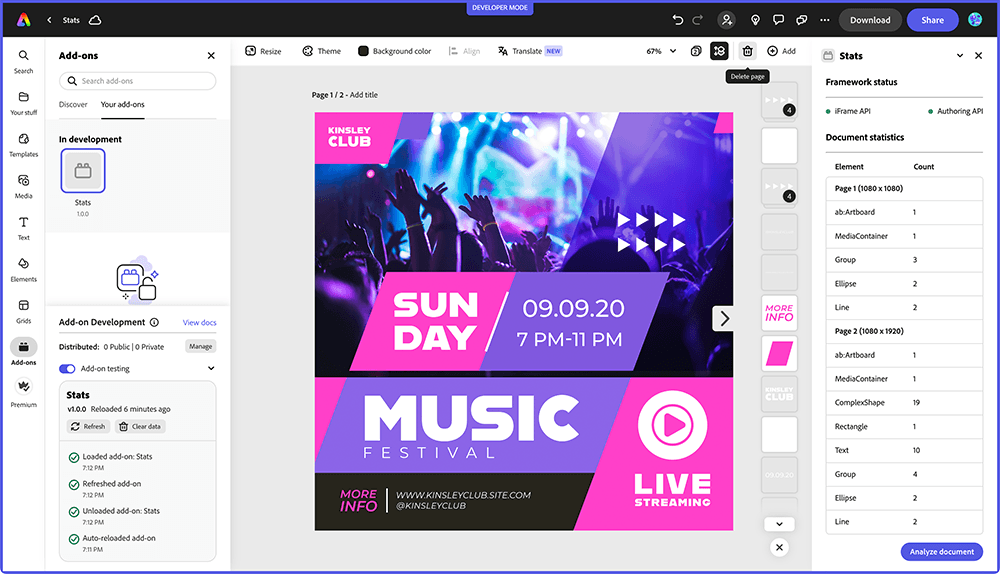
Best for: brand-safe AI content with a trusted name
Starts at: about $10/mo (Premium) · Free tier: yes · Platform: web and mobile
Adobe Express is Adobe's lighter, Canva-style app, and its AI runs on Firefly. The headline difference is trust: Firefly is trained on licensed and Adobe Stock content, so Adobe markets its generations as commercially safer than models trained on scraped data. If you are publishing for a brand or a client, that distinction can matter more than it sounds.
Feature-wise it covers the same ground as Supawork's creative side: text-to-image, text-to-video, a deep template library, a brand kit, background removal, and access to partner models. Higher tiers add Photoshop on the web for real image editing, and the whole thing connects to the wider Adobe ecosystem if you already use Creative Cloud, so assets and files move around without friction.
It is a strong pick if you live in Adobe tools or if commercial safety is a priority. For sheer ease and template volume, Canva still edges it, but Express closes much of that gap while carrying Adobe's name, asset library, and a lower entry price.
Key features
•Firefly generative AI trained on licensed content
•Text-to-image and text-to-video generation
•Large template library and brand kit
•Background remover and quick photo edits
•Photoshop on the web on higher tiers, plus Creative Cloud links
Pros and cons
| Pros | Cons |
|---|---|
| Commercially safer Firefly AI | Premium AI gated and credit-limited |
| Trusted Adobe assets and name | Overlapping Adobe plans confuse buyers |
| Affordable entry price | Smaller template library than Canva |
| Ties into Creative Cloud | Top features need higher tiers |
Fotor
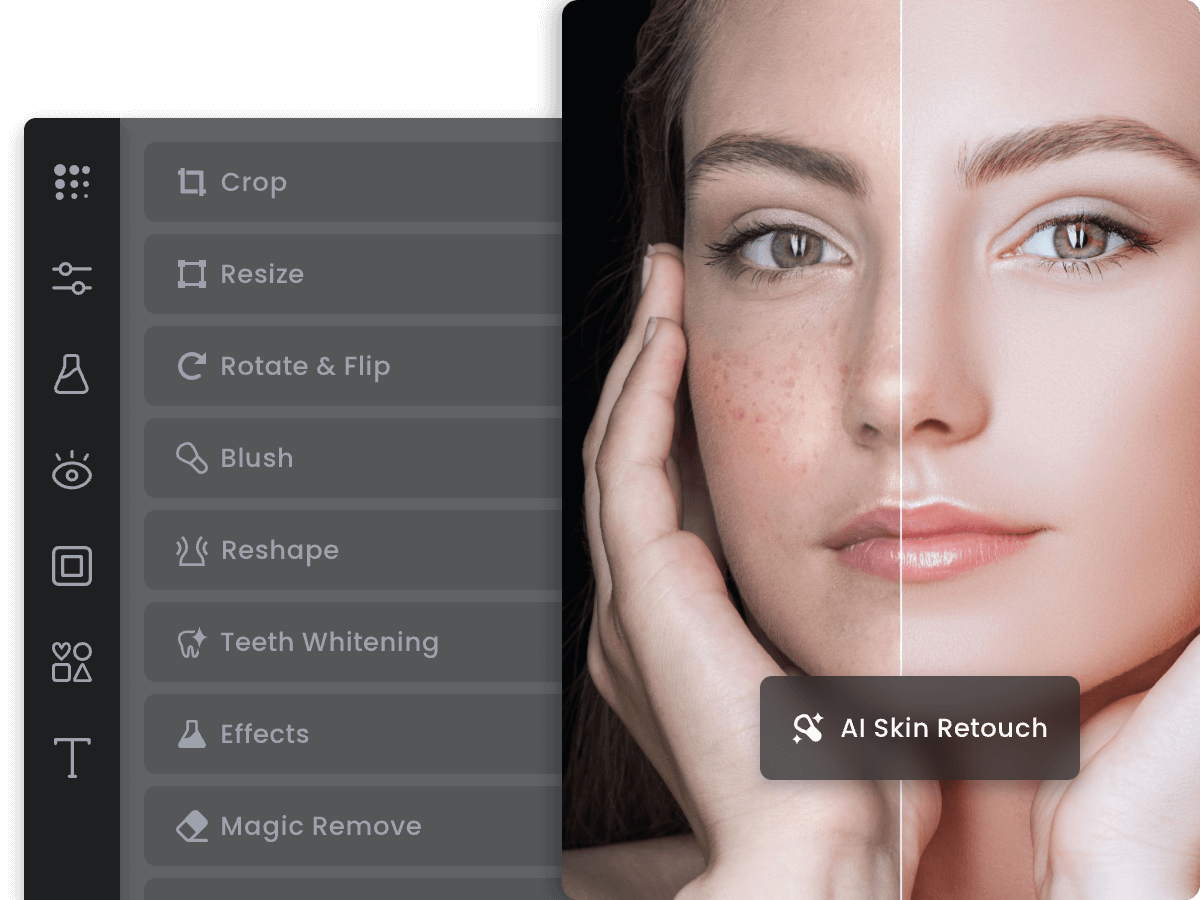
Best for: affordable AI photo editing and headshots
Starts at: about $9/mo (Pro) · Free tier: yes, with watermarks · Platform: web and mobile
If you came to Supawork mainly for photo work, retouching, headshots, and quick image fixes, Fotor covers most of that for the lowest price on this list. It is a browser-based photo editor with a light design layer and a deep stack of AI tools layered on top, and there is a companion mobile app so you can edit on either.
It does AI portrait retouching, an image enhancer that upscales up to four times, background removal, batch editing for up to 50 images at once, an AI headshot generator, photo restoration and colorization, and a big set of AI effects and filters. That photo-first, do-a-bit-of-everything mix is the closest functional match to Supawork's image side, minus the video ambitions.
For individuals and small businesses cleaning up product shots, social images, or a LinkedIn photo, it is a practical, cheap workhorse. It is faster and friendlier than Photoshop, just not as deep, and at under ten dollars a month the value is hard to argue with.
Key features
•AI portrait retouching with 20-plus tools
•AI image enhancer with up to 4x upscaling
•One-click background remover
•Batch editing for up to 50 images
•AI headshot generator, restoration, and AI effects
Pros and cons
| Pros | Cons |
|---|---|
| Cheapest serious option here | Free plan adds watermarks |
| Strong photo and headshot toolkit | Less deep than Photoshop |
| Batch editing for volume | Output quality varies |
| Beginner-friendly on web and mobile | Some tools sit behind paywalls |
Runway
Best for: genuinely good AI video
Starts at: about $12 to $15/mo (Standard) · Free tier: yes, 125 one-time credits · Platform: web
Supawork's video is convenient. Runway's is in a different league, and if video was your main reason for using Supawork, this is the upgrade. Runway is a dedicated AI video platform used by filmmakers, agencies, and studios, not a side feature bolted onto a general tool.
Its Gen-4.5 model sits at the top of independent text-to-video rankings, and a single subscription also unlocks third-party engines like Google Veo, Kling, and Seedance, so you are choosing the best model for each shot in one place. Beyond raw generation it has real production tools: Aleph for editing footage and Act-Two for performance capture, which is far more than a one-click clip maker.
The trade-off is focus and cost mechanics. Runway is video-first, so it will not replace Supawork's headshots or resumes, and its credit system takes some learning. But for sheer output quality, nothing else on this list comes close, and the free credits let you judge it before paying.
Key features
• Gen-4.5, a top-ranked text-to-video model
•Image-to-video and text-to-video generation
•Access to Veo, Kling, and Seedance models in one plan
•Aleph video editing and Act-Two performance capture
•Watermark removal and upscaling on paid plans
Pros and cons
| Pros | Cons |
|---|---|
| Best AI video quality on this list | Video-focused, not all-in-one |
| Several top models in one subscription | Credits do not roll over |
| Real editing and capture tools | Per-model costs vary widely |
| Free credits to test it | Support can be slow per reviewers |
Aragon AI
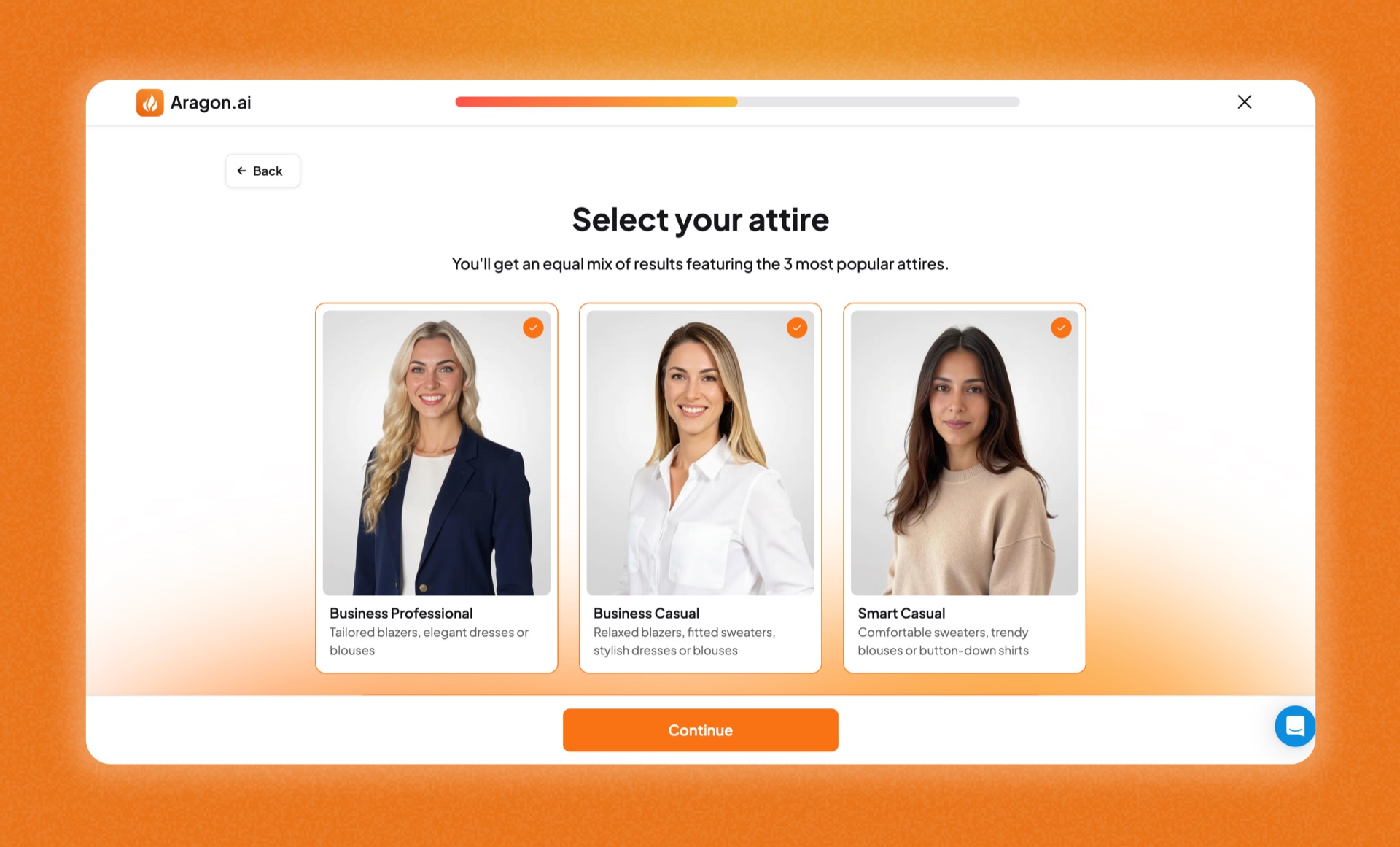
Best for: professional headshots without a subscription
Starts at: $35 one-time (20 images), up to $75 · Free tier: no · Platform: web
Supawork's flagship is its headshot generator, so a credible alternatives list needs a specialist that does that one job well. Aragon AI turns a handful of selfies into LinkedIn-ready professional portraits in roughly 15 to 40 minutes, and the likeness accuracy is strong when your source photos are sharp and varied.
Its Remix feature is the standout: once your first batch is generated, you can spin new outfits, backgrounds, and styles from your best shots without paying again. And because Aragon sells one-time packages rather than a subscription, it can be cheaper than a year of any monthly tool if headshots are genuinely all you need. It also leans on privacy, with clear data-handling controls.
It is single-purpose by design, so it will not cover video or general image editing. But for the specific task most people open Supawork for, it is a focused option that often produces more usable portraits than a jack-of-all-trades tool, as long as you go in expecting to sift the batch for the best frames.
Key features
•Studio-style headshots from 6 to 14 selfies
•Remix for unlimited outfit and background variations
•15 to 40 minute turnaround
•LinkedIn and resume-optimized output
•One-time packages with privacy controls, no subscription
Pros and cons
| Pros | Cons |
|---|---|
| Specialist headshot quality | Headshots only, nothing else |
| One-time pricing, no subscription | Modest hit rate, often 10 to 20 percent |
| Fast 15 to 40 minute turnaround | No free tier |
| Remix variations included | Cost adds up across a team |
How the pricing compares
On a monthly basis the four subscription tools sit in a tight band, roughly $9 to $15 for the entry individual plan. The bigger cost question is usage, since most of them meter AI generations with credits that do not always roll over, so a heavy month can cost more than the sticker price suggests. Aragon sits outside this comparison because it is a one-time buy rather than a recurring plan.
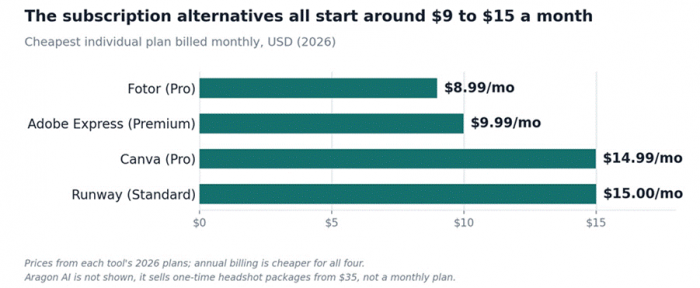
Figure 1. Entry monthly pricing for the four subscription alternatives, 2026.
If budget is the deciding factor, Fotor and Adobe Express are the cheapest doorways in, and every subscription tool has a free tier or trial so you can test before paying. For headshots only, weigh Aragon's one-time fee against twelve months of a subscription you might barely use the rest of the year.
How to choose
Match the tool to the job rather than hunting for a single winner:
•All-in-one with the gentlest learning curve: Canva.
•Brand-safe AI for business content: Adobe Express.
•Cheapest photo editing and quick headshots: Fotor.
•Serious AI video: Runway.
•One-and-done professional headshots: Aragon AI.
My verdict
There is no single best Supawork alternative, because Supawork was trying to be five tools at once. If I could keep only one for general use, I would take Canva for the breadth and the easy on-ramp, since it covers the widest slice of what Supawork does with the least friction.
But I would not force everything through it. For video I would pay for Runway, and for a polished LinkedIn photo I would spend $35 on Aragon rather than sign up for another monthly plan. The honest move is to pick by the job in front of you, start on the free tiers where they exist, and only pay once a tool has earned it on your own work.
Post Comment
Be the first to post comment!





