On This Page
- Quick Overview (What You’re Actually Getting)
- The Login Experience: Suspiciously Smooth
- The Real Test: Custom Trap Song Experiment
- How the Workflow Actually Feels in Practice
- Output Quality: Where It Impresses and Where It Slips
- Pricing: What You Actually Get for Your Money
- Final Verdict: A Tool That Changes How You Think About Music
Let’s start with a small confession.
This review was supposed to be “just testing a tool.”
It turned into accidentally producing a late-night Atlanta trap track with emotional depth, clean hooks, and a voice that sounded like it had lived a harder life than me.
Suno AI is not one of those tools you casually try and forget. It sits in that uncomfortable space where you realize the tech is moving faster than your creative excuses. One moment you’re typing a vibe, the next moment there’s a full song playing back with structure, vocals, and a hook that sticks.
This article is not theory. It is based on actual usage, including custom lyrics, style prompting, multiple generations, and the kind of testing most people do after midnight when creativity gets a little dramatic.
Quick Overview (What You’re Actually Getting)
| Field | Details |
| Tool Name | Suno AI |
| Category | AI Music Generator |
| Core Function | Text → Full Song (vocals + music + structure) |
| Platforms | Web, Mobile |
| Free Plan | Yes |
| Paid Plans | Pro ($8–$10/month), Premier ($24–$30/month) |
| Best For | Creators, hobby musicians, rapid ideation |
| Limitation | Control precision, consistency issues |
The Login Experience: Suspiciously Smooth
The first surprise comes before you even make music.
You sign up expecting the usual ritual of digital suffering. OTPs, email verification, captcha puzzles that question your humanity. Instead, Suno just logs you in and drops you into the interface like it trusts you more than most apps trust their own developers.
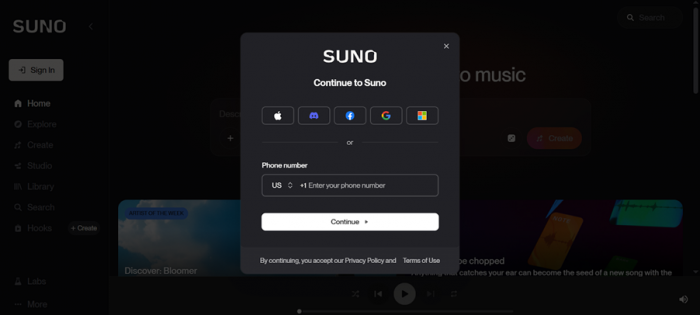
That lack of friction changes the entire tone of the experience. There is no delay between curiosity and action. You go from “let me try this” to “I’m already generating a song” in under a minute, which makes experimentation dangerously easy.
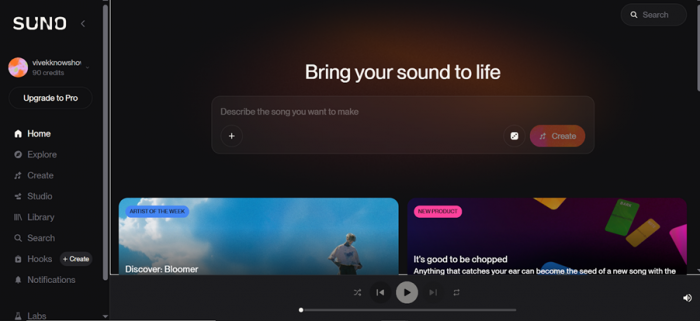
From a usability standpoint, this is one of the smartest decisions in the product. It removes hesitation. There is no onboarding fatigue, no tutorial overload, and no forced walkthrough trying to explain features you haven’t even seen yet.
What stood out immediately:
- No OTP or verification loop
- No onboarding tutorial interruption
- Instant access to the core tool
- Clean interface with no clutter
It feels less like signing up for software and more like opening a creative shortcut.
The Real Test: Custom Trap Song Experiment
Instead of relying on AI-generated lyrics, the test used a fully written track with structured sections. This matters because Suno behaves very differently when you feed it real lyrical intent versus vague prompts.
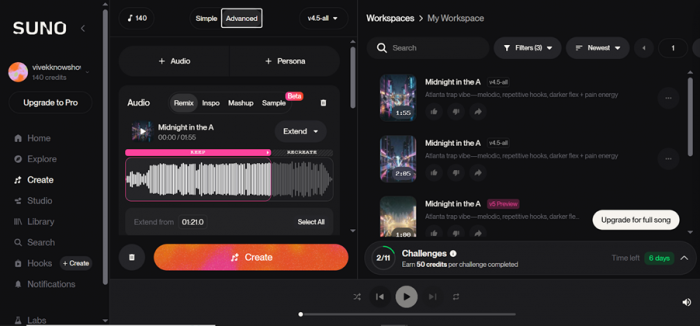
The lyrics were built around a dark Atlanta trap theme, combining flex energy with underlying emotional tension. The structure included chorus, hook, verses, and outro, giving the AI a clear blueprint to follow.
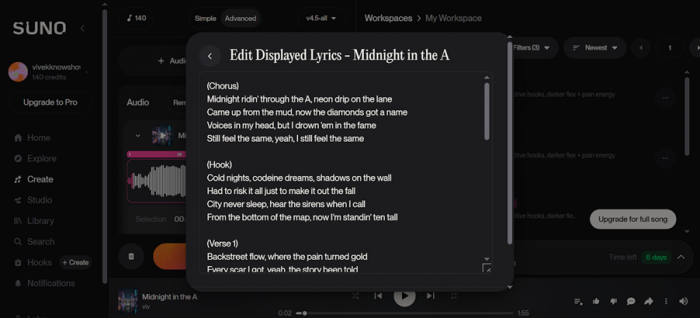
“(Chorus)
Midnight ridin’ through the A, neon drip on the lane
Came up from the mud, now the diamonds got a name
Voices in my head, but I drown ’em in the fame
Still feel the same, yeah, I still feel the same
(Hook)
Cold nights, codeine dreams, shadows on the wall
Had to risk it all just to make it out the fall
City never sleep, hear the sirens when I call
From the bottom of the map, now I’m standin’ ten tall
(Verse 1)
Backstreet flow, where the pain turned gold
Every scar I got, yeah, the story been told
Young soul lost, but the money came fast
Tryna outrun ghosts from a life in the past
Rain on the window, tears I conceal
Hard to trust love when it never felt real
Friends turn strangers when the lights get bright
Had to learn alone how to move through the night
(Chorus)
Midnight ridin’ through the A, neon drip on the lane
Came up from the mud, now the diamonds got a name
Voices in my head, but I drown ’em in the fame
Still feel the same, yeah, I still feel the same
(Verse 2)
Engine hum low, got the bassline heavy
Heart so cold but the wrist stay ready
Dreams got bigger than the block I knew
Now the skyline view got a different hue
Lost a couple bros to the game we played
Pour a little out for the debts unpaid
Life too fast, can’t rewind the scene
So I live every night like a fever dream
(Outro)
Yeah… city lights don’t heal the scars
But they show you who you are
Midnight in the A… still chasing stars”
The style input was equally important. Instead of saying “rap song,” the prompt specified a melodic Atlanta trap vibe with repetitive hooks and a darker emotional tone. That level of specificity directly influenced the output quality.
“trap/Atlanta-inspired lyrics with that moody, melodic vibe”
The result was surprisingly coherent. The chorus landed with the right rhythm, the hook carried repetition without feeling forced, and the verses maintained a consistent vocal mood. It didn’t feel like stitched audio. It felt like a demo track that someone could realistically refine further.
Key observations from this test:
- The AI respected section labels like chorus and verse
- Vocal tone aligned with trap genre expectations
- Hooks felt naturally repetitive rather than robotic
- Emotional consistency was maintained across the track
How the Workflow Actually Feels in Practice
Using Suno is simple on the surface, but the experience evolves as you spend more time with it. It starts as a fun experiment and slowly turns into a system you begin to understand and work around.
The first stage is prompting. You describe what you want in natural language, including mood, genre, and tone. The difference between a basic prompt and a detailed one is massive. A vague idea produces something usable. A specific idea produces something surprisingly intentional.
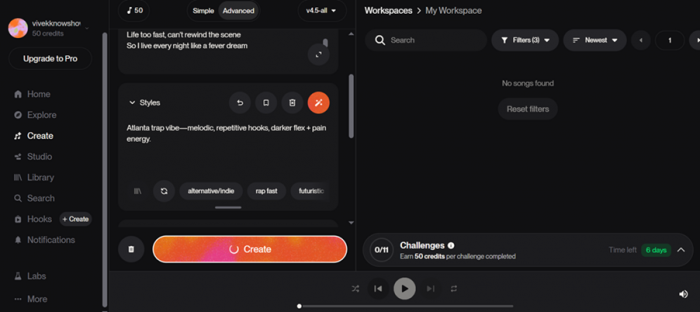
Then comes generation. Suno creates two variations of your prompt, which is one of its smartest design choices. It acknowledges that creative output is subjective and gives you options instead of forcing a single interpretation.
The final stage is iteration. This is where you realize Suno is not an editing tool in the traditional sense. You are not refining a track line by line. You are guiding a system and regenerating until it aligns with your vision.
What defines the workflow:
- Prompt quality directly impacts output quality
- Two variations improve decision-making instantly
- Iteration relies on regeneration, not editing
- You act more like a director than an editor
It feels less like producing music and more like steering a creative engine.
Output Quality: Where It Impresses and Where It Slips
Suno’s output is where the tool either wins you over or reminds you it’s still AI. The results are not consistently perfect, but they are often impressive enough to keep you engaged.
Vocals are the standout feature. They carry emotion, shift between sections, and adapt to genre surprisingly well. In genres like trap, pop, and R&B, the delivery can feel natural enough that casual listeners would not question it.
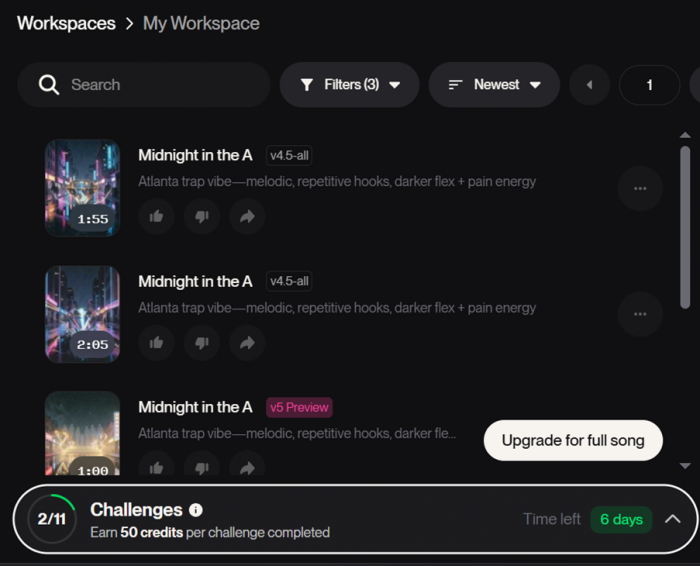
Structure is another strength. The AI understands pacing. It knows when to build energy and when to hold back. Choruses feel bigger than verses, and hooks are positioned correctly, which makes the songs feel complete rather than experimental.
Where it struggles is in precision. You cannot control micro-details. If the AI stretches a note too long or slightly misinterprets tone, there is no way to fix that specific moment. You regenerate and hope for a better version.
Where it performs best and worst:
- Strong in mainstream genres like trap, pop, and R&B
- Consistent structure with proper song flow
- Emotional vocals that match tone surprisingly well
- Limited control over fine details and adjustments
It is impressive, but not surgical.
Limitations: The Reality Behind the Hype
Suno becomes more interesting when you start noticing what it cannot do. The limitations are not dealbreakers for casual users, but they matter if you are thinking beyond experimentation.
The biggest limitation is control. You cannot tweak individual elements of a track. There is no way to adjust a specific instrument or fix a single lyric line. The system is designed around regeneration, not refinement.
Consistency is another issue. The same prompt can produce very different outputs. This is exciting when exploring ideas but frustrating when you want to reproduce something specific.
The final limitation is lyrical quality when left to the AI. Without custom input, the lyrics tend to lean toward predictable themes and familiar patterns. Writing your own lyrics significantly improves results.
Key limitations to keep in mind:
- No precise editing of individual elements
- Output varies even with identical prompts
- AI-generated lyrics can feel generic
- Iteration depends heavily on trial and error
It rewards patience, not control.
Pricing: What You Actually Get for Your Money
| Plan | Price | Credits | Songs | Commercial Use | Key Access |
| Free | $0 | 50/day | ~10/day | ❌ No | v4.5 model |
| Pro | $8–$10/month | 2,500/month | ~500 | ✅ Yes | v5 model |
| Premier | $24–$30/month | 10,000/month | ~2,000 | ✅ Yes | v5 + Studio |
The free plan is genuinely usable. It allows enough daily generations to explore the platform without feeling restricted. For casual users, it is more than enough to understand what the tool can do.
The Pro plan is where the real value begins. You get access to the newer model, faster generation, and commercial rights. If you are creating content or planning to use the music publicly, this becomes necessary.
Premier is designed for volume and deeper workflows. It is not essential for most users but makes sense if you are generating large amounts of content or need advanced editing capabilities.
What the pricing reflects:
- Free tier is strong for experimentation
- Pro unlocks quality and usability
- Premier targets high-volume users
- Commercial rights require paid plans
Who Should Actually Use Suno AI
Suno is not for everyone, and that is what makes it interesting. It fits certain workflows extremely well while feeling limited in others.
For content creators, it is a powerful tool. You can generate background music, hooks, and experimental tracks quickly without relying on external resources. It reduces dependency on stock music and speeds up production cycles.
For hobbyists, it is even more valuable. It allows you to explore music creation without needing technical knowledge or expensive software. The barrier to entry is almost zero.
For professionals, it becomes more of a supporting tool. It works well for ideation and early drafts but still requires traditional tools for final production.
Where it fits best:
- Content creators needing fast music
- Hobby users exploring music creation
- Songwriters testing ideas quickly
- Not ideal for precision-driven production
Final Verdict: A Tool That Changes How You Think About Music
Suno AI is not just another AI tool. It changes how quickly ideas can become something tangible. That alone shifts how people approach creativity.
It is not perfect. It lacks control, consistency, and precision in certain areas. But it compensates with speed, accessibility, and surprisingly strong output quality in the right conditions.
The most important thing it does is remove friction. You don’t spend hours setting up a project. You don’t need technical knowledge. You simply describe what you want and hear it come to life.
And that is where it becomes addictive.
Because once you realize how fast you can go from idea to song, going back to slower workflows feels very different.
FAQs
1. Is Suno AI free to use?
Yes, with daily credits, but free songs cannot be used commercially.
2. Can I use my own lyrics?
Yes, and it significantly improves output quality.
3. Does it sound realistic?
In many cases, especially in mainstream genres, yes.
4. Can I edit songs after generating them?
Only at a basic level unless using higher plans.
5. Is it suitable for professional music production?
Better for ideation than final production.
Post Comment
Be the first to post comment!





