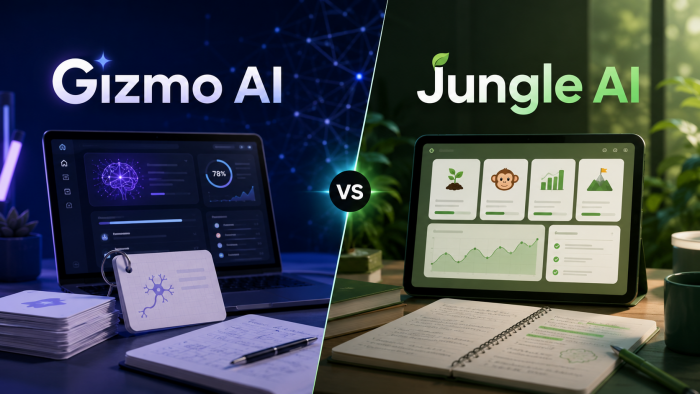
There’s a point in every study session where you stop learning and start reorganizing notes, renaming files, and wondering why you opened five tabs just to understand one topic. Gizmo AI clearly understands that pain. Instead of asking users to build flashcards manually, it promises to turn almost anything into a structured learning system in seconds.
At first glance, it looks like another AI tool riding the productivity wave. But after spending time with it, Gizmo AI feels less like a chatbot and more like a study engine that quietly takes over the boring parts of learning. The pitch is simple: upload your content, and the app handles the rest.
What makes it interesting is not just automation, but how aggressively it tries to convert everything into a repeatable learning loop. Notes become flashcards. Flashcards become quizzes. Quizzes become a game. And before you realize it, you are chasing streaks instead of procrastinating.
What Gizmo AI actually is
Gizmo AI positions itself as an AI-powered flashcard maker and tutor, not a general-purpose assistant. That distinction matters. It is not trying to replace tools like ChatGPT. It is trying to replace your messy study workflow.
The platform converts inputs from multiple sources into structured learning material. You can import PDFs, YouTube videos, PowerPoint slides, Quizlet decks, Anki decks, or even photos of handwritten notes. Instead of leaving you with raw content, Gizmo transforms it into question-and-answer style flashcards ready for revision.
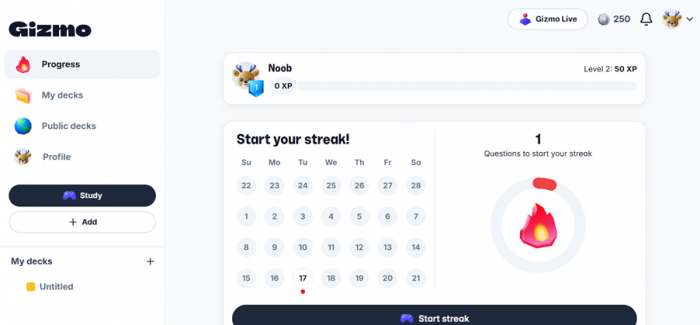
Where it becomes more interesting is how it blends multiple learning systems into one experience. It combines active recall, spaced repetition, and gamification into a single loop. That means you are not just reading cards. You are constantly being tested, scored, and nudged back into weak areas.
It feels closest to a hybrid between Quizlet, Anki, and an AI tutor layered on top. The difference is that Gizmo leans heavily toward automation. You spend less time creating material and more time interacting with it.
Overview: What you get with Gizmo AI
| Field | Details |
| Tool Name | Gizmo AI |
| Category | AI Learning & Flashcard Tool |
| Core Use | Convert study material into flashcards and quizzes |
| Platform | Web, iOS, Android |
| Pricing Model | Freemium (Lives system + Unlimited plan) |
| Best For | Students, exam prep, certification learners |
| Main Limitation | Free tier restrictions, English-focused |
How Gizmo AI works in real usage
The workflow is surprisingly straightforward, which is probably why it feels addictive after a few sessions. You start by importing content. This can be anything from a YouTube lecture to a PDF or an existing deck from Quizlet or Anki. Even photos of handwritten notes are accepted, which is useful if your notebook looks like a crime scene of half-finished ideas.
Once uploaded, the AI processes the content and extracts key concepts. It automatically generates flashcards in a Q and A format, often adding extra cards based on context. This part feels fast for smaller files, but larger or dense documents can slow things down or require splitting.
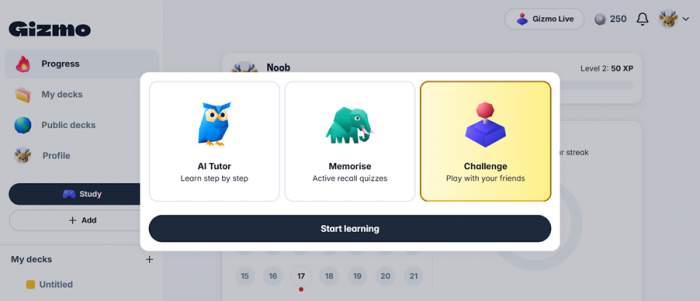
The study phase is where Gizmo starts behaving differently from traditional tools. Instead of passively flipping cards, you are pushed into quizzes that include multiple-choice and written answers. Wrong answers cost lives on the free plan, which turns studying into a strange mix of learning and survival.
Behind the scenes, spaced repetition kicks in. Harder cards appear more often, while easier ones fade into the background. Over time, this creates a rhythm where you revisit just enough material to retain it without feeling overwhelmed.
Core features that actually matter in practice
AI Flashcard Generator
This is the backbone of Gizmo AI. It takes raw content and converts it into structured flashcards almost instantly. For straightforward material like lecture notes or basic PDFs, the output is clean and usable with minimal edits.
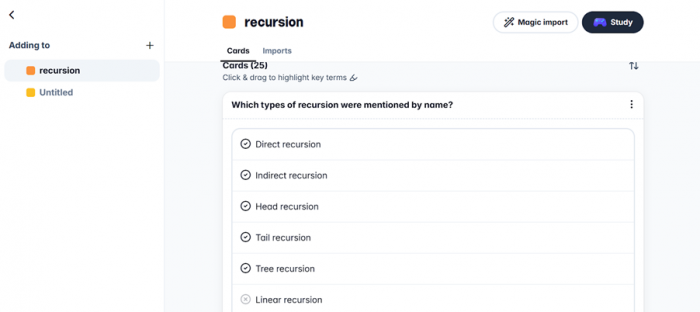
However, when dealing with dense academic documents or poorly formatted slides, the quality can drop. Some cards become too vague or overly simplified, which means you still need to review and refine them.
Quiz Engine
The quiz system turns passive revision into active testing. Multiple-choice and written questions are generated from your decks, forcing recall instead of recognition.
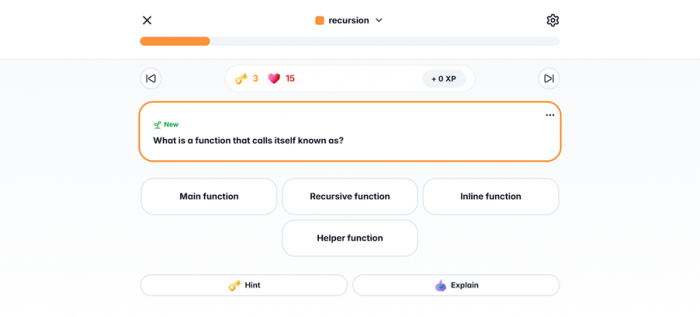
The life system adds pressure. It makes sessions more engaging, but it can also feel restrictive when you are trying to study seriously and run out of attempts mid-session.
AI Tutor
The built-in tutor behaves like a lightweight assistant for explanations. It can break down concepts, answer questions, and guide you through topics step by step.
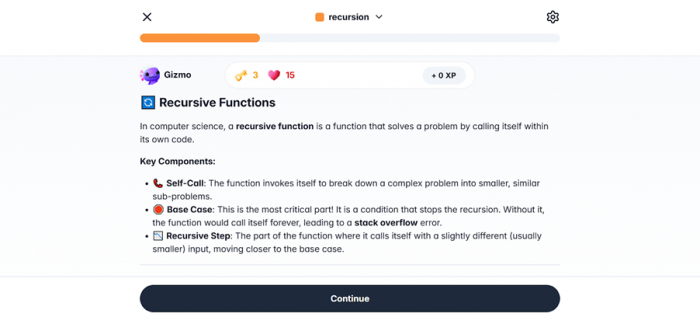
For school-level subjects, it performs well. For advanced or highly technical material, it can feel slightly surface-level, but still useful for quick clarification.
Spaced Repetition and Active Recall
This is where Gizmo quietly does the heavy lifting. The system schedules reviews intelligently so you revisit content just before forgetting it.
It works well for long-term retention, especially when combined with quizzes. Over time, it builds a structured learning routine without requiring manual planning.
Import Ecosystem
One of Gizmo’s strongest advantages is how flexible it is with inputs. You can import from multiple sources, including existing flashcard platforms and media content.
This reduces friction significantly. Instead of rebuilding material from scratch, you can reuse what you already have and improve it with AI.
Progress Tracking and Gamification
Streaks, leaderboards, and performance metrics give the app a Duolingo-like feel. It keeps you engaged, but it can also feel slightly superficial for users who prefer a more serious, distraction-free environment.
What using Gizmo AI actually feels like
The onboarding is quick, almost suspiciously quick. Signing in does not require an OTP in most cases, which makes access seamless but might raise eyebrows for users expecting stricter verification.
Once inside, the interface is clean and easy to navigate. Generating flashcards is fast for small inputs, and the learning loop feels intuitive. You are guided naturally from content creation to revision without needing to think about the process.
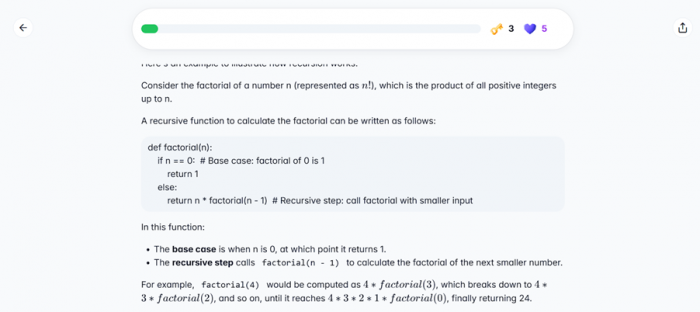
The biggest friction appears with heavier workloads. Large PDFs can slow things down, and some generated cards need manual editing. It is not a completely hands-free experience, despite what the marketing might suggest.
Still, for everyday study use, it removes enough manual effort to feel like a genuine upgrade over traditional methods.
Pricing and what you actually get
Without Student Discount
| Plan | Duration | Price | Weekly Cost | Access & Limits |
| Free Plan | Ongoing | $0 | — | 15 lives/day, 10 AI quizzes/day, limited features |
| Last Minute Plan | 1 Week | $5.99 | $5.99/week | Full access for short-term use |
| Top of Class Plan | 1 Year | $77.22 | ~$1.48/week | Unlimited lives, quizzes, AI tutor, imports |
With Student Discount Enabled
| Plan | Duration | Price | Weekly Cost | Savings | Access & Limits |
| Free Plan | Ongoing | $0 | — | — | Same as above |
| Last Minute Plan | 1 Week | $2.99 | $2.99/week | ~50% off | Full access for short-term use |
| Top of Class Plan | 1 Year | $38.22 | ~$0.74/week | ~50% off | Unlimited access across all features |
Strengths and limitations (the real ones)
| Strength | Why It Matters |
| Automates flashcard creation | Saves hours of manual work |
| Strong import system | Reuse existing content easily |
| Structured learning loop | Improves retention over time |
| Engaging quiz system | Keeps study sessions active |
| Limitation | Where It Breaks |
| Free plan limits | Interrupts serious study sessions |
| Input-dependent quality | Weak inputs lead to weak cards |
| Performance issues on large files | Requires manual splitting |
| Limited multilingual support | Not ideal for non-English learners |
Gizmo AI vs Quizlet vs Anki
| Feature | Gizmo AI | Quizlet | Anki |
| AI Automation | High | Low | None |
| Ease of Use | Very High | High | Medium |
| Custom Control | Medium | Medium | Very High |
| Learning System | Spaced + Gamified | Basic + Games | Advanced Spaced Repetition |
| Best For | Fast learning workflows | Classroom sharing | Power users |
Gizmo focuses on speed and convenience. Quizlet focuses on scale and sharing. Anki focuses on control and customization.
Where Gizmo AI works best (and where it doesn’t)
| Scenario | Fit | Why |
| Exam preparation | Excellent | Structured repetition + quizzes |
| Quick revision | Strong | Fast card generation |
| Certification prep | Good | Time-saving workflows |
| Deep academic study | Moderate | Needs manual refinement |
Small things that stand out (good and odd)
- Login is frictionless, no OTP required
- Feels fast and accessible right from the start
- Gamification can motivate or annoy depending on the user
- AI sometimes over-simplifies complex material
Final verdict: Should you use Gizmo AI?
Gizmo AI is not trying to be everything, and that works in its favor. It focuses on one problem and solves it well: turning raw study material into a structured learning system.
It saves time, builds consistency, and makes studying feel less chaotic. At the same time, it is not perfect. You still need to review AI-generated cards, manage limitations, and occasionally deal with performance hiccups.
For students and exam-focused learners, it is one of the more practical AI tools available right now. For power users who want complete control, tools like Anki still hold an edge.
In simple terms, Gizmo AI does not replace studying. It just removes most of the boring parts so you can focus on actually learning.
Post Comment
Be the first to post comment!