Every landing page tool in 2026 claims AI. Most mean a "Generate with AI" button glued onto a 2018 builder. A handful mean something real.
I spent six months testing the platforms that keep landing on marketing-team shortlists. Built lead magnets, ad landers, multilingual funnels, the works. Some I'd pay for. Some I wouldn't touch with someone else's credit card.
Five tools made the cut. Each solves a genuinely different problem, which means the trick is figuring out which problem you actually have. Pick wrong and you'll pay $187/month to optimize a $200 ad budget. Pick right and you'll wonder why you waited.

The Real AI Landing Page Builder Ranking for 2026
Framer AI
The designer's tool that keeps choosing its own aesthetic
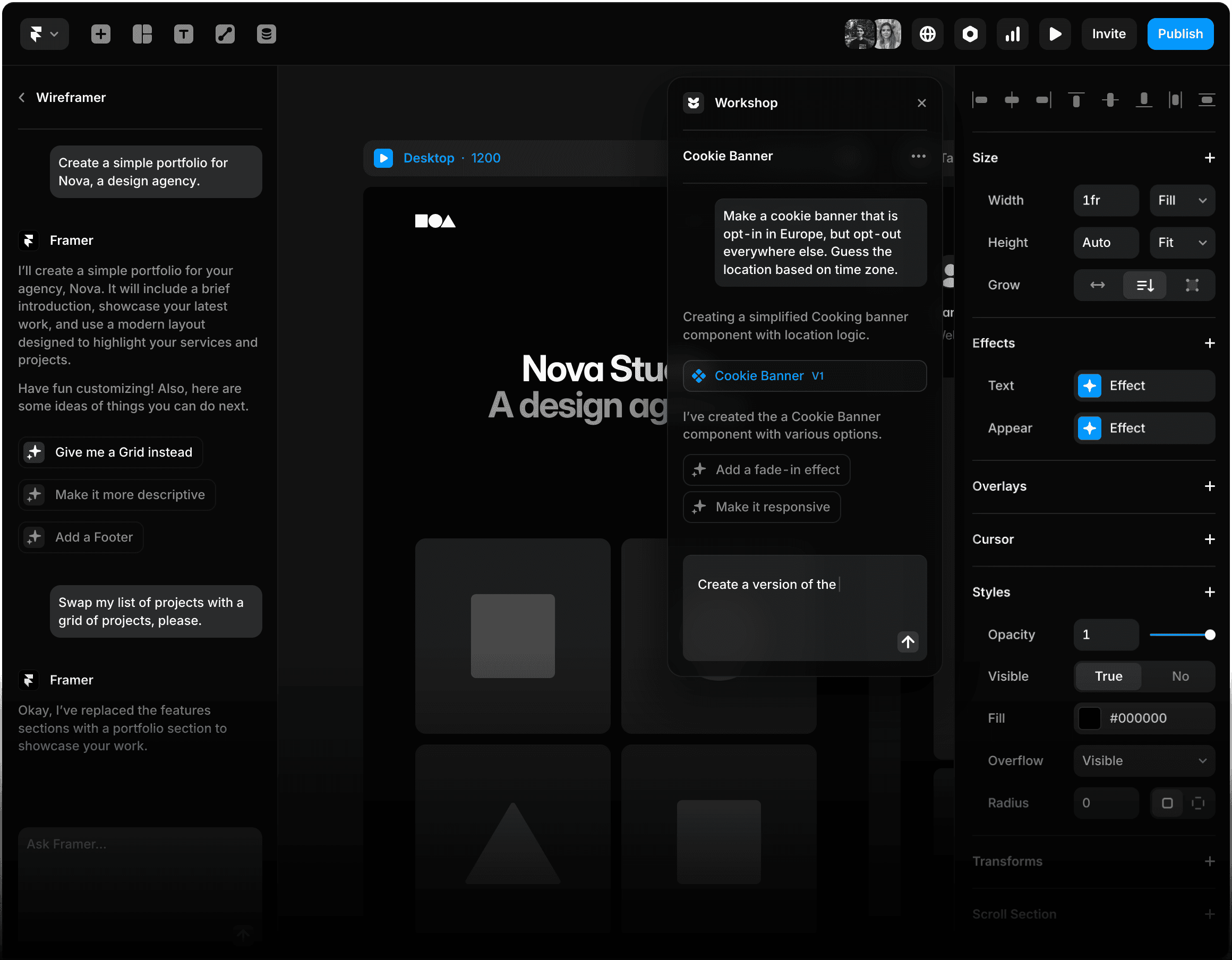
Ask Framer's Wireframer to design "a landing page for a SaaS startup." Then ask it again with slight variations. Then a third time. The hero layouts come back nearly identical. Same generous whitespace, same large headline, same gradient blob in the upper-right corner. Framer has a house style, and the AI defaults to it relentlessly.
That isn't entirely a complaint. The house style is genuinely good. But it means anyone who's seen six Framer sites will recognize the seventh on sight. For brands trying to look distinct, that's a problem you'll solve manually. For solo founders who just want a page that doesn't look broken, it's a feature.
4.7/5 G2 (385+ reviews) | 4.7/5 Capterra (110+ reviews) | <60s Prompt to publishable page |
What Wireframer actually does
Turning a prompt into a real, editable, publishable page in under 60 seconds. The components are real components. The animations are real animations. You can ship the output. Of every AI builder I tested, Framer was the only one where I didn't immediately need to fix typography or repair layout collapse on mobile after generation.
The form-logic wall
Framer's native form builder handles email-and-name capture fine. Anything beyond that demands a second tool. Multi-step forms, conditional fields, lead routing to a CRM, or payment capture all required external services in my projects. I ended up wiring Tally for a webinar signup, then HubSpot for a B2B lead qualifier. If your landing page is gated content with three form fields, Framer is fine. If it's a complex lead qualifier or a checkout flow, look elsewhere immediately.
The CMS squeeze nobody warns you about
Basic plan at $10/month annual gives you exactly one CMS collection. One. Need a blog and a portfolio and case studies? You're forced into Pro at $30. This is a deliberate squeeze and it works. Three of my projects migrated to Pro within four weeks of launch because of this single limitation.
Pricing structure (annual billing)
| Plan | $/mo | Pages | CMS Collections | Bandwidth |
|---|---|---|---|---|
| Free | $0 | 1,000 (subdomain) | 10 | Limited |
| Basic | $10 | 30 | 1 | 10 GB |
| Pro | $30 | 150 | 10 | 100 GB |
| Scale | $100 | 300 | 20 | 200 GB |
| Enterprise | Custom | Custom | Custom | Premium CDN |
Bottom line: Pay for Framer if your landing page lives or dies on visual quality and animation. Don't pay for it if you need real CRO infrastructure or complex form logic.
Unbounce
Where the unit economics either work or don't, with no middle ground
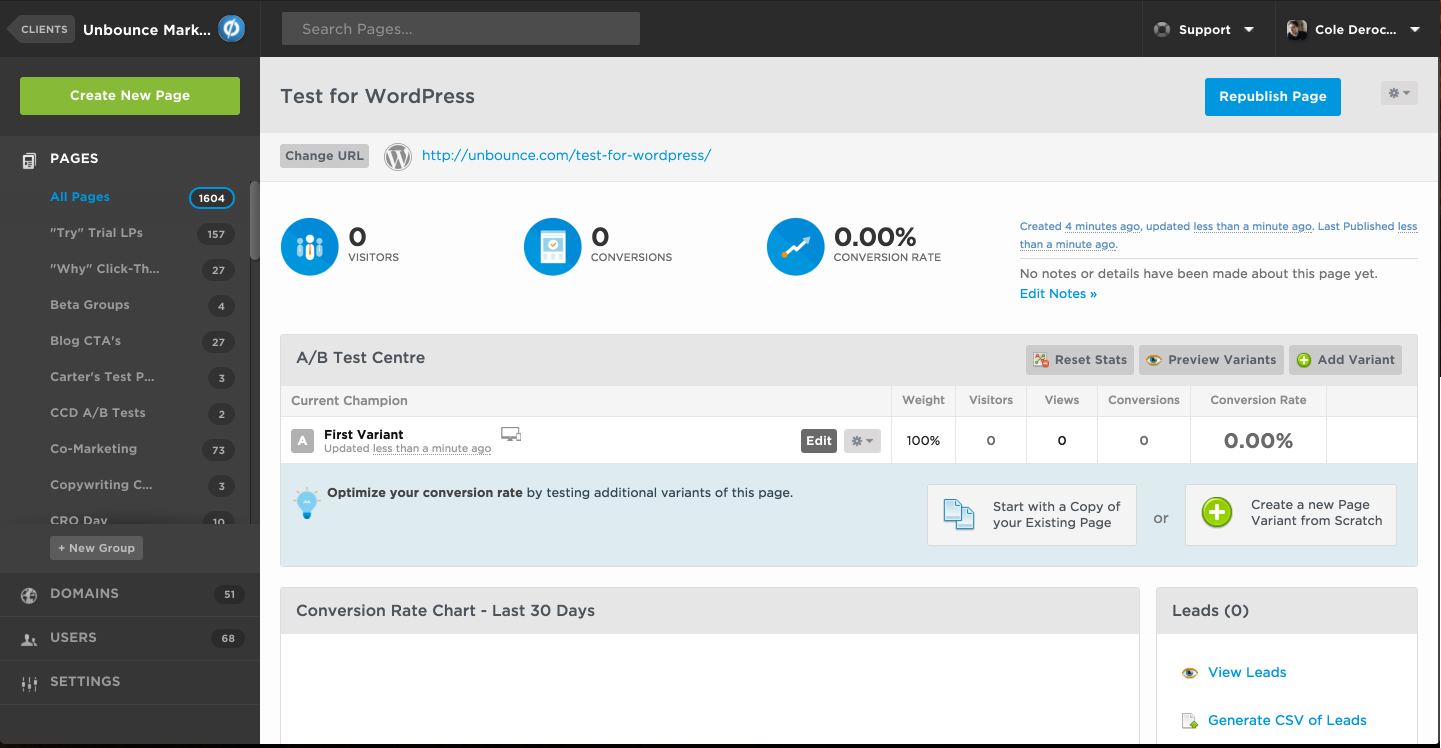
Unbounce's pitch is that Smart Traffic will lift your conversions 30% without manual A/B testing. The number is technically defensible. The math underneath it, less so.
Smart Traffic needs roughly 50 visits per variant before its model starts routing intelligently. Run a campaign with three variants and 5,000 monthly visitors split across them, and you're looking at about five days before optimization activates in any meaningful way. For continuous always-on campaigns, fine. For two-week product launches, you'll often run the entire campaign before Smart Traffic is helping at all.
THE MATH NOBODY PUBLISHES Smart Traffic unlocks at $187/month annual ($249 monthly) on the Optimize plan. Below that, you are paying premium pricing for a builder that competes with $30 alternatives. Break-even calculation: If Smart Traffic delivers a 30% conversion lift on a $5,000/month ad budget, that's roughly $1,500 in additional pipeline value. The $187 monthly fee makes sense. On a $1,000/month ad budget, the lift is $300, which barely covers the subscription. Below that, Unbounce becomes negative ROI. The honest threshold: Don't pay for Unbounce until your monthly paid traffic spend exceeds roughly $5,000. Below that, a $30/month tool with manual A/B testing wins on cost-per-conversion. |
Smart Builder is fine, but it's not why anyone pays. Smart Builder generates page layouts from prompts and produces industry-aware copy. It works. But almost nobody pays for Unbounce because of Smart Builder. They pay for Smart Traffic and Dynamic Text Replacement, which automatically swaps landing-page headlines to match the search keywords visitors clicked. DTR genuinely lifts Google Ads Quality Score, which lowers cost per click, which compounds across spend.
What's broken in 2026. Unbounce does not auto-generate mobile layouts. Every page demands manual mobile optimization. After AI generates a hero section, you switch to mobile view and find text overlapping images half the time. This isn't an edge case. It's the default behavior. The billing complaints (Trustpilot 1.9/5 from 177 reviews) are not fabricated. Multiple users report subscription rate hikes of 200 to 400% on plan migrations. Get pricing in writing before signing anything.
Pricing
| Plan | Monthly | Annual ($/mo equiv.) | Visitors/mo | Smart Traffic |
|---|---|---|---|---|
| Build | $99 | $74 | 20,000 | No |
| Experiment | $149 | $112 | 30,000 | No |
| Optimize | $249 | $187 | 50,000 | Yes |
| Concierge | Custom | Custom | 100,000+ | Yes + dedicated CSM |
THE RATING SPLIT IS THE STORY G2: 4.4/5 (384 reviews). Capterra: 4.5/5 (257 reviews). Trustpilot: 1.9/5 (177 reviews). Three legitimate review platforms cannot disagree this hard by accident. People building pages with Unbounce like the product. People dealing with the billing department do not. Read the renewal terms twice before signing. |
Coverage Snapshot
Where each tool wins outright and where it leaves visible gaps
Before continuing to the remaining three tools, here's a single matrix showing where each platform is genuinely best in class versus where the gaps show. Scoring reflects six months of hands-on testing across multiple campaign types, not vendor self-assessment.

The pattern: no tool wins everywhere. Unbounce dominates conversion infrastructure but is weak on mobile responsiveness. Instapage owns form logic and integrations but underperforms on AI page generation. Landingi is the most balanced generalist. Relume scores a perfect 5 on AI page generation, but only because that's literally the only thing it does.
Instapage
The tool you graduate to when paid traffic complexity breaks your spreadsheet
SCENARIO You are running 47 ad groups across Google, Meta, and LinkedIn. Each ad group should ideally point to a slightly different landing page. You have 12 actual landing pages because making 47 was impossible. You have no idea which ad-page combinations are underperforming. This is the problem Instapage solves. |
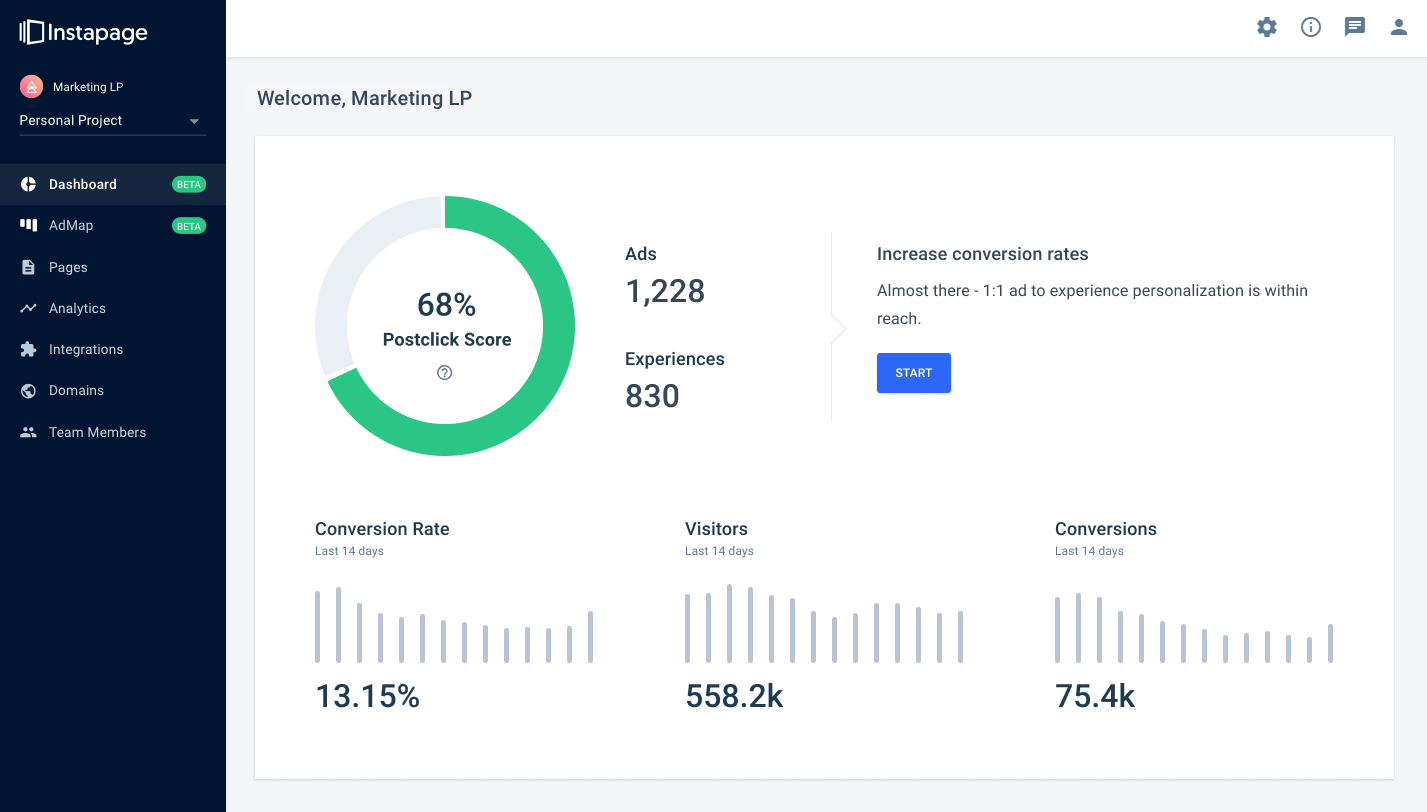
If you're running 5 ad groups, you don't have this problem. A spreadsheet handles it. At 30 ad groups, the spreadsheet starts breaking. At 100, you're losing meaningful budget to ad-page mismatch and you don't even know which ones. AdMap is the visual canvas where every ad group connects to a dedicated landing page variant, and it pushes updates from one place. That's it. That's the product.
Everything else about Instapage (the editor, AI copy generation, server-side A/B testing, heatmaps, Thor Render Engine) is competent. AdMap is the unique thing nobody else does well. If AdMap doesn't solve a problem you actively have, Instapage probably isn't worth $159 per month.
PAGESPEED TESTED, NOT CLAIMED Instapage advertises 3x faster page loads than standard builders. I ran sample Instapage and Unbounce pages through Google PageSpeed Insights repeatedly across a two-week window. Instapage average: 91 mobile / 97 desktop. Unbounce average: 76 mobile / 88 desktop. The 3x claim is exaggerated. The gap is real and material. Across a $30K/month ad budget, the Quality Score improvement from faster pages recovers high-four-figure dollars annually. |
Where Instapage is genuinely weak: Full-page AI generation from scratch. Framer and Landingi can take a one-sentence prompt and output a complete landing page. Instapage's AI is much more conservative. It generates copy variations and section suggestions, but you're still doing the layout work manually. This is a deliberate philosophical choice, not laziness. If "type prompt, get page" is the workflow you want, they're not the answer.
The pricing trap: Create plan at $79/month annual is mostly useless. No A/B testing, no heatmaps, no advanced features. The actual product starts at Optimize ($159/month annual). The Capterra value-for-money sub-score (4.0/5) is the lowest sub-rating across major review platforms. People love the tool and openly resent the bill.
Pricing
| Plan | Monthly | Annual ($/mo) | Visitors/mo | Sub-domains |
|---|---|---|---|---|
| Create | $99 | $79 | 15,000 | 1 |
| Optimize | $199 | $159 | 30,000 | 5 |
| Convert | ~$2,500 | Custom | 100,000+ | Unlimited |
Decision criteria
| You should buy Instapage if | You manage 50+ ad groups, run $25K+ in monthly paid spend, and have lost track of which ad-to-page combos actually convert. AdMap will pay for itself. |
| You should skip it if | You're a bootstrapped founder, you want full-page AI generation from a prompt, or your traffic is mostly organic. You'll pay premium prices for features you can't use yet. |
| You should wait if | You're below the 50-ad-group threshold but expect to cross it within 6 months. Lock pricing during free trial and commit only when AdMap is solving an active pain. |
Landingi
The budget-conscious agency tool that wins on one specific axis
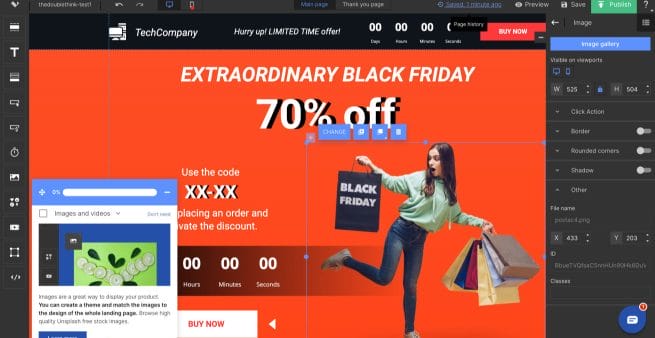
Landingi does most of what Instapage and Unbounce do, at roughly 30 to 40% of the price, with one feature that genuinely beats both. The honest comparison is best framed as a real workflow test, not a feature checklist.
REAL WORKFLOW: 12-PAGE FUNNEL TRANSLATED INTO 4 LANGUAGES Landingi: Click language icon. AI translates. Four locale-specific URLs share a single source of truth. Update master, all four update. Total time including QA: ~90 minutes. Instapage / Unbounce: Duplicate page three times. Manually translate each. Manage four separate URLs that drift apart over time. No shared source of truth. Total time: a full working day, sometimes two. For agencies running pan-European or LATAM campaigns, this is hours saved per launch, not minutes. It is the single feature that justifies Landingi over its more expensive rivals. |
AI features rate as competent, not exceptional. AI Composer (page generation from prompts) produces usable but generic outputs. AI Text Generator handles copy variations well. AI SEO Generator outputs decent meta tags. Individually, none of these features are best in class. Together at $69/month including A/B testing, they're the best value in the entire category.
Where Landingi consistently disappoints: Viewport rendering. The same page renders subtly differently across breakpoints. I had a hero section that looked perfect on desktop, then on the 1024px breakpoint the CTA button dropped below the fold and the headline broke awkwardly. This isn't a rare edge case. Multiple Capterra reviews mention this exact issue. Plan for breakpoint debugging time that you wouldn't spend in Framer or Instapage.
The Agency tier is the secret weapon. $109/month gets you white-label rebranding, sub-account management, and 100,000 monthly visits. Unbounce charges agencies roughly twice that for comparable features. If you're running 10+ client landing pages monthly, this tier is genuinely difficult to beat on price-per-feature math.
Pricing
| Plan | Annual ($/mo) | Visits/mo | Domains | A/B Testing |
|---|---|---|---|---|
| Free | $0 | 500 | 0 | No |
| Lite | $29 | 5,000 | 1 | No |
| Professional | $69 | 50,000 | 10 | Yes |
| Agency | $109 | 100,000 | 20 | Yes (white-label) |
| Unlimited | $209 | Unlimited | Unlimited | Server-side |
Bottom line: Best agency tool for high-volume, multi-language work. Wrong tool if you need premium hero design or pixel-perfect cross-breakpoint consistency.
Relume
Not actually a landing page builder, and that distinction matters
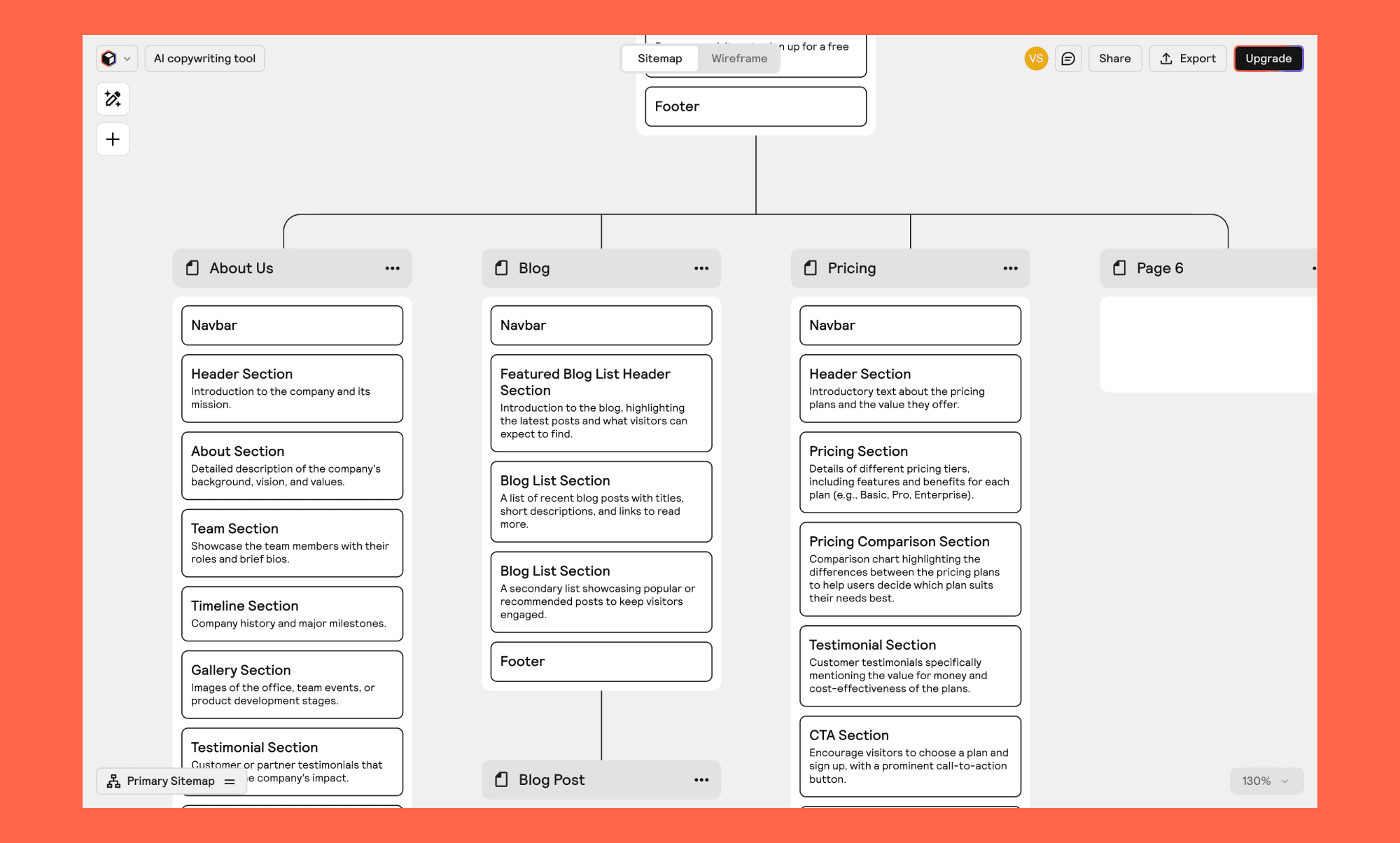
What Relume isn't
Relume isn't a landing page builder. Including it on this list is debatable. I'm including it because in 2026, a meaningful percentage of high-quality landing pages start in Relume before they ever touch a hosting platform. Relume's marketing copy describes it as an "AI-powered website builder," which implies it builds websites. It doesn't. It builds wireframes that you then build into websites in Webflow or Figma. This distinction is the source of every negative G2 review.
What Relume actually is
Type a sentence about your business. Relume generates a sitemap with logical page hierarchy. One click converts that sitemap into wireframes built from a 1,000+ component library, with AI-generated copy already populated. Export to Figma or Webflow. Finish the design there. This is unambiguously a designer's tool. It accelerates the boring 4 to 6 hour pre-design phase (figuring out site structure, picking sections, assembling wireframes) into roughly 20 minutes.
THE DEPENDENCY TAX NOBODY MENTIONS Relume's sticker price looks reasonable. The realistic cost looks different. Relume Starter: $32/month Webflow (required): $14 to $39/month Figma Pro (required): $15/month True minimum monthly cost: $61 to $86, before any client-specific subscription stacks. If you weren't already in the Webflow/Figma ecosystem, Relume is not a reason to migrate. |
What's genuinely impressive: The component library is human-built, not AI-generated. The layouts hold up structurally. AI tools that generate components from scratch produce subtle spacing problems (12px here, 14px there, nothing's quite right). Relume's components are professional design work, with AI just deciding which ones to use and how to assemble them. The output looks like a real designer made it because, in a real sense, real designers did.
The G2 vs Product Hunt rating split (3.3 vs 4.8) is the most honest signal in this entire article. G2 reviewers are mostly marketers who tried Relume expecting a finished product and got frustrated. Product Hunt skews to designers who use it correctly. The tool isn't bad. The audience mismatch is.
Pricing
| Plan | Per User/Month | Component Access | Projects |
|---|---|---|---|
| Free | $0 | 30 components | 1 |
| Starter | $32 | 1,000+ components | Unlimited |
| Pro | $40 | Full + mobile variants | Unlimited |
| Team | $40 (3-user min) | Full + collaboration | Unlimited |
Bottom line: Magnificent for Webflow and Figma agencies wireframing 5+ projects monthly. Useless for everyone else. Don't be the marketer who buys it expecting a finished page.
Speed and Cost Reality
Two practical questions that matter more than feature counts
How fast can you actually publish a page, and what does it cost to start running real A/B tests? Feature parity charts can hide both. The chart below shows the answers based on the same testing framework.

Two patterns worth noting. Relume's 25-minute time is misleading because the output isn't a published page; it's a wireframe that still needs design work. Landingi's $69 A/B testing entry is the cheapest path to genuine experimentation, which is why it disproportionately wins among smaller agencies and growing businesses.
Final Read
Match the tool to the bottleneck. Not the bottleneck to the tool.
The most consistent mistake I see teams make is picking a landing page tool based on category leadership rather than fit. Unbounce is genuinely the conversion-optimization leader, but if your monthly ad spend is $2,000, you're paying $187 to optimize a $2,000 budget. The math doesn't work. Framer is the design leader, but if your bottleneck is testing, you'll hit the Scale-tier wall.
Pick the tool whose specific strength solves your specific bottleneck. If you're running paid ads at meaningful scale: Unbounce or Instapage, depending on whether AdMap solves a problem you actually have. If you're a brand that lives or dies on visual quality: Framer. If you're an agency running multi-language campaigns: Landingi, no contest. If you're a Webflow or Figma agency wireframing 5+ projects monthly: Relume.
If you don't fit cleanly into any of those descriptions, the honest answer might be that you don't need an AI landing page tool yet. A basic builder will serve you better until your bottleneck becomes specific enough that one of these tools clearly addresses it. Buying a $187/month optimization platform before you have traffic to optimize is the most expensive form of premature optimization in marketing.
Post Comment
Be the first to post comment!





