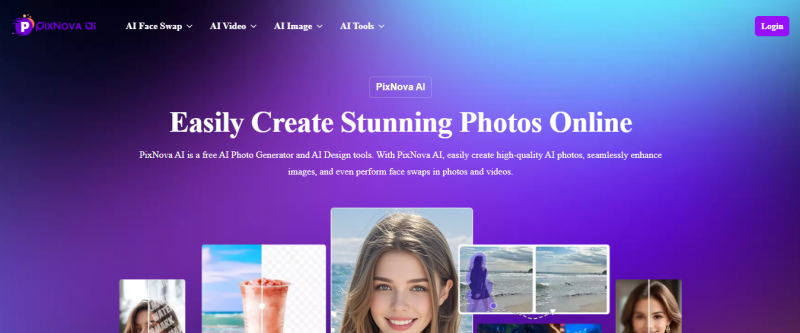
PixNova AI combines dozens of AI photo and video tools from face swaps to anime generators in a browser‑based platform with many free features accessible without signing up, Built for creators who want a one‑stop AI visual toolkit for images and short videos, Built for creators who want a one‑stop AI visual toolkit for images and short videos.
Browser‑based — no download required
Multiple tools in one interface
No login required for basic use
AI upscales images up to 4×
Real‑time object & background removal
Face swaps export watermark‑free
Fast processing for face/video edits
Outputs soften on complex scenes
Not optimized for high‑res print output
Cloud dependency requires net always
Inconsistent quality for layered prompts
1-7 Days
Yes
Proprietary
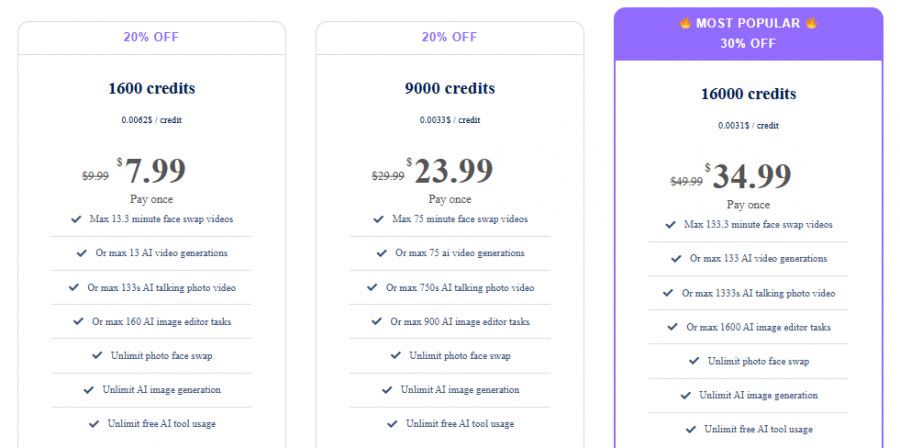
*Check the current pricing on PixNova AI's website.

Downloaded PixNova on my phone on a random Sunday because I wanted a quick anime‑style avatar for my socials, and it kind of spiraled from there. The anime and cartoon filters are stupidly fun, and the fact that I can go from a plain selfie to a polished avatar or “pro” headshot in under a minute means I actually use it between tasks, not just once and forget it. I like that the interface is clean and I don’t have to fiddle with tons of sliders
Great for quick social content. The UI is clean and surprisingly powerful for a browser tool. Output quality is often awesome help me a lot to edit my videos
Spent a bunch of time on PixNova AI from my desktop because I wanted to restore blurry family photos and test some creative effects. Uploads were easy and the output was much sharper than I expected. Bought a modest credit pack and didn’t worry about weird renewals
Was impressed. I uploaded a couple of old vacation shots and the upscaler actually brought out details I didn’t think were there. The anime filter was hilarious too

Edit, Enhance, and Convert Online with Img2Go
Turn your ideas into stunning visuals

Craft Your Ideal AI Companion on Promptchan!

Create your perfect dream companion in just seconds!

Transform your photos effortlessly with AI-powered editing and enhancement.

Create Stunning Designs and Content Instantly with AI-Powered Tools