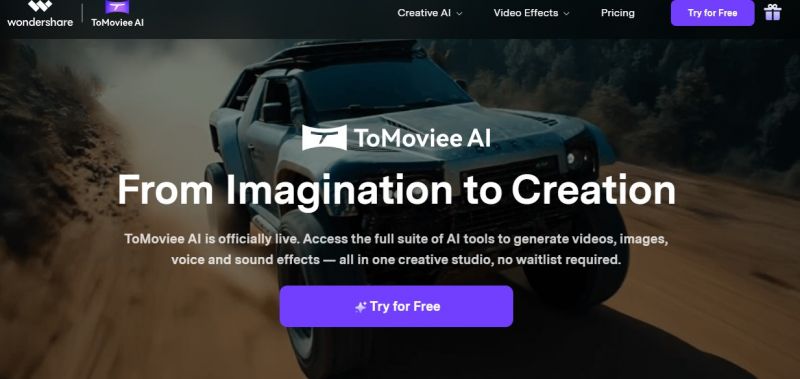
Tomoviee distributes its tools as desktop applications, mobile apps, and web-based services, depending on the product. Users download individual products and activate them via subscription or perpetual license. Many tools integrate templates, drag-and-drop editing, and AI-assisted functions to streamline workflows.
Key Features:
Subject-specialized AI models for clearer academic explanations.
Structured learning space with bookmarkable notes.
Supports a broad range of file types for direct learning engagement.
Official documentation doesn’t publicly list full pricing details
0
No
Proprietary
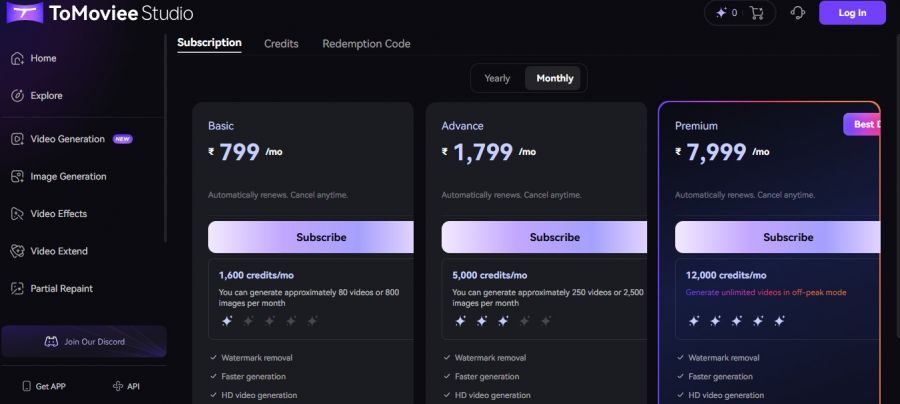
*Check the current pricing on Tomoviee's website.

The camera control is what sold me being able to set start/end keyframes and pick pans, dollies, or zooms makes the shots feel planned instead of random AI mush, and the fact it also does text-to-image plus proper sound effects and music means I can build an entire sequence in one place.
Installed ToMoviee on my Windows laptop on a random Sunday afternoon, just to see if I could turn a few still photos and rough ideas into short YouTube and Reels-style clips without touching a real editor. The text‑to‑video and image‑to‑video stuff is way better than I expected—being able to control camera moves (zoom, pan, dolly) and extend clips so they don’t feel like awkward 3‑second GIFs is a huge win I loved it
The cinematic camera moves made a difference. I messed up credits at first and support walked me through it really nice folks. Quality and workflow are up to the mark overall.
Making reels and short clips for clients. The AI-generated voices are surprisingly natural, and the video output quality was way better than I expected. Switching between features is easy, and I never had crashes during my sessions. Support answered a small question I had about subscriptions really fast, which I appreciated. The credit system is clear, and I feel I get good value for what I pay. Really happy I discovered this it saves me tons of editing time!

Craft, Explore, and Bring Your Stories to Life with NovelAI

Write smarter. Submit stronger.

Turn documents into voice-powered slide decks—instantly