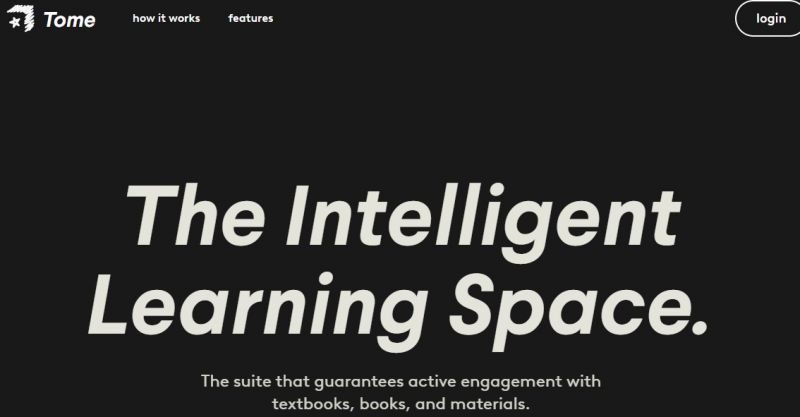
Tome is an study platform designed to help students learn directly from their own academic materials. According to its official website, Tome allows users to upload textbooks, PDFs, slides, and assignments, then interact with the content using subject-specific AI experts. Instead of switching tabs or searching externally, learners can click on any part of their material to receive explanations, breakdowns, and answers in context. Tome positions itself as an intelligent learning space rather than a general chatbot, focusing on structured understanding, review, and retention. The platform emphasizes accuracy for school, AP, and college-level subjects, while organizing AI-generated insights into reusable notes.
Key Use Cases:
Wide range of built-in effects, templates, and creative assets.
Regular updates and AI features improving productivity.
Some users note customer support quality issues.
0
No
Proprietary
Pricing yet to be updated!

Just couldn’t get through at 11 p.m., and it’s kind of turned into my default “second brain” for long readings. I drag in PDFs or textbook scans, ask it pointed questions, and it not only answers but shows me the exact part of the text it’s pulling from, which makes it feel way more trustworthy than random search results. The chat feels tuned for studying good at breaking down formulas and dense paragraphs
I’ve been using myTome on my Windows laptop to survive long research reports and technical PDFs my manager dumps on me late at night. Dropping a 60‑page document in and getting a clean breakdown of sections, key points, and follow‑up questions feels like having a slightly nerdy friend sit next to me and highlight everything that actually matters. I really like that I can ask super specific questions about a paragraph or table instead of scrolling back and forth, and it keeps the context so it feels like an ongoing study session rather than a one‑off answer box. The downside is that it sometimes oversimplifies tricky parts legal clauses or nuanced methodology sections get turned into generic summaries that I still have to double‑check in the original file. Also, the free usage cap disappears fast if you’re running multiple big docs in one day, so I had to upgrade way earlier than I planned, which stung a bit but honestly still beats wasting weekends reading PDFs line by line.
Tossed in textbooks, lecture dumps, problem sets, and the summaries were actually readable and tailored to my questions not generic. I used it every evening for weeks straight and saw the difference in my test results.
This tool gave me a modern presentation in under an hour. The drag‑and‑drop editing was surprisingly intuitive, and real‑time collaboration with my teammate made tweaking content painless. Exporting to PDF was easy, though not having PPT export felt limiting.

Craft, Explore, and Bring Your Stories to Life with NovelAI

Engaging, Personalized Learning for Every Student's Journey

“Change the way you learn

Access over 300 million papers with AI analysis for scientific discovery