Overview

CrossBrowserTesting enables live interactive testing, screenshot comparisons, and automated functional tests across multiple browsers and operating systems. Users access remote browsers to interact with web applications, click elements, fulfill user journeys, take snapshots, record videos, use developer tools for debugging, and share sessions via links to Slack, Jira, Hipchat, or email. Screenshot tests capture UI across selected browser-OS combinations simultaneously, with a comparison engine highlighting text, image, or layout differences from baselines. Tests run behind firewalls using integrated tunnel technology. Automated tests execute in parallel on multiple machines, with capacity up to 20 based on plans.

Core Strengths:

  • Enables AI-driven test creation from requirements, Jira tickets, or Figma files. 
  • Supports web, mobile, API, Salesforce, SAP, and desktop testing in one platform. 
  • Provides no-code test automation using natural language (English). 
  • Includes AI Copilot and autonomous AI agents for test lifecycle automation. 
  • Offers self-healing tests that automatically adapt to UI changes. 
  • Runs tests across 3,000+ browser and device combinations. 
  • Integrates with Jira, Jenkins, Azure DevOps, GitHub, and CI/CD pipelines. 
  • Generates test reports, bug insights, and analytics dashboards automatically. 
  • Supports parallel execution and scalable cloud testing infrastructure. 
  • Reduces test creation effort by up to 95% in enterprise use cases (reported by users).

Detailed Insights:

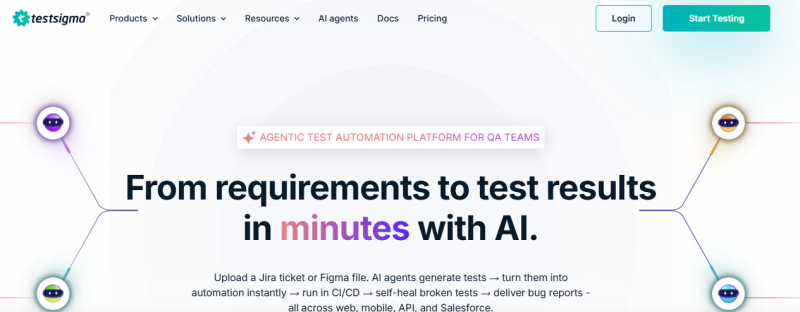
  • Users upload requirements, user stories, or UI designs.
  • AI agents generate test cases automatically.
  • Tests are converted into executable automation flows.
  • Execution runs across cloud or local environments.
  • AI monitors test failures and applies self-healing fixes.
  • Results are logged with screenshots, videos, and analytics.
  • CI/CD pipelines trigger automated test runs on every build.
  • Dashboards provide real-time QA insights and coverage gaps.

What Makes It Different:

  • AI agents automate entire testing lifecycle (not just scripts)
  • Natural language test creation (no coding required)
  • Self-healing automation reduces flaky test maintenance
  • Unified platform for web, mobile, API, and enterprise apps
  • High scalability with thousands of browser/device combinations
  • Strong integration ecosystem (Jira, GitHub, Jenkins, etc.)
  • Reduces manual QA effort significantly in large teams
  • Built for continuous testing at enterprise scal

Pros & Cons

Pros:

Accesses thousands of real mobile devices through cloud testing

Plain-English testing makes automation easier for non-technical teams

AI auto-healing reduces flaky tests and broken automation scripts

Significantly lowers test maintenance workload for QA teams

Tests web, mobile, and APIs from one unified platform

Integrates smoothly with Jira, Jenkins, and other CI/CD tools

Cons:

Large test suites may execute slower than expected sometimes

Complex applications can cause unstable or unreliable element locators

Software Trial

7 Days

Free Version

No

Licensing Type

Proprietary

Starting Price

Price Type

  • Flat Rate

Currency

  • USD ($)

Subscription

  • Monthly
  • Annually

CrossBrowserTesting Software Features

Automated Testing Features

  • Code-less Testing
  • Continuous Testing
  • Parallel Execution
  • Project Templates
  • Test Authoring
  • Test Recording
  • Test Reports

Deployment

  • Cloud Hosted

Platform

  • Web-Based
  • iPhone/iPad
  • Android
  • Windows
  • Mac
  • Linux

Support

  • Email
  • Chat
  • Phone

Training

  • Documentation
  • Blogs
  • Help Guides
  • Webinars

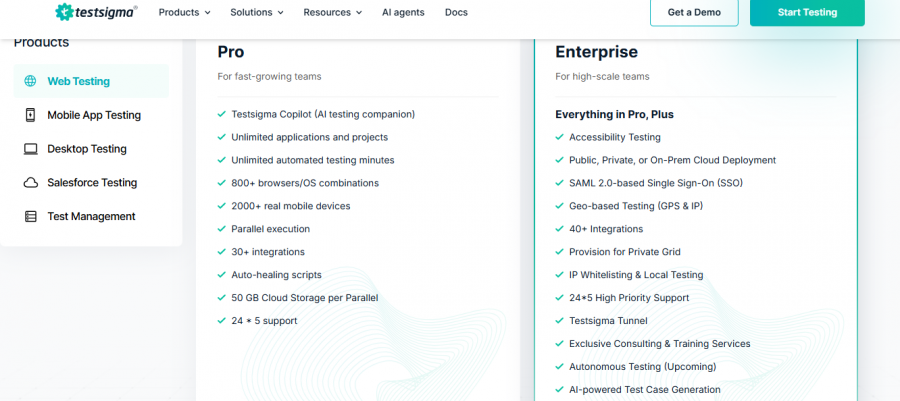
CrossBrowserTesting Pricing

CrossBrowserTesting Pricing

*Check the current pricing on CrossBrowserTesting's website.

Software Category

AI Automation Tools

Reviews

Login to review CrossBrowserTesting.

Explore Other Top AI Automation Tools Software