If design tools actually saved time… your drafts folder wouldn’t look like a graveyard
Let’s call it out.
Most people don’t fail at content because they lack ideas. They fail because turning an idea into something publishable takes way longer than expected. One post turns into five tools, ten tabs, and zero consistency.
That’s exactly the gap Freepik, which absorbed Wepik into its ecosystem, claims to fix.
But here’s the real question.
Does it actually make content creation faster, or does it just move the friction somewhere else?
The Real Workflow Problem (Not the Tool Problem)
Content creation is not one step. And this is where most tools quietly fail.
A real workflow has four stages: idea, design, adaptation, and publishing. Freepik mainly operates in the design stage, but its value depends on how well it connects with the other three.
The platform has a scale on its side. Over 150 million users, more than 247 million assets, and dozens of AI models integrated into one system. On paper, it looks like everything you need is already inside.
But tools are not judged by what they offer. They are judged by how smoothly they fit into actual work.
What Happens When You Actually Try to Create Content
Starting with Templates: Fast, Almost Too Fast
The first thing you notice is speed.
You open the editor, and within seconds you are inside a template. Instagram posts, stories, ads, thumbnails, banners. Everything is pre-structured. You are not designing from scratch. You are editing something that already exists.
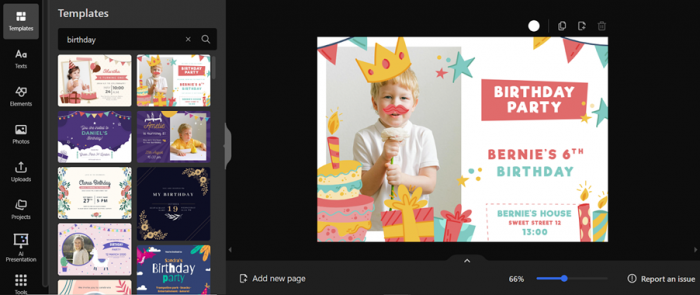
That alone cuts down the biggest friction point.
You can go from zero to a decent-looking design in under five minutes. That matters for creators who need output, not perfection.
But there is a catch.
Templates are not built to be restructured. They are built to be adjusted. The moment you try to move beyond the layout, the system starts resisting. Elements snap, spacing breaks, and suddenly what was fast becomes fiddly.
Editing and Customization: Smooth Until It Isn’t
Inside the template, everything feels controlled.
You can swap text, change fonts, replace images, tweak colors, and reposition elements. For someone without design experience, this feels powerful. The system removes decision fatigue.
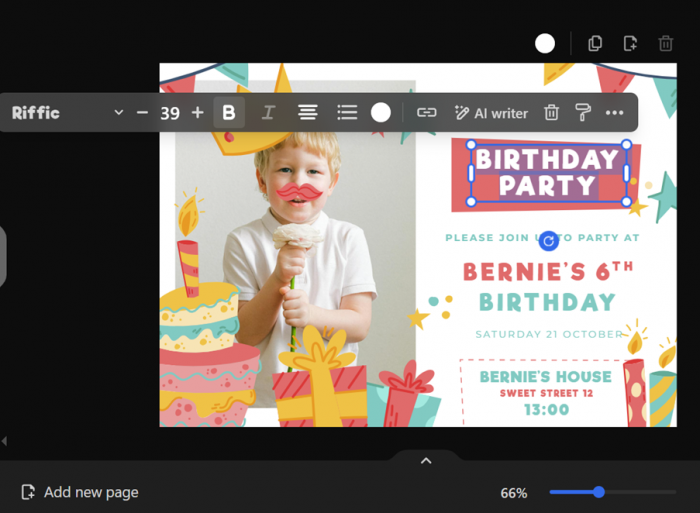
But the deeper you go, the more limitations show up.
Custom font uploads require paid access. Brand consistency is not automatic. There is no strong system to lock styles across multiple designs. Each piece feels like an individual project rather than part of a system.
This is where scaling content starts to slow down.
AI Features: Powerful, But Not Seamless
Freepik’s biggest strength is also its most confusing part.
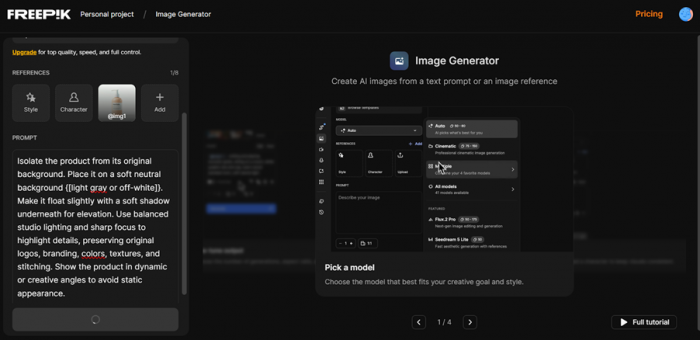
It integrates dozens of AI models. Image generation, background removal, upscaling, editing. On paper, it is one of the most powerful AI design stacks available.
And yes, the output can be impressive.
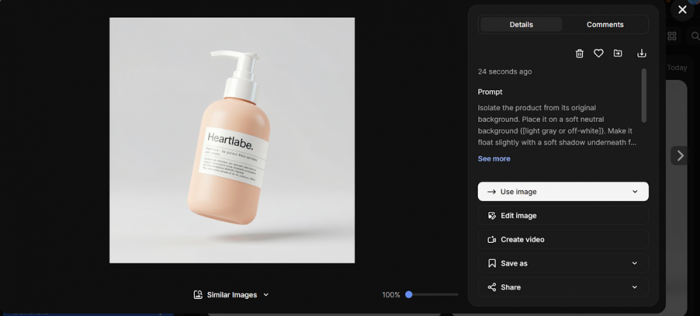
You can generate visuals from prompts, expand images, refine details, and create assets that would otherwise take hours. For custom visuals, this is genuinely useful.
But here is the friction.
The AI workflow is not tightly connected to the design workflow. You generate something, download it, then upload it back into your design. That extra step sounds small, but when repeated across multiple assets, it breaks speed.
The tool saves time, but not consistently.
Export and Adaptation: Where Things Start Slowing Down
Exporting a single design is easy.
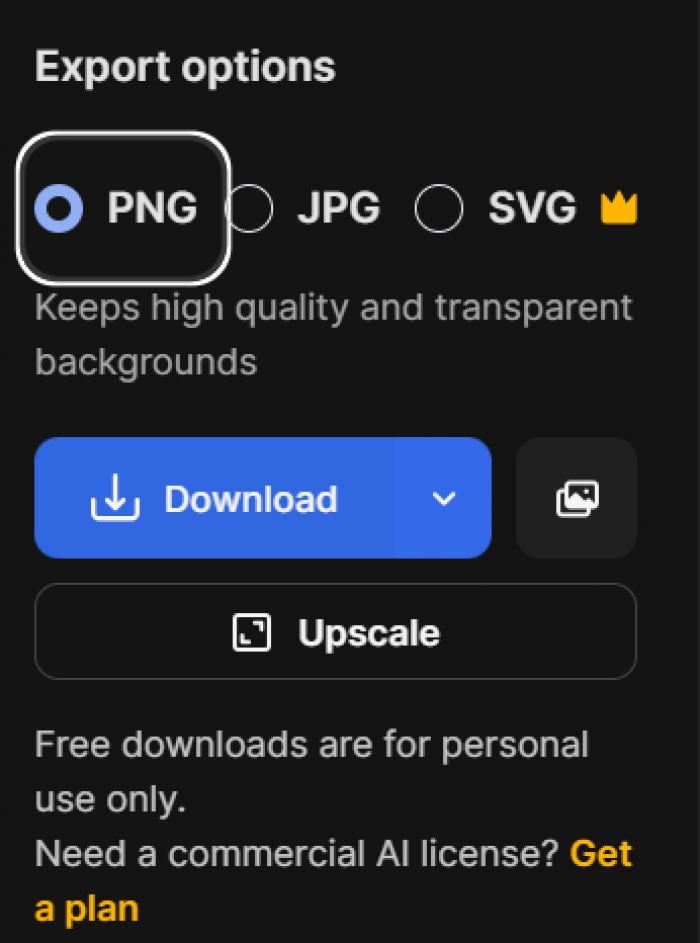
PNG, JPG,SVG, different resolutions. That part works cleanly.
The problem appears when you try to scale one design across formats
.
You create an Instagram post. Then you need a story version. Then an ad variation. There is no smart system that adapts layouts automatically. You are rebuilding manually.
This is where the time you saved earlier starts coming back.
And this matters more than it seems.
Because real content creation is not about one design. It is about multiple variations of the same idea.
Where Freepik Actually Works (When It Feels Effortless)
- quick social media posts where speed matters more than uniqueness
- non-designers who need publishable visuals without learning design tools
- bulk content creation where templates are acceptable
Freepik performs best when expectations are aligned with its strengths.
It is fast. It is structured. It reduces the effort required to produce something that looks good enough.
And for many creators, “good enough” is exactly what they need.
Where It Breaks (And Why People Switch Tools)
- limited flexibility when trying to create something original
- repetitive visual patterns across templates
The problem is not that Freepik is bad.
The problem is that it is optimized for speed, not depth.
And once your needs shift from “create fast” to “create distinct,” the tool starts working against you.
Workflow Comparison: Freepik vs Canva vs Figma
| Workflow Need | Freepik | Canva | Figma |
| Starting speed | Instant template access, minimal setup | Fast with guided editor | Slow, requires setup |
| Customization depth | Limited beyond templates | Moderate flexibility | Full design control |
| AI integration | Strong but disconnected | Integrated directly in editor | Minimal |
| Brand consistency | Weak system-level control | Strong with brand kits | Very strong with design systems |
| Multi-format adaptation | Manual redesign required | One-click resize | Manual but precise |
| Best use case | Fast content production | Balanced daily workflows | Advanced design systems |
This is where the positioning becomes clear.
Freepik is not trying to compete with Figma. It is trying to reduce friction for creators who do not want to design from scratch.
Output Quality Reality Check
Here is the honest truth.
Freepik outputs look good. But they rarely look unique.
The designs feel assembled rather than crafted. And that is not necessarily a problem, depending on your goals.

For fast-moving social content, audiences do not analyze design deeply. Speed matters more than originality.
But for brand-building, this becomes a limitation.
Because over time, repeated template patterns become noticeable.
And once that happens, your content stops standing out.
Who Should Actually Use Freepik
If you are posting content daily or managing high-volume output, Freepik fits well into your workflow. It reduces production time and removes design complexity.
If your focus is building a strong visual identity, the platform becomes restrictive. You will eventually need a tool that supports deeper customization.
If you are running ads, the decision depends on how much differentiation your creatives need. Template-based designs work for testing. They struggle for scaling.
For beginners, Freepik is one of the easiest entry points into content creation. It removes the learning curve entirely.
Final Verdict
Freepik is not a design tool in the traditional sense.
It is a content acceleration system.
It helps you go from idea to output faster than most tools. And for many creators, that is exactly what matters.
But speed comes with trade-offs.
You lose flexibility. You lose originality. And over time, you start noticing the limits of template-driven design.
So the real decision is simple.
If your priority is speed and volume, Freepik works.
If your priority is control and uniqueness, it is only a starting point.
Post Comment
Be the first to post comment!





