On This Page
We live in a time where creativity no longer needs a paintbrush, it just needs an idea. From comic-style avatars to animated portraits, people everywhere are transforming simple selfies into artistic masterpieces.
Yet, finding a free AI cartoon image generator that actually delivers high-quality results can feel like a digital scavenger hunt. Most tools either watermark your art, limit downloads, or hide premium filters behind paywalls.
That’s where this guide comes in. After testing over 20 tools and analyzing output quality, speed, and accessibility, here are the Top 5 FREE AI Cartoon Image Generators that blend art and artificial intelligence seamlessly.
Why it matters: Whether you’re a content creator, marketer, or just someone looking to add a creative twist to your online identity , AI cartoon image generators let you stand out in a world dominated by plain photos.
1. ToonMe - The Classic Cartoonizer with Precision
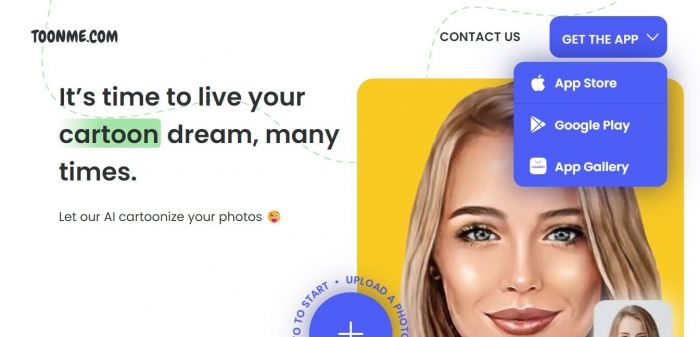
ToonMe remains one of the most reliable tools for AI-based cartoon creation. It uses neural networks to replicate Disney- and Pixar-like effects in seconds.
Key Features:
- Upload any photo and instantly get 3–5 cartoon variations
- Uses facial mapping to retain expressions accurately.
- Offers a mobile app (Android + iOS) for quick edits.
Why it stands out:
ToonMe’s algorithm doesn’t just stylize, it understands contours, lighting, and emotion, resulting in professional-grade output.
Actionable Insight:
Try using a bright, front-facing image for best results. Avoid heavy shadows or filters before uploading.
📊Fun Fact: ToonMe has over 10 million downloads and maintains a 4.7-star rating across platforms.(Source:-Toon Me analytics)
2.Fotor AI Cartoonizer - A Creative Edge with Real-Time Preview
Key Features:
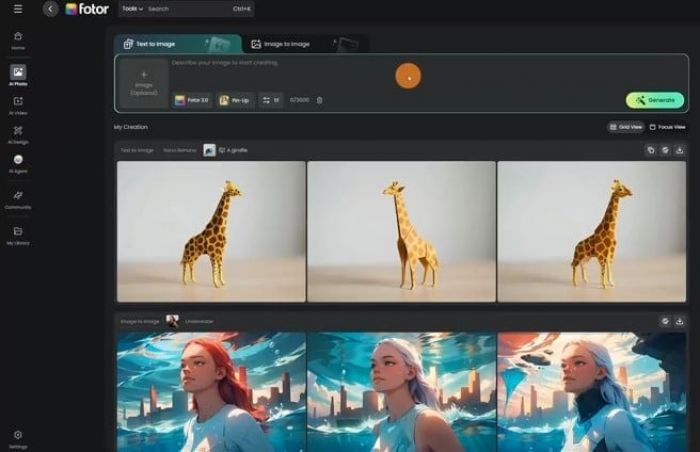
- Real-time preview while adjusting filters.
- Multiple cartoon styles: 2D, sketch, and anime.
- Works directly in-browser, no download required.
Why it Stands out:
Fotor’s AI balances realism and artistry perfectly. It’s ideal for creators who want control over detail without diving into technical tools.
Actionable Insights:
Use Fotor’s “Magic Brush” tool to manually refine edges if the cartoon effect looks too smooth or unrealistic.
📊 Data Bite: Over 150 million users worldwide use Fotor’s AI suite monthly.(Sources:-Fotor Ai )
3. DepositPhotos AI Cartoon Image Generator – Professional-Quality Cartoon Visuals with Commercial Safety
Key Features:
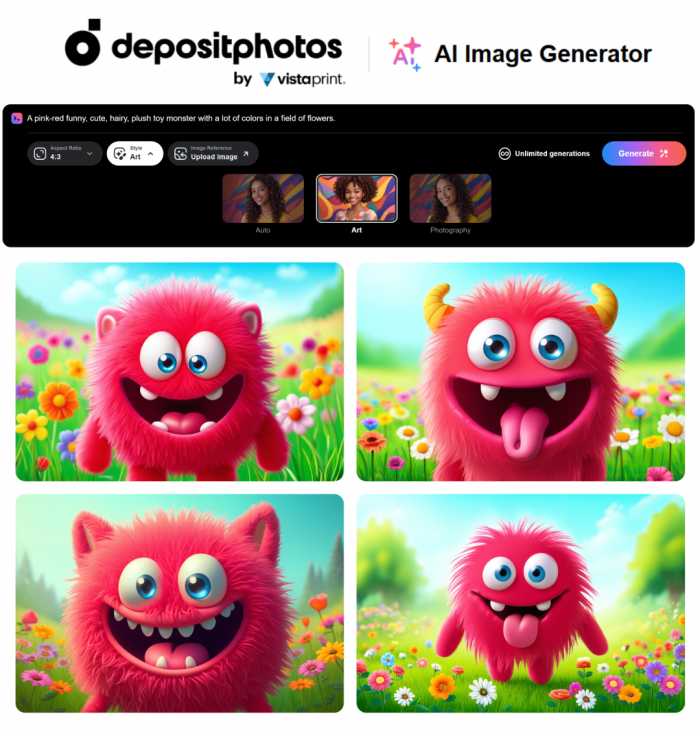
- Generates cartoon images, illustrations, and characters from simple text prompts.
- Included in DepositPhotos’ subscription and image package plans (no extra fees).
- Commercially safe outputs suitable for marketing, branding, and client projects.
Why It Stands Out:
DepositPhotos AI Image Generator combines creative flexibility with professional licensing. You get high-quality cartoon visuals without worrying about copyright restrictions — a major benefit for businesses, designers, and content creators who need safe assets fast.
Actionable Insights:
Use more descriptive prompts (e.g., “3D cartoon style, soft shading, expressive eyes”) to refine character mood and style. Generate multiple variations to quickly identify the strongest concept.
📊Data Bite: DepositPhotos hosts over 250 million creative assets, with growing adoption of its built-in AI tools across subscription users.
4.Picsart AI Image Generator — For Trendy Cartoon Avatars

Picsart brings fun, youth, and social media appeal. It’s one of the most beginner-friendly tools for creating eye-catching cartoon avatars.
Key Features:
- Simple interface with drag-and-drop editing.
- Dozens of cartoon filters inspired by pop culture.
- Perfect for creating cartoon profile pictures and thumbnails.
Why it stands out:
Unlike most tools, Picsart offers social-style templates, meaning you can create ready-to-post visuals for Instagram, YouTube, or TikTok.
Actionable Insight:
After generating your cartoon, add overlays or background blur for a cinematic touch.
📊 Stats: Picsart reached 150 million monthly active creators in 2024, reflecting its massive popularity among Gen Z.(Sources:- Wikeapedia)
5.Cartoonify — Lightweight, Fast, and Browser-Based
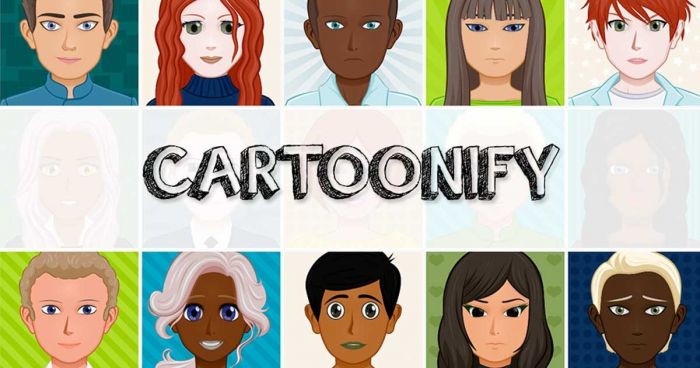
For those who prefer simplicity and speed, Cartoonify is a gem. It’s open-source and runs directly in your browser — no registration, no fuss.
Key Features:
- Converts images into sketches or vector-style cartoons.
- Adjustable parameters: smoothness, color tone, detail level.
- Completely free no watermark or hidden costs.
Why it’s worth using:
Cartoonify focuses on speed and transparency. It’s especially useful for students, designers, or educators working on quick visual projects.
Pro Tip:
Use Cartoonify’s “line depth” feature to achieve a hand-drawn pencil look. It’s excellent for educational illustrations or storyboarding.
📊 Fun Fact: Despite being lightweight, Cartoonify’s AI model processes over 30,000 images per day globally.(Source:-Cartoonify)
6. VanceAI Toongineer — AI Precision Meets Playfulness
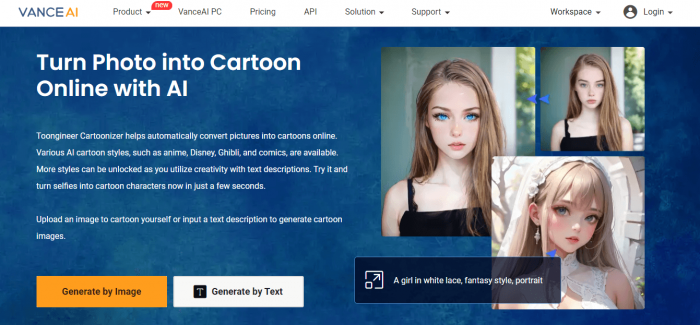
VanceAI Toongineer offers stunning detail and texture. Unlike basic apps, its AI model interprets facial features deeply, producing cartoon effects closer to digital illustrations.
Standout Features:
- High-definition output with custom backgrounds.
- Anime-style and Western-style filters.
- Batch processing for multiple photos.
Why it’s top-tier:
VanceAI uses deep learning models similar to those used in professional creative suites. Its balance of clarity and creativity makes it ideal for business branding, posters, or digital art portfolios.
Actionable Insight:
Try combining VanceAI’s cartoon filter with its “AI Enhancer” tool to increase detail and crispness post-generation.
📊 Data Insight: VanceAI tools collectively serve over 1 million images daily across 200+ countries.(Source:- VanceAI)
Conclusion: Creativity Is Now Clickable
In the past, turning a photo into art meant hours of sketching or expensive design tools. Now, with AI cartoon image generators, creativity is instant, accessible, and personal.
The best part? You don’t need to be an artist just curious.
Practical Takeaway: Experiment with multiple tools from this list. Each has a unique artistic “personality.” Use ToonMe or Fotor for portraits, Picsart for social media art, Cartoonify for quick sketches, and VanceAI for high-end illustrations.
Post Comment
Be the first to post comment!