Overview

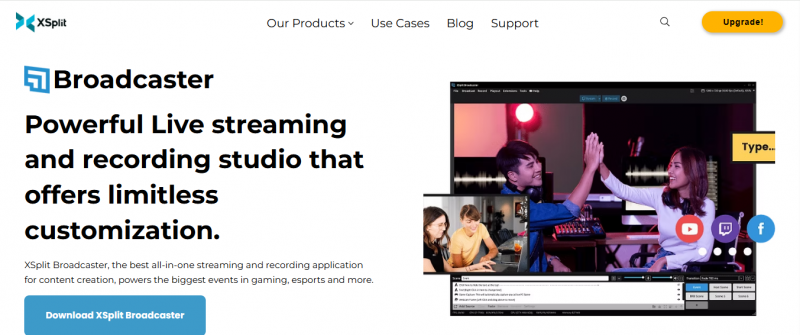
XSplit Broadcaster provides tools for streaming and recording with scene management, audio mixing, and multi-output support. It handles workflows involving screen capture, application audio, and background removal for broadcasts. Updates include enhanced audio mixer controls with delay settings and automatic track enablement, Twitch output simplification, improved application capture reliability, and Multi Output Mode for simultaneous landscape and portrait streams. SRT support extends to Vimeo and Restream for stable delivery. System requirements specify Windows 10/11 64-bit, minimum 2nd Gen Core i5, 8 GB RAM, and 250 MB storage.

Core Strengths:

  • Enhanced Audio Mixer with delay settings for global devices
  • Automatic audio track enablement
  • Twitch VOD audio track checkbox and ingest server selection
  • Automatic Background Removal with upcoming NPU acceleration
  • Application Audio Capture from minimized apps
  • Multi Output Mode for landscape and portrait streams
  • SRT support for Vimeo and Restream
  • Scene preview, transitions, and multitrack audio

How It Works:

  • Install & Launch – Download and open XSplit Broadcaster on Windows.
  • Import Sources – Add cameras, screens, videos, and browser sources.
  • Build Scenes – Use drag‑and‑drop to arrange media and transitions.
  • Configure Audio – Set per‑scene audio levels and suppression.
  • Stream or Record – Broadcast live or save recordings locally.
  • Use Plugins – Install extensions for additional production tools.

Pros & Cons

Pros:

Smooth audio control with fewer clicks in the mixer

Reliable audio capture from minimized applications

Simultaneous horizontal and vertical streaming from one scene

Stable streaming on unreliable networks via SRT

Cons:

Requires Windows 10/11 64-bit OS

Minimum 8 GB RAM and 2nd Gen Core i5 CPU

Needs broadband with 500 kbps upload for lowest settings

Limited to 250 MB storage installation

Software Trial

1-7 Days

Free Version

Yes

Licensing Type

Proprietary

Starting Price

Price Type

  • Free

Currency

  • USD ($)

Subscription

  • Monthly
  • Annually
  • Quote Based
  • One-Time

XSplit Broadcaster Software Features

Live Streaming Features

  • Access Control
  • Audience Analytics
  • Audio Mixer
  • Customizable Branding
  • Multiviewer
  • Session Recording
  • Streaming Production
  • Video Monetization Tools
  • Web Capture

Screen Recording Features

  • Area Selection
  • Audio Mixer
  • Export & Social Sharing
  • Game Recording
  • Recording Timer
  • Subtitle Editing
  • Video Capture
  • Video Editing
  • Video Effects
  • Webcam Recording

Deployment

  • Cloud Hosted

Platform

  • Web-Based
  • Windows

Support

  • Email
  • Chat
  • Phone

Training

  • Documentation
  • Blogs
  • Help Guides
  • Videos
  • Webinars

XSplit Broadcaster Pricing

Pricing yet to be updated!

Software Category

Live Streaming Screen Recording

Reviews

Login to review XSplit Broadcaster.

Explore Other Top Live Streaming Software