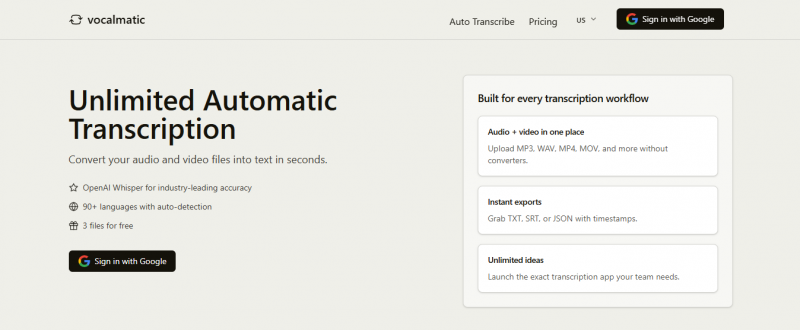
Vocalmatic enables transcription of audio files directly in the browser using AI-powered speech recognition. Processing occurs locally with no uploads, ensuring privacy and no file size limits. Users select audio files or record directly, supporting formats like MP3, WAV, and M4A. The technology converts speech to text quickly, though minor corrections may be needed based on audio quality and accents. Transcripts can be used for personal or commercial purposes. Three free transcripts are available after signup.
Simple web upload; supports many formats
Works in many languages beyond just English
Browser‑based editor for quick manual fixes
30 free minutes to test audio quality fit
Helpful for rough drafts of interviews or lectures
Accuracy often far below advertised levels
Clear English audio still needs heavy correction
Outputs repeated words, random letters, odd capitalization
Transcriptions sometimes stuck “pending” for day
1-7 Days
Yes
Proprietary
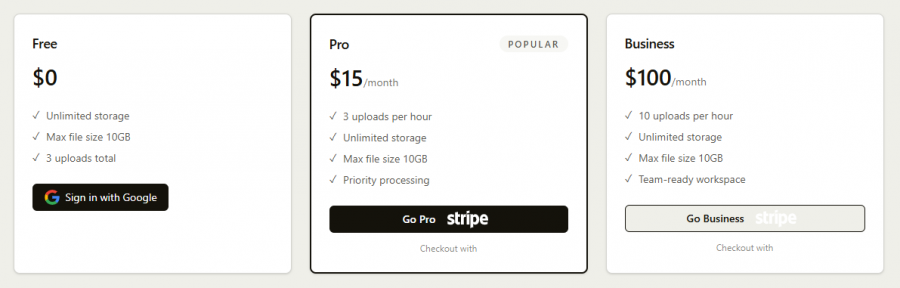
*Check the current pricing on Vocalmatic's website.

Free Transcription Software for Transcriptionists

AI Notetaker that builds your knowledge base and powers your workflow with transcription, automated summaries, AI Chat, and more.
Why Sonix? Discover the World's Most Advanced AI for Transcription

HappyScribe: AI-Notetaker, Transcription, Subtitles & Translation

Optimize your medical practice with Sunrise Medical Transcription and Scribe Services.

Answer all your qual needs in one platform.