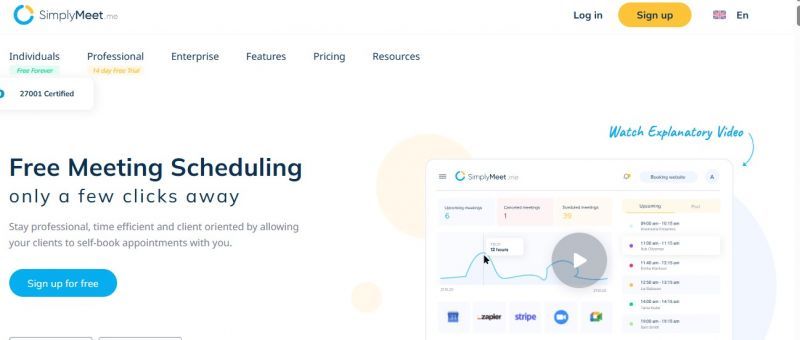
SimplyMeet.me syncs with calendars like Google and Outlook to manage appointments. It automates reminders, handles time zone adjustments, and integrates with tools such as Zoom and Teams. Users create customizable meeting types, share direct booking links, and access a dashboard for oversight. The Admin App enables on-the-go management, including QR code scanning for bookings and client contact via WhatsApp or Viber.
Clean interface, invitees navigate smoothly.
Multiple calendar systems connect reliably.
Custom domains for booking pages, emails.
Many payment gateways can be connected.
Some users report nonexistent live support.
Lacks advanced branding customization options.
1-7 Days
Yes
Proprietary
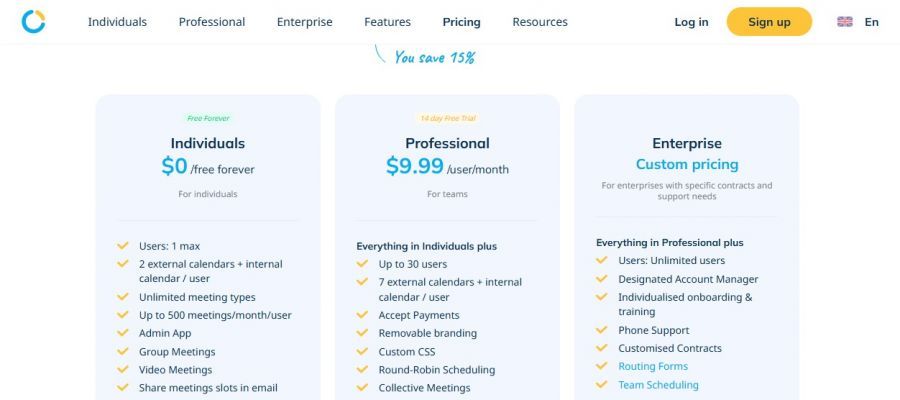
*Check the current pricing on SimplyMeet.me's website.

Flexible and affordable appointment scheduling for any type of business.

Automated scheduling software | Calendly

Every scheduling tool you need to succeed

Free Online Appointment Scheduling Software

Free online meeting scheduling tool

Online scheduling solution made for small businesses.