Overview

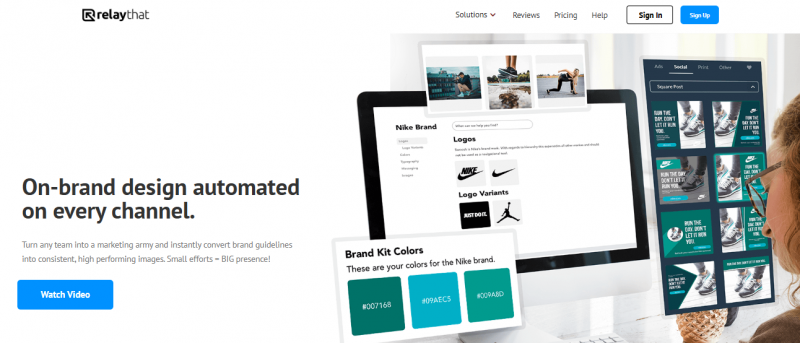
RelayThat automates on-brand design for marketing images across channels. Users add brand assets once to generate unlimited options from 2000+ SmartLayouts. The tool resizes and remixes layouts to fit social media and ad platforms without tweaking. Wildcard keywords produce copy, while curated color and font combinations provide inspiration. Custom font uploads ensure brand matching. Access includes 3 million royalty-free images, icons, and textures. Multiple workspaces allow switching between projects or brands in one click. Team sharing enables collaboration on designs.

Key Features:

  • 2000+ SmartLayouts
  • Headline Generator
  • Image SEO Automation
  • Color & Font Inspiration
  • Custom Font Uploads
  • 3 Million+ Images
  • One Click Resize/Remix
  • Team Sharing
  • Multiple Portfolios and Projects

Pros & Cons

Pros:

Creates high-quality graphics like banners, social media images, and infographics quickly

Automatically resizes designs for multiple platforms without manual adjustment

Saves hours in content marketing workflow by reusing templates

Produces professional-looking branded content without design skills

Responsive developer community provides updates based on feedback

Cons:

Magic import of brand colors and images works only for supported websites

Requires setup of brand assets upfront for automation

Software Trial

0 Days

Free Version

No

Licensing Type

Proprietary

Starting Price

Price Type

  • Flat Rate

Currency

  • USD ($)

Subscription

  • One-Time

RelayThat Software Features

Graphic Design Features

  • Artboards
  • Multiple Pages
  • Symbols/Styles

Deployment

  • Cloud Hosted

Platform

  • Web-Based
  • Windows

Support

  • Email

Training

  • Documentation
  • Blogs
  • Help Guides

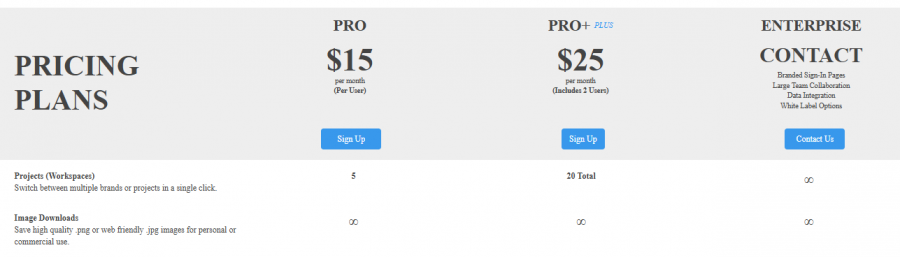
RelayThat Pricing

RelayThat Pricing

*Check the current pricing on RelayThat's website.
Software Category

Graphic Design

Reviews

Login to review RelayThat.

Explore Other Top Graphic Design Software