Overview

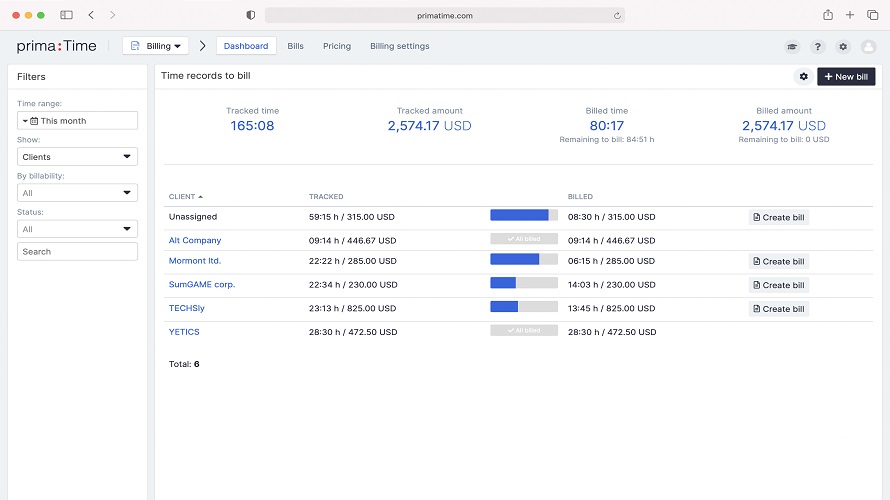
prima:Time provides time tracking, project management, CRM, and invoicing in one app. It enables teams to track time, manage projects, organize workflows, and handle billing. The platform focuses on combining these functions to support performance tracking and resource management. Real-time insights cover project management, CRM, HR, time tracking, and financials. Customizable roadmaps help organize tasks and progress across project phases. Cost-saving features reduce operational costs by automating routine tasks. The app displays time entries in a traditional timesheet format with fields for entry date, start and stop times, billable client, project, and elapsed time.

Core Strengths:

  • Combines project management, CRM, HR, billing, and time tracking in one system. 
  • Supports unlimited time tracking across teams and projects. 
  • Includes invoicing and profitability analysis tools for project-based businesses. 
  • Tracks billable and non-billable work hours with detailed reporting. 
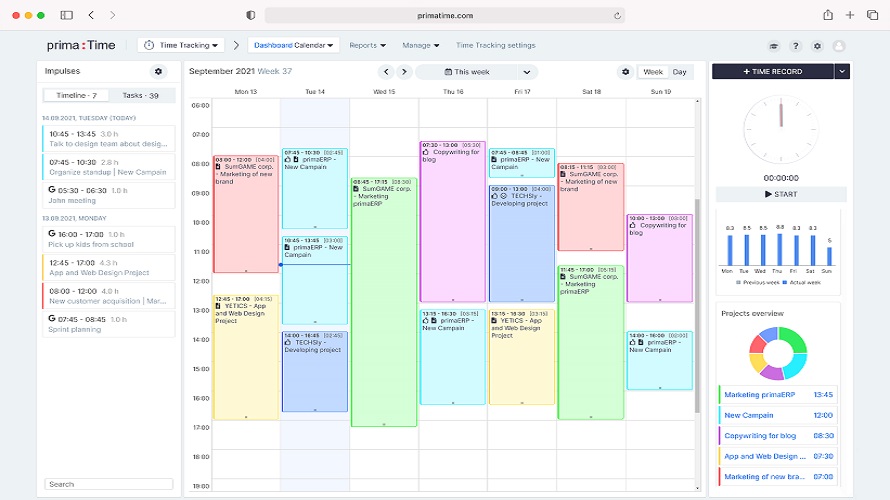
  • Provides calendar, timesheet, and task management views. 
  • Enables workload planning and employee assignment management. 
  • Offers financial reporting and expense tracking capabilities. 
  • Supports invoice generation directly from tracked work hours. 
  • Includes Android and iOS mobile applications. 
  • Available in 11+ languages for international teams.

Detailed Insights:

  • Teams create clients, projects, and task structures inside the platform
  • Employees log time through stopwatch, calendar, or timesheet views
  • Managers assign workloads and monitor project progress
  • Financial modules track expenses, invoices, and profitability
  • Billing can be generated directly from recorded work hours
  • CRM tools centralize client-related information and interactions
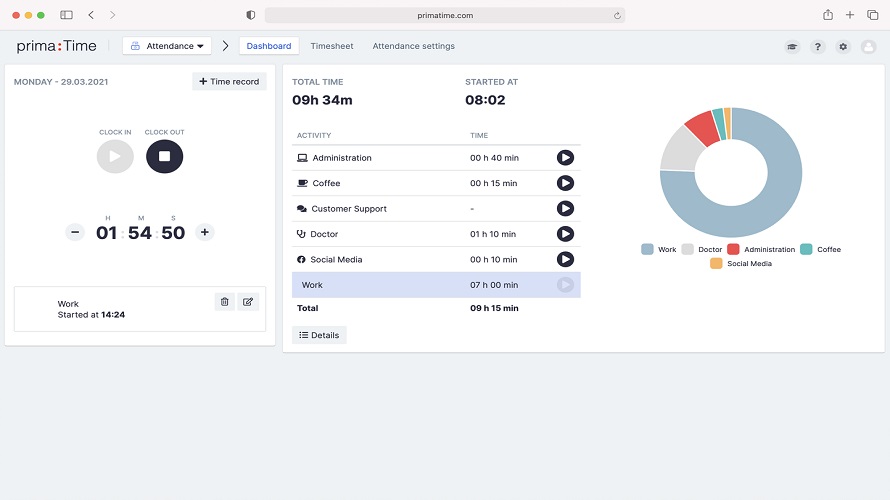
  • HR and attendance modules monitor employee schedules and capacity
  • Dashboards provide operational and financial reporting insights

Pros & Cons

Pros:

Advanced filtering helps users find exact project and time data

Multi-level reporting improves visibility across teams and projects

Visual time tracking gives clearer project progress overview

Mobile app access keeps project information available anywhere

Easily creates clients, tasks, and pricing for better organization

Pause-and-resume timer supports flexible and accurate time tracking

Cons:

Slow response times can interrupt productivity during daily usage

Mobile time tracking feels unintuitive on phones and tablets

Software Trial

30 Days

Free Version

No

Licensing Type

Proprietary

Starting Price

Price Type

  • Flat Rate

Currency

  • USD ($)

Subscription

  • Monthly
  • Annually
  • Quote Based

prima:Time Software Features

Attendance Tracking Features

  • Alerts/Notifications
  • Alerts/Notifications
  • Calendar Management
  • Dashboard
  • Employee Scheduling
  • Leave Management
  • Overtime Calculation
  • Requests & Approvals
  • Time Tracking
  • Timesheets

Deployment

  • Cloud Hosted

Platform

  • Web-Based
  • Android
  • Windows
  • Mac

Support

  • Email
  • Chat

Training

  • Documentation
  • Blogs
  • Help Guides
  • Videos

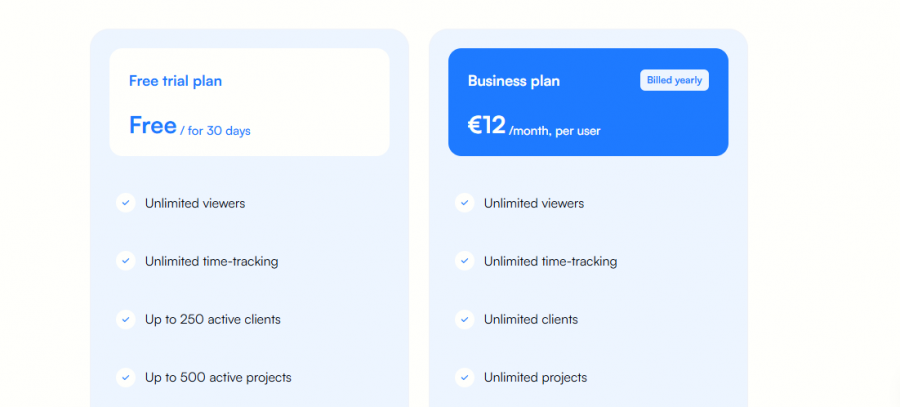
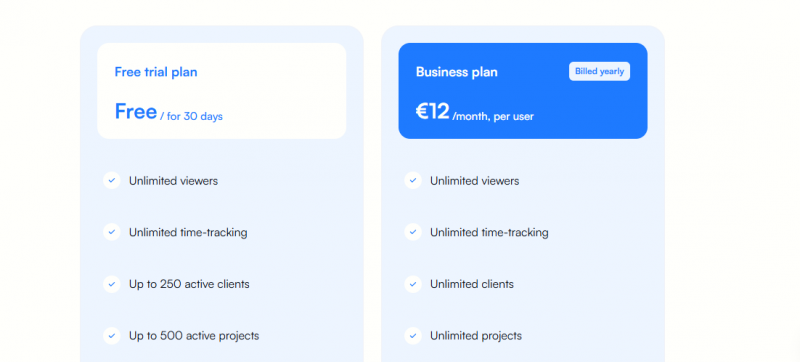
prima:Time Pricing

prima:Time Pricing

*Check the current pricing on prima:Time's website.

Software Category

Attendance Tracking

Reviews

Login to review prima:Time.

Explore Other Top Attendance Tracking Software