Overview

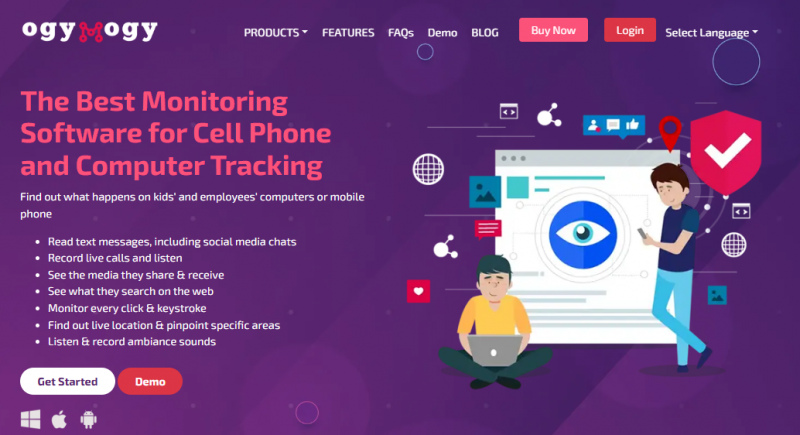
OgyMogy is monitoring software that enables remote tracking and activity surveillance across Android devices, Windows PCs, and Mac computers. The platform allows users to monitor keystrokes, social media activity, web browsing, email communications, and device location. Core features include live camera access, screen recording, call log monitoring, and the ability to block specific websites. Installation requires one-time physical access to the target device, after which monitoring occurs remotely through a web control panel. The software operates in stealth mode without user awareness. OgyMogy positions itself for parental control of children's devices and employee productivity supervision on company-owned equipment.

Core Strengths:

  • Tracks real‑time GPS location of target devices.
  • Records screen activity remotely via a web control panel.
  • Logs calls, SMS, and messaging app interactions.
  • Monitors social media messages and apps like WhatsApp and Snapchat.
  • Captures keystrokes (keylogging) on tracked devices.
  • Allows microphone and camera bugs to observe the environment.
  • Filters website access and internet history.
  • Works on Android, Windows, and Mac systems.

How It Works:

  • Choose Plan – Select a subscription and device type (Android, Windows, Mac).
  • Install App – Physically access the target device to install monitoring software.
  • Connect to Dashboard – Log into the OgyMogy web control panel.
  • Configure Monitoring – Enable tracking options (location, messages, keys, etc.).
  • View Data Remotely – Access real‑time logs and recordings from the online portal.

Pros & Cons

Pros:

Strong call recording and SMS tracking tools

Monitors popular social media without rooting

Detailed screen recording for employee oversight

Tracks browsing history, marks productive vs idle time

Works across Android, Windows, and macOS devices

Cons:

Frequent issues on newer Android phones reported

Very slow or no response from support team

Complaints of no refunds even when unusable

Dashboard feels confusing for non‑technical users

Software Trial

0 Days

Free Version

No

Licensing Type

Proprietary

Starting Price

Price Type

  • Flat Rate

Currency

  • USD ($)

Subscription

  • Monthly
  • Annually

OgyMogy Software Features

GPS Tracking Features

  • Access Control
  • Alerts/Notifications
  • Geo-fencing
  • Mobile Access
  • Real Time Tracking

Employee Monitoring Features

  • Alerts
  • Employee Activity
  • Idle Time
  • Keystroke Recording
  • Location Tracking
  • Productivity Evaluation
  • Screen Activity
  • Stealth Mode

Screen Recording Features

  • Area Selection
  • Video Capture
  • Webcam Recording

Call Tracking Features

  • Call Recording
  • Call Routing
  • Caller Identification
  • Keyword Tracking

Deployment

  • Cloud Hosted

Platform

  • Web-Based
  • Android
  • Windows
  • Mac

Support

  • Email
  • Chat

Training

  • Documentation
  • Blogs
  • Help Guides
  • Infographics
  • Videos

OgyMogy Pricing

Pricing yet to be updated!

Software Category

Call Tracking Employee Monitoring GPS Tracking Screen Recording

Reviews

Login to review OgyMogy.

Explore Other Top Call Tracking Software