Overview

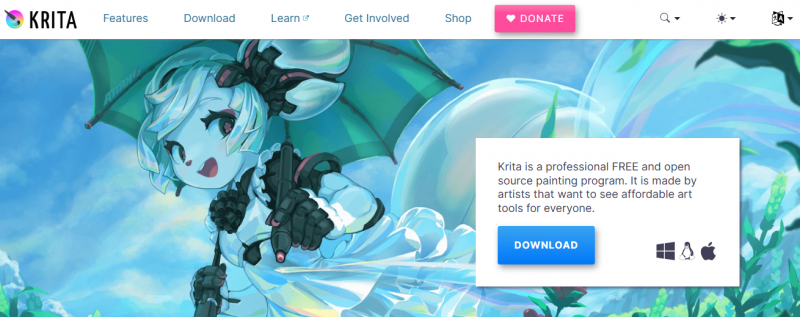
Krita provides a free and open source painting program for image creation and manipulation. It focuses on painting, illustration, concept art, and other creative work. The application supports opening, saving, editing, and authoring HDR and scene-referred images. Users access over 100 preloaded brushes, customizable brush engines, and stabilizers for smooth strokes. A clean interface allows dockers, panels, and shortcuts to adapt to workflows. Animation tools handle thousands of frames with timeline controls, onion skinning, and export options. GPU acceleration enhances canvas performance, and PSD files open for cross-program use.

Features:

  • Clean and Flexible Interface with customizable layout, over 30 dockers, and dark/light themes
  • Beautiful Brushes with over 100 preloaded options
  • Brush Stabilizers including three smoothing methods and Dynamic Brush tool
  • Brush Engines with nine types such as Color Smudge, Shape, Particle, and Filter
  • Animation features with multiple layers, audio support, timeline for 1000s of frames, onion skinning, tweening, and video export
  • GPU Enhanced canvas with OpenGL or Direct3D
  • PSD Support for opening and saving files
  • HDR Painting with OCIO and OpenEXR

Pros & Cons

Pros:

Free with no subscriptions or trials

Customizable interface adapts to workflows

Extensive brush library and engines for varied effects

Strong animation timeline and onion skinning support

HDR painting capabilities unique among painting apps

Cons:

Steep learning curve for advanced features

Performance issues on lower-end hardware without GPU

Limited vector tools compared to raster focus

Frequent updates may introduce bugs

Software Trial

1-7 Days

Free Version

Yes

Licensing Type

Proprietary

Starting Price

Price Type

  • Free

Currency

  • USD ($)

Subscription

  • Monthly

Krita Software Features

Animation Features

  • Add Text
  • Animate Characters
  • Bone Tool
  • Collaboration
  • Collaboration
  • Custom Characters
  • Digital Effects
  • Layers and Filters
  • Production Pipeline
  • Save and Export
  • Templates
  • Vector Drawings
  • Vertical Videos

Graphic Design Features

  • Artboards
  • Collaboration
  • Collaboration
  • Drag and Drop
  • Filtering
  • Image Editor
  • Multiple Pages
  • Templates

Drawing Features

  • Auto Shapes
  • Blending
  • Clip Arts & Symbols
  • Color Management
  • Dimensioning
  • Export
  • Freehand Tools
  • Layer Management
  • Paint Tools

Deployment

  • Cloud Hosted

Platform

  • Web-Based
  • Windows
  • Mac
  • Linux

Support

  • Email
  • Chat

Training

  • Documentation
  • Help Guides
  • In-Person Training
  • Videos

Krita Pricing

Pricing yet to be updated!

Software Category

Animation Drawing Graphic Design

Reviews

Login to review Krita.

Explore Other Top Animation Software