Overview

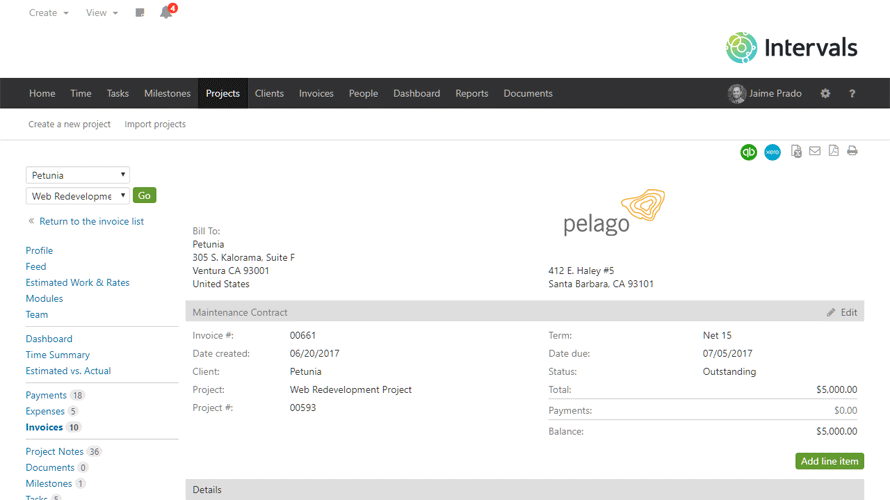
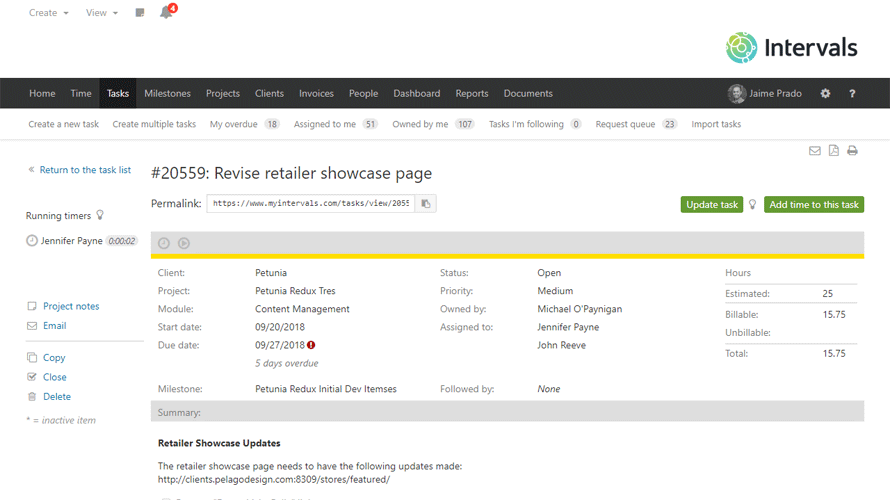
Intervals tracks time, automates invoicing and reporting, and provides insights into team productivity and project progress. It combines project management and time tracking in one place. Users set budgets for projects, monitor progress in real-time, and receive notifications when thresholds are met. Reports cover budgets, task allocation, team capacity, and expenses. Invoicing generates from tracked time and expenses, with client payments and integrations to QuickBooks and FreshBooks. No per-user fees apply, unlike some competitors.

Core Strengths:

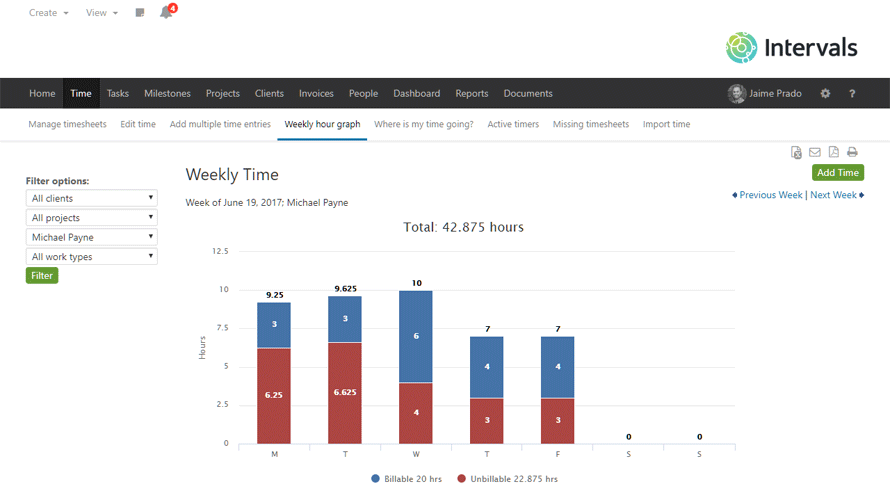
  • Tracks hours and activities with integrated time tracking.
  • Manages tasks and subtasks across projects with custom workflows.
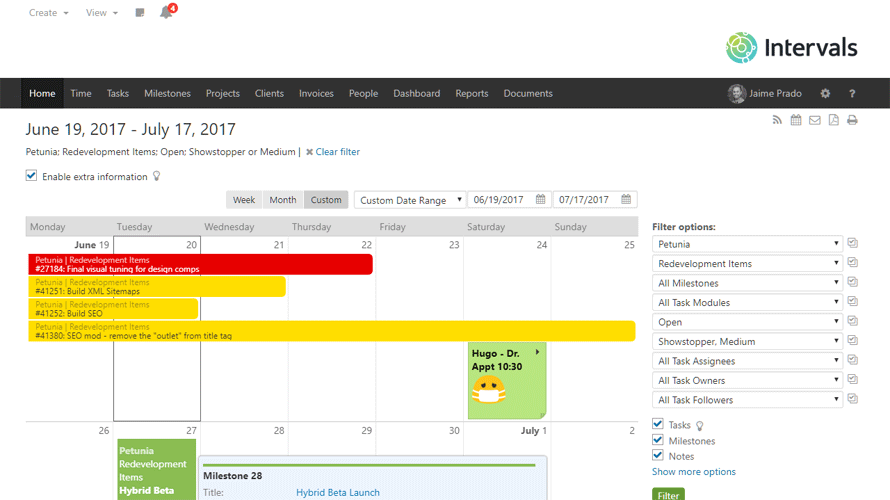
  • Organizes projects with milestones, calendars, and Gantt timelines.
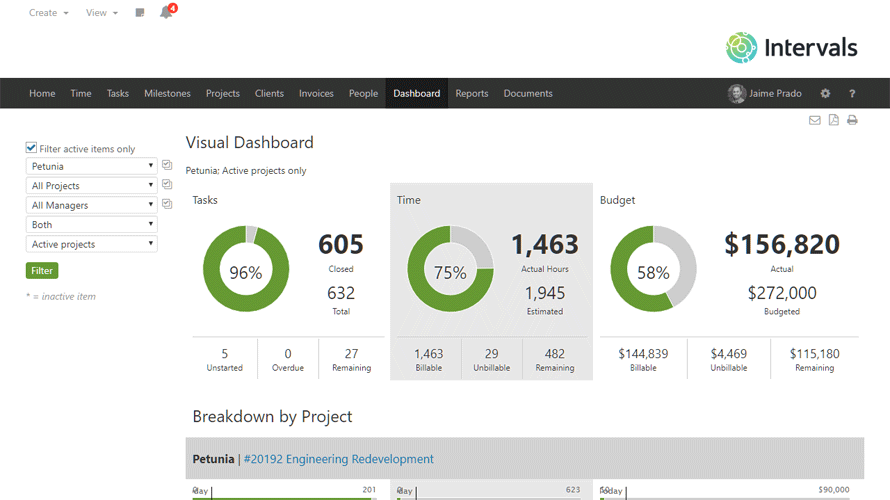
  • Offers real‑time visual reports on budgets, time, and team capacity.
  • Automates invoicing and payments from tracked time and expenses.
  • Stores and shares documents within projects.
  • Supports mobile management from anywhere.

How It Works:

  • Create projects and tasks: Define scope, milestones, and deliverables.
  • Track time: Use timers or manual entries on desktop, mobile, and web.
  • Monitor budgets: Set project budgets and watch real‑time spending vs estimates.
  • Collaborate: Assign work, share files, and comment directly on tasks.
  • Reports & dashboards: Visualize capacity, time usage, and performance trends.
  • Invoice clients: Convert tracked hours into invoices and accept online payments.

Pros & Cons

Pros:

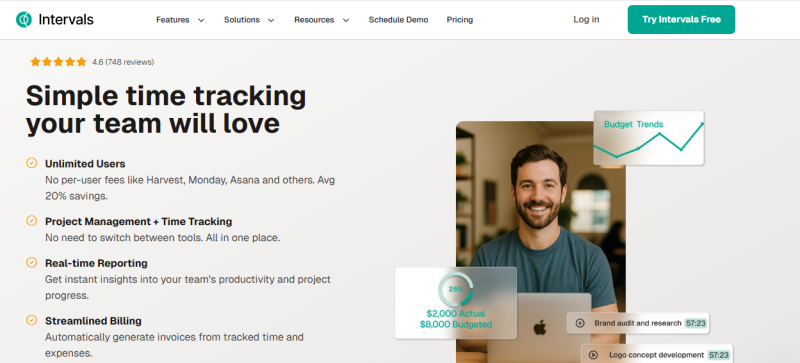
Unlimited users with no per-user fees, averaging 20% savings compared to tools like Harvest, Monday, and Asana

Combines project management and time tracking without switching tools

Real-time reporting provides instant insights into productivity and progress

Streamlined billing automates invoice generation from time and expenses

Cons:

Requires integration setup for accounting tools like QuickBooks and FreshBooks

Budget monitoring depends on consistent time logging by team members

Reporting depth limited to tracked data on projects, tasks, capacity, and expenses

Software Trial

30 Days

Free Version

No

Licensing Type

Proprietary

Starting Price

Price Type

  • Flat Rate

Currency

  • USD ($)

Subscription

  • Monthly
  • Annually

Intervals Software Features

Project Management Features

  • Alerts/Notifications
  • Alerts/Notifications
  • Collaboration
  • Dashboard
  • Document Management
  • Document Management
  • Expense Tracking
  • Idea Management
  • Portfolio Management
  • Portfolio Management
  • Project Planning
  • Project Planning
  • Project Planning
  • Project Tracking
  • Reporting and Forecasting
  • Resource Management
  • Resource Management
  • Resource Management
  • Task Management
  • Task Management
  • Task Management
  • Timesheets
  • Workflow Management

Time Tracking Features

  • Alerts/Notifications
  • Alerts/Notifications
  • Billable Hours
  • Employee Database
  • Multiple Billing Rates
  • Offline Time Tracking
  • Reports & Analysis
  • Timesheet Management
  • Vacation/Leave Tracking

Team Management Features

  • Assignment Management
  • Commenting/Notes
  • Messaging
  • Productivity Analysis
  • Progress Tracking
  • Progress Tracking
  • Project Planning
  • Project Planning
  • Project Planning
  • Resource Management
  • Resource Management
  • Resource Management
  • Task Management
  • Task Management
  • Task Management
  • Third Party Integration
  • Time Tracking
  • Time Tracking

Reporting Features

  • Automated Reports
  • Customizable Dashboard
  • Drag & Drop
  • Drill Down
  • Financial Reports
  • Forecasting
  • Marketing Reports
  • Report Export
  • Visual Analysis

Task Management Features

  • Collaboration Tool
  • Document Management
  • Document Management
  • Portfolio Management
  • Portfolio Management
  • Progress Tracking
  • Progress Tracking
  • Project Budgeting
  • Project Planning
  • Project Planning
  • Project Planning
  • Project Scheduling
  • Reporting
  • Resource Management
  • Resource Management
  • Resource Management
  • Task Management
  • Task Management
  • Task Management
  • Team Collaboration
  • Time Tracking
  • Time Tracking

Deployment

  • On Premises

Platform

  • Web-Based
  • iPhone/iPad
  • Android
  • Windows
  • Mac
  • Linux

Support

  • Email
  • Phone

Training

  • Documentation
  • Blogs
  • Help Guides
  • Videos

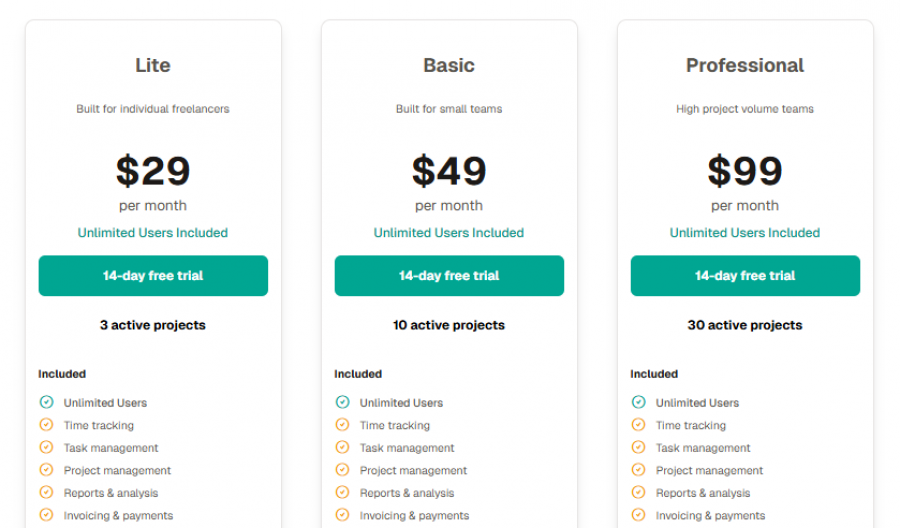
Intervals Pricing

Intervals Pricing

*Check the current pricing on Intervals's website.

Software Category

Project Management Reporting Task Management Team Management Time Tracking

Reviews

Login to review Intervals.

Explore Other Top Project Management Software