Gravit Designer provides tools for vector graphics creation. Users build designs using path tools, text tools, layer management, and support for complex shapes and gradients. It operates as a web app and desktop application across Windows, macOS, Linux, and Chrome OS. Cloud integration enables saving, accessing projects from any device, and collaborative work. Export options include SVG, PDF, PNG, and JPG formats. Features cover non-destructive Boolean operations, knife tool, bezigon tool, multiple shape types, powerful grids, rulers, guidelines, anchors, multiple fills and borders, over 40 effects, 28 blending modes, text on path, sketch import, and EPS support.
Cross-platform availability as web app and desktop application for multiple operating systems
Intuitive interface with clean design and simple menus
Cloud integration for saving and accessing projects from any device
Wide range of tools for detailed vector graphics including path and text tools
Restriction on cloud storage amount leads to performance issues with large files
Lack of real-time simultaneous editing by multiple users
No support for CMYK color model, limiting suitability for professional print work
1-7 Days
Yes
Proprietary
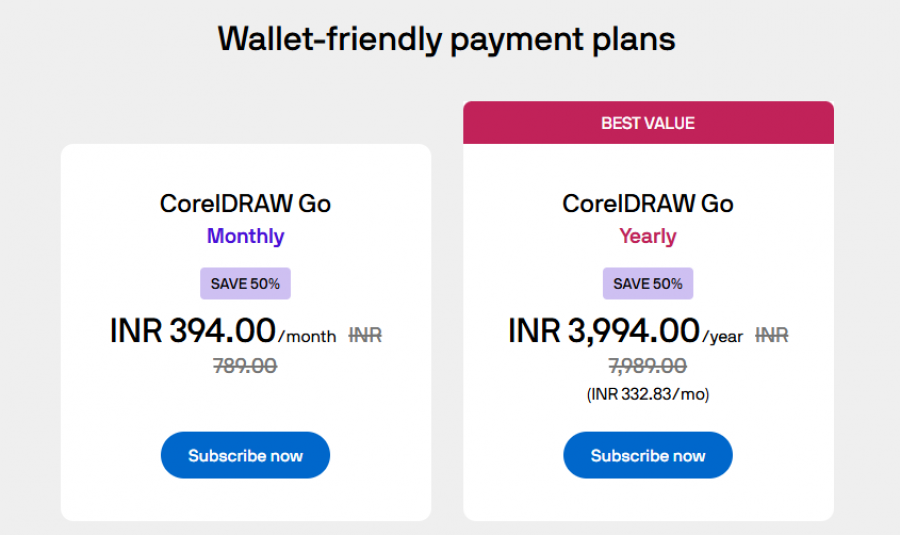
*Check the current pricing on Gravit Designer's website.

Organize design files has never been easier

Graphic design software with CorelDRAW Graphics Suite

AI Vector Graphics Editor and Logo Maker | Background ...

BeFunky is photo editing & graphic design made for everyone.

Create Social Media Graphics Online - Free & Easy to Use

Desygner: The SMB hub for business & marketing growth