GoPlay Video Editor integrates screen recording, video editing, and effects management into a single application. Users can capture screen recordings with customizable area selection, then edit footage using basic tools like trimming, cropping, and merging, or access advanced features including audio mixing, noise removal, and subtitle editing. The software emphasizes an intuitive interface with one-click operations and real-time preview capabilities. Export options include direct sharing to YouTube, Facebook, and Instagram, along with noise removal and various text and music libraries.
Intuitive interface with immediate access to editing commands and one-click operations that streamline workflow[2]
Low file size and minimal storage requirements compared to other video editors[6]
Useful keyboard shortcuts, particularly for simultaneous game recording and playback[6]
Clear audio quality and straightforward setup process[6]
Helpful tutorial prompts appear when new features are selected[2]
Affordable pricing relative to competing video editing software[2]
Recording performance may cause slowdown in some games during simultaneous gameplay[6]
No built-in cropping capability for recorded footage, requiring pre-recording area selection[4]
Limited community content options; users request additional downloadable assets for creative freedom[6]
Recording quality may decline if the captured screen area is too large[6]
Missing direct upload functionality for streaming platforms like Twitch or Mixer[6]
1-7 Days
Yes
Proprietary
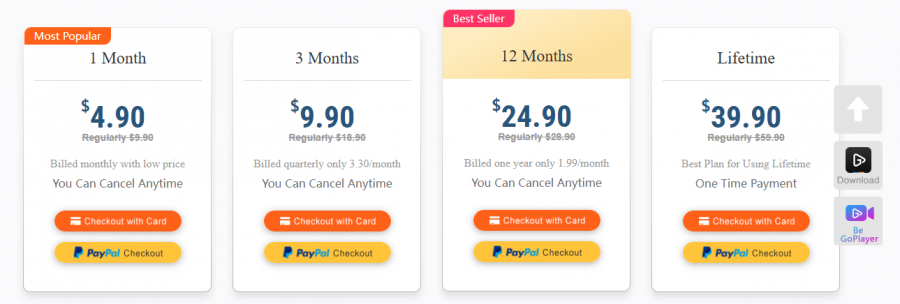
*Check the current pricing on GoPlay's website.

The Best Monitoring Software for Cell Phone & Computer Tracking

Screen capture and video recording software

A free video capture and processing utility for Windows.

Video Editor

Screen Recording Software: capture anything on your PC screen

Advanced Editing Studio