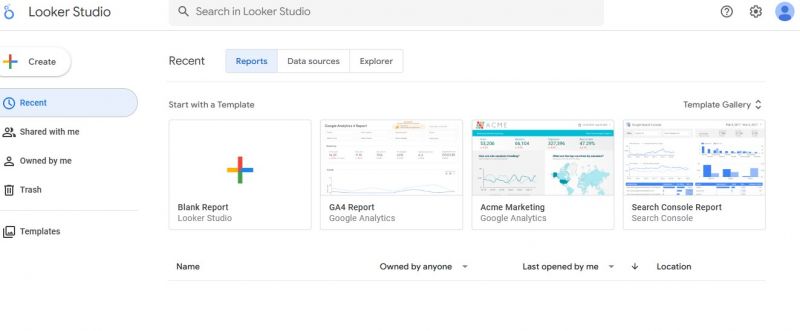
Google Data Studio enables creation of reports and dashboards by connecting to data sources such as Google Analytics. It combines data from multiple sources into visualizations including charts, graphs, tables, and maps. Reports support real-time collaboration, dynamic data updates, and interactive elements like filters and cross-filtering. Users build customizable dashboards with unlimited widgets and share them via links for viewing or editing. The tool now operates as Looker Studio, providing version history and draft modes for controlled publishing.
Looker Studio connects to data sources through built-in Google connectors or partner connectors. Users design reports using drag-and-drop components such as charts, tables, and filters. Data refreshes automatically, and reports can be shared or embedded via links.
Free tool with no limits on number of widgets or reports
Pulls data from up to 12 sources for consolidated views
Real-time collaboration allows simultaneous edits
Interactive features enable clicking to explore data points
Limited to 12 data sources per report
Requires Google account and familiarity with connected platforms
Chart types restricted to nine predefined options
1-7 Days
Yes
Proprietary
Pricing yet to be updated!
Modern BI Dashboard Software

No-Code, Full-Stack Business Intelligence (BI) Software

Tableau: Business Intelligence and Analytics Software

Data Analytics Software & AI-Powered BI Platform

An online service with all the tools for company operation and business management.

Intelligent Data Analytics Software