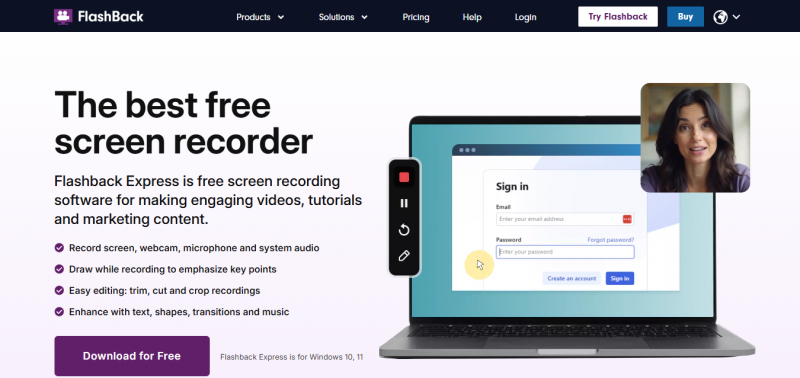
FlashBack Pro captures any part of the PC screen and turns it into a video file. It records screen and PC sounds, webcam and microphone, with no time limits or watermarks. Users edit video and audio frame-by-frame, crop movies to follow the mouse, join movies together, and smooth jerky cursor movements. Annotations include text, images, sound, picture-in-picture video, and highlights. Effects cover zoom, magnifier, and transitions. Movies export as MP4, AVI, WMV, GIF, or standalone EXE, with options to upload to YouTube or password protect.
No time limits or watermarks offers unrestricted recording duration.
Supports multi-monitor setup enhancing recording flexibility.
Comprehensive editing tools including frame-by-frame editing and cursor movement smoothing.
Wide export format options including MP4, AVI, WMV, GIF, and standalone EXE.
Ability to upload directly to YouTube and protect videos with passwords.
May be overwhelming for beginners due to extensive features.
Lack of built-in advanced video effects compared to some competitors.
Export formats do not include newer codecs like HEVC or AV1.
Standalone EXE format might not be compatible with all systems.
Password protection for movies might require additional user knowledge or setup.
1-7 Days
Yes
Proprietary
*Check the current pricing on FlashBack PRO's website.

The Best Monitoring Software for Cell Phone & Computer Tracking

Screen capture and video recording software
A free video capture and processing utility for Windows.

Video Editor

Screen Recording Software: capture anything on your PC screen

Screen recording and video editing software that combines real-time recording with professional editing tools.