Overview

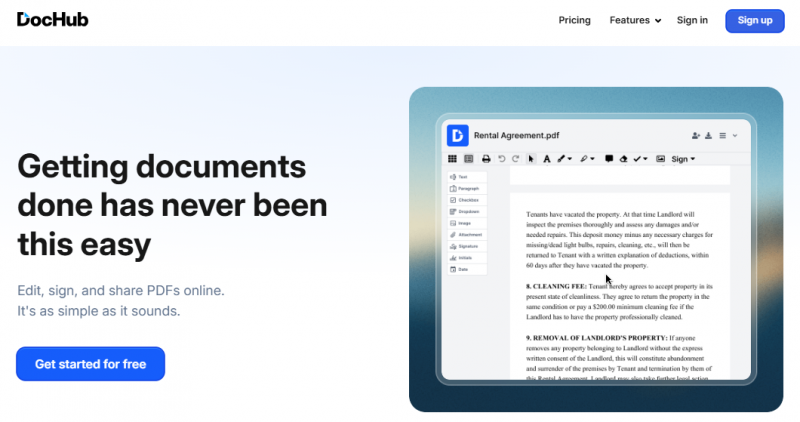
DocHub enables editing, signing, sharing, and form creation for PDFs and other documents online. It focuses on workflows involving document modification, electronic signatures, collaboration, and data collection without printing or scanning. Differentiation comes from real-time sync, roles and permissions for collaboration, reusable templates, integrations with Google Workspace and cloud storage, and security features like password protection and encrypted storage. Users upload documents, add text, images, comments, highlights, or signatures, then share via email, fax, links, or public URLs. Fillable forms and sign requests simplify data gathering and approval processes.

Core Strengths:

  • Edit PDF text and images directly in your browser.
  • Annotate docs with highlights, drawings, and comments.
  • Add legally binding signatures and signatures requests.
  • Create and reuse fillable forms and templates.
  • Integrate with Google Drive, Gmail, Dropbox, and OneDrive.
  • AI Document Assistant summarizes and explains PDFs.
  • Track document activity via audit trails.

How It Works:

  • Upload or Import Documents – Upload from your device or import via Google Drive / Dropbox.
  • Edit & Annotate – Use the PDF editor toolbar to add text, images, annotations, or redact content.
  • Add Fillable Fields – Insert signature, date, or form fields for recipients to complete.
  • Sign & Share – Place your signature and send documents for signing via email or shared links.
  • Track & Export – Track document status, download, print, or save back to cloud storage.

Pros & Cons

Pros:

Free access to premium tools without time limits

Deep integration with Google ecosystem for editing within apps

Lossless editing retains original document quality

Reusable templates reduce repeated work on common forms

Cons:

Requires internet for all editing and sharing functions

Dependent on integrations for full cloud storage compatibility

Software Trial

1-7 Days

Free Version

Yes

Licensing Type

Proprietary

Starting Price

Price Type

  • Free

Currency

  • USD ($)

Subscription

  • Monthly
  • Annually

DocHub Software Features

PDF Features

  • Content Editing
  • Convert to PDF

Deployment

  • Cloud Hosted

Platform

  • Web-Based
  • iPhone/iPad
  • Android
  • Windows
  • Mac
  • Linux

Support

  • Email

Training

  • Documentation
  • Help Guides
  • In-Person Training

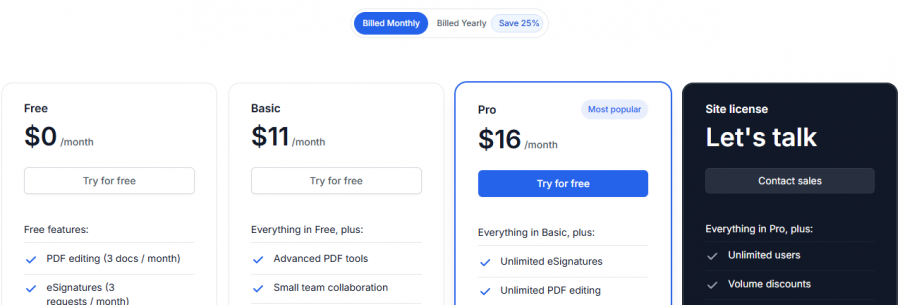
DocHub Pricing

DocHub Pricing

*Check the current pricing on DocHub's website.
Software Category

PDF Editor

Reviews

Login to review DocHub.

Explore Other Top PDF Editor Software