Overview

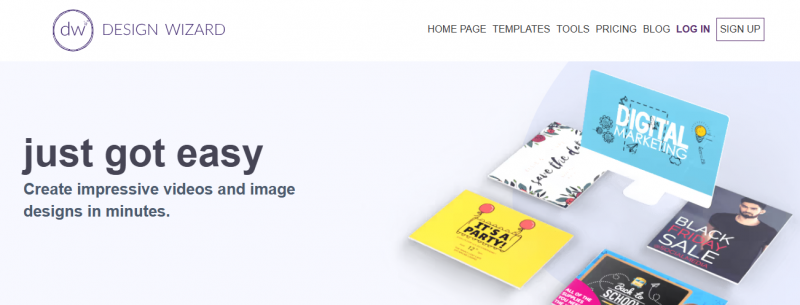
DesignWizard enables creation of image designs and videos using pre-made templates. Users select from thousands of templates for social media posts, posters, and web sizes, then edit elements like backgrounds, images, videos, colors, fonts, and logos

Features:

  • Select from thousands of pre-made templates
  • Edit every element including backgrounds, images, videos, colors, fonts, logos
  • Resize designs with one click
  • Upload custom fonts, photos, logos, create custom color palettes
  • Access library of over one million premium images, thousands of videos, illustrations, graphics

Industry‑Specific Benefits:

  1. Marketing teams: Fast creation of campaign visuals.
  2. Small businesses: Build professional brand assets without designers.
  3. Social media managers: Produce and share visual content quickly.
  4. Event organizers: Design posters, invites, and promotional videos.

Pros & Cons

Pros:

Fast creation of social graphics.

High-quality, varied templates.

Library with images and videos.

Cloud templates updated often.

Easy drag-and-drop editor for beginners.

Cons:

No snapping or grid alignment tools.

Smaller template library than competitors.

Software Trial

7 Days

Free Version

Yes

Licensing Type

Proprietary

Starting Price

Price Type

  • Contact Vendor

Currency

  • USD ($)

Subscription

  • Monthly

DesignWizard Software Features

Graphic Design Features

  • Filtering
  • Multiple Pages
  • Symbols/Styles

Deployment

  • Cloud Hosted

Platform

  • Web-Based
  • Windows

Support

  • Email
  • Chat

Training

  • Documentation
  • Blogs
  • Help Guides

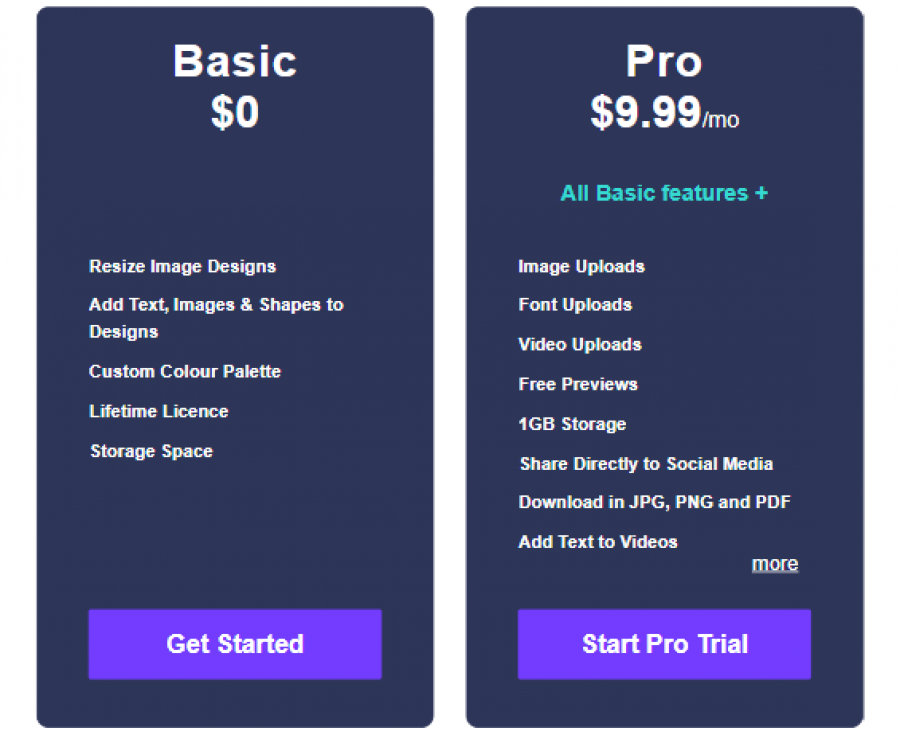
DesignWizard Pricing

DesignWizard Pricing

*Check the current pricing on DesignWizard's website.
Software Category

Graphic Design

Reviews

Login to review DesignWizard.

Explore Other Top Graphic Design Software