Overview

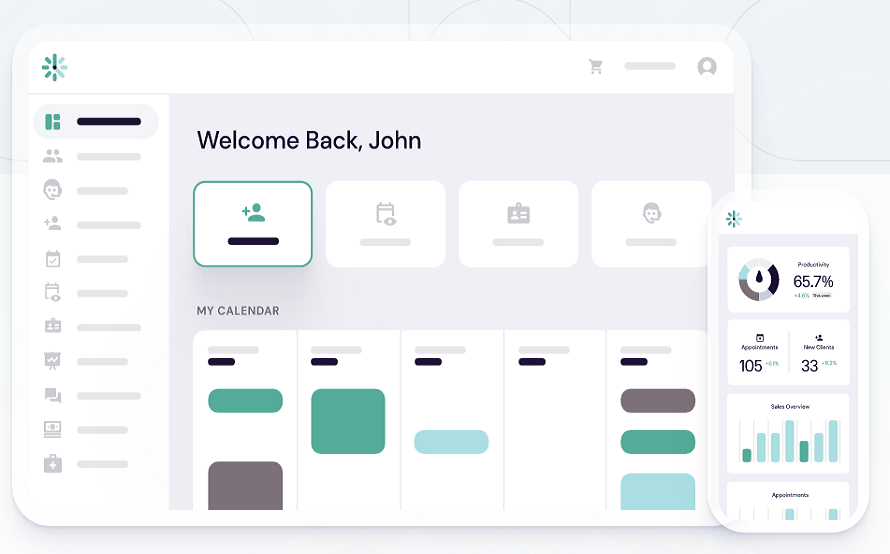
DaySmart Appointments manages appointments across locations. It enables 24/7 client booking through a real-time calendar, automated email and text reminders, secure payment collection at booking, and access to performance reports.

Operating Model:

  • Businesses define services, staff availability, locations, and booking rules in the DaySmart dashboard. Customers book appointments online
  • 24/7 Booking Calendar for real-time client scheduling
  • Payment Processing to collect payments at booking
  • Automated Communication for reminders, confirmations, and follow-ups
  • Reporting to track performance and insights
  • Recurring Appointments and Event Scheduling
  • Google Calendar and Microsoft Outlook 365 integrations
  • Credit Card Processing for online or in-store payments

Pros & Cons

Pros:

Works for startups and enterprise teams alike

Multiple timeline views aid planning precision​

Smooth Jira and Slack integrations for collaboration​

Highly adaptable for daily task management​

Cons:

Brand still relatively unknown to market​

Some users feel feature set oversized currently​

Software Trial

0 Days

Free Version

No

Licensing Type

Open Source

Starting Price

Price Type

  • Flat Rate

Currency

  • USD ($)

Subscription

  • Monthly
  • Quote Based

DaySmart Appointments Software Features

Appointment Scheduling Features

  • Appointment Reminders
  • Automated Scheduling
  • Automated Scheduling
  • Calendar Sync
  • Client Database Management
  • Mobile Compatibility
  • Multi-Location
  • Multi-Location
  • Online Booking
  • Online Booking

Deployment

  • Cloud Hosted

Platform

  • Web-Based
  • iPhone/iPad
  • Android
  • Windows
  • Mac

Support

  • Email
  • Chat
  • Phone

Training

  • Documentation
  • Blogs
  • Help Guides
  • In-Person Training
  • Videos

DaySmart Appointments Pricing

Pricing yet to be updated!

Software Category

Appointment Scheduling

Reviews

Login to review DaySmart Appointments.

Explore Other Top Appointment Scheduling Software