WiFi QR codes are convenient tools to connect to the internet. Businesses no longer provide the password to their free WiFi. Instead, they let you scan a code and connect immediately.
You too can make a QR code for WiFi to ensure workflows are not interrupted, make customer journeys smoother, and encourage people to connect with your business online.
It is free to make. But here’s what we recommend: don’t settle for a basic QR code.
Use a QR code generator with logo integration so you’re able to brand the access point itself, making it more legitimate and reliable to scan.
In this list, you’ll find the most reliable platforms to create a secure, custom QR code that lets people access the internet in a second.
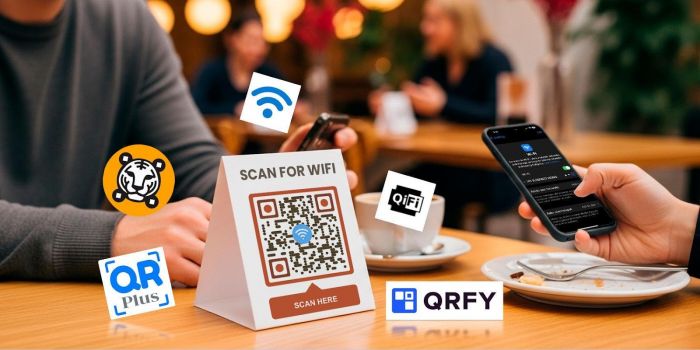
Top 5 QR code generators for easy and secure Wi-Fi sharing
| QR Code Generator | Strengths | Limitations | Best for | Pricing |
| QR TIGER - WiFi QR Code Generator | - Supports WPA, WEP, and no encryption WiFi networks - High branding flexibility (logo, colors, and frames) - Error correction set to level H (30%) - High resolution downloads - Browser and mobile app | None | Business establishments and event venues | - Free (unlimited static QR codes and three dynamic QR code access on paid solutions)
- Paid (for advanced QR code solutions) starting at $7/month |
| QR Plus | - Supports WPA, WEP, and no encryption WiFi networks - High branding flexibility (logo, colors, and frames) - Adjustable error correction | None | Small to medium-sized businesses | - Free (static QR code solutions)
- Paid (for other QR code solutions) starting at $4.90/month |
| Free Wi-Fi QR code generator | - Browser-based code creation - Supports WPA, WEP, and no encryption WiFi networks - High resolution downloads | No tools for customization | Small organizations, offices, and home/personal use | Free |
| QiFi | - Browser based - Supports WPA, WEP, no encryption, and hidden WiFi networks | No tools for customization | Wi-Fi sharing in small groups and home/personal use | Free |
| QR Code Generator Pro | - Supports WPA, WEP, no encryption, and hidden WiFi networks | Requires a sign-up before you can add a brand logo | Small to medium sized businesses | - Free (static QR code solutions)
- Paid (for advanced QR code solutions) starting at $9.99/month |
1. QR TIGER - WiFi QR code generator
QR TIGER is a versatile QR code generation platform with strong branding and customization options. It lets you make WiFi QR codes with your business logo for free.
Why it stands out
- It supports WPA, WEP, and no encryption WiFi networks.
- It allows users to add a company logo, brand colors, and preferred frames so the WiFi QR looks intentional and not generic.
- All QR codes have the highest error correction level, making it durable to any condition.
- It supports the download of QR codes in a range of high resolution formats such as PNG and SVG.
- It is accessible on the web and mobile app.
Best for
The QR TIGER WiFi QR code generator is best for customer-facing businesses and event venues that want to offer secure and fast Wi-Fi access while reinforcing brand identity.
Pricing
There is a free plan and tiered paid plans. The free plan includes the unlimited creation of static QR codes for WiFi and more. It also offers limited dynamic QR codes for advanced solutions and tools.
The paid plans starting at $7 per month offer more access to advanced features.
2. QR Plus
QR Plus offers static WiFi QR codes. The design and customization features are also solid.
Why it stands out
- It supports WPA, WEP, and no encryption WiFi networks.
- It supports the addition of logo and color to the WiFi QR.
- Users can adjust the error correction level of the code.
- It allows the download of QR codes in high quality formats for print use or digital sharing.
- It is accessible on the web.
Best for
QR Plus is suitable for small businesses that want secure and easy WiFi sharing options.
Pricing
It offers a free plan with limited features and tiered paid plans starting at $4.90 per month.
3. Free Wi-Fi QR Code Generator
The Free WiFi QR Code Generator is a very simple and straightforward QR code tool that focuses solely on creating QR codes for WiFi sharing. It's completely free, quick, and easy to use. Though it lacks customization, analytics, and dynamic codes capabilities.
Why it stands out
- It allows the instant generation of QR code WiFi, just input the details.
- The absence of data storage means credentials aren't saved, reducing the risk of unapproved access.
- The codes can be saved in high resolution formats for easy printing and placement.
Best for
Suitable if branding is not a top priority and you do not want to worry about ongoing WiFi management. Perfect for small organizations, offices, and home-based hangouts.
Pricing
The tool is 100% free to use with no hidden charges.
4. QiFi
QiFi is another dedicated WiFi QR code creation tool. It is browser based, designed for maximum privacy but it offers no branding or analytics features.
Why it stands out
- It allows users to create WiFi QR codes with complete data privacy.
- It generates WiFi codes almost instantly without unnecessary ads.
- The zero data storage feature means there's no credential saving, tracking, or logs.
- It requires no installation as it can be accessed via the web.
Best for
QiFi is suitable for users that want a no-cost, secure tool that's capable of managing WiFi access for a small group.
Pricing
This QR code creation tool is free to use with no hidden costs.
5. QR Code Generator Pro
QR Code Generator Pro is another reliable QR code generation platform. It offers secure and quality QR codes with branding and customization options. Though it offers a free plan, its paid plans are slightly pricier compared to other tools.
Why it stands out
- It supports WPA, WEP, no encryption, and hidden WiFi networks.
- It supports basic customization with shape, color, and frame to match brand aesthetics.
Best for
QR Code Generator Pro is suitable for small to medium sized businesses and event organizers that want to create QR code for WiFi sharing.
Pricing
It offers a free plan with limited features and three different tiered paid plans costing $9.99, $29.99, and $39.99 per month.
Why do you need a Wi-Fi QR code anyway?
A Wi-Fi QR code is not a quick response code for nothing.
It stores your network name (SSID), password, and encryption type in a scannable format.
When this QR code is scanned, it automatically connects the device to the network, saving the user from the usual hassle of typing out the password.
Plus, it’s more secure provided that you’re not publicizing the password.
This is a feature supported by most modern devices including Android and iOS, which enables easy sharing and authorization of Wi-Fi access.
These are all the good reasons to use them in offices, cafes or restaurants, event places, and halls where instant internet access is necessary.
Pro tips for using a WiFi QR code
- Scan the code on multiple devices to confirm it works well before printing or distributing.
- Ensure the code is easy to scan by keeping enough contrast between the pattern and background.
- Place codes in easy-to-notice areas such as reception desks, conference tables, menus, or event check-in points.
- Prevent wear, smudges, or fading that could make the code unreadable.
- Keep your main business network separate for security while still offering convenient access.
- Update codes or reprint when necessary to avoid delays and frustration in accessing the network.
- Use a customized QR code with your logo to turn a simple WiFi access into a memorable brand experience.
Make WiFi sharing a one second job
WiFI QR codes do not just save time or prevent interruptions. They offer convenience, operational efficiency, and better customer experience.
The five QR code generators for WiFi on this list work reliably and are easy to set up.
QR TIGER works for both small to large scale WiFi sharing needs. QR Plus and QR Code Generator Pro are suitable for medium scale QR WiFi sharing and management, while Free Wi-Fi QR Code Generator and QiFi are better for small scale WiFi access management.
Post Comment
Be the first to post comment!