On This Page
- Platform Overview: Stylar AI (Dzine AI) vs Canva
- Core Platform Comparison
- Key Features of Stylar AI (Dzine AI)
- Stylar AI (Dzine AI) Feature Table
- Key Features of Canva
- Canva Feature Table
- Ease of Use for Non-Designers
- Ease of Use Comparison Table
- Creative Freedom and Design Control
- Creative Freedom Comparison Table
- Editing and Workflow Efficiency
- Pricing Comparison
- Final Verdict: Can Stylar AI (Dzine AI) Replace Canva?
When it comes to beginner-friendly design tools, Canva has dominated for years. It built its reputation on templates, drag-and-drop editing, and brand consistency tools that make design accessible to anyone. In 2026, however, AI-native platforms like stylar ai (dzine ai) are challenging that model by offering text-to-design generation, style controls, and layered editing powered by artificial intelligence.
The real question is not which tool is more powerful. The real question is whether stylar ai (dzine ai) can realistically replace Canva for non-designers who value speed, structure, and ease of use.
This comparison breaks down both platforms feature by feature to help you decide which one fits your workflow.
Platform Overview: Stylar AI (Dzine AI) vs Canva
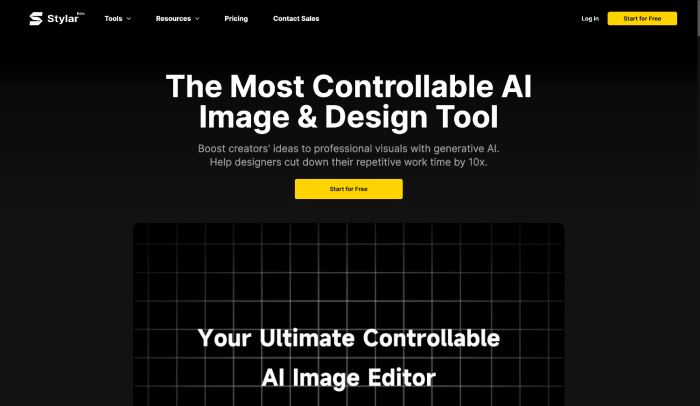
Stylar AI (dzine ai) is an AI-first design platform focused on text-to-image generation combined with canvas-based editing tools. It allows users to generate visuals from prompts, refine them with layered adjustments, and enhance output using AI correction tools.
Canva is a template-first design platform focused on drag-and-drop simplicity. It provides structured layouts, stock assets, brand kits, and collaboration features that enable quick design production without requiring prompt knowledge.
Core Platform Comparison
| Feature Category | Stylar AI (Dzine AI) | Canva |
| Design Approach | AI-first generation | Template-first editing |
| Skill Requirement | Basic prompt understanding | No prompt knowledge needed |
| Editing Style | Layer-based canvas editing | Drag-and-drop layout editing |
| Best For | Creative experimentation | Fast structured design |
| User Type | Creators, marketers, designers | Non-designers, teams |
Key Features of Stylar AI (Dzine AI)
Stylar AI (dzine ai) focuses on generative design. Users describe what they want, and the system produces unique visual outputs. It includes predefined styles to reduce prompt complexity and offers advanced editing options on a design canvas.
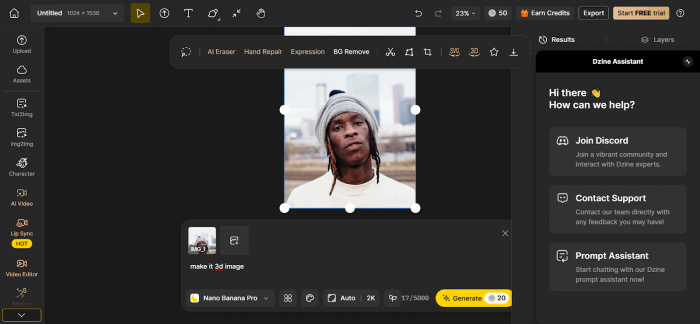
The platform supports layered editing, repositioning elements, AI regeneration of specific parts, and enhancement tools to fix distortions like hands and faces. It also supports high-resolution exports up to 6144 by 6144 pixels.
Pricing operates on a credit-based system. There is a free tier with daily credits and paid plans starting from approximately 8 to 25 dollars per month, with higher plans offering unlimited image credits.
Stylar AI (Dzine AI) Feature Table
| Feature | Availability |
| Text-to-Image Generation | Yes |
| Predefined Style Presets | Yes |
| Layer-Based Editing | Yes |
| AI Enhancement Tools | Yes |
| Auto Background Removal | Yes |
| High Resolution Export | Up to 6144x6144 |
| Credit-Based Pricing | Yes |
| Brand Kit System | No dedicated system |
Key Features of Canva
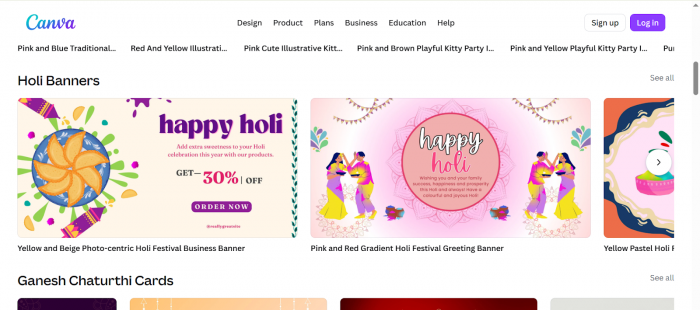
Canva is built around templates. It provides over 600,000 pre-designed layouts covering social media, presentations, posters, ads, infographics, and more. Users can customize text, images, and layout blocks instantly.
Canva also includes brand kits, allowing users to lock fonts, logos, and colors for consistency. Its collaboration features support team workspaces, content calendars, and scheduling tools for social platforms.
Pricing follows a flat subscription model. There is a free tier, and Canva Pro costs approximately 13 dollars per month with premium assets and advanced features included.
Canva Feature Table
| Feature | Availability |
| Template Library | 600,000 plus templates |
| Drag-and-Drop Editor | Yes |
| Brand Kit Tools | Yes |
| Team Collaboration | Yes |
| Social Media Scheduling | Yes |
| AI Add-Ons | Yes |
| Flat Subscription Model | Yes |
| High Resolution Export | Yes |
Ease of Use for Non-Designers
Canva is immediately intuitive. Users select a template, replace text and images, and export. There is no need to learn prompt structure or experiment with AI outputs. This makes it ideal for beginners.
Stylar AI (dzine ai) offers flexibility but requires some prompt input. While predefined styles reduce complexity, users must experiment to achieve the desired result. It is user-friendly but not instant.
Ease of Use Comparison Table
| Factor | Stylar AI (Dzine AI) | Canva |
| Beginner Setup Time | Moderate | Very Fast |
| Requires Prompt Knowledge | Basic | No |
| Template Dependency | No | Yes |
| Learning Curve | Moderate | Very Low |
| Immediate Output | Depends on prompt | Instant via templates |
Creative Freedom and Design Control
Stylar AI (dzine ai) excels in originality. It generates unique layouts that are not restricted to preset templates. Users can iterate infinitely and adjust individual layers on a canvas.
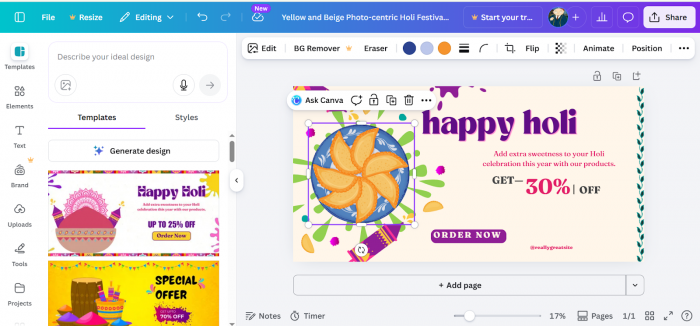
Canva offers creative control within structured boundaries. While customization is possible, users typically work within template frameworks. This ensures consistency but limits originality.
Creative Freedom Comparison Table
| Feature | Stylar AI (Dzine AI) | Canva |
| Unique AI-Generated Designs | Yes | Limited |
| Layer-Level Adjustments | Yes | Basic |
| Template Restrictions | No | Yes |
| Infinite Variations | Yes | No |
| Brand Consistency Tools | Limited | Strong |
Editing and Workflow Efficiency
Stylar AI (dzine ai) provides targeted regeneration, AI-based corrections, and repositioning tools. It behaves more like a hybrid between AI generation and lightweight design software.
Canva focuses on speed. Editing is simple, structured, and optimized for rapid production rather than deep refinement.
Editing Workflow Comparison Table
| Workflow Feature | Stylar AI (Dzine AI) | Canva |
| Targeted AI Regeneration | Yes | Limited (Magic Edit for specific elements) |
| Manual Layer Control | Yes (Advanced layer adjustments) | Basic (Layer stacking, grouping) |
| Alignment Guides | Basic | Strong (Snap-to-grid, spacing guides) |
| Structured Layout Editing | Limited | Strong (Template-based layout system) |
| Rapid Batch Production | Moderate | High (Bulk resize, duplicate, template reuse) |
| Team Workflow Tools | Limited | Strong (Shared folders, comments, roles) |
| Social Publishing | No | Yes (Built-in content scheduler) |
Pricing Comparison
Stylar AI (dzine ai) operates on a credit-based model, meaning usage depends on generation volume. Canva uses a flat monthly subscription model for predictable costs.
Pricing Comparison Table
| Pricing Factor | Stylar AI (Dzine AI) | Canva |
| Free Plan | Yes (Signup + daily credits) | Yes (Limited templates & assets) |
| Entry Paid Plan | 8 to 25 dollars per month | Approximately 13 dollars per month (Canva Pro) |
| Unlimited Plan | Yes at higher tier | No fully unlimited tier, but Pro removes most limits |
| Credit System | Yes | No |
| Flat Monthly Model | No | Yes |
| Commercial Use Rights | Included in Paid Plans | Included in Canva Pro |
Final Verdict: Can Stylar AI (Dzine AI) Replace Canva?
For non-designers who prioritize speed, structure, and brand consistency, Canva remains the more reliable option. Its template-driven workflow removes friction and enables immediate results.
Stylar AI (dzine ai) offers significantly more creative freedom. It empowers users to generate original visuals that Canva cannot replicate through templates alone. However, that flexibility requires more user involvement and iteration.
In 2026, stylar ai (dzine ai) complements Canva rather than fully replacing it. Canva remains dominant for structured workflows and collaboration. Stylar AI (dzine ai) stands out for AI-driven originality and layered design control.
The smarter strategy for many creators may be using both, depending on whether the task requires structure or imagination.
Post Comment
Be the first to post comment!