On This Page
- What is Slidesgo? (Official website)
- Key Features That Define Slidesgo
- Pricing: Free to Premium: A Clear Breakdown
- Real-World User Reviews & Community Sentiment
- Strengths and Limitations: A Balanced Evaluation
- How Slidesgo Compares with Alternatives
- Conclusion: Reliable, Resourceful, and Still Evolving
In an age where compelling visual communication is crucial, Slidesgo has emerged as a widely recognized platform for presentation templates. Whether you are a student working on a class project, a teacher crafting lessons, or a professional preparing a pitch deck, Slidesgo promises a solution that speeds up design without requiring mastery of graphic tools. But how does it truly measure up in 2026? In this comprehensive review, we explore its pricing model, real user feedback, strengths and limitations, and how it compares to other tools in the market.
What is Slidesgo? (Official website)
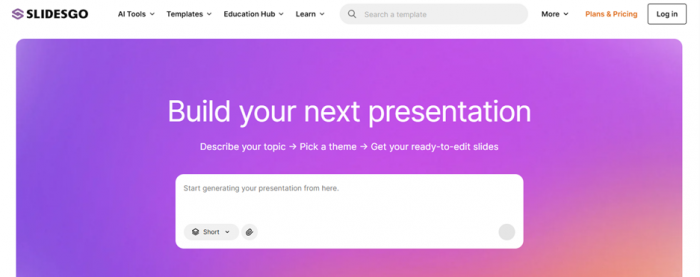
Slidesgo is a repository of pre-designed presentation templates compatible with both Google Slides and Microsoft PowerPoint. It offers thousands of templates across categories such as business, education, infographics, creative pitches, and more. Many templates are visually rich and professionally designed, allowing users to begin with a ready-made structure, then customize content to their needs.
What sets Slidesgo apart is its template-first approach: rather than building slides from scratch, users select a theme and tailor it to their message. While not a standalone slide editor, its tight compatibility with major presentation tools gives it broad appeal.
Key Features That Define Slidesgo
One of the most important considerations when writing about Slidesgo is not just what it costs, but what it actually does. Slidesgo’s appeal lies in the depth and practical utility of its features, which help users go beyond simple template downloads.
1. Massive, Professionally Designed Template Library
Slidesgo offers tens of thousands of templates crafted by professional designers, covering major categories such as education, business, marketing, healthcare, technology, and creative portfolios. These templates include:
- Title slides, section breaks, and agenda layouts
- Infographics, charts, maps, and icon sets
- Process visuals, timelines, and data-driven graphs
Templates are available for Google Slides and PowerPoint, with some increasingly compatible with other editors as well.
2. AI-Powered Presentation Generation
A standout feature in 2026 is the AI presentation maker. Users input a topic or a brief description, and Slidesgo’s AI engine generates a structured presentation that uses professional slide layouts from its library. This considerably reduces the time required to build a presentation from scratch.
3. Slidesclass: Ready-to-Use Lessons
Especially valuable for educators, the Slidesclass library provides lesson plans and ready-to-teach slide decks verified by teachers. These come with structured educational content and support classroom use across subjects.
4. Online Editing Tools
Slidesgo’s browser-based editor allows users to make quick changes without needing local software. You can adjust text, swap images, add new slides, and export the final presentation directly all from your browser.
5. AI Teaching & Classroom Support Tools
Beyond basic presentation generation, Slidesgo includes tools like AI lesson planners, quiz generators, icebreaker and exit ticket generators (useful for workshops or classrooms).
6. Seamless Integration & Customization
Templates downloaded from Slidesgo are designed to be fully editable in both Google Slides and PowerPoint. Most elements icons, infographics, color schemes, and layouts can be modified to fit the presenter’s brand or topic needs.
Pricing: Free to Premium: A Clear Breakdown
Slidesgo follows a freemium pricing model with options suited for casual and frequent users alike:
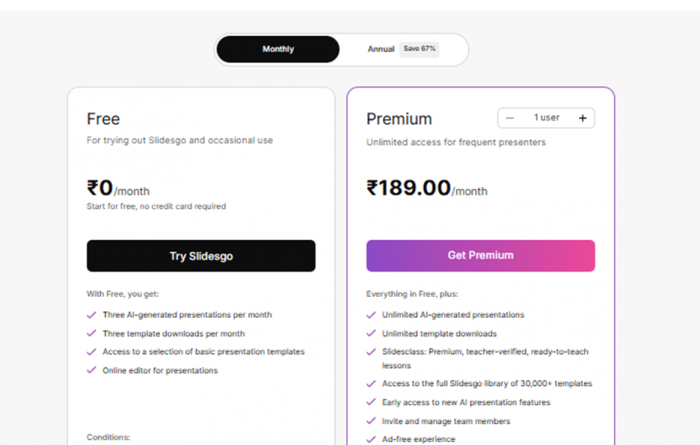
| Plan | Price (Indicative) | Downloads | Attribution |
| Free | $0 | 3–5 templates/month | Required |
| Premium (Monthly) | ~$1.99/month | Unlimited* | Not required |
*While marketed as “unlimited,” there is an internal safety cap of about 150 downloads per month on Premium plans in 2026.
In the free tier, users can typically download 3 to 5 templates per month, provided they include a Slidesgo credit slide (attribution) in their final presentation. Premium subscriptions remove this attribution requirement, provide unrestricted access to the entire library (within the monthly safety cap), and eliminate ads, making them preferable for frequent use.
Real-World User Reviews & Community Sentiment
User feedback paints a mostly positive picture, with appreciation for the breadth of templates, ease of use, and the value of the free tier especially for students and educators.
Positive Perceptions
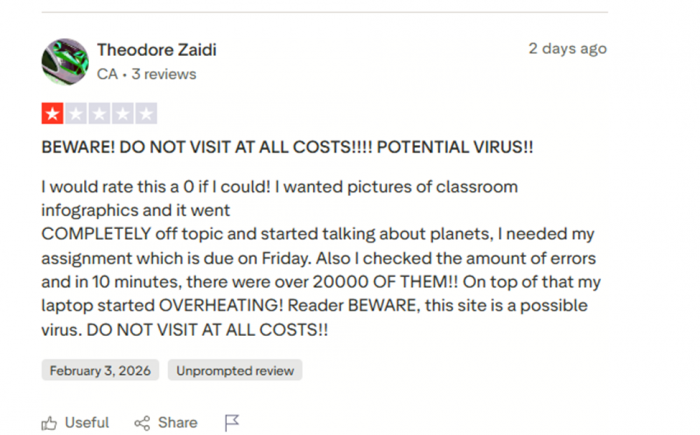
Many reviewers on platforms like Trustpilot rate Slidesgo highly, praising its design variety and accessibility even without cost. One recent Trustpilot review highlighted its easy navigation and broad selection of topics. (Trustpilot)
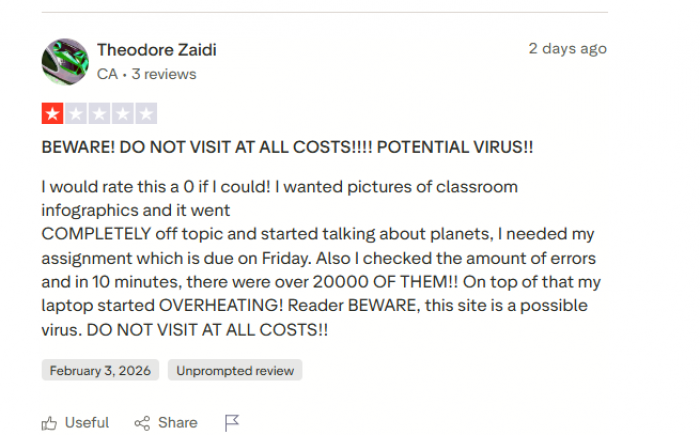
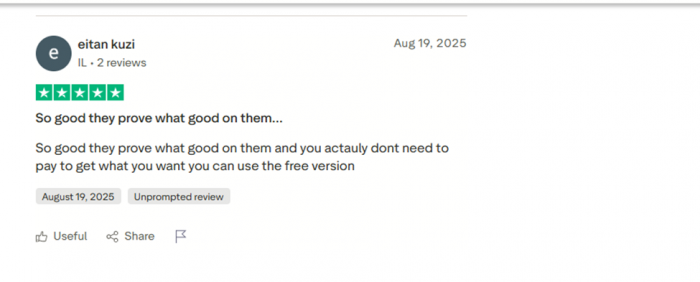
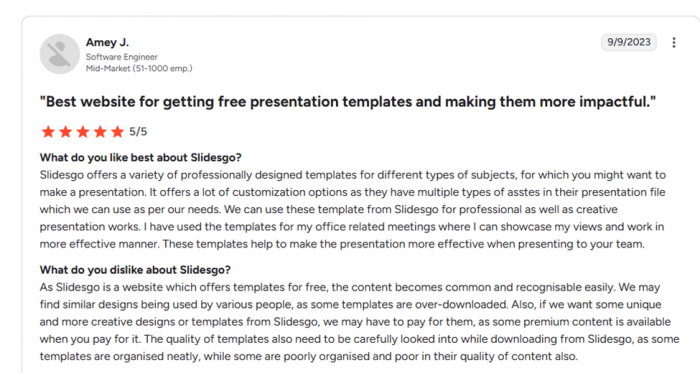
Industry review sites show favorable ratings too: on G2, users have given Slidesgo around 4.7 out of 5 stars, with many noting that it “saved time” and offered “professional output” even for first-time users.
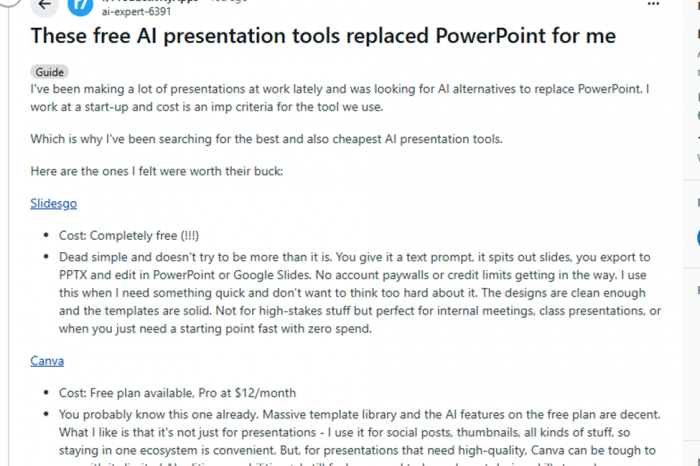
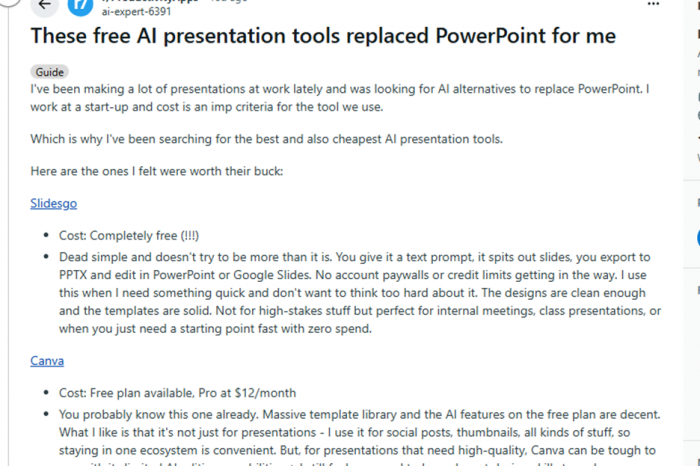
On community forums like Reddit, users have repeatedly cited Slidesgo as a go-to solution for quick, attractive presentations during crunch times where no paid tools are available.
Neutral and Mixed Feedback
Not all experiences are flawless. Some casual users and reviewers note that the free plan’s download limits and required attribution can feel restrictive when multiple presentations are needed quickly.
Negative Sentiments
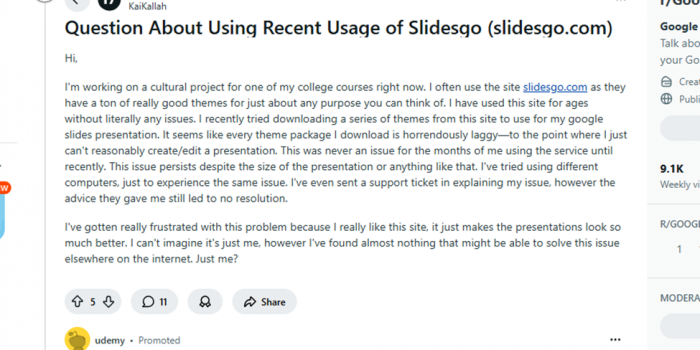
Dissenting voices have surfaced, especially on forums. Common issues include laggy downloads or performance problems with certain templates, which can disrupt editing flow. One long-standing Reddit thread detailed persistent lag issues across devices, despite user efforts to troubleshoot.
Other frustrations shared online include repeated requests from students for others to download premium-locked templates, revealing that the free tier sometimes restricts access to highly desirable designs.
Strengths and Limitations: A Balanced Evaluation
Slidesgo’s greatest strength is its enormous, professionally designed library often sufficient on its own for academic and internal business needs. The drag-and-drop compatibility with popular tools like Google Slides and PowerPoint ensures that users aren’t locked into a proprietary editor.
However, some reviewers and users highlight limitations:
- The free tier’s download cap and attribution requirement may not suit heavy users.
- Advanced animations and cutting-edge multimedia features are limited, requiring manual enhancement after download.
- Support response times can vary, with some users reporting delays for free accounts.
Despite these, many find the base experience reliable and useful for standard presentations.
How Slidesgo Compares with Alternatives
| Feature / Tool | Slidesgo | Canva | Beautiful.ai | Gamma | SlidesAI |
| Best For | Ready-made templates and visual presentations | All-around design & presentations | AI-assisted slide layout | Web-native storytelling presentations | Text-to-slides generation |
| Template Library | Very High (30,000+ templates) | Very High | Medium | Medium | Low |
| AI Features | AI presentation generator | Yes (Magic Write & templates) | Yes (smart layouts) | Yes (content suggestions) | Yes (slide generation from text) |
| Ease of Use | Easy | Very Easy | Easy | Easy | Easy |
| Collaboration | No (exports to PPTX/Google Slides) | Yes (real-time collaboration) | Yes | Yes | No |
| Customization | High (Google Slides/PowerPoint) | Very High | Medium | Medium | Medium |
| Best Output Format | PowerPoint / Google Slides | Multi-format (PDF, PPTX, social graphics) | Presentation decks | Web presentations/interactive | Google Slides |
| Pricing Level | Low | Medium | Medium-High | Medium | Low |
| Free Tier Available | Yes | Yes | Yes (limited) | Yes | Yes |
Conclusion: Reliable, Resourceful, and Still Evolving
In 2026, Slidesgo remains a compelling choice for anyone who needs quick, attractive presentation templates without spending hours on design. Its free tier delivers genuine value, and its Premium plan is competitively priced compared to more fully featured productivity tools. While not a full slide editor with analytics or collaboration tools built-in, its depth of design assets makes it especially strong for educators, students, and small teams.
Real user sentiment reflects these strengths while pointing to occasional limitations that most users can work around. As with any tool, choosing Slidesgo depends on whether your priority is ease of design and range of templates or advanced features and automation.
Post Comment
Be the first to post comment!