On This Page
- What Is Practical AI Tools Learning?
- Why Learning AI Tools Is Essential in 2026
- Categories of AI Tools to Focus On
- 1. AI Writing and Content Tools
- 2. AI Design and Image Generation Tools
- 3. AI Video and Audio Tools
- 4. AI Productivity and Automation Tools
- 5. AI Data and Analytics Tools
- Steps to Start Learning Practical AI Tools
- Common Mistakes to Avoid
- Personal Insight
- Pricing Disclaimer
- Frequently Asked Questions
- Conclusion
What Is Practical AI Tools Learning?
Practical AI tools learning means gaining hands-on experience with AI software rather than only studying theory. It focuses on:
● Solving real-world problems using AI
● Learning by doing, not memorizing concepts
● Applying AI tools to improve productivity, creativity, and decision-making
● Understanding ethical usage and limitations of AI
Unlike traditional AI courses that focus on coding or research, practical learning emphasizes tool proficiency and results.
Why Learning AI Tools Is Essential in 2026
AI is transforming industries at an unprecedented pace. Here’s why learning practical AI tools is a must:
● Increase productivity: Automate repetitive tasks with AI tools
● No coding needed: Most modern AI tools are beginner-friendly
● Boost career prospects: AI skills are increasingly demanded by employers
● Enhance creativity: Generate content, designs, and videos efficiently
● Stay ahead of competition: Businesses expect teams to leverage AI in workflows
Categories of AI Tools to Focus On
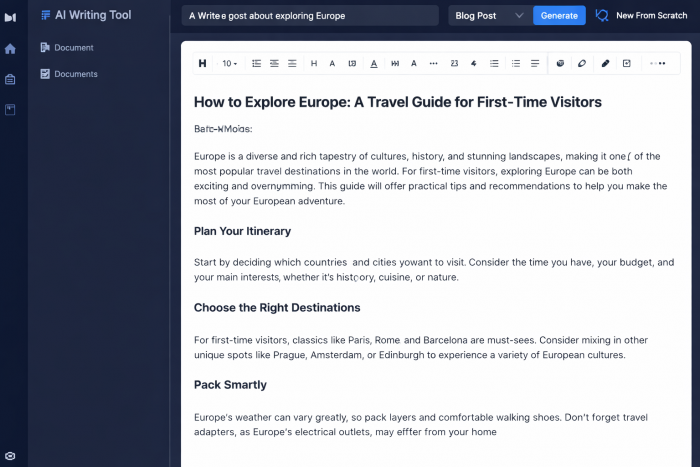
1. AI Writing and Content Tools
These tools help create high-quality text for blogs, social media, emails, and ads.
Key learning areas:
● Writing blog posts and SEO content
● Summarizing long documents
● Creating marketing copy
● Editing tone and grammar
Top AI writing tools with brief descriptions:
● ChatGPT: AI conversational tool for generating human-like text, answering questions, and drafting content quickly.
● Jasper AI: AI content platform for marketers and writers to create SEO-friendly copy, blogs, ads, and emails.
● Copy.ai: AI writing assistant focused on marketing copy, product descriptions, and creative content.
● Writesonic: AI-powered tool for generating articles, ads, social media posts, and summaries with minimal effort.
Example: A content writer can reduce writing time by 50% while producing polished, SEO-optimized articles.
2. AI Design and Image Generation Tools
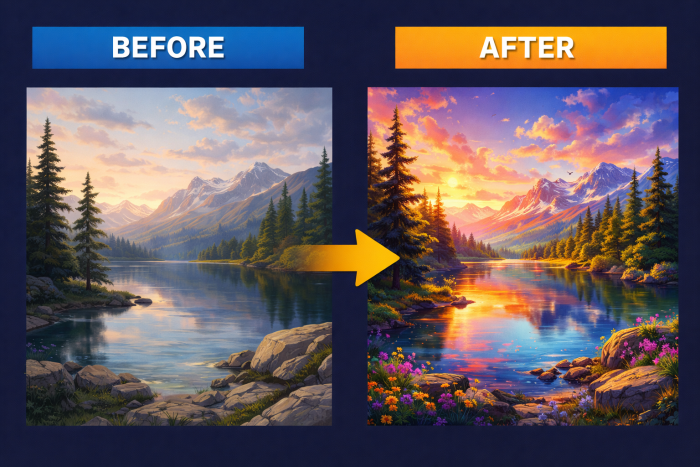
Non-designers can create visuals quickly using AI.
Key learning areas:
● Generate images from text prompts
● Design social media graphics and thumbnails
● Edit and enhance visuals automatically
Top AI design tools with brief descriptions:
● MidJourney: AI tool that generates artistic images from text prompts, widely used for creative visuals.
● DALL·E: OpenAI’s AI image generator that produces realistic or imaginative images from descriptions.
● Canva AI: AI features within Canva help create graphics, social media posts, and presentations efficiently.
● Leonardo AI: AI-based platform for generating high-quality digital art, concept designs, and illustrations.
Example: A blogger can create custom thumbnails in minutes without hiring a designer.
3. AI Video and Audio Tools
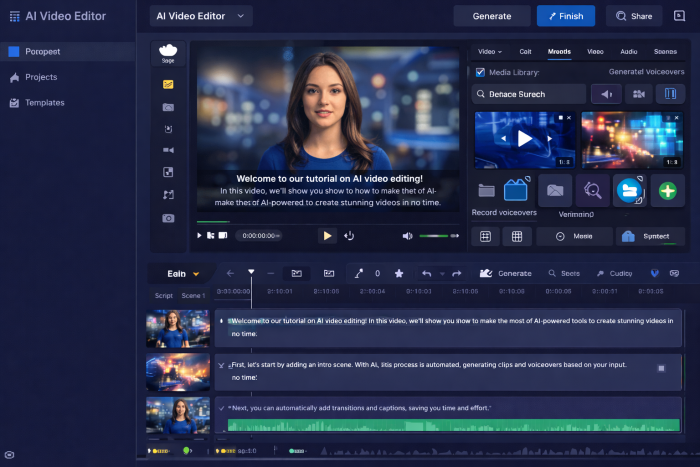
Video creation is faster and more accessible with AI tools.
Key learning areas:
● Convert scripts into AI-generated videos
● Create voiceovers
● Auto-edit and optimize video content
Top AI video tools with brief descriptions:
● Runway ML: AI-powered video editing tool that allows automatic background removal, video generation, and visual effects.
● Pictory: Converts scripts or articles into short videos, ideal for social media or marketing content.
● Synthesia: AI platform for creating videos with realistic AI avatars and voiceovers without recording.
● Descript: Video and audio editing tool with AI-powered transcription, voiceover generation, and editing features.
Example: Marketers can produce explainer videos in a fraction of the time.
4. AI Productivity and Automation Tools
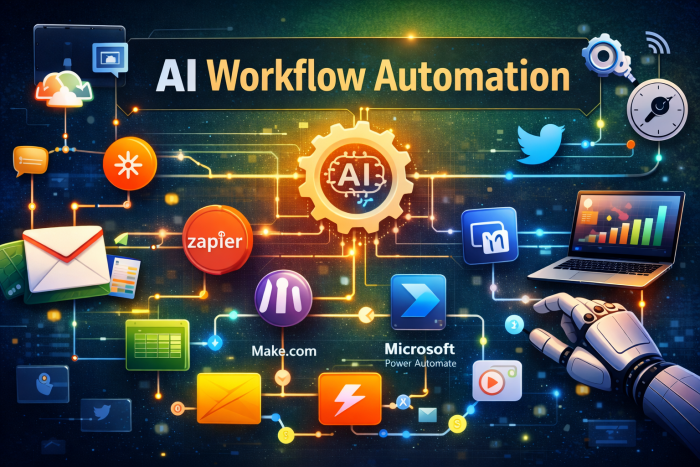
Automation tools reduce repetitive work and streamline workflows.
Key learning areas:
● Automate tasks across multiple apps
● Organize data and insights efficiently
● Build smart workflows
Top tools with brief descriptions:
● Zapier: Automates workflows between apps, like sending emails, updating spreadsheets, or triggering notifications.
● Make.com: Visual workflow builder to automate complex tasks across multiple platforms without coding.
● Microsoft Power Automate: Part of Microsoft ecosystem for automating tasks in Office apps and cloud services.
● Notion AI: Enhances Notion productivity with AI-generated summaries, notes, and content suggestions.
Example: Automate client follow-ups and notifications to save hours weekly.
5. AI Data and Analytics Tools
AI analytics tools help transform raw data into actionable insights.
Key learning areas:
● Identify trends and patterns
● Generate reports automatically
● Predict outcomes and support decisions
Top tools with brief descriptions:
● Tableau with AI: Visual analytics platform with AI-driven insights and predictive analytics.
● Power BI: Microsoft’s business intelligence tool enhanced with AI for dashboards, visualizations, and forecasts.
● MonkeyLearn: AI tool for text analysis, sentiment detection, and extracting insights from unstructured data.
● Google Looker Studio: AI-assisted reporting platform for visualizing data, creating dashboards, and generating insights.
Example: Marketing teams can optimize campaigns with AI-driven insights.
Steps to Start Learning Practical AI Tools
1. Choose a use case: Blogging, marketing, business automation, or personal productivity.
2. Learn one tool at a time: Focus on mastering it before moving on.
3. Practice on real projects: Apply AI to work tasks, personal projects, or client work.
4. Learn effective prompting: Craft precise prompts for better AI results.
5. Stay updated: Follow AI blogs, tutorials, and product updates.
Common Mistakes to Avoid
● Relying entirely on AI without human review
● Copy-pasting AI content without editing
● Ignoring ethical and copyright issues
● Learning too many tools at once
● Not practicing real-world applications
Personal Insight
The fastest way to gain AI proficiency is daily usage. Even small tasks like drafting emails, summarizing notes, or generating visuals help you build confidence. Gradually, these small steps lead to advanced AI workflows and professional-level skills.
Pricing Disclaimer
Most AI tools provide:
● Free or trial plans
● Paid monthly or annual subscriptions
● Pricing that changes periodically
Check official websites for the latest details.
Frequently Asked Questions
Q1: Is practical AI tools learning suitable for beginners?
Yes. Most AI tools are designed for beginners and non-technical users.
Q2: Do I need coding skills to use AI tools?
No. Modern AI tools use simple interfaces and prompts.
Conclusion
Practical AI tools learning is essential for anyone wanting to boost productivity, creativity, and career opportunities in 2026. Start small, practice consistently, and treat AI as a smart assistant. Those who master these tools now will have a significant advantage in the future.
Call to action: Start exploring one AI tool today, experiment with a real project, and share your results to gain hands-on experience.
Post Comment
Be the first to post comment!