On This Page
- Quick Comparison: Best Accounting Apps for Students
- Why Students Need Accounting Apps
- Personal Finance Apps for Daily Money Management
- Mint – Best Free Budget Tracker
- YNAB (You Need A Budget) – Best for Financial Discipline
- Splitwise – Best for Shared Expenses
- QuickBooks Online – Best Professional Software
- Wave – Best Free Accounting Software
- AI-Powered Homework Support – Best for Learning Concepts
- Excel & Google Sheets – Best for Assignments
- Professional Tools Building Career Skills
- FreshBooks – Best for Student Freelancers
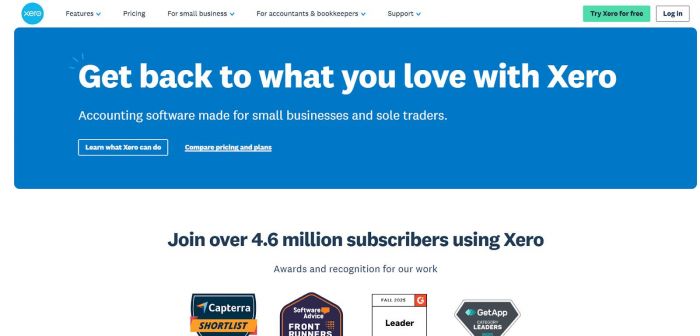
- Xero – Best Multi-User Accounting
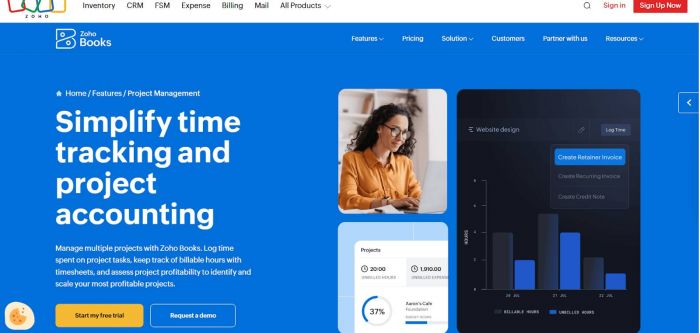
- Zoho Books – Best for Project-Based Accounting
- Comparison by Student Need
- How to Choose the Right App
- Tips to Maximize Your Apps
- Conclusion
Even very well-organized students struggle with money management in college. The costs of shared housing, textbooks, tuition, and daily expenses quickly become a complicated web of transactions. The workload increases when accounting courses add requirements such as financial statements and journal entries. Students are now looking for solutions that help them manage their personal finances and complete their academic assignments without breaking already tight budgets.
These needs are directly met by online accounting apps. They provide practical exposure to the same tools used in professional settings, simplify expense tracking, and accurately calculate shared costs among roommates. With an emphasis on long-term skill development, coursework support, and personal budgeting, this guide looks at the top accounting software for students.
Quick Comparison: Best Accounting Apps for Students
| App | Best For | Starting Price | Student Discount |
| Mint | Budget tracking | Free | N/A |
| YNAB | Building money habits | $14.99/month | 1 year free |
| Splitwise | Shared expenses | Free | N/A |
| QuickBooks Online | Professional skills | $30/month | $1/month |
| Wave | Free business accounting | Free | N/A |
| FreshBooks | Freelance invoicing | $19/month | Negotiable |
| Xero | Multi-user access | $15/month | Contact sales |
| Zoho Books | Project tracking | Free (under $50k) | N/A |
Why Students Need Accounting Apps
Financial management affects students in several ways at once. Regardless of when your job pays, rent is due on the first. Statements from credit cards build up more quickly than you keep track of your purchases. This complexity causes traditional methods - such as notebooks, calculators, and mental math - to fail.
Further complexity is added by academic requirements. Professional financial reports are required for case studies by business students. Financial statements and journal entries are mandatory for accounting majors. Donations from fundraisers are tracked in real time by club treasurers. Online accounting tools connect concepts learned in the classroom with the realities of the workplace.
These tools are crucial for career preparation. Employers anticipate that graduates will be proficient in Excel financial modeling and QuickBooks. "Accounting software proficiency" is listed as a prerequisite on internship applications. Students who are proficient in these tools have skills that set them apart from their peers who have only studied theory when they enter the workforce.
The financial stakes are high. The cost of overdraft fees is $35 per instance. Penalties for late payments mount rapidly. Inadequate budget management makes applying for apartments more difficult. The best accounting apps for students teach lifelong discipline and help them avoid costly mistakes.
Personal Finance Apps for Daily Money Management
Mint – Best Free Budget Tracker
Pricing: Free | Best for: Comprehensive budget tracking without subscription costs
Mint automatically retrieves transaction data from bank accounts, credit cards, and student loans. Every purchase, including groceries, textbooks, and entertainment, is categorized to reveal the precise monthly flow of funds.
Key features:
● Automatic import and classification of transactions
● Budget alerts that are customizable by category
● Reminders for bill payments, credit score tracking
● Net worth valuations for all accounts
| PROs | CONs |
| Completely free | Advertisements present |
| Intuitive interface | Limited customization |
| Comprehensive overview | Bank connections occasionally break |
| Strong mobile app |
YNAB (You Need A Budget) – Best for Financial Discipline
Pricing: $14.99/month | Student discount: Free for 1 year
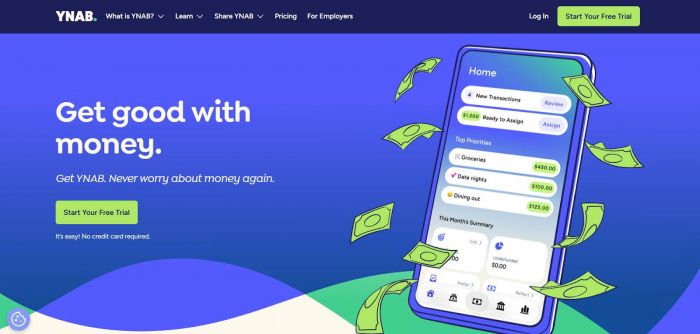
Through zero-based budgeting, which assigns specific tasks to each dollar before it is spent, YNAB teaches purposeful spending. Compared to passive tracking, this active approach fosters stronger financial habits.
Key features:
● Methodology for zero-based budgeting
● Tools for establishing savings goals
● Real-time device synchronization
● Detailed expenditure reports and trend analysis
| PROs | CONs |
| Proven methodology | Steeper learning curve |
| Excellent education | Requires daily engagement |
| Full year free for students | Expensive after discount ends |
| Active community |
Splitwise – Best for Shared Expenses
Pricing: Free (Premium: $2.99/month) | Best for: Roommates splitting bills regularly
Splitwise uses mathematical accuracy to track shared expenses, preventing financial disputes. The app determines equitable settlements when one person pays for groceries and another for utilities.
Key features:
● Unlimited groups and expense tracking
● Split choices for different uses
● Settlement optimization minimizing transactions
● IOU tracking and reminders for payments
| PROs | CONs |
| Free version handles most needs | Premium needed for receipt scanning |
| Extremely simple | Limited reporting |
| Reduces awkward conversations | No bank connections |
Apps for Academic Success and Coursework
QuickBooks Online – Best Professional Software
Pricing: $30/month | Student discount: ~$1/month | Best for: Building marketable skills
Professional accounting is dominated by QuickBooks, so familiarity with it is beneficial for careers. From journal entries to the creation of financial statements, the platform manages full business accounting cycles.
Key features:
● Complete double-entry accounting in accordance GAAP
● Automated tracking of payments and invoice creation
● Automated matching and bank reconciliation
● Time tracking integrated with billing
● A comprehensive suite of financial reports
| PROs | CONs |
| Industry-standard software | Complex interface |
| 97% student discount | Overkill for simple budgeting |
| Excellent tutorials | Requires accounting knowledge |
| Cloud-based |
Integrations: 650+ apps including PayPal, Shopify, Square, Gusto payroll
Wave – Best Free Accounting Software
Pricing: Free | Best for: Student entrepreneurs needing professional tools free
Wave offers complete accounting software at no cost, monetizing through optional payment processing rather than subscription fees.

Key features:
● Unlimited invoicing with custom branding
● Expense tracking and categorization
● Bank connection for automatic imports
● Receipt scanning via mobile app
● Financial reporting (P&L, balance sheet, cash flow)
| PROs | CONs |
| Free core features | Fewer bank connections |
| Professional reports | Limited support |
| No transaction limits | No inventory management |
AI-Powered Homework Support – Best for Learning Concepts
Pricing: Varies | Best for: Students struggling with complex accounting problems
Even motivated learners struggle with accounting coursework. In theory, journal entries are balanced, but in reality, they are not. Financial statements show areas of comprehension that lectures failed to cover. With personalized support that matches each student's unique learning needs, new educational technology offers easy accounting support.
These platforms explain the logic behind accounting treatments in addition to offering solutions. Students gain an understanding of why transactions are assigned particular classifications, which helps them deal with situations they have never encountered in textbooks.
How these tools help:
● Break down complex problems into clear steps
● Identify common error patterns before they become habits
● Provide targeted practice on specific weaknesses
● Offer immediate feedback on practice problems
Advanced systems that solve accounting homework with AI guide students through difficult problems while ensuring understanding at each step, explain accounting procedures and computations in a way that promotes learning rather than dependence. The technology understands that mastery comes from comprehending concepts rather than learning solutions by heart. These time-saving resources help students understand difficult concepts, proofread their work for mistakes, and prepare for tests by comprehension rather than memorization.
Best practices: Use tools to clarify concepts (not avoid learning), check your work and understand corrections, practice problems with feedback, build lasting accounting competence.
Excel & Google Sheets – Best for Assignments
Pricing: Google Sheets: Free | Excel: Free through universities
Spreadsheets remain fundamental to accounting despite newer specialized software. Every finance professional uses them daily, making proficiency non-negotiable.
Key features: Pre-built templates, formula libraries, pivot tables, real-time collaboration, cloud storage
| PROs | CONs |
| Free or included | Requires learning formulas |
| Unlimited flexibility | No bank feeds |
| Essential career skill | Easy to make errors |
Professional Tools Building Career Skills
FreshBooks – Best for Student Freelancers
Pricing: $19/month | Best for: Students freelancing in design, writing, tutoring, consulting
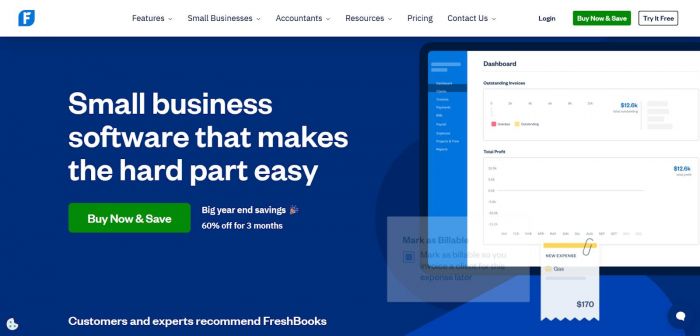
Service-based businesses favor FreshBooks for streamlined invoicing and time tracking. The interface prioritizes clarity over accounting jargon.
Key features:
● Integrated time tracking converting to invoices
● Professional invoice templates with branding
● Automated payment reminders
● Expense management through receipt photos
| PROs | CONs |
| Intuitive interface | Higher cost |
| Excellent time-to-invoice workflow | Limited for product businesses |
| Fast payments | No inventory management |
Xero – Best Multi-User Accounting
Pricing: $15/month | Best for: Student organizations with multiple officers
Xero's unlimited user access distinguishes it from competitors charging per seat. Student clubs with treasurers, presidents, and advisors all access financials without tripling costs.
Key features:
● Unlimited users at no extra cost
● Machine learning for transaction categorization
● Multi-currency support with automatic exchange rates
● 1,000+ third-party integrations
| PROs | CONs |
| Unlimited users save money | Steeper learning curve |
| Powerful automation | Higher starting price |
| Excellent for international students | Support primarily email/chat |
Zoho Books – Best for Project-Based Accounting
Pricing: Free (under $50k revenue) | $20/month (Standard) | Best for: Managing multiple projects
Zoho Books operates within the larger Zoho ecosystem. The generous free tier supports most student businesses and organizations.
Key features:
● Project-based expense and time tracking
● Client portal for invoice access
● Automated workflow rules
● Budgeting tools with variance analysis
| PROs | CONs |
| Free for small operations | Dated interface |
| Excellent project tracking | Steep learning curve |
| Comprehensive features | Limited free tier bank connections |
Comparison by Student Need
| Need | Recommended App | Why It Works |
| Track daily spending | Mint | Free, automatic, comprehensive |
| Build better habits | YNAB | Active budgeting methodology |
| Split apartment bills | Splitwise | Simple, fair, free |
| Complete case studies | QuickBooks Online | Professional standards, $1/month |
| Run student business | Wave | Free, complete accounting |
| Freelance invoicing | FreshBooks | Time tracking, fast payments |
| Club finances | Xero | Unlimited users, strong features |
| Class assignments | Excel/Google Sheets | Required skill, flexibility |
How to Choose the Right App
Align the tool with its purpose. Software for tracking personal expenses differs from that needed for business accounting or finishing coursework. Many students require several apps for different purposes.
Think about financial limitations. Wave, Mint, and Google Sheets are examples of free options that offer significant functionality. QuickBooks is now only $1 per month thanks to student discounts. Determine if paid features are worth the expense.
Pay attention to learning curves. Splitwise and other simple tools require almost no training. Although they require investment, professional platforms such as QuickBooks reward you with skills that are marketable.
Give mobile access top priority. Students work from their dorms, coffee shops, and libraries. You can check balances before making purchases or immediately record expenses with apps that have robust mobile versions.
Verify the integration's capabilities. Hours of manual entry are saved by tools that connect to bank accounts. If you are in charge of several systems, make sure that platforms are communicating efficiently.
Check the security features. Standard requirements should include secure cloud storage, bank-level encryption, and two-factor authentication.
Look for sources of assistance. Overcoming challenges is made easier by thorough tutorials, vibrant communities, and attentive customer support. When using software on your own, online accounting help via videos and documentation is helpful.
Tips to Maximize Your Apps
Make sure everything is set up correctly first. During the initial configuration, link bank accounts. Manual entry is eliminated by automatic imports. Clearly define categories from the outset.
Be consistent. Instead of monthly, review transactions every week. Three-hour quarterly cleanups are inferior to fifteen minutes every Sunday. Errors are instantly detected by routine reconciliation.
Make use of automation. For predictable costs, set up recurring transactions. Implement the use of expense rules and automated reminders. Minutes are returned to your schedule by each automation.
Take advantage of your mobile capabilities. Take pictures of receipts as soon as you make a purchase. Confusion over "what was that charge for?" is eliminated by real-time recording.
Customize dashboards. Set up displays that show important metrics for your scenario, such as event budgets, outstanding invoices, or remaining budget by category.
Write reports regularly. Spending patterns are identified through monthly reviews before they become issues. Frequent reporting increases familiarity with the financial picture.
Keep your accounts safe. Whenever possible, use two-factor authentication and create unique passwords. Despite cloud dependability, make quarterly backups of financial data.
Conclusion
Financial difficulties continue throughout the educational process. You can turn obligations from time-consuming distractions into manageable tasks that take minutes instead of hours with the help of the accounting apps discussed in this guide.
Students who acquire these skills graduate with abilities that set them apart in the labor market. Candidates with prior experience with digital expense management, Excel modeling, and QuickBooks are preferred by employers. Start with a single app that takes care of your most urgent need, and it will completely transform the way you handle money. Budget chaos is ended by Mint. Splitwise facilitates the settlement of roommate conflicts. You can develop professional competence with QuickBooks.
The same consideration you give to your studies and career planning should also be given to your financial future. You lay the groundwork for long-term financial well-being with the habits you develop now, such as tracking spending, account reconciliation, and expense analysis. This week, download an app. Link your accounts together. Keep track of transactions. The advantages go well beyond graduation, but the effort is minimal.
Post Comment
Be the first to post comment!