On This Page
- What is MagicLight AI, A New Breed of Video Generator
- How the MagicLight Workflow Really Works
- Standout Features That Matter to Creators
- My Experience Using MagicLight AI, What I Found Most Surprising
- Pricing Snapshot
- Reviews & User Feedback: What People Are Saying About MagicLight AI
- Where MagicLight Truly Impresses (and Where It Doesn’t)
- Verdict: Worth Trying But With Realistic Expectations
AI video makers are everywhere, but few attract as much buzz (and controversy) as MagicLight AI. Promising cinematic story videos from just a text prompt, it sounds almost too good to be true. So we put it under the microscope: what it actually does, where it shines, where it falters, and whether it’s worth your time or money.
What is MagicLight AI, A New Breed of Video Generator
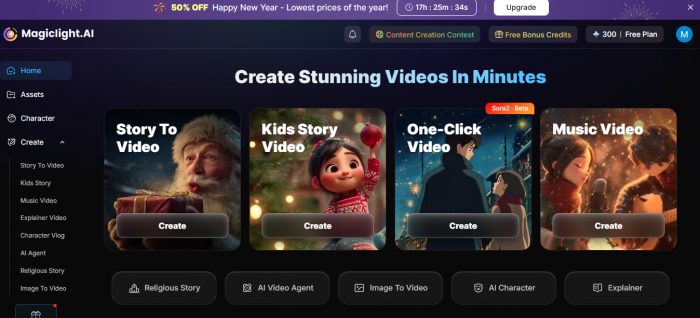
At its core, MagicLight AI is an AI-powered text-to-video generation tool. Users input a script, story idea, or prompt, and the platform attempts to turn it into a finished animated video. It’s not just a simple clip maker: it aims for long-form storytelling (up to 30–50 minutes) with characters, voiceovers, and visual continuity without in-depth editing.
In other words, it takes you from idea → script → storyboard → animated video, and with minimal manual work.
How the MagicLight Workflow Really Works
MagicLight automates most of the heavy lifting:
- Script Input: You write what you want to see.
- AI Storyboard Generation: It maps out scenes, camera logic, and transitions.
- Character and Visual Creation: Generates characters, environments, and animation sequences.
- Voice & Lip Sync: AI voices are applied with dynamic lip movement.
This all happens via its web platform (a mobile app also exists) without traditional video editing tools.
Standout Features That Matter to Creators
1.Long‑Form Video Up to 30–50 Minutes
Unlike many AI tools that cap out at short clips, MagicLight supports extended narrative videos, making it interesting for storytellers, educators, and marketers.
2. Script‑to‑Scene Generation
The AI doesn’t just create visuals, it attempts to structure a video logically with scene transitions and pacing.
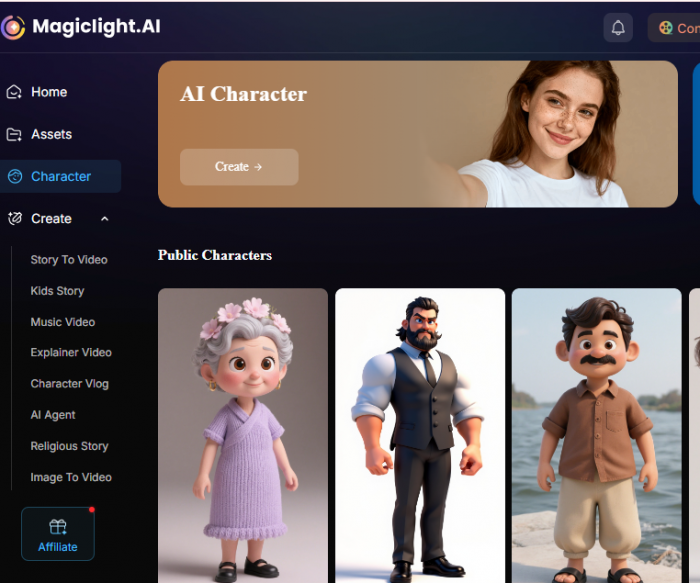
3. Consistent Character Identity
One common AI video issue is characters changing appearance mid‑story. MagicLight claims to address this with character consistency across all scenes.
4. Voiceovers With Sync
Voice generation and lip syncing are automatic, which means less manual voice editing, though quality varies.
5. Free Plan + Paid Options
MagicLight offers a free tier and subscription plans ranging from basic to pro levels, letting users test before committing.
My Experience Using MagicLight AI, What I Found Most Surprising
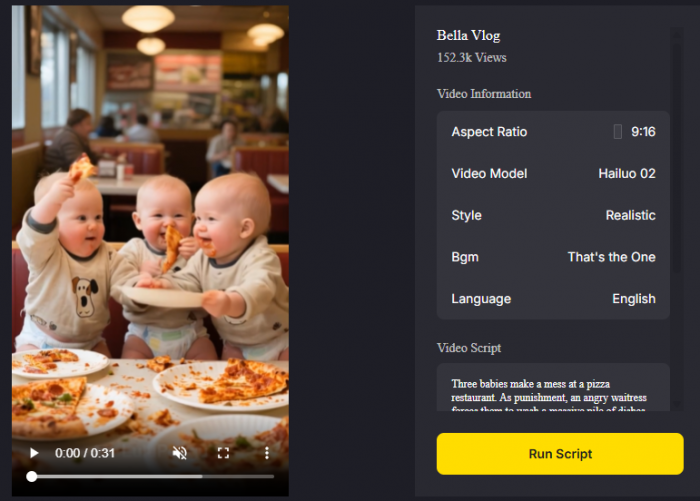
I found MagicLight AI to be surprisingly easy to use, with an intuitive interface that required minimal setup, just a simple description of the video I wanted to create. The AI quickly transformed my script into a video, making the process fast compared to traditional video editing. One of the standout features was the consistency in character design, with characters maintaining visual stability across scenes, which is essential for narrative storytelling. The voiceovers were clear but lacked emotional depth, making them suitable for casual or educational videos but not for professional-level projects. While the final output was usable for basic content, there were some visual inconsistencies in more complex scenes, especially with animations and lighting. What surprised me most was the speed at which it accelerates the video creation process. While not a replacement for high-end animation tools, MagicLight AI is a game-changer for content creators, especially for creating simple videos for social media or educational purposes, but it still requires refinement for more detailed or polished work.
Pricing Snapshot
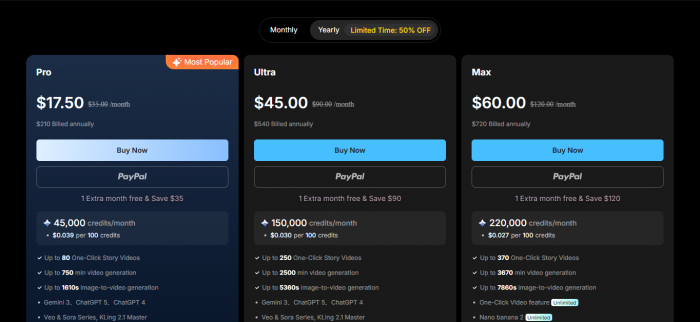
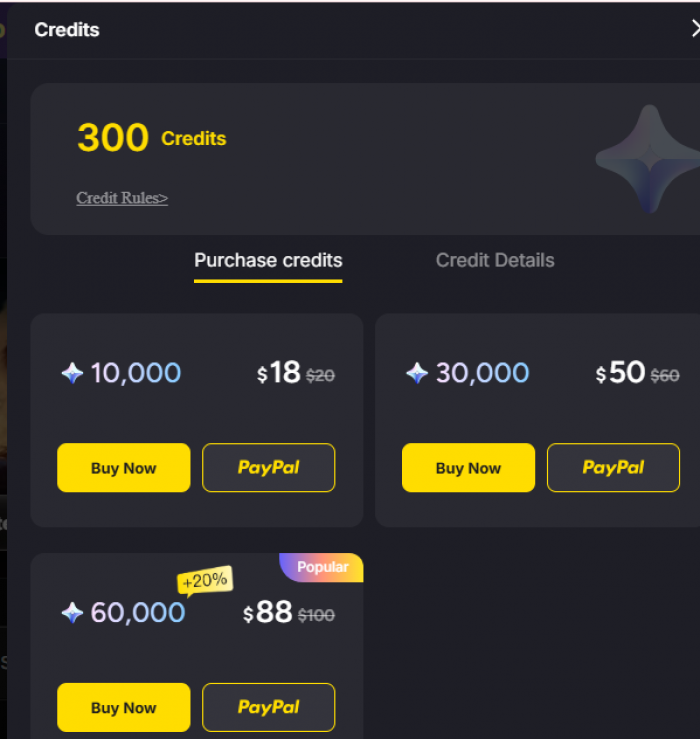
- Standard Pro Plan: Starting around ~$17/yearly.
- Ultra Tier: More credits and advanced features.
Free trials make it easy to experiment before paying.
- Free Plan: Limited credits to test features.
Reviews & User Feedback: What People Are Saying About MagicLight AI
Positive Feedback:
Helpful for Story‑Driven and Children’s Content
• Some users mention that the tool works well for kids’ stories and consistent character animation, especially for bedtime or educational themes.
Long‑Form Video Features Get Noticed
• Community posts note that MagicLight supports long‑form videos beyond short clips, which stands out compared to many other AI video tools.
Variety of Styles & Animation Options
• Some app store comments praise the variety of styles and the combination of script input + animation options, even if credit‑intensive.
Fast Experimentation for Creators
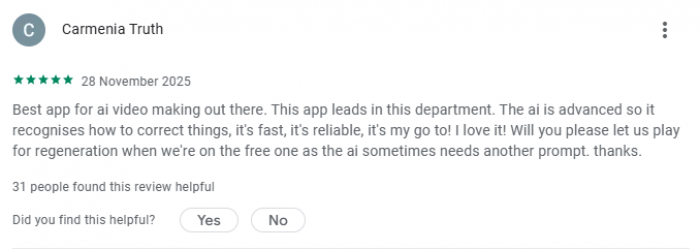
• Users noted that the platform lets them experiment quickly compared to traditional editing workflows — ideal for creators who want quick prototypes.
Negative Feedback (Common Complaints and Issues):
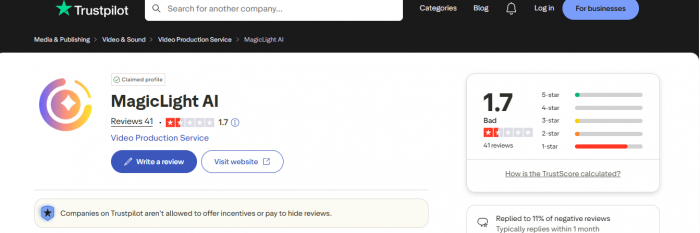
Users on Trustpilot overwhelmingly highlight issues with pricing, billing, and the credit system:
Rapid Credit Depletion
• Many reviewers say credits burn much faster than expected, leaving them unable to complete even short videos without purchasing more despite paying for plans.
Workflow Can Be Challenging
• Users comment that scripts sometimes don’t translate cleanly into video logic, and the learning curve for best results is steep.
Misleading Plan Benefits
• Multiple complaints mention that advertised benefits (like video minutes or one‑click story videos) did not match reality, causing frustration.
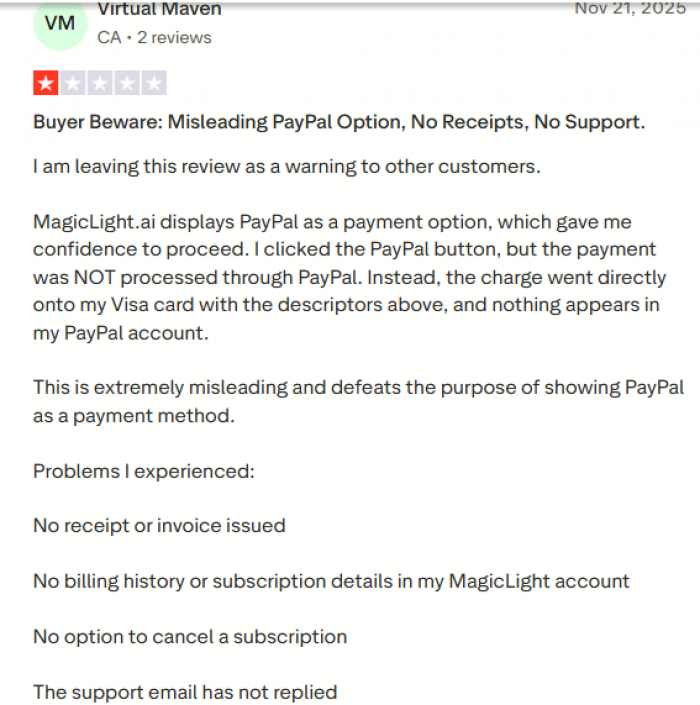
Lockouts & Unable to Cancel
• Several reviewers report being locked out of accounts after signing in with social login, or having difficulty cancelling subscriptions, with poor support responses.
Credit vs. Output Doesn’t Line Up
• Users describe situations where the supposed credit amount didn’t translate into real usable output, or long‑form creation blocked them mid‑workflow.
Summary: What Users Think
| Aspect | Positive | Negative |
|---|---|---|
| Video Creation Power | Good for idea‑to‑video pipeline, especially storytelling | Heavy credit usage, inconsistent render success |
| User Experience | Simple for beginners | UX confusion, steep learning curve |
| Pricing & Credits | Free tier useful for tests | Paid plans often don’t meet expectations |
| Support | Some engagement | Many report poor customer service |
| Overall Sentiment | Mixed: useful in niche cases | Frustration from many paying customers |
Where MagicLight Truly Impresses (and Where It Doesn’t)
- ✓ Fast Concept-to-Video Workflow
- Creators in early product testing found it less time‑intensive than filming and editing manually.
- ✓ Accessible for Beginners
- You don’t need video editing skills, the interface is designed to be intuitive.
But surely doesn't because:
- ✗ Quality Isn’t Studio Level
- Users have criticized rendering performance, slow queues, and inconsistent outputs, especially for complex stories. Some reported that simple videos never finished generating.
- ✗ AI Voices Draw Mixed Reviews
- Voice-overs are serviceable for basics but not at a professional audio‑production level.
- ✗ Customer Feedback Is Highly Polarized
Trustpilot reviews currently skew negative, with some users calling the platform “unreliable” or a poor implementation of AI.t.
Verdict: Worth Trying But With Realistic Expectations
It is a fast, accessible tool for creating animated videos from simple scripts, ideal for social media creators, educators, and storytellers needing quick content, but it falls short in voiceover quality and animation detail for more complex projects. While it’s praised for speed and ease of use, reviews highlight issues with credit depletion and rendering problems. It’s worth trying for basic content creation, but for high-end cinematic work, you may need to explore other, more professional options.
Best strategy:
Try free version → Evaluate output quality → Upgrade only if satisfied.
Post Comment
Be the first to post comment!