In a world where visuals matter more than ever, having a reliable image editor and converter available online can save time, effort, and money. Whether you are a content creator, marketer, developer, teacher, or student, tools that handle image editing without installing software are incredibly valuable.
One such platform is Img2Go, a browser-based image editing and conversion suite designed to work without downloads. This review explores how Img2Go works, what it offers in practice, how pricing and credits work, real user experience insights, and how it compares with other image tools in 2026.
What Img2Go Is and Who It Is For
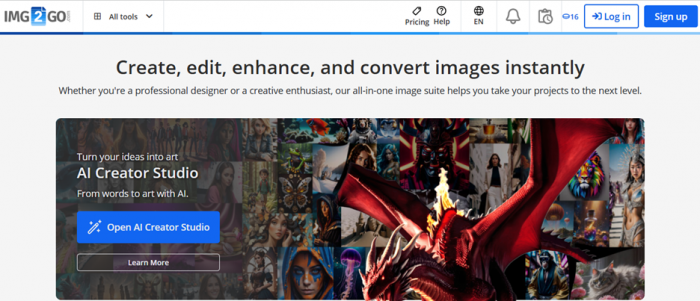
At its core, Img2Go is an all-in-one online image editor, converter, and AI-powered visual tool that runs entirely in your browser. You do not need to install any software to use it. Users can upload images from their device or cloud storage and then perform a wide range of tasks, such as editing, compressing, converting between formats, and enhancing images with AI features.
It is used by:
- Casual users looking for quick edits (crop, rotate, resize)
- Website owners needing optimized images for web performance
- Designers and social media creators for background removal or image enhancement
- Businesses and teams requiring batch processing or consistent workflow
- Anyone needing format conversion, like JPG to PNG or image to PDF
Img2Go is not a desktop software replacement like Adobe Photoshop, but it fills a different niche: accessible, lightweight, online image manipulation without local installations.
Img2Go’s Practical Features You’ll Actually Use
Img2Go offers a surprising breadth of tools for a browser-only platform. These are the features most users find immediately useful:
Editing and Adjustment Tools
You can perform basic edits easily:
- Crop, rotate, and resize images
- Add text, filters, frames, and watermarks
- Improve brightness or contrast
These features are intuitive and accessible via a drag-and-drop interface.
Image Improvement and Enhancement
The platform includes several AI-powered tools, such as:
- Upscale & Improve for enlarging images without visible quality loss
- AI Colorize to add color to black and white photos
- AI Remove Background for transparent backgrounds
- AI Blur Faces for privacy purposes
These tools leverage modern AI to get results that would otherwise require desktop software.
Conversion and Compression
Img2Go supports over 250 file formats and can:
- Convert images to formats like JPG, PNG, BMP, TIFF, SVG, etc.
- Compress large images without significant quality loss
- Convert images into documents (PDF, DOC, TXT)
- Convert video snippets into animated GIFs
These conversion tools make the platform versatile for web or print work.
Batch Processing
Users can process many files at once for example, compressing or converting multiple images in a single task which is especially useful for professionals handling large asset collections.
Cloud Accessibility
Because the platform is web-based, you can upload files from:
- Your device
- Google Drive
- Dropbox
This flexibility makes it ideal for users working across devices or cloud workflows.
How Img2Go Pricing Works (Credits System Explained)
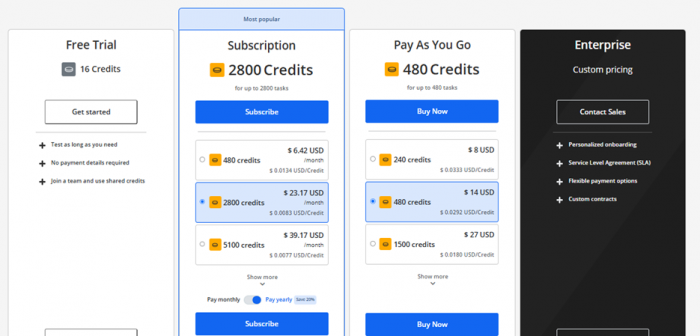
Unlike flat subscription fees, Img2Go uses a credit-based model where users spend credits to process tasks. This setup gives flexibility between occasional use and frequent, high-volume use. Pricing
Free Usage
Any visitor can start using Img2Go for free with limited credits. You can perform many basic tasks without entering payment details. This makes it a great tool for quick, occasional edits or first-time exploration.
Premium Subscriptions
For regular users, subscriptions are available at different credit levels. Subscriptions provide a fixed number of credits each month (unused credits do not roll over), and are generally cheaper per task than one-off purchases.
Typical subscription tiers include:
- ~480 Credits – Starting around ~$6.42
- ~2,800 Credits – Around ~$23.17
- ~10,000 Credits – Around ~$71.17
Larger plans cover thousands of tasks and are ideal for frequent editing and AI-enhanced features.
Pay-As-You-Go Packages
Instead of a subscription, you can purchase credits one time. Unused credits typically roll over for up to one year, offering flexibility. Common one-time packages range from 240 to 100,000 credits.
Enterprise Plans
For businesses and larger teams, Img2Go offers custom contracts, dedicated support, and scalable features. These plans include large credit allocations, priority service agreements, and team sharing features.
Pricing Interpretation
The credit system gives you control over costs:
- Occasional users only pay when needed
- Regular users save money via subscriptions
- Large volume users can scale with enterprise packages
Most tasks use a credit every 30 seconds of processing time, and AI-powered tasks might consume more, so pricing scales with complexity rather than just quantity.
Real User Feedback: What People Like and Dislike
Img2Go enjoys generally positive feedback from users, but like any tool, it has both praise and criticism.

Positive Feedback
Ease of Use and Accessibility
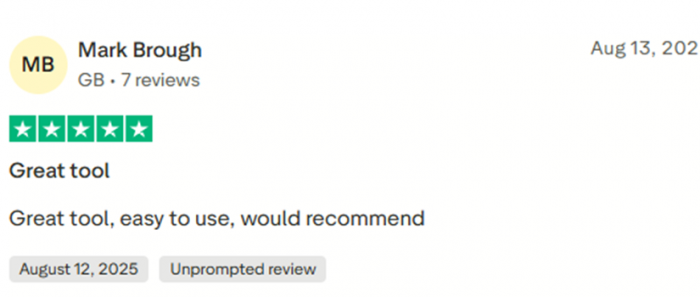
On Trustpilot, many users praise Img2Go for being simple and effective. Commenters describe it as “easy to use,” “great tool,” and “amazing app for free,” highlighting that even non-technical users can accomplish tasks quickly.
Functional Free Tier
Several reviews note the generosity of the free tier, saying that basic features like resizing, compression, and format conversion work well without a subscription.

Versatility Across Tasks
Users on G2 appreciate the example feature set, including background removal, upscaling, AI tools, and broad format support. They emphasize that the platform allows a range of edits without needing professional software.

Quick Workflow
People repeatedly mention that the upload → edit → download workflow is straightforward and fast, making it suitable for day-to-day image adjustments.
Common Complaints
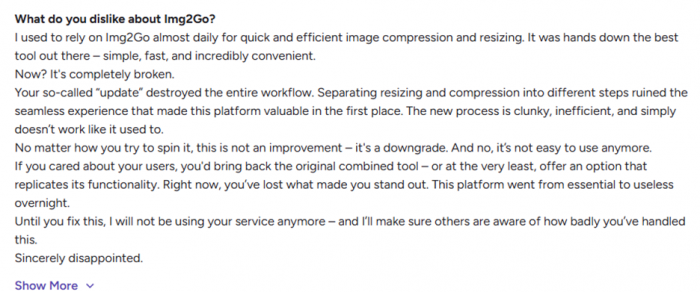
Changes to Workflow
Some users express frustration about recent updates that separated previously combined tools (such as resizing and compression), saying the change made workflows feel clunky or less seamless.
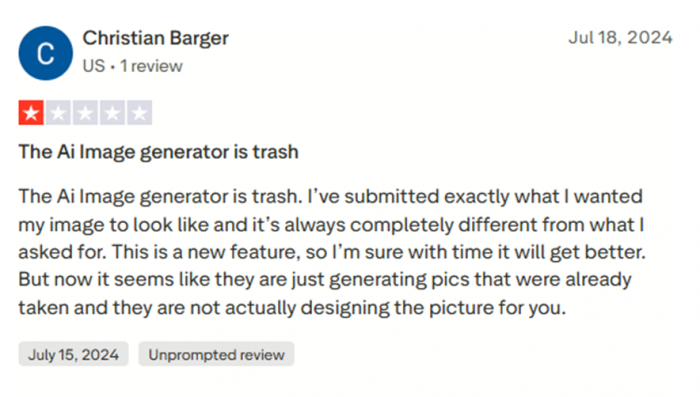
Pricing Perceived as High
While the G2 reviews praise functionality, some users note the pricing for premium credit packages is higher than certain competitors, especially for those who only need occasional tasks.
Limits of Free Usage
Although the free tier is generous, it comes with limitations in daily tasks and features. Some reviews suggest that heavy users will quickly outgrow the free plan and need credits for frequent use. (GeniusFirms)
Img2Go Compared with Other Tools
Img2Go exists in a crowded market of online image editors and converters. Here’s how it compares with some alternatives:
| Tool | Best For | Strength | Limitation |
| Canva | Design + image editing | Powerful templates, print/export | Not as straightforward for batch image conversions |
| Photoshop Express | Advanced editing | Professional tools | Requires sign-in, more complex |
| Simplified | All-in-one creative suite | AI design + templates | Limited specialized image conversion |
Some alternatives like Simplified offer graphic design and video tools in addition to image editing, but for pure conversion/editing flexibility, Img2Go remains a lightweight, browser-native choice.
Final Verdict: Who Should Use Img2Go
Img2Go is a versatile, accessible, and powerful browser-based image tool that serves a wide range of users:
- People who need quick image edits without installing software
- Teams that share visual assets and need collaborative capabilities
- Professionals who require AI-enabled enhancements like background removal or upscaling
- Casual users who want a free or low-cost solution for basic image needs
Its credit-based pricing model offers flexibility, but it can be best understood and used when you know how often you edit or convert images. While some paid tiers can feel pricey compared with free or all-inclusive graphic design suites, Img2Go earns points for simplicity, accessibility, and breadth of tools.
In short, if you want a no-install, browser-based solution that handles most everyday image processing needs from basic cropping to advanced AI enhancements, Img2Go is worth exploring.
Post Comment
Be the first to post comment!