Opening Hook: AI Video Is Easy, Until It Isn’t
If you’ve ever opened an AI video tool thinking you’ll create a cinematic masterpiece in one click, congratulations. You are exactly where all of us started… and where reality quickly humbled us.
You type something dramatic like “epic thunder god on a mountain,” hit generate, and expect Marvel-level output. Instead, the first attempt might look like Thor’s distant cousin who forgot leg day and physics. That’s when the real journey begins.
This guide is not one of those “click here, done” tutorials. This is the actual workflow that turns Pika AI (PixVerse) from a fun toy into something you can genuinely use for content creation. The difference between beginners and power users is not talent. It is understanding that AI video is a process, not a shortcut.
By the end of this, you won’t just know how it works. You’ll know how to make it work without losing your sanity or your credits.
Getting Started: Login That Actually Works (Finally)
Before you even touch video generation, credit where it’s due. The login experience is smooth.
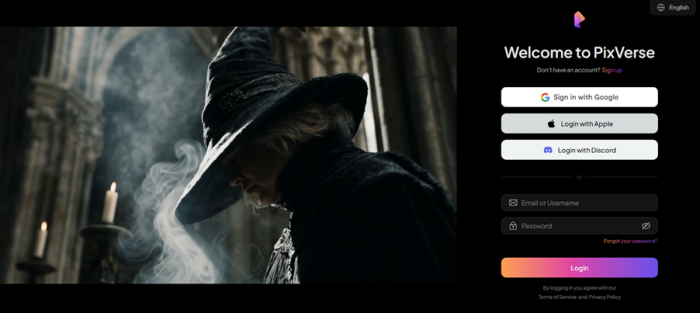
Pika AI (PixVerse) offers a clean and secure onboarding flow. You log in using your email, receive an OTP, verify it, and you are inside. No confusion, no broken loops, no “did the code go to another dimension” moments.
Compared to tools that turn login into a puzzle, this one feels polished. It’s fast, encrypted, and works exactly as expected.
This might seem like a small thing, but it sets the tone. A smooth start makes you more willing to explore everything else.
What Pika AI (PixVerse) Actually Does (And What It Doesn’t Do)
Pika AI (PixVerse) is best understood as a short-form AI video generator, not a full production suite.
It allows you to:
- generate videos from text prompts
- animate images into motion
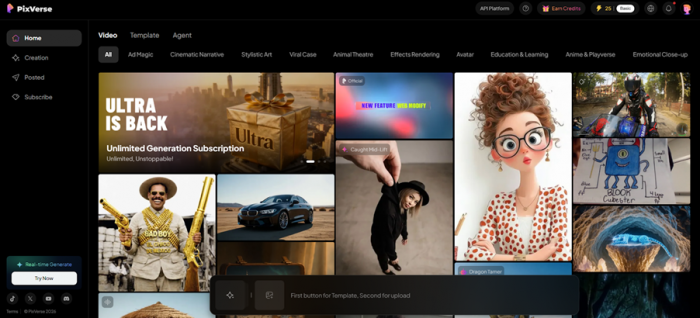
- use templates for quick outputs
What it does really well is creating stylized, cinematic clips. What it does not do is produce a fully edited, long-form video ready for publishing.
Think of it like this:
It gives you raw cinematic ingredients, not the final dish.
If you expect a finished movie, you’ll be disappointed. If you expect powerful clips, you’ll be impressed.
The Workflow Overview: How Pika AI (PixVerse) Actually Works
Before diving deeper, here’s the real workflow:
| Stage | What Happens | Output |
| Input | Prompt or image upload | Idea |
| Generation | AI renders video | Raw clip |
| Iteration | Prompt refinement | Improved clip |
| Assembly | External editing | Final video |
Most beginners stop at generation. That’s the mistake.
The real results come from iteration and assembly.
Step 1: Writing Prompts That Actually Work
This is where everything starts.
Here’s the exact prompt used during testing:
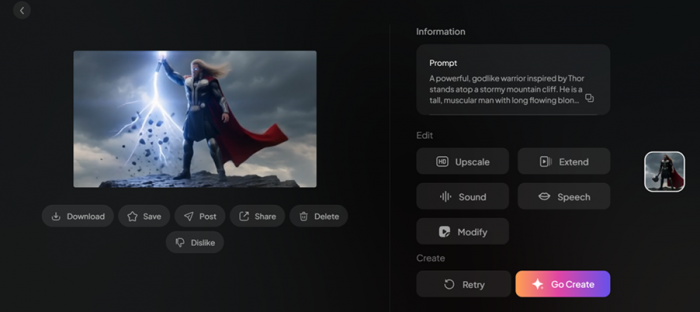
”A powerful, godlike warrior inspired by Thor stands atop a stormy mountain cliff. He is a tall, muscular man with long flowing blond hair and a thick beard, his piercing blue eyes glowing faintly with lightning energy. He wears dark, battle-worn armor with metallic silver accents and a red cape that whips violently in the wind.
The sky above is filled with swirling thunderclouds, constantly flashing with bright lightning. Rain pours down, soaking the environment, while thunder cracks loudly in the distance. In his hand, he holds a heavy hammer crackling with electricity, arcs of lightning traveling from the weapon to the sky.
As the scene progresses, he raises the hammer high, summoning a massive bolt of lightning that strikes it with explosive force. Energy surges around him, lifting small rocks and debris into the air. The camera slowly circles around him in dramatic slow motion, capturing the intensity of the storm and his divine power.
The mood is epic, intense, and mythological, with cinematic lighting, high contrast, and detailed textures. The overall tone feels like a climactic moment before battle, filled with raw energy and unstoppable strength."
This worked because it included:
- character details
- environment
- lighting
- motion
- camera behavior
The output from Pika AI (PixVerse) was genuinely impressive. The storm, lightning, and cinematic feel matched the prompt closely.
Here is the link to the output - https://limewire.com/d/CjJza#nwVwyFIJvu
| Prompt Type | Result |
| Basic prompt | Generic output |
| Detailed cinematic prompt | Structured, accurate video |
The key insight:
Write prompts like a filmmaker, not like a text message.
Step 2: First Generation — Impressive but Not Perfect
The first generated video looked strong.
The environment made sense. The motion aligned well. The lightning effects and camera movement added depth. It felt like a real scene, not random animation.
But small imperfections still exist:
- slight motion inconsistencies
- minor visual distortions
- occasional realism gaps
This is normal.
The first output is not the final output. It is your base layer.
Step 3: Iteration Loop — Where Real Quality Comes From
This is where Pika AI (PixVerse) becomes powerful.
You refine:
- prompts
- motion
- lighting
- style
Even small changes can improve results significantly.
| Change | Impact |
| Better lighting description | More cinematic look |
| Clear motion direction | Smoother animation |
| Style tags | Consistency boost |
This is the difference between:
“cool AI clip” and “publishable content.”
Step 4: Template-Based Video Generation (Fun but Not Always Realistic)
Pika AI (PixVerse) also offers a template-based system.
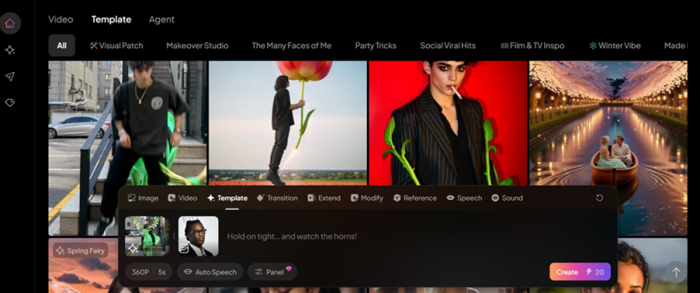
Templates are:
- quick
- beginner-friendly
- visually engaging
But in testing, results felt:
- fun
- slightly unrealistic
- less consistent
Facial features sometimes changed, and realism wasn’t always perfect.
Templates are great for:
- social media
- creative experiments
But not ideal for precise output.
Here is the link for template based video - https://limewire.com/d/P27Ad#d6ln4Y6vnl
Image Generation: Clean, Accurate, and Surprisingly Reliable
Now this is where things finally felt like the AI understood the assignment without needing five retries and a deep conversation about life choices.
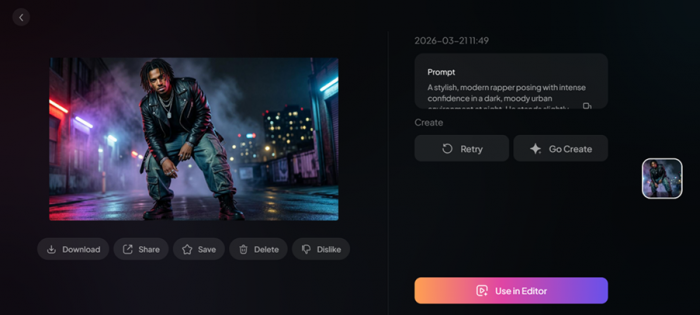
For testing image generation in Pika AI (PixVerse), no reference image was used. Everything was driven purely through a highly detailed prompt, and not the “rapper in city” type, but a full cinematic breakdown.
Prompt Used:
“A stylish, modern rapper posing with intense confidence in a dark, moody urban environment at night. He stands slightly off-center, captured from a low-angle shot to emphasize dominance and presence . His posture is relaxed but powerful—shoulders slightly slouched, head tilted downward while his eyes look up toward the camera with a sharp, almost mysterious expression.
His facial features are sharp and well-defined: high cheekbones, strong jawline, full lips, and deep-set eyes. He has flawless brown skin with subtle highlights from neon lighting. His hairstyle is edgy—short twisted dreadlocks or messy braids, slightly covering parts of his forehead. Optional subtle face tattoos or minimalistic markings add personality.
Outfit is high-fashion streetwear:
- Oversized black leather jacket with glossy texture
- Layered chains and pendants reflecting light
- Loose, stacked cargo pants or distressed designer jeans
- Chunky high-top sneakers or boots
- Finger rings, bracelets, and possibly a grill visible when slightly smirking
Lighting is dramatic and cinematic:
- Neon lights (red, purple, or blue) casting glow from the sides
- Strong contrast between shadows and highlights
- Slight rim lighting outlining his silhouette
Background:
- Urban alley, rooftop, or industrial setting
- Wet ground reflecting neon lights
- Light fog or smoke for atmosphere
- Blurred city lights in the distance (bokeh effect)
Camera & composition:
- Low-angle perspective (hero shot)
- Slight motion blur on clothing or background for dynamic energy
- Depth of field focused sharply on the subject
- 35mm or 50mm lens look for cinematic realism
Vibe & mood:
- Cool, rebellious, mysterious, high-status
- Effortless confidence and artistic attitude
- Feels like an album cover or fashion editorial
Style tags:
ultra-realistic, 8k, cinematic lighting, high detail, fashion photography, dramatic shadows, urban aesthetic”
What makes this prompt work is not just detail, but structure. It clearly defines the subject, outfit, lighting, environment, camera angle, and mood, essentially giving the AI a complete visual blueprint instead of leaving it guessing.
Output Breakdown
| Element | Performance | Insight |
| Composition | High | Low-angle framing was accurate |
| Lighting | High | Neon tones and contrast were well handled |
| Detail Level | High | Clothing textures and accessories visible |
| Mood Accuracy | High | Strong cinematic, editorial feel |
| Consistency | Medium-High | Minor variations but controlled |
The output was genuinely impressive. The low-angle perspective created that dominant, album-cover style presence. Lighting behaved exactly as described, with neon reflections and strong contrast adding depth. Even smaller details like chains, outfit textures, and shadows were rendered cleanly.
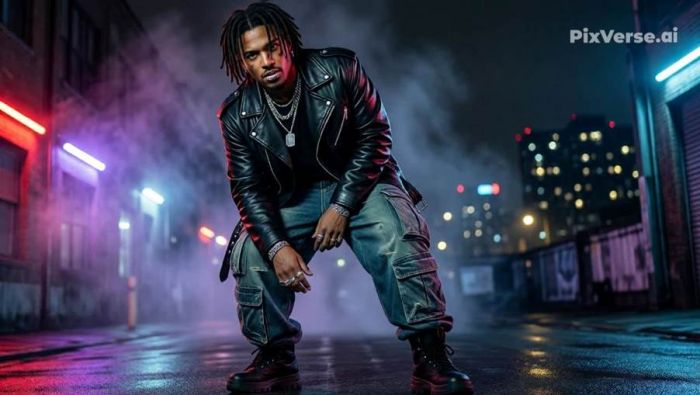
More importantly, the image made sense. It didn’t feel like random elements stitched together. It looked intentional, like a shot planned before execution.
What this clearly shows is that Pika AI (PixVerse) performs best when you guide it visually. The more structured your prompt, the less the AI has to improvise, and the better the result.
It’s not perfect. Facial features can slightly vary between generations, and realism still sits just below true photographic level. But for use cases like thumbnails, social media visuals, or concept art, the output is more than strong enough.
The takeaway is simple:
Write like a director, not a texter. That’s when the AI finally stops guessing and starts delivering.
Pricing Breakdown: Subscription + Credit System
Pika AI (PixVerse) uses both subscription and credits.
Plans
| Plan | Price | Credits | Resolution | Features |
| Standard | $8/month | 1200 | 720p | 3 generations |
| Pro | $24/month | 6000 | 1080p | 5 generations |
| Premium | $48/month | 15000 | 1080p | 8 generations |
| Ultra | $149/month | 25000 | 1080p | Unlimited relax mode |
Key Details
- credits reset monthly
- higher plans = faster output
- off-peak saves credits
- ultra plan removes limits in relax mode
Real Usage Reality: Where Credits Disappear
Here’s the truth.
You won’t get your best result in one try.
You will:
- generate multiple versions
- tweak prompts
- test variations
Credits go toward experimentation, not just output.
This is why beginners feel it’s expensive. They are paying for learning.
Who Should Use Pika AI (PixVerse)
Best for:
- content creators
- short-form videos
- social media
Not ideal for:
- long films
- hyper-realistic production
- one-click workflows
This tool rewards people who experiment.
Final Verdict: Powerful, Fun, and Slightly Chaotic
Pika AI (PixVerse) is one of those tools that feels magical and unpredictable at the same time.
It can produce stunning visuals. It can also surprise you in ways you didn’t ask for.
What it does well:
- cinematic clips
- creative visuals
- flexible output
Where it struggles:
- long-form consistency
- realism in templates
- credit efficiency
Final thought:
It doesn’t replace video editing.
It changes how videos begin.
FAQs
Is Pika AI (PixVerse) beginner-friendly?
Yes, especially with templates and simple prompts.
Can it create full videos?
No, it creates clips that need editing.
Is it worth the price?
Yes for active creators, less for casual users.
Prompt vs image input?
Image input gives better control.
Are templates useful?
Yes, but mostly for fun and quick outputs.
Post Comment
Be the first to post comment!





