With so many AI image generator tools out there, they often feel overwhelming: signup walls, unclear pricing, and clunky dashboards. The Freepik AI Image Generator, on the other hand, is built inside a platform I already use.
It made generating visuals feel as natural as browsing stock photos. The transition from searching to creating was seamless. Freepik doesn’t just offer another text-to-image tool. It offers a new way to create images with AI, from scratch or inspired by existing content.
A Simpler Way to Create: How Freepik Actually Works
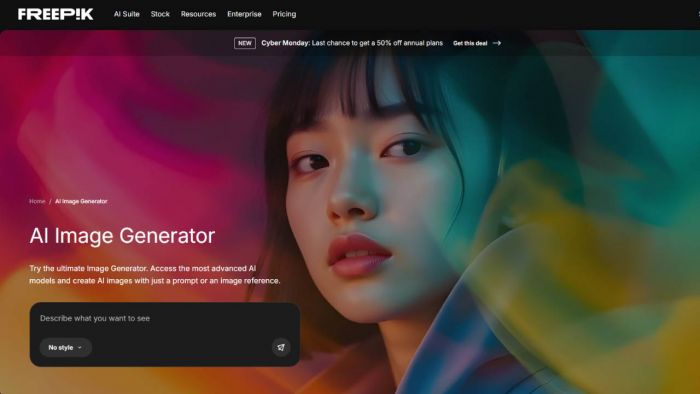
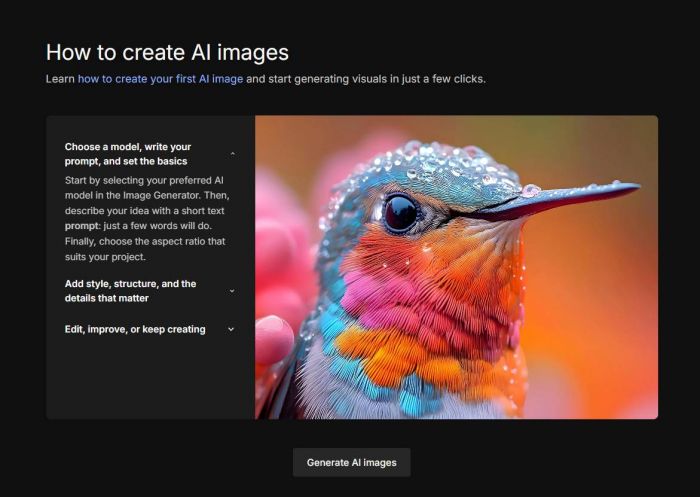
The Freepik AI Image Generator uses a prompt-based interface. You describe what you want, add references if needed, hit "Generate," and the tool uses top-tier AI image models to create your visuals.
Design Without Delay: Workflow That Clicks
Freepik offers more than just the AI Image Generator. It’s a full creative suite with a growing set of AI tools designed to accelerate production across formats.
Tools include:
● Video Generator for AI-powered motion visuals
● Image Editor for adjustments
● Image Upscaler (with Magnific) for crisp, high-res outputs
● Clip Editor and Lip Sync for audio-visual alignment
● Spaces, a collaborative canvas for team-based workflows
And that’s just a sample. More tools and models are added regularly to simplify tasks across content types.
The Models That Make the Freepik AI Image Generator Stand Out
The current model lineup includes:
● Seedream: Ideal for artistic compositions, soft illustrations, and dreamlike visuals with smooth gradients and painterly textures.
● Flux: Excels at stylized portraits and characters, delivering semi-realistic outputs with vibrant color palettes and sharp detail.
● Google Nano Banana: Perfect for professional or commercial images with realistic structure, clean compositions, and product-friendly aesthetics.
● Runway: Tailored for narrative content with cinematic framing and dynamic motion cues—great for storyboards and social visuals.
● Mystic: Focused on emotional and moody art styles, with strong control over lighting, fantasy themes, and dramatic compositions.
● Ideogram: Designed to handle legible typography in visuals. It’s useful for posters, memes, and images where text is central.
Each model interprets prompts differently, letting users explore diverse results without switching platforms. They're pre-optimized for common use cases: marketing visuals, storyboards, thumbnails, and character design.
How Much Does It Cost to Create Images with AI?
Freepik runs on an annual credit system. Here’s how it breaks down:
● Essential: 84,000 credits/year — starting at US $5.75/month
● Premium: 216,000 credits/year — US $9.60/month
● Premium Plus: 540,000 credits/year — starting at US $19.60/month
● Pro: 3,600,000 credits/year — starting at US $126.67/month
Each model has a per-image cost based on resolution and model type. Full transparency is available via the AI Suite documentation and pricing pages, so users know how many AI-generated images they can produce.
Where the Freepik AI Image Generator Fits in a Creator’s Workflow
This tool is perfect for:
● Marketers needing quick campaign visuals
● Bloggers designing thumbnails and header images
● Educators creating slide visuals or course assets
● Creators testing multiple concepts without a design team
It replaces stock photo searches with something more specific and visual.
Comparing Freepik with Other AI Image Generators
| Feature | Freepik AI | Midjourney | DALL·E 3 | Leonardo AI |
| Platform | Web/App | Discord | ChatGPT | Web/App |
| Models | Seedream, Flux, Runway, Google Nano Banana, Ideogram, Mystic | Custom | OpenAI | Multiple |
| Cost | Freemium, with tiered plans | Subscription | Subscription | Tiered |
| Editing | Built-in | None | None | Some |
| Rights | Full for paid users | Limited | Limited | Full with paid tiers |
Freepik doesn’t try to match Midjourney in technical realism, but it leads in usability, access, and speed.
Who Should Use the Freepik AI Image Generator
If you:
● Need visuals daily
● Want to explore AI-generated images without complex UIs
● Work in education, social media, or small business
● Already use Freepik
…then this text-to-image tool belongs in your toolbox.
Final Take: Where Freepik Truly Stands
The Freepik AI Image Generator makes creative ideation smoother, faster, and more intuitive. It’s not only a tool. It’s a productivity layer for modern creators.
By combining high-quality AI image models with an intuitive interface, Freepik shortens the gap between idea and execution. You can explore creative styles with Seedream or generate polished product visuals with Nano Banana, all within the same smooth workflow.
If you need to create images with AI but want less noise and more results, Freepik gets you there.
Post Comment
Be the first to post comment!