What Is Dezgo AI?
Dezgo AI is a browser-based AI image generation and editing platform powered mainly by Stable Diffusion–based models. It allows users to:
● Generate images from text prompts
● Edit images using AI (inpainting, image-to-image)
● Enhance images (upscaling, background removal)
● Experiment with different AI models and styles
One important thing I noticed early on: Dezgo doesn’t try to look fancy. The interface is simple, functional, and clearly designed for people who want results without learning complex workflows.
You don’t need to install anything, and you can start using it without signing up, which lowers the entry barrier significantly.
Key Benefits of Dezgo AI
Instead of being just “text-to-image,” Dezgo combines:
● Image generation
● Editing
● Upscaling
● Background removal
This makes it useful for quick experiments and lightweight workflows, especially if you don’t want to jump between multiple platforms.
4. Pay-As-You-Go Model
Rather than forcing a monthly subscription, Dezgo offers credits for higher-quality or faster generations. From a user perspective, this feels less risky than committing upfront.
Features of Dezgo AI
Core Features
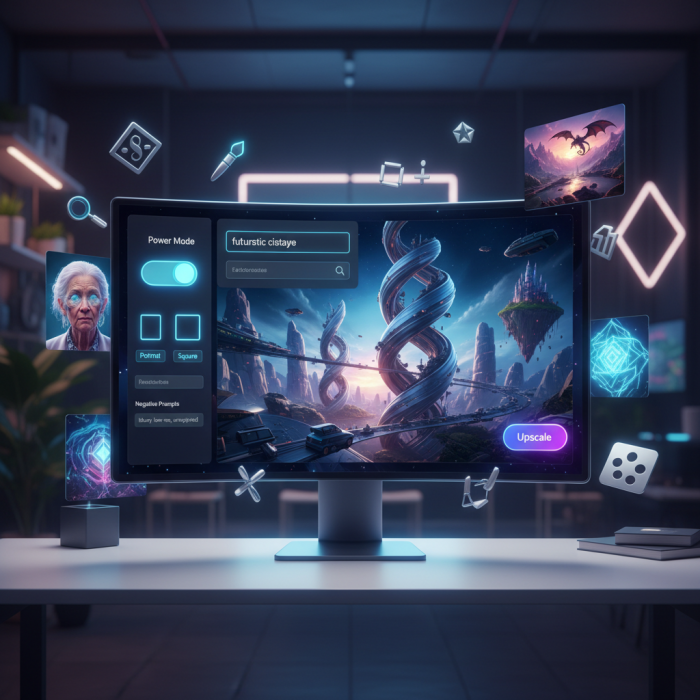
● Text-to-Image Generation
Turn written prompts into AI-generated images using different models and styles.
● Image-to-Image
Upload an image and modify it using text instructions (useful for variations or stylization).
● Inpainting
Edit specific parts of an image, remove objects, replace elements, or fix details.
● Upscaling
Improve image resolution and clarity using AI upscalers.
● Background Removal
Automatically isolate subjects from backgrounds.
Advanced / Optional Features
● Model Selection (SDXL, stylized models, etc.)
● Negative prompts & parameter tuning
● Experimental video generation (still limited and not fully polished)
From my experience, the image tools are the strongest part. The video features feel more experimental and shouldn’t be the main reason to use Dezgo.
Pros and Cons
Pros
● Very beginner-friendly
● No installation required
● Free tier available without login
● Pay-as-you-go pricing instead of forced subscriptions
● Useful editing tools beyond simple image generation
● Decent output quality for casual and semi-professional use
Cons
● Free tier can be slow during peak times
● Output quality varies depending on prompts and models
● Limited consistency for character or brand-specific visuals
● Advanced features are less refined than premium tools
● Video features feel unfinished
● Not ideal for professional print-grade or high-end commercial work
Beginner’s Guide: How to Use Dezgo AI (Step-by-Step)
1. Open Dezgo in Your Browser
Go to dezgo.com: you’ll be taken directly to the creative interface without needing to log in.
2. Choose Your Tool Mode
You’ll see options like:
● Text‑to‑Image – for generating visuals from descriptions
● Image‑to‑Image – for editing existing images
● Inpainting – to alter specific parts of an image
● Upscaling/Background Removal
Choose the mode you need.
3. Enter a Prompt
In the prompt box, clearly describe the image you want. Be specific: include subject, mood, setting, lighting, and style. For example:
“Cinematic portrait of a futuristic explorer on Mars, dramatic lighting, ultra‑detailed, 8K resolution.”
Longer, descriptive prompts typically give better results.
4. Select Model & Settings
Pick a model (e.g., Stable Diffusion XL or Flux) based on the look you want. Then adjust:
● Guidance Scale (higher = closer to your prompt)
● Steps (more = more detail, slower speed)
● Resolution (larger = better quality)
5. Optional Tools for Control
● ControlNet: Add structure or pose references.
● Negative Prompts: Tell the AI what not to include (e.g., “no text, no blur”).
How I Would Rate Dezgo AI
Instead of hype, here’s a practical rating system based on real usage:
| Category | Rating |
| Ease of Use | 5/5 |
| Free Value | 4/5 |
| Image Quality | 4/5 |
| Speed (Free Tier) | 3/5 |
| Editing Tools | 4/5 |
| Professional Readiness | 3/5 |
| Overall Experience | 4/5 |
Overall Rating: 4/5
It does what it promises, but it doesn’t pretend to be something it’s not.
Real User Ratings & Experiences
Overall User Rating: 4.6 / 5 stars (based on multiple tool directories and user feedback) Toolsverse - AI Tools Directory
Positive Feedback
● Ease of use: Users love that Dezgo is accessible and usable immediately without sign‑up.
● Unlimited free use: Many on Reddit say Dezgo remains one of the few truly free AI image tools without login requirements.
● Versatility: Users report it’s great for quick concept sketches, social media visuals, and marketing assets.
● Community praise: Artists and creators enjoy using Dezgo as an ideation tool before refining work in other software.
Constructive Critiques
● Inconsistencies in characters: Some users note challenges with generating consistent faces or specific characters across multiple prompts.
● Occasional odd elements: Complex prompts sometimes produce unexpected minor details or glitches.
● Model quality variation: Some users have pointed out that certain models produce noticeably different aesthetics.
Alternatives to Dezgo AI
If Dezgo doesn’t fully meet your needs, these alternatives may be worth exploring:
● Midjourney – Best for artistic quality, but paid and Discord-based
● DALL·E / Bing Image Creator – Good realism, limited editing
● Adobe Firefly – Professional workflows, Creative Cloud integration
● Ideogram – Better text rendering in images
● NightCafe – Artistic styles and community features
● Stable Diffusion (Local) – Maximum control, but technical setup required
Each of these tools excels where Dezgo may feel limited, especially for consistency, branding, or professional output.
Final Verdict: Is Dezgo AI Worth Using?
From personal experience, Dezgo AI is genuinely useful, especially if you are:
● A beginner exploring AI image generation
● A creator who needs quick visuals
● Someone who doesn’t want to commit to subscriptions
● Experimenting with prompts or AI styles
However, if you need high consistency, advanced control, or professional-grade output, you may eventually outgrow it.
Dezgo AI works best as a practical, low-risk entry point into AI image generation, not as a one-tool-does-everything solution.
Post Comment
Be the first to post comment!