What is Botmake.io?
Botmake.io is a no-code chatbot builder designed for businesses and individuals looking to automate online conversations. Users can create interactive chatbots for websites, blogs, and e-commerce platforms without writing a single line of code. Users can use it for customer support, lead generation, or engagement, Botmake.io streamlines chatbot development with minimal effort.
Unlike complex chatbot builders, Botmake.io offers a smooth experience with pre-built functionalities, making it ideal for beginners and professionals alike. It integrates seamlessly with websites, providing real-time assistance and enhanced user interactions.
Key Features of Botmake.io
Botmake.io provides an array of features to help users create and optimize their chatbots effectively. Here are the standout features:
- No Coding Required: The platform requires no technical skills, allowing anyone to build chatbots through an intuitive, user-friendly interface.
- Customizable Chatbot Design: Users can personalize chatbot appearances by selecting colors, fonts, and styles to align with their brand identity.
- Smart Auto-Complete for Responses: The chatbot suggests intelligent replies based on user queries, improving conversation flow and user satisfaction.
- CSV Data Import for Responses: Users can upload structured data in CSV format to enhance chatbot knowledge and ensure accurate responses.
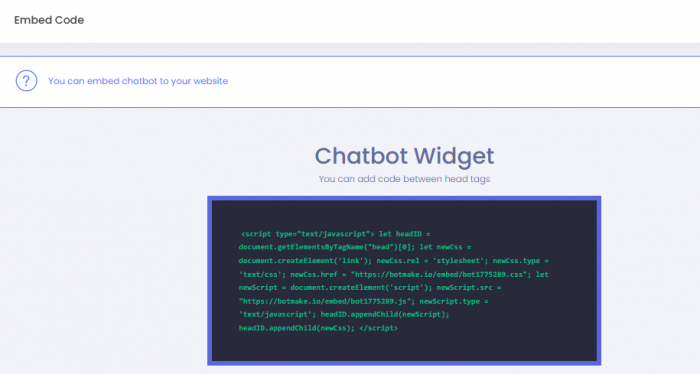
- Seamless Website Embedding: A simple embed script allows users to integrate their chatbot into any website, making deployment quick and hassle-free.
- Extendable with Apps: Botmake.io supports app extensions, enabling users to enhance chatbot capabilities with additional features from its app store.
- 24/7 Automated Chat Support: Chatbots remain active around the clock, ensuring businesses can engage with customers anytime.
- Custom App Support: Advanced users can develop their extensions, expanding chatbot functionalities beyond the built-in features.
How to Create a Chatbot on Botmake.io
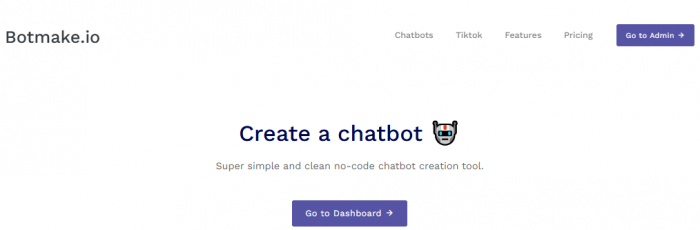
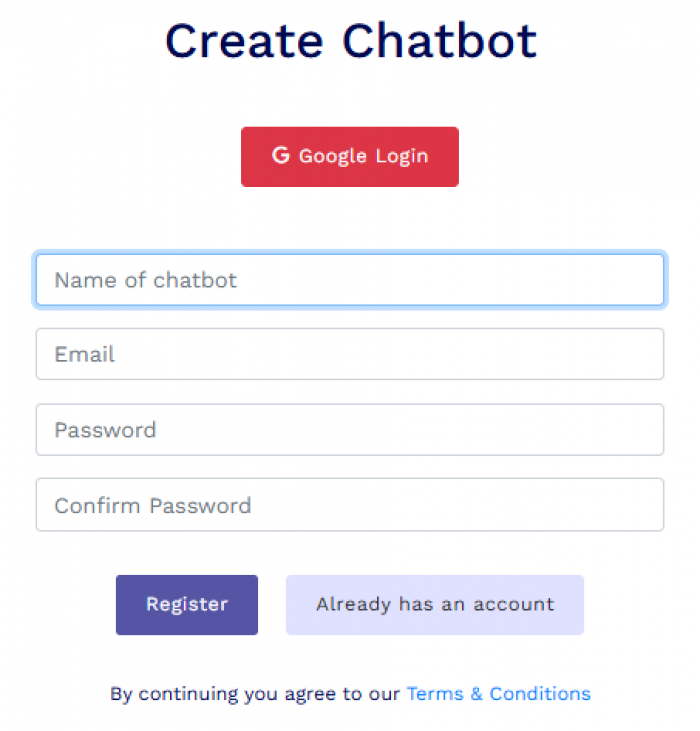
Step 1: Register on Botmake.io: Create an account by signing up on Botmake.io using an email or Google account.
Step 2: Customize the Chatbot
Set up chatbot details such as:
- Name and avatar
- Welcome message
- Branding elements (color, font, and theme)
Step 3: Train the Chatbot: Users can manually input responses or upload a CSV file to structure chatbot interactions effectively.
Step 4: Embed on a Website: Copy and paste the provided embed code into the website’s HTML for quick integration.
Step 5: Monitor and Improve: Use the analytics dashboard to track interactions, measure chatbot performance, and refine responses as needed.
Why Use Botmake.io?
Botmake.io is a preferred choice for chatbot creation due to its ease of use and robust functionalities. Here’s why users opt for it:
- Cost-Effective Automation – Reduces the need for customer service agents by automating repetitive queries.
- Improved Customer Engagement – Enhances user experience through instant responses.
- Scalable and Flexible – Works for businesses of all sizes, from small startups to large enterprises.
- Optimized for Multiple Use Cases – Useful for customer support, lead generation, FAQs, and more.
Best Use Cases for Botmake.io
1. E-Commerce and Online Stores
- Answer customer questions about orders and products.
- Provide automated product recommendations.
- Offer order tracking and return assistance.
2. Customer Support Automation
- Provide real-time support for frequently asked questions.
- Reduce workload on human support agents.
- Automatically route complex queries to support teams.
3. Lead Generation and Sales Funnel Optimization
- Capture visitor details and qualify leads.
- Assist potential buyers with product details.
- Promote discounts and offers through automated interactions.
4. Educational Institutions and Online Courses
- Answer student queries regarding courses and fees.
- Guide users through the enrollment process.
- Provide updates about schedules and academic resources.
5. Healthcare and Appointment Scheduling
- Help patients book appointments instantly.
- Provide health-related FAQs with predefined responses.
- Reduce the administrative burden of healthcare providers.
Pricing and Subscription Plans
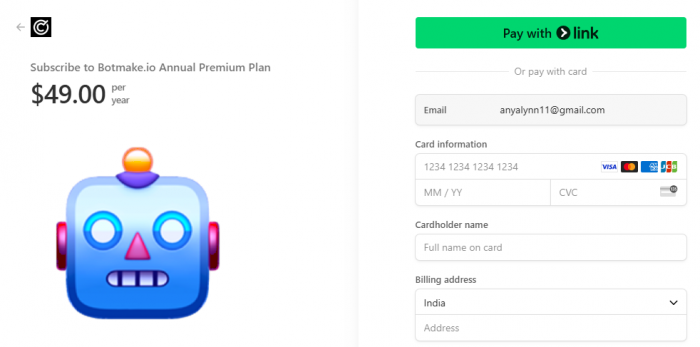
Botmake.io offers two pricing options to cater to different needs:
- Free Plan – Includes basic chatbot features like limited responses, customization, and CSV uploads.
- Premium Plan ($49/year) – Unlocks advanced capabilities such as ad-free operation, smart typo correction, increased response limits, and integration with Discord and custom apps.
Security and Privacy Compliance
- End-to-End Data Encryption – Protects chatbot interactions.
- Privacy Compliance – Adheres to industry regulations to safeguard user information.
- User Control – Allows chatbot owners to manage stored data securely.
Final Thoughts
For anyone looking to automate customer interactions, Botmake.io is a reliable and easy-to-use chatbot builder. It simplifies chatbot creation while offering flexible customization and AI-powered functionalities. Whether you’re running an e-commerce store, a blog, or a customer support team, Botmake.io helps improve user engagement without requiring coding expertise.
Post Comment
Be the first to post comment!