1. Introduction :
For freelancers and small businesses, invoicing is not just paperwork, it is the final step that turns completed work into actual income. Manual invoicing using spreadsheets or documents often leads to errors, missed payments, and poor cash flow visibility. Invoicing software solves these problems by automating billing, tracking payments, and keeping financial records organized.
A good invoicing tool should be easy to use, reliable, flexible enough to grow with your business, and capable of handling taxes, currencies, and recurring clients without extra effort. For freelancers, simplicity and affordability matter most. For small businesses, scalability, automation, and integrations become equally important.
This guide covers the 8 best invoicing software options that consistently meet these needs.
2. Criteria for Selection :
The software listed in this article was evaluated using the following criteria:
1. Pricing – Free plans or affordable entry-level pricing
2. Ease of Use – Clean interface and simple invoice creation
3. Core Invoicing Features – Custom invoices, payment tracking, taxes
4. Automation – Recurring invoices, reminders, workflows
5. Scalability – Ability to grow from solo use to team use
6. Platform Availability – Web, desktop, and mobile access
7. Currency & Tax Support – Useful for global freelancers and SMBs
8. Support & Documentation – Help when issues arise
3. Detailed Reviews :
01. FreshBooks-
Summary:
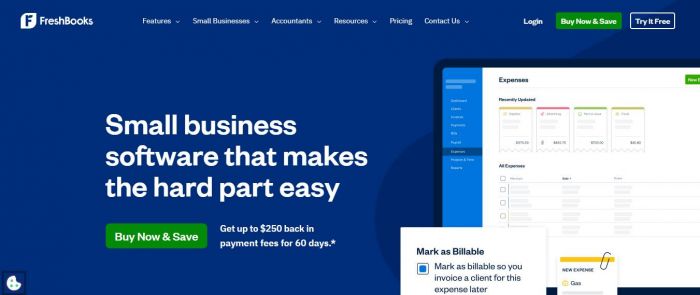
FreshBooks is designed for freelancers who want simple invoicing combined with light accounting features.
Main Features:
1. Professional invoice templates
2. Time tracking and billable hours
3. Automated payment reminders
4. Expense tracking
Technical Specifications:
1. Platforms: Web, iOS, Android
2. Integrations: Stripe, PayPal, G Suite
Use Cases:
1. Freelancers billing clients by time or project
2. Consultants and solo service providers
Pros:
● Intuitive and beginner-friendly: FreshBooks is widely praised for its clean interface that makes creating and sending invoices fast and straightforward. It helps freelancers and small businesses get up and running quickly.
● Good invoicing features: Includes customizable templates, automatic reminders, and tracking of overdue payments, which helps reduce manual follow-up.
● Time & expense tracking: Built-in tools let users bill by hours worked and categorize expenses, useful for consultants and service providers.
Cons:
● Higher cost for larger teams: Pricing is generally higher than basic standalone invoicing tools, especially if you need multiple users.
● Limited advanced accounting: While great for invoicing and billing, it doesn’t replace full accounting functionality for larger small businesses.
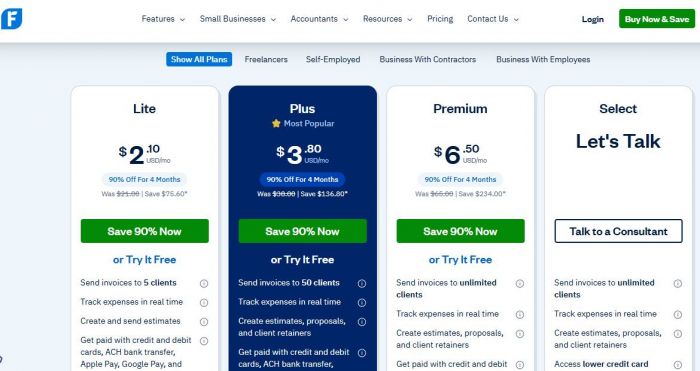
Pricing:
02. QuickBooks Online -
Summary:
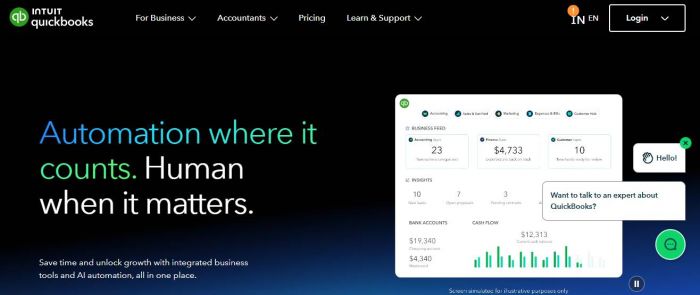
QuickBooks Online is a full accounting solution with powerful invoicing built in.
Main Features:
1. Invoicing and payment tracking
2. Financial reports
3. Tax calculations
4. Inventory support
Technical Specifications:
1. Platforms: Web, iOS, Android
2. Integrations: Banks, Stripe, PayPal
Use Cases:
1. Small businesses managing invoices and accounting together
Pros:
1. Comprehensive finance suite: Combines invoicing with full accounting capabilities like expense tracking, tax filing support, and detailed reporting — excellent for small businesses that need more than just billing software.
2. Strong integrations: Connects with bank accounts, payment processors, and payroll services, reducing manual data entry.
3. Scalable: Works well as a business grows and needs deeper financial oversight.
Cons:
1. Steeper learning curve: Because it’s a full accounting tool, new users may find the interface and options more complex than simpler invoicing apps.
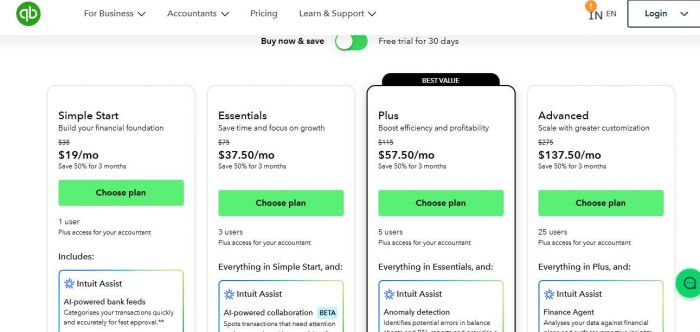
2. Higher price: Plans start higher than most basic invoicing-only platforms, which can be a barrier for freelancers.
Pricing:
03. Zoho Invoice -
Summary:
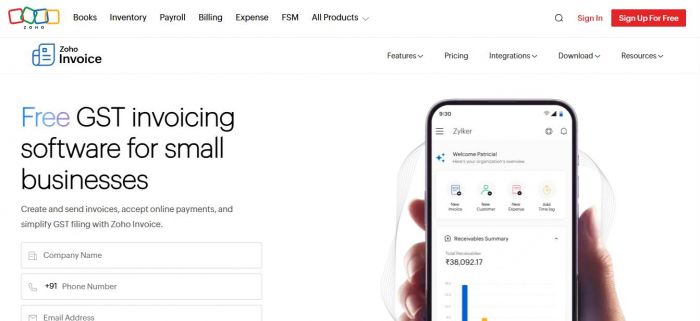
Zoho Invoice is a free, feature-rich invoicing tool ideal for freelancers.
Main Features:
1. Unlimited invoices
2. Automation rules
3. Client portal
4. Time tracking
Technical Specifications:
1. Platforms: Web, iOS, Android
2. Integrations: Zoho ecosystem, Stripe
Use Cases:
1. Freelancers needing automation without cost
Pros:
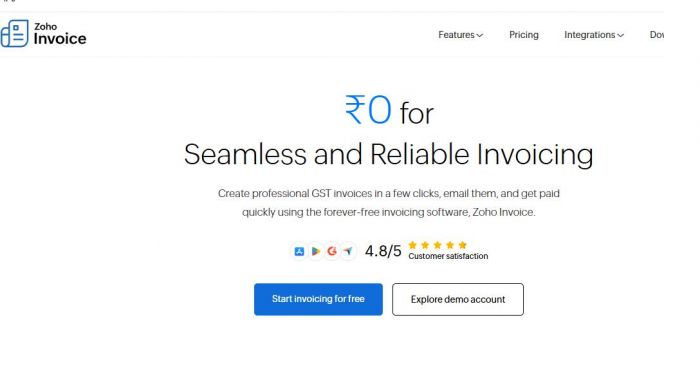
1. Free with strong features: Zoho Invoice provides unlimited professional invoices and good automation without a monthly fee, which is rare among invoicing tools.
2. Customizable and flexible: Offers customizable invoice templates and automated recurring billing, saving time on routine tasks.
3. Multi-currency & tax support: Good for freelancers or businesses working internationally with different currencies and tax rates.
Cons:
1. Integration limitations: While Zoho Invoice connects with other Zoho apps, it may not integrate as deeply with third-party accounting or niche business tools compared with larger ecosystems.
2. Basic beyond invoicing: It excels at billing but offers limited deep accounting features on its own.
Pricing:
04. Wave -
Summary:
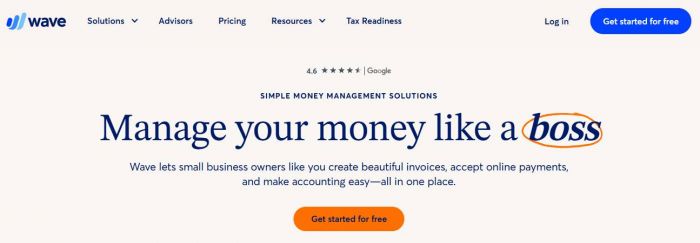
Wave offers free invoicing and accounting for freelancers and very small businesses.
Main Features:
1. Invoice creation
2. Expense tracking
3. Online payments
Technical Specifications:
1. Platforms: Web
2. Integrations: PayPal, Stripe
Use Cases:
1. Solo freelancers with simple needs
Pros:
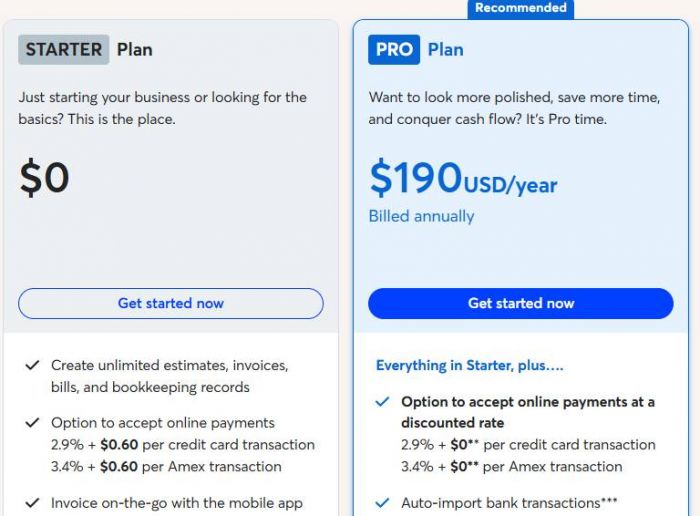
1. Free plan for core features: Wave’s invoicing and basic accounting tools are available at no cost, which is attractive for very small businesses and solo freelancers.
2. Simple to use: Easy to set up and navigate for users with minimal accounting experience.
3. Good for basic bookkeeping: Includes basic expense and payment tracking alongside invoicing.
Cons:
1. Limited advanced features: Lacks some automation, advanced reporting, and integrations found in paid tools.
2. No mobile apps: Wave’s core tool is web-only, which may hinder on-the-go access.
Pricing:
05. Invoice Ninja-
Summary:
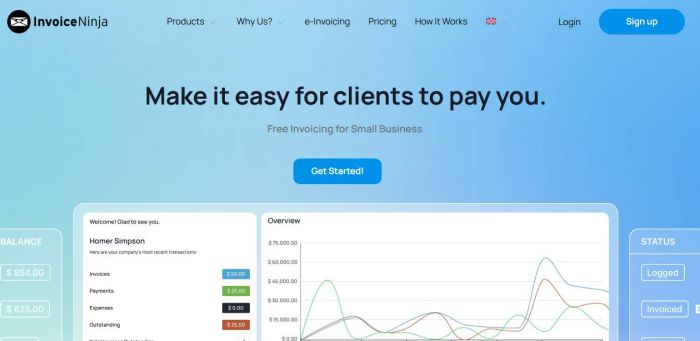
Invoice Ninja provides flexible invoicing with both free and paid plans.
Main Features:
1. Recurring invoices
2. Client management
3. Payment reminders
Technical Specifications:
1. Platforms: Web, Desktop, Mobile
2. Integrations: Multiple payment gateways
Use Cases:
1. Freelancers and SMBs needing flexibility
Pros:
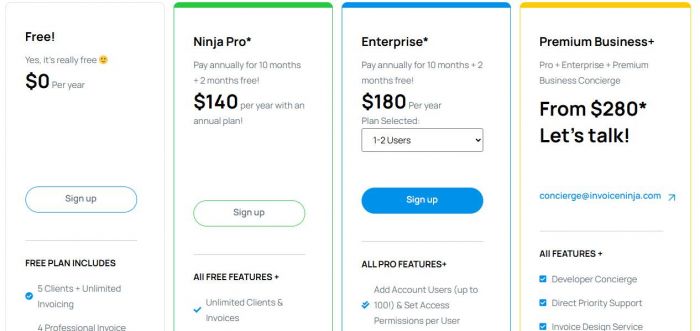
1. Free tier with solid capabilities: The free plan covers many essential invoicing functions and even supports multiple payment gateways.
2. Good customization: Strong support for quotes, recurring billing, and client management.
3. Accepts diverse payments: Supports many gateways and currencies, which is great for freelancers with international clients.
Cons:
1. No phone support: Customer support is mostly digital, which may not suit all users.
2. Limited accounting automations: Not a full accounting tool, so users looking for integrated bookkeeping may need additional software.
Pricing:
06. Xero-
Summary:
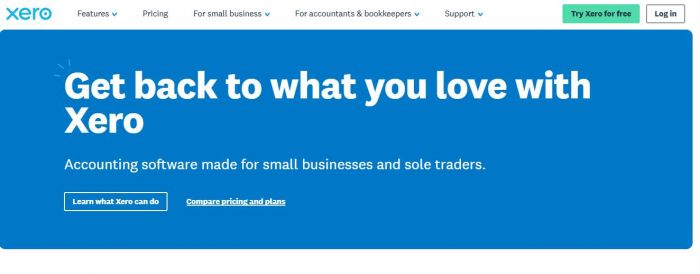
Xero is an accounting-first platform with strong invoicing tools.
Main Features:
1. Invoicing and quotes
2. Accounting and payroll
3. Bank reconciliation
Technical Specifications:
● Platforms: Web, iOS, Android
● Integrations: 1,000+ apps
Use Cases:
1. Growing small businesses
Pros:
1. Broad feature set: Combines invoicing with accounting tools, payroll, and bank reconciliation — ideal for growing businesses.
2. Strong integrations: Works with many apps, enabling deeper operational workflows.
3. Multi-currency support: Excellent for businesses with international clients.
Cons:
1. Not the simplest for freelancers: The depth of features can feel overwhelming if you only need basic invoicing.
2. Costs add up: Pricing increases as you add payroll and additional users.
Pricing:
07. PayPal Invoicing-
Summary:
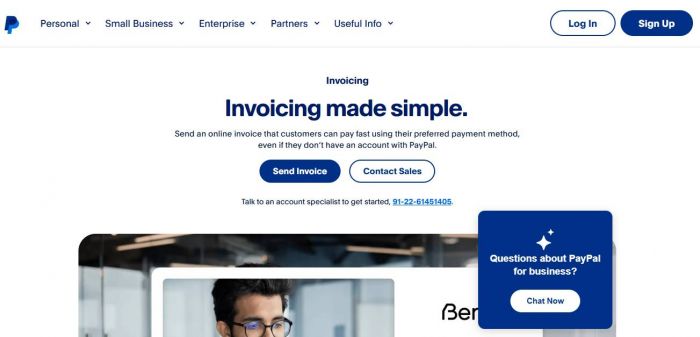
PayPal Invoicing is a simple way to send invoices and accept payments globally.
Main Features:
1. Email invoices
2. Payment tracking
3. No monthly fees
Technical Specifications:
1. Platforms: Web, Mobile
2. Integrations: PayPal ecosystem
Use Cases:
1. Freelancers working with international clients
Pros:
1. No subscription cost: Free to use for invoicing; you only pay payment processing fees.
2. Brand familiarity: Many clients recognize PayPal, which can increase payment likelihood.
3. Simple and fast: Quick invoice creation and delivery without fussy setup.
Cons:
1. Transaction fees apply: Every payment through PayPal incurs a processing fee, which adds cost.
2. Limited invoicing features: Customization and automation options are basic compared with dedicated platforms.
08. Square Invoices-
Summary:
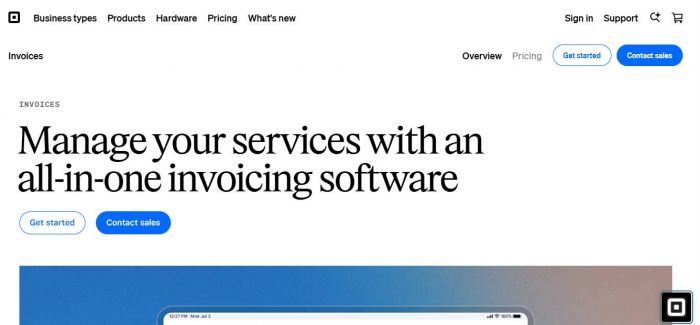
Square Invoices works best for businesses already using Square payments.
Main Features:
1. Invoices and estimates
2. Automatic reminders
3. Payment tracking
Technical Specifications:
1. Platforms: Web, iOS, Android
2. Integrations: Square POS
Use Cases:
1. Service-based small businesses
Pros:
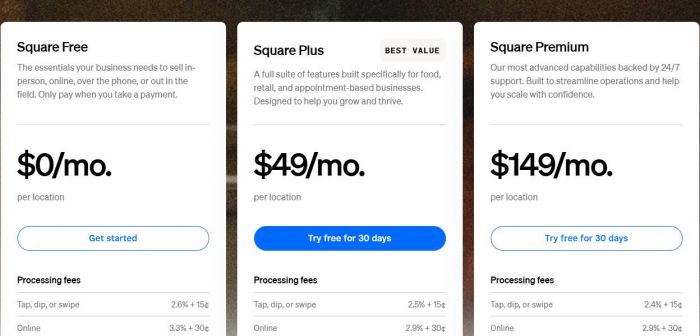
1. Free tier available: You can send invoices at no cost and pay only transaction fees.
2. POS integration: Works seamlessly with Square’s point-of-sale system, useful for businesses selling products as well as services.
3. Easy setup: Square is known for quick onboarding and simple payment acceptance.
Cons:
1. Limited multi-currency: Primarily US-centric or limited currency support compared with tools like Zoho or Xero.
2. Feature limitations: Square’s invoicing features are more basic than richer accounting platforms.
Pricing:
4. Comparison Table :
| Software | Starting Price | Platforms | Core Features | Best For | Currency & Tax Support |
| FreshBooks | From ~$19/month | Web, iOS, Android | Invoicing, expenses, time tracking | Freelancers | Multi-currency, VAT |
| QuickBooks Online | From ~$30/month | Web, iOS, Android | Invoicing, accounting, reports | Small businesses | Multi-currency, tax rules |
| Zoho Invoice | Free | Web, iOS, Android | Invoicing, automation, reports | Freelancers | Multi-currency, GST/VAT |
| Wave | Free | Web | Invoicing, payments, accounting | Freelancers | Limited multi-currency |
| Invoice Ninja | Free / Paid plans | Web, Desktop, Mobile | Invoicing, automation, clients | Both | Multi-currency, taxes |
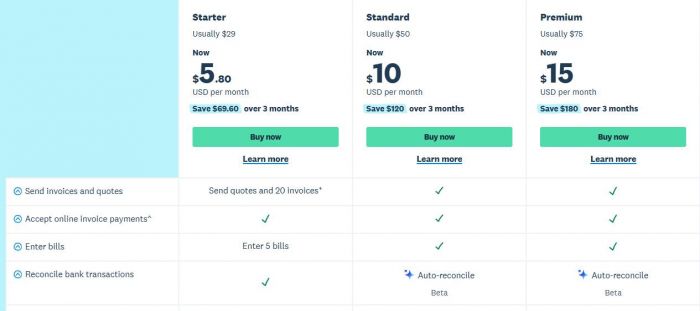
| Xero | From ~$15/month | Web, iOS, Android | Invoicing, accounting, payroll | Small businesses | Multi-currency, VAT |
| PayPal Invoicing | Free (fees per payment) | Web, Mobile | Invoices, online payments | Freelancers | Multi-currency |
| Square Invoices | Free / Paid | Web, iOS, Android | Invoices, payments, estimates | Small businesses | Limited currency |
5. Common Issues & Support :
| Issue | Typical Solution | Support Options |
| Payment delays | Enable reminders | Email, Help Center |
| Tax errors | Review tax settings | Chat, Docs |
| Sync problems | Reconnect integrations | Email, Knowledge base |
6. Conclusion :
For freelancers seeking simplicity and low cost, Zoho Invoice and Wave stand out. For those billing by time, FreshBooks remains a strong option. Small businesses needing full accounting will benefit most from QuickBooks Online or Xero. If payments are the priority, PayPal Invoicing and Square Invoices offer fast, reliable billing.
Choosing the right invoicing software depends on how complex your business is today and how much you expect it to grow tomorrow.
Post Comment
Be the first to post comment!